
Photographer, graphic designer, craftsman, writer, developer, decorator, artist: whatever your creative or manual profession, your work speaks for you. An ONLINE PORTFOLIO — a digital showcase of your achievements — is often your best sales pitch: better than a long speech, it SHOWS what you can do. But a poorly made portfolio (too many projects, poor quality, no context) harms more than it helps. Here’s how to create an online portfolio that leaves a lasting impression and turns visitors into clients.
Why an online portfolio?
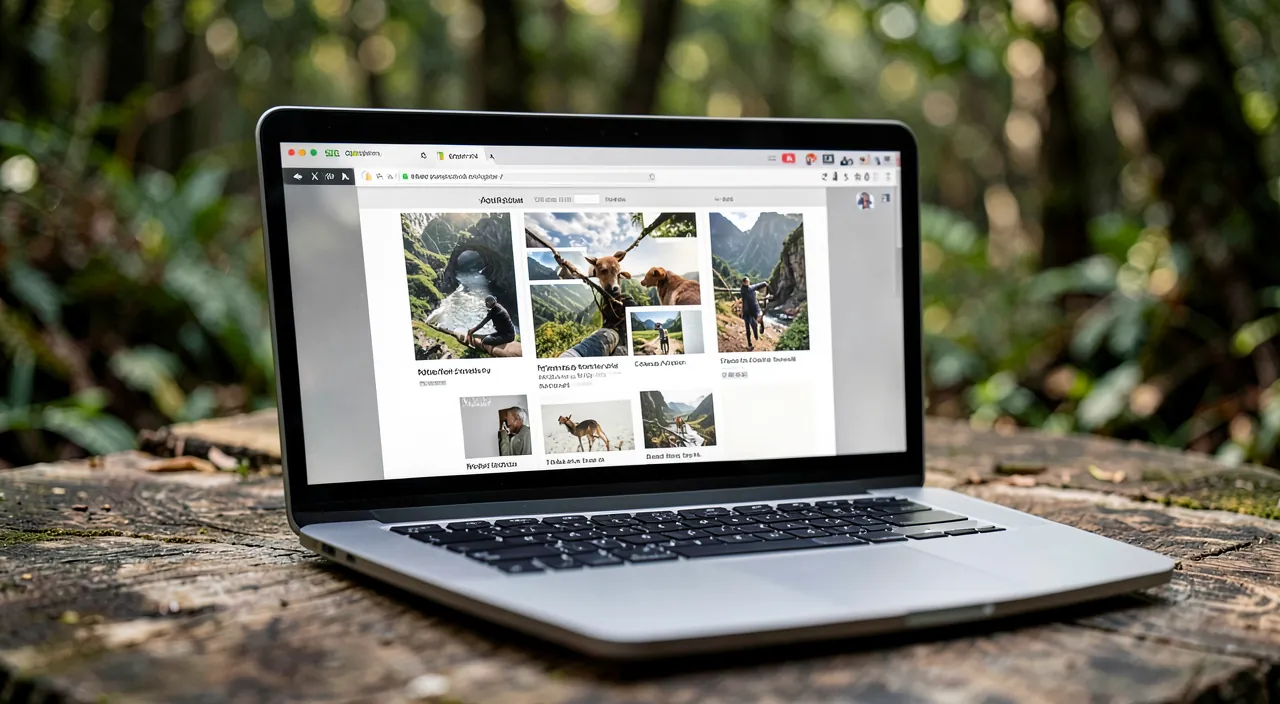
The portfolio has a unique strength: showing rather than telling. It PROVES your expertise: instead of claiming “I’m a good photographer,” you SHOW your photos; the demonstration is worth a thousand promises; the visitor judges on merit. It CONVINCES: a potential client who sees concrete, high-quality work tailored to their needs is far more likely to trust you than with just a speech. It DIFFERENTIATES you: your style, your universe, your approach shine through in your work; the portfolio reveals what makes you unique. It REASSURES: seeing that you’ve already done—and done well—what the client is looking for dispels their doubts. It SERVES as a reference: you can direct prospects to it, include it in your applications, and share it on social media. WHO is it essential for? All professions where the work is VISIBLE or demonstrable: photographer, graphic designer, illustrator, craftsman (carpenter, decorator, pastry chef…), architect, writer, web developer, videographer, artist, hairstylist, florist, and many others; as long as you produce something that can be shown (an image, a creation, a text, a project), a portfolio makes sense. WHAT FORM? It can be a “Projects,” “Portfolio,” or “Gallery” section on your existing site, or a site entirely dedicated to showcasing your work; the key is that it’s ONLINE, accessible, and that your achievements are presented advantageously. What to remember to start: in creative and manual professions, your portfolio is often your BEST sales tool—more convincing than a CV or pitch, because it concretely demonstrates what you’re capable of; it proves, convinces, differentiates, and reassures; it’s an investment that pays off. You just need to build it intelligently: a portfolio isn’t a simple dump of everything you’ve done, but a careful selection that tells who you are and what you do best.

Building your portfolio effectively
An effective portfolio isn’t improvised: here are the principles to build it. SELECT, don’t dump: the number one mistake is putting everything in; a portfolio isn’t an exhaustive archive, but a SELECTION of your BEST achievements; 10 excellent projects are better than 50 mediocre ones; each mediocre project drags the average down; only show what you’re proud of and that represents you. Show what you WANT to do: select projects that match the type of work you TARGET; if you want more of a certain type of project, highlight it; your portfolio attracts requests similar to what it shows. FLAWLESS quality: every element should be presented at its best; high-quality VISUALS (sharp, well-framed, well-lit photos; properly exported images); a photographer’s portfolio with blurry or poorly presented images sabotages itself; the presentation reflects your professionalism (our guides on finding royalty-free images for background visuals). Provide CONTEXT: for each project, a few words help: the CLIENT or context, the GOAL/need, your ROLE, and the RESULT; a single image is beautiful, but the story behind it (the challenge, your solution) adds value and shows your approach; without overdoing it. ORGANIZE clearly: structure your portfolio; by CATEGORY (types of projects), by THEME, or from strongest to weakest; make navigation easy; the visitor should quickly find what interests them. Put your BEST work first: attention is captured at the beginning; place your most impressive achievements at the top. TAKE CARE of the VISUAL presentation: a clean layout that highlights your work (no distracting embellishments); let your achievements breathe; the portfolio’s design should serve your work, not steal the spotlight. KEEP it up to date: add your new achievements, remove the oldest or least representative ones; a living portfolio shows ongoing activity (our guides on maintaining your site over time). In summary to build: select your best achievements (quality over quantity), in line with what you want to do; present them with flawless quality and a bit of context; organize clearly, best first; take care of a clean presentation; and keep it updated. A portfolio built this way doesn’t just show what you’ve done: it tells who you are and makes people want to work with you.
A good portfolio isn’t about showing everything you’ve done. It’s about carefully choosing your best work to show what you’re really good at. Think of it like a highlight reel of your career – you only want to show the moments that make you look your best.
A wedding photographer might include 10-15 of their best weddings in their portfolio, each with 3-5 stunning images. They wouldn’t include every wedding they’ve ever shot, especially not the ones with technical issues or less satisfied clients. This way, potential clients only see the photographer at their absolute best.
- SELECT your best work (quality over quantity)
- Show projects that match what you WANT to do
- Present everything with FLAWLESS quality
- Add a little CONTEXT for each project
- ORGANIZE clearly (by category or strength)
- Put your BEST work first
- TAKE CARE of visual presentation
- KEEP it updated
The golden rule of a portfolio: quality over quantity. This is the most important principle, and the most often overlooked. The natural temptation is to SHOW EVERYTHING you’ve done, to “wow” with quantity. That’s a mistake: a portfolio isn’t judged on its quantity, but on its BEST (and, unfortunately, also dragged down by its weakest). A visitor who sees 10 excellent achievements leaves impressed; the same visitor, faced with 50 achievements of which 15 are excellent and 35 are average, mainly retains the impression of scatter and mediocrity; each mediocre project DILUTES the impact of the good ones and sows doubt. So SELECT mercilessly: only keep the achievements you’re REALLY proud of, those that best represent you and match the type of work you target. Ask yourself for each project: “Does this strengthen or weaken the overall impression?”; if in doubt, remove it. A short, impactful portfolio is better than a long, uneven catalog. This principle has a corollary: put your STRONGEST work FIRST; attention is captured in the first few seconds; your most impressive achievement should greet the visitor, not be buried on page 3. Another corollary: orient your selection toward what you WANT to do; a portfolio attracts requests similar to what it shows; if you want more of a certain type of project, highlight it, even if you’ve done others. Finally, quality also applies to the PRESENTATION of each piece: clear, well-exported visuals, careful highlighting; a beautiful achievement poorly presented (blurry image, sloppy framing) sabotages itself. Remember: few, but excellent; the best in the spotlight; oriented toward your goals; impeccably presented. A portfolio focused on your best successes leaves a much stronger impression than an exhaustive dump; selection is an act of professionalism that says a lot about your standards.

Portfolio and contact: turning admiration into a mission
A beautiful portfolio is great; a portfolio that GENERATES contacts is even better: don’t neglect this aspect. MAKE CONTACT EASY: a visitor impressed by your work should be able to reach you IMMEDIATELY; a visible contact button or link on every page of the portfolio; a clear call to action (“Let’s discuss your project,” “Contact me”); don’t let admiration fade because they don’t know how to reach you (our guides on creating an effective contact form). TELL your STORY: accompany your portfolio with a presentation of YOU (who you are, your background, your approach, your added value); the client hires a person as much as a skill; an “About” page creates a human connection. ADD TESTIMONIALS: satisfied client reviews, alongside your achievements, powerfully boost confidence; social proof reassures hesitant prospects. SPECIFY your SERVICES: the portfolio shows WHAT you’ve done; complement it with what you OFFER concretely (your services, your way of working—our guides on presenting your services on a dedicated page); the visitor must understand how to go from “I like their work” to “I contact them for this need.” GUIDE the JOURNEY: lead the visitor from discovering your achievements to contacting you; the portfolio isn’t an end in itself, but a step toward the mission. Take care of SEO and sharing: so people can find you, and so you can easily share your portfolio (on social media, in your applications); high-quality visuals also help with sharing (our guides on adding share buttons to your content). Think about MOBILE display: many will view your portfolio on a smartphone; check that your achievements look good and navigation is smooth. Make it PROFESSIONAL in the details: a polished site address, consistent presentation, no typos; these details inspire confidence. The general idea: your portfolio must not only IMPRESS but also CONVERT; every admiring visitor is a potential client; make sure they know who you are, what you offer, that others have trusted you, and above all HOW to contact you easily. A portfolio that shows but doesn’t allow action wastes part of its potential; a portfolio that shows AND guides toward contact turns admiration into missions.

Warning: a few mistakes can turn your asset into a liability. A poorly made portfolio harms more than it helps: here are the pitfalls to avoid. OVERLOADING: showing too many achievements, many of them average, dilutes your best work and gives an impression of scatter; quality always trumps quantity; select mercilessly. POOR PRESENTATION quality: blurry, poorly framed, poorly lit, poorly exported visuals, or a neglected layout SABOTAGE even excellent work; in visual professions especially, presentation quality IS your business card; take care of every image. LACK of CONTEXT: achievements shown without any explanation leave the visitor guessing; a few words (the need, your role, the result) add value and show your approach. AN OUTDATED portfolio: old achievements, a site never updated, give an impression of inactivity or neglect; keep it alive. A DEAD-END contact: a stunning portfolio but no obvious way to reach you wastes its potential; the admiring visitor leaves without being able to act; put a visible contact everywhere. RIGHTS and confidentiality: be careful about what you have the RIGHT to show; some client work may be subject to confidentiality agreements, or you may not hold all the distribution rights; ask for permission before publishing a client’s work, especially if it hasn’t been released yet or is sensitive; likewise, if your portfolio shows people (photos), think about their right to privacy (our guides on finding royalty-free images). A design that STEALS the spotlight: a portfolio with flashy, overloaded design, full of effects and animations that distract from your achievements, undermines its purpose; the design should HIGHLIGHT your work, not compete with it; aim for clean. Typos and negligence: spelling errors, broken links, a sloppy site address, slow loading (unoptimized heavy images—our guides on speeding up a slow site); these details betray a lack of care and undermine confidence. FORGETTING MOBILE: a portfolio unreadable on a smartphone loses a large portion of visitors. Finally, LYING or exaggerating: don’t present as your own work you didn’t really contribute to; honesty about your role is crucial (a disappointed client who discovers the truth won’t come back). By avoiding these mistakes—overloading, poor quality, lack of context, outdated portfolio, dead-end contact, rights violations, intrusive design, negligence—your portfolio remains what it should be: a powerful asset that proves your worth and attracts missions, rather than a liability that sows doubt.

Frequently asked questions
How many projects should I put in my portfolio?
Fewer than you think: quality far outweighs quantity. There’s no magic number, but the principle is clear: a FEW EXCELLENT achievements are better than a large number of uneven ones. A portfolio of 8 to 15 truly strong projects leaves a much stronger impression than a catalog of 50 achievements half of which are average. Why? Because each mediocre project DILUTES the impact of your best ones and sows doubt; the visitor judges based on the overall impression, dragged down by the weakest elements. The rule: only show what you’re truly proud of and that best represents you. Ask yourself for each project: “Does this strengthen or weaken the overall impression?”; if it adds nothing or drags the average down, remove it. Also select based on what you WANT to do: prioritize achievements that match the type of work you target (your portfolio attracts similar requests). If you’re just starting and have few achievements: 3-4 well-crafted projects (even personal or fictional, honestly presented as such) are better than an empty portfolio or one filled with odds and ends; the quality of presentation will make up for the small number. Conversely, if you have a lot of work, resist the urge to show everything: select the best. In summary: no exact quota, but the requirement to only present the excellent; a portfolio focused on your best successes is always more impactful than an exhaustive dump.
Should I have a dedicated site or a section on my existing site?
Both work; the choice depends on your situation and goals. A SECTION on your existing site (a “Projects,” “Portfolio,” or “Gallery” page) works well if you already have a site presenting your activity: the portfolio integrates naturally alongside your presentation, services, and contact; the visitor finds everything in one place; it’s the simplest and often most logical solution. A SITE entirely dedicated to the portfolio makes sense if: your work IS your main argument (highly visual professions like photographer, graphic designer, illustrator, where the portfolio is the core of everything); you want a showcase focused solely on your achievements, with no other distractions; or you don’t yet have a site and are creating a portfolio site from the start. In all cases, the important thing isn’t so much “dedicated or integrated” as: your achievements are presented advantageously, navigation is clear, and the visitor can easily go from your achievements to your presentation, services, and contact. Whether you choose a section or a dedicated site, make sure the portfolio isn’t isolated: it must be linked to who you are and how to reach you. To start, a well-made section on your existing site is often sufficient and more economical; you can evolve toward a dedicated site if your activity justifies it. Choose based on the importance of visuals in your profession and what you already have in place.
Can I show work done for clients?
Often yes, but with caution and sometimes permission: this is a point not to overlook. Showing your client work is the heart of a portfolio and generally welcome; BUT several precautions apply. First, CONFIDENTIALITY agreements: some work may be subject to confidentiality clauses (especially in corporate settings, or for projects not yet made public); you may not have the right to disclose them; check your commitments before publishing. Then, DISTRIBUTION rights: depending on your contract, the client may hold certain rights over the delivered work; out of courtesy and caution, ASK the client for permission before including their project in your portfolio; most will agree willingly (it’s also visibility for them), and this avoids any misunderstandings. Also be careful with projects NOT YET RELEASED: don’t reveal work before its official publication without the client’s consent (you could harm them). RIGHT TO PRIVACY: if your achievements show identifiable people (event photos, portraits), their right to privacy may apply; make sure you have the necessary permissions. HONESTY about your role: if you worked as part of a team, specify your actual contribution; don’t claim a collective work as entirely your own. In practice: for client work, the safe reflex is to ASK for permission to present it; it’s courteous, protects you, and is often an opportunity for good contact with the client. If work is confidential or you don’t have permission, don’t show it (or anonymize it if acceptable and authorized). If in doubt about your rights, abstain or seek clarification. This caution avoids trouble and testifies to your professionalism and respect for clients.
What to remember
In creative and manual professions, an online portfolio is often your BEST sales tool: it SHOWS your expertise instead of stating it, which proves, convinces, differentiates, and reassures far better than a speech. It’s for anyone whose work is visible or demonstrable (photographer, graphic designer, craftsman, writer, developer, artist…), in the form of a section on your site or a dedicated site. THE GOLDEN RULE for building it: QUALITY over quantity; don’t dump everything, SELECT mercilessly your best achievements (8-15 strong projects are better than 50 uneven ones; each mediocre project dilutes the good ones); put your strongest work FIRST; orient the selection toward what you WANT to do (the portfolio attracts similar requests). Present each achievement with FLAWLESS quality (clear, well-exported, highlighted visuals) and a bit of CONTEXT (the need, your role, the result); organize clearly; adopt a CLEAN design that serves your work without stealing the spotlight; and keep it up to date. Above all, think about CONVERSION: a portfolio must not only impress but also generate contacts; make contact easy (visible button everywhere, clear call to action), tell who you are (“About” page), add testimonials, specify your services, and guide the visitor from admiration to the mission; optimize for MOBILE. MISTAKES to avoid: overloading, poor presentation quality (which sabotages even good work), lack of context, outdated portfolio, dead-end contact, rights violations (ask for permission for client work, be careful with confidentiality and privacy), intrusive design, negligence (typos, broken links, slowness), forgetting mobile, and exaggerating your role. A well-crafted portfolio—few but excellent, well presented, honest, and linked to easy contact—turns admiration into missions: it’s an investment that, well executed, pays off in the long run.



Your activity deserves a real online presence: showcase site, store, SEO—we create the site that reflects you.
Leave a Reply
You must be logged in to post a comment.