
The password is 60 years old, everyone hates it, and it has never been worse at protecting us — reused, guessed, phishing, leaked by billions. Its successor is on the way — the « passkeys » (access keys), a technology promising to connect without a password, with a simple glance or fingerprint, without remembering or typing anything, and most importantly, impossible to phishing. The giants are deploying it, the websites are adopting it, and the transition has begun. What are passkeys, how they work (simply), and how to start the end of the password without waiting — the guide to the post-password era.
Why the password is doomed
The justification for the successor: the password accumulates unsolvable flaws — the reuse (impossible to remember hundreds of unique ones without help — hence everywhere the same, and a site leak opens all others — our guides — flaw number one), the phishing (the password is typed — hence stolen: the fake site that captures, the fake support that asks — our guides — the strongest password can be given to a scammer in a second of trust), the massive leaks (billions of identifiers in the wild — our guides), and the human burden (remember, type, change, reset — the universal chore); the current patches — the password manager (the indispensable that solves the reuse — our guides: the foundation of the present) and two-factor authentication (the layer that saves — our guides: essential, but SMS is diverted, the code is phishing) — real progress, but patches on a tired concept; and the logic of the successor — to remove the password itself (what doesn’t exist can’t be stolen): replace the shared secret (the password that you and the site both know — the weak point: it leaks from both sides) with a cryptographic proof that never transfers: exactly what passkeys do — the next chapter.
Passkeys replace passwords with a secure key stored on your device. Instead of typing a password, you use your fingerprint or face to prove you own the key. The key never leaves your device, so it can’t be stolen or phished. This makes logging in much safer and easier.

Passkeys: how it works (without jargon)
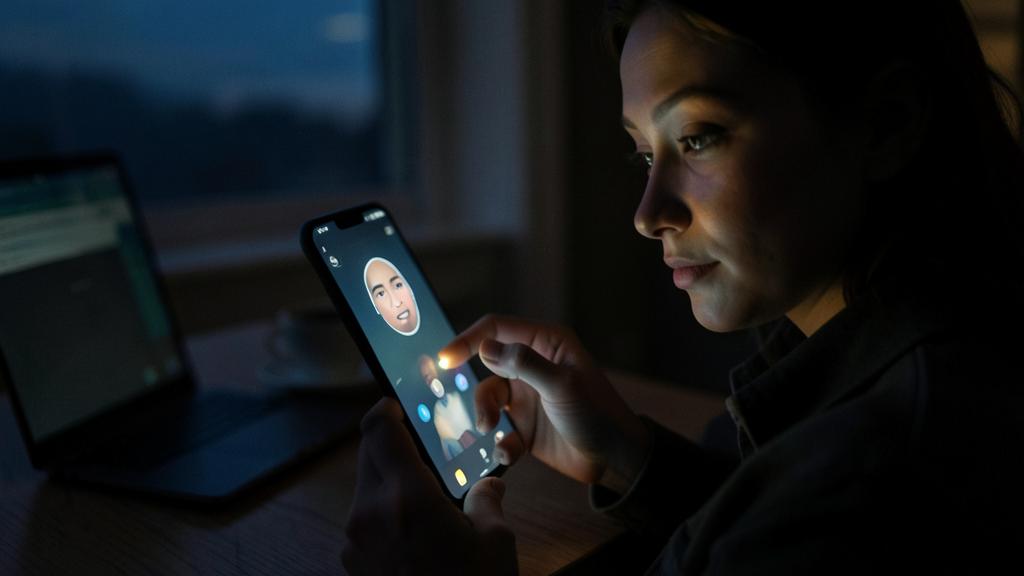
The principle, simply: a passkey replaces a site’s password with a cryptographic key stored in YOUR device (the phone, the computer, protected by your biometric or code): at connection, the device PROVES that you possess the key — without ever transmitting it to the site (the proof, not the secret: the site receives nothing stealable: a site leak gives no password since there isn’t one); the practical use — connecting with simple biometrics (face, fingerprint — the gesture you already make to unlock: nothing to remember, nothing to type), cross-device synchronization (the passkey follows in your ecosystem — the encrypted keyring: our password guides), and cross-device operation (logging in on a computer by approving on your phone); the properties that change everything — impossible to phishing (the passkey is tied to the REAL site — the fake site can’t trigger it: the fake support and fake form in our guides become INOPERABLE — structural protection, not behavioral — the revolution), nothing to memorize (the human burden eliminated), nothing to type (errors and fatigue eliminated), and nothing to leak (site databases become useless to thieves); and the compatibility — passkeys are an OPEN standard (supported by all giants — the same technology everywhere, between different ecosystems: no proprietary lock-in, the good design). In short: connecting becomes as simple as unlocking your phone — and infinitely safer.
Imagine you want to log into your bank account. Instead of typing a password, your phone prompts you to scan your face. The bank’s app verifies your identity without ever receiving your biometric data. Even if hackers breach the bank’s database, they won’t find any passwords or keys to steal. This is how passkeys work in real life.
The right reflex. Start adopting passkeys NOW on your critical accounts — without waiting for the end of the password: more and more services offer them (the big accounts — Apple, Google, Microsoft, banks, networks, stores: search « access key » or « passkey » in the security settings) — activate them where possible, keeping the password as a backup during the transition (both coexist — our guides). Each critical account converted to a passkey is one that phishing can no longer steal: email and bank accounts first (our guides: the keys to everything). The transition happens account by account, at your pace — but it starts today, not « when everyone else is there. »

The transition: managing the interim (passwords AND passkeys)
The realism of the period: the prolonged coexistence — passkeys are deployed PROGRESSIVELY (not all sites have them — the transition will take years: the password and password manager remain essential for a long time — our guides — don’t abandon them); the password manager becomes the hub — modern password managers also store passkeys (same vault for both — a smooth transition: our guides: the password manager is not rendered obsolete by passkeys, it becomes their home); the practical questions — the recovery (losing your device shouldn’t lock you out: cloud synchronization of passkeys, multiple devices, backup methods — the point that services take care of, to verify at activation: our guides accounts), shared devices and ecosystems (passkey on your personal device, cross-device connection for a third party’s computer — the mechanism is designed), and family accounts (sharing, transmission — our guides family and succession: passkeys integrate the same reflexes); and the evolving two-factor authentication — a passkey IS already a strong authentication (it combines possession of the device and biometrics — our guides 2FA): it simplifies security while reinforcing it, where the password + SMS stacked two weak steps. The right posture: adopt passkeys where they exist, keep the foundation (password manager, unique passwords, 2FA) for everything else — both worlds coexist, and the password manager bridges them.
Beyond: biometrics, identity, and vigilance
Related fronts: the generalized biometrics — connecting by face, fingerprint becomes the norm (real comfort — and security: biometrics never leave the device, they unlock a local key — our guides: Apple/manufacturer never see your face — the reassuring point to know), with its limits (biometrics can’t be « changed » like a password — hence their use for LOCAL unlocking, never as a transmitted identifier — the good design of passkeys); the converging digital identity (our guides — the identity portfolio, passwordless proofs, selective disclosure — the same underlying movement: proving without exposing); and the issues — dependency on the device (the phone becomes the key to everything — protect it, back it up, prepare for its loss — our guides phone theft takes on increased importance), exclusion (transition to passkeys must not exclude those without a recent smartphone — alternatives maintained — our guides digital divide), and concentration (the big ecosystems as key guardians — the open standard and portability as defenses to defend); and the transition vigilance — the coexistence period is a FRAUD field (fake « activate your passkey » phishing, confusion exploited — our guides: passkeys activate IN the service settings, never via a received link — and the fundamentals don’t change during the transition — the password still unique, 2FA active, secure email remains) — the post-password era is promising, simpler AND safer — provided you keep a clear head as it settles in.

Attention: do not abandon your current protections during the transition. The mistake of the enthusiastic early adopter: believing that passkeys make everything else obsolete — that’s false and dangerous for years: the password survives on most sites (the password manager and unique passwords remain VITAL — our guides: don’t neglect them because « passkeys are coming ») — two-factor authentication remains essential where there’s no passkey, and the secure email remains the key to everything (our guides). The right approach is ADDITIVE, not substitutive: add passkeys to critical accounts where they’re offered, keep the foundation everywhere else — both worlds coexist, the password manager unites them. And the golden rule of the period: be wary of the novelty as an excuse for fraud (fake migration emails « passkey mandatory » — our guides: nothing activates via a received link). The passwordless future is real — the present still protects with today’s tools.
Frequently asked questions
If I lose my phone, do I lose access to everything?
No, if it’s properly configured: passkeys synchronize (the encrypted keyring in the cloud — recoverable on a new device via your account: our guides), multiple devices back each other up, and backup methods exist (verify at activation): it’s even better than before (password lockouts also locked you out). The rule remains: the main account (Apple/Google) that holds the keys is secured and recoverable (our guides phone theft, accounts) — it’s now the real master key.

Are passkeys reserved for experts or the latest devices?
No — it’s designed to be SIMPLER than passwords (the biometric gesture you already make, nothing to remember: the general public is the target, seniors benefit especially — our guides seniors: fewer passwords to remember is a relief); recent devices handle them natively, and password managers bring them elsewhere. Complexity is HIDDEN (cryptography works, you just look at your screen) — that’s the whole progress: strong security made simple.
Should I delete my passwords once the passkey is activated?
Not yet — keep the password as a backup during the transition (they coexist, the service allows it): deleting it too soon can complicate recovery while the passkey ecosystem matures. The full transition will come when the technology is everywhere and proven: for now, ADDITIVE — the passkey in addition, the unique password as backup, the password manager handling both.

What to remember
The password is doomed by its unsolvable flaws (reuse, phishing, leaks, human burden) — and its successor, passkeys, replaces the stealable shared secret with a never-transferred cryptographic proof: connecting with a glance or fingerprint, without remembering or typing, and most importantly, IMPOSSIBLE to phishing (the structural protection that renders fake sites and supports inoperative — the real revolution). The transition has begun and will take years: the right approach is ADDITIVE — activate passkeys on critical accounts that offer them (email and bank accounts first), keep the foundation everywhere else (password manager, unique passwords, 2FA, secure email — nothing abandoned), the password manager bridging the two worlds. Protect the device that has become the key to everything, keep alternatives to avoid exclusion, and be wary of transition scams (nothing activates via a received link). The post-password era is simpler AND safer — a rare progress that unites both: start adopting it today, account by account. The password is 60 years old: it’s time to prepare its retirement — without disconnecting the securities while it’s still there.

Want to understand and master the technologies changing your daily life? Our training programs enlighten you.
Leave a Reply
You must be logged in to post a comment.