
Your phone always knows where you are—and it can share this location: with apps, with loved ones, on social networks. Location sharing is very practical (locating yourself, finding a loved one, being guided, securing children), but it’s also a VERY sensitive piece of data: knowing where you are, where you’re going, your habits, reveals a lot about your life. In the wrong hands, or shared too widely, your location can pose real privacy and security issues. Here’s how to manage the sharing of your location: take advantage of it when it’s useful, while limiting it otherwise.
Location sharing: practical but sensitive
Let’s understand the two sides of location sharing. What location sharing ALLOWS (useful uses): LOCATE and be GUIDED (maps, GPS navigation); find nearby services (restaurants, shops); SHARE your location with loved ones (let them know where you are, meet up, reassure); LOCATE a loved one (know a child has arrived safely, that an elderly person is okay—with their consent); FIND your lost device (Find My function); some practical location-based features. So it’s very useful in many situations. BUT location is a VERY SENSITIVE piece of data: knowing where you are at all times means knowing your HOME, your workplace, your HABITS and movements, the places you frequent, when you’re AWAY from home; it’s a major intrusion into your privacy. The RISKS of poorly managed sharing: apps that collect your location continuously (for ads, data resale—your location is valuable); a location shared too WIDELY (on social networks, revealing where you are or that you’re on vacation—a boon for burglars!); TRACKING by a malicious person (an ex, a stalker, someone following you without your knowledge); exposure of information about your loved ones (especially children). The principle of CONTROL: location sharing is neither « all good » nor « all bad »; it’s about CONTROLLING it: enabling it WHEN it’s useful and FOR WHO it’s legitimate, and limiting or turning it off the rest of the time; YOU decide who and what can know your location, and when. What to remember to start: location sharing is very practical (guidance, finding loved ones, security) but concerns a very sensitive piece of data (it reveals a lot about your life); controlling it means taking advantage of it when useful while limiting it otherwise, and deciding for yourself who can know where you are; it’s neither sharing everything nor cutting everything, but controlling. Let’s see how.
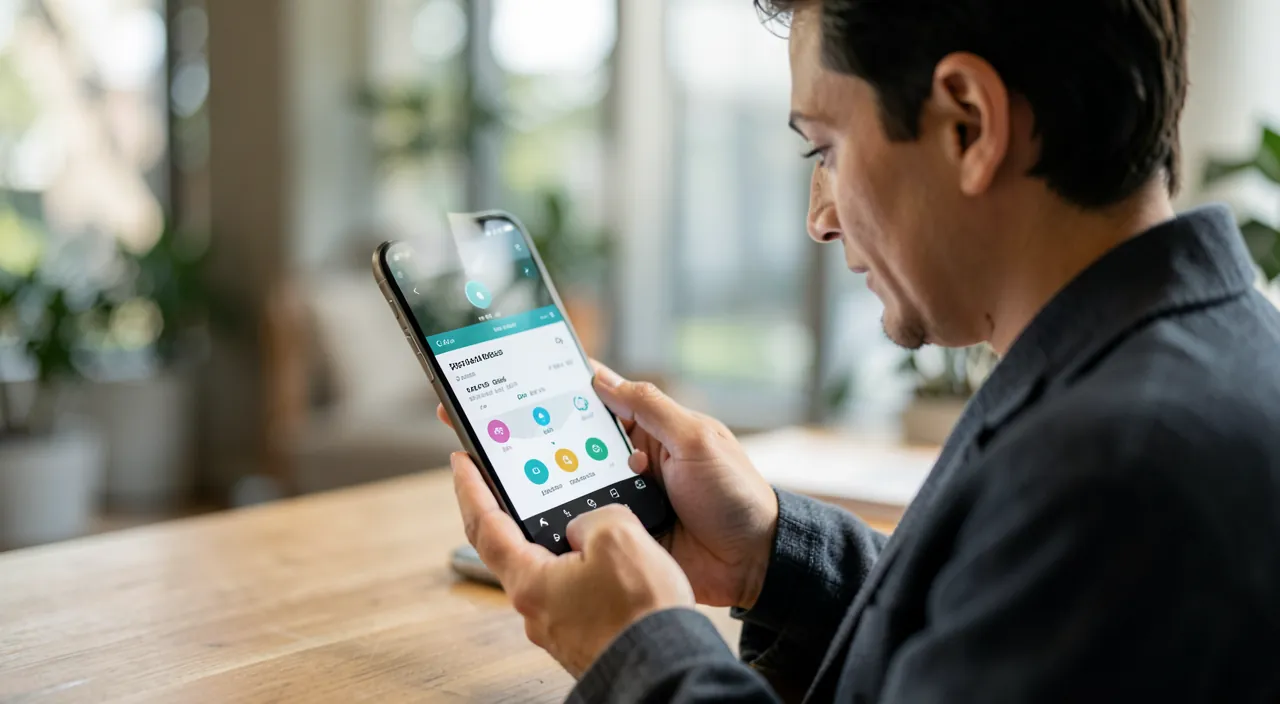
Your location reveals a lot about your life—where you live, where you go, and when you’re not home. This can be useful for navigation or finding friends, but it’s also sensitive information. The key is to control who can see it and when, rather than sharing everything or nothing.
Imagine you’re on vacation and post on social media that you’re in Paris. A burglar sees this and knows your house is empty. Or, you share your location with an ex-partner who uses it to track your movements. These are real risks of uncontrolled location sharing.
Controlling who accesses your location
You stay in control: here’s how to manage location sharing at all levels. App PERMISSIONS: in your device’s PRIVACY settings (Location/Position section), you can see which apps have access to your location and modify each permission; this is the first level of control (our guides check your apps’ permissions). LEVEL options (crucial): for location, you often have a choice, per app, between: « Never » (access denied), « When I use the app » (access only when the app is open—the best compromise for most), « Always » (continuous access, even in the background—reserved for apps that really need it), and sometimes a PRECISION option (exact or approximate location). PREFER « When I use the app »: for most apps, this is more than enough; avoid « Always » unless absolutely necessary (an app that follows you continuously, even when closed, is intrusive). DENY location to apps that don’t need it: a game, a basic app has no reason to know your location; deny it. SHARING with LOVED ONES: some features/apps allow you to share your location in real time with specific people (family, friends); you control WHO you share with, and can STOP sharing at any time; useful for meeting up or reassuring, but only share with trusted people, and regularly check WHO you’re still sharing with (we sometimes forget an active share). Temporary sharing: often, you can share your location for a LIMITED TIME (an hour, until the end of the day) rather than indefinitely; prefer temporary sharing when it’s occasional (for the duration of a meeting). TURN OFF location globally: you can completely disable your device’s location (in settings or the quick panel) when you don’t need it; reactivate as needed. SOCIAL NETWORKS: be careful not to share your location in your posts (photo geolocation, location mentions); adjust this (we’ll come back to it). The « FIND » function: keep it active to find a lost device (it’s a legitimate security use), but understand that it locates your device (and thus you). CHECK regularly: periodically review who/what has access to your location (apps, shares with loved ones), and clean up; permissions and shares accumulate. In summary: control app permissions (prefer « when I use the app, » deny to those that don’t need it), manage WHO you share your location with (trusted loved ones, preferably temporary sharing, stoppable at any time), be careful with social networks, and regularly check everything; you thus precisely decide who can know your location, and when.
The right setting: « When I use the app » by default, and a controlled family sharing. Two habits help you take advantage of location sharing while controlling it. ONE, for APPS: adopt the « When I use the app » principle by default. In location settings, for each app, this setting gives access to your location ONLY when the app is open and you’re using it; it’s the best compromise for most apps (a map app needs your location when you use it, not when it’s closed). Avoid « Always » (continuous access, even in the background) except for the rare apps that really need it: few apps justify FOLLOWING you continuously, even when closed; continuous location allows reconstructing all your movements and habits, which is very intrusive. And flat-out REFUSE location to apps that don’t need it at all (a game, a basic app). This way, you cut off apps’ continuous collection of your location while keeping the service when you actually use it. TWO, for SHARING with LOVED ONES: location sharing in families is very useful (knowing a child has arrived at school, that an elderly person is okay, meeting up during an outing, reassuring); but control it: only share with people of TOTAL trust; prefer TEMPORARY sharing when it’s occasional (share your location just for the duration of a meeting, rather than permanently); and REGULARLY check WHO you’re still sharing your location with—we sometimes activate a share and forget it’s still running, months later; clean up. An important point for family sharing and CHILDREN: a child’s location sharing must be done with TRANSPARENCY and dialogue (according to their age), not in secret; it’s a security and peace-of-mind tool, not a secret surveillance tool; explain it to them and respect their growing autonomy (our guides help parents with screens). With these two habits— »when I use the app » to limit app collection, and controlled family sharing (trust, temporary, checked, transparent)—you fully take advantage of location sharing’s useful uses (guidance, finding loved ones, security) while avoiding constant intrusion into your privacy. It’s the balance: controlling who knows where you are, and when, rather than sharing everything or cutting everything.
Privacy, security, and sensitive cases
Beyond standard settings, some sensitive situations require special vigilance. SOCIAL NETWORKS and location: be careful not to inadvertently reveal where you are; publishing in real time that you’re on vacation (and thus away from home) is a boon for burglars; photos can contain the location (geolocation) where they were taken; avoid « marking » your location in real time, and delay sharing your vacation (post when you return!); adjust photo geolocation deactivation if needed (our guides limit the data you share online). TRACKING by a malicious person: this is a serious risk; an ex, a controlling partner, a stalker may try to track your location (via a share they set up, an app installed on your phone, a tracker slipped into your belongings); if you’re in this situation, CHECK what’s sharing your location (permissions, active shares, suspicious apps), turn off what shouldn’t be there; beware of trackers (our guides help you find objects with a tracker, which also explains protections against tracking); in case of danger, get help (loved ones, associations, authorities—our guides help with harassment). CHILDREN: location sharing can reassure and secure (knowing they’ve arrived safely), but with transparency and dialogue according to their age, not as secret surveillance; respect their growing autonomy; and also protect THEIR location from third parties (don’t expose it). ELDERLY or vulnerable people: location sharing can be a precious security tool (knowing an elderly person is okay, locating them in case of trouble), with their consent and understanding. FINDING a lost device: keep the « Find » function active: it’s a legitimate security use that lets you find or lock a lost/stolen device; the advantage far outweighs the fact that your device knows its location. Data collected by APPS: understand that many apps collect and sometimes SELL your location data (it has commercial value); limiting permissions (especially « Always ») reduces this collection; it’s a daily privacy issue, even without malice. Location while TRAVELING: useful for guidance, but be careful not to overly expose your movements. THE BALANCE: location sharing provides real services (loved ones’ security, guidance, finding a device); it’s not about cutting everything out of paranoia, but about controlling: enabling for useful uses and trusted people, limiting the rest, and staying vigilant in sensitive situations. In summary: be careful not to expose your location on social networks (especially your absences), be vigilant against malicious tracking (check what’s locating you), manage sharing with children transparently, use location as a security tool for vulnerable loved ones (with their consent), keep « Find » for your devices, and limit app collection; it’s a balance between taking advantage of useful uses and protecting your privacy.
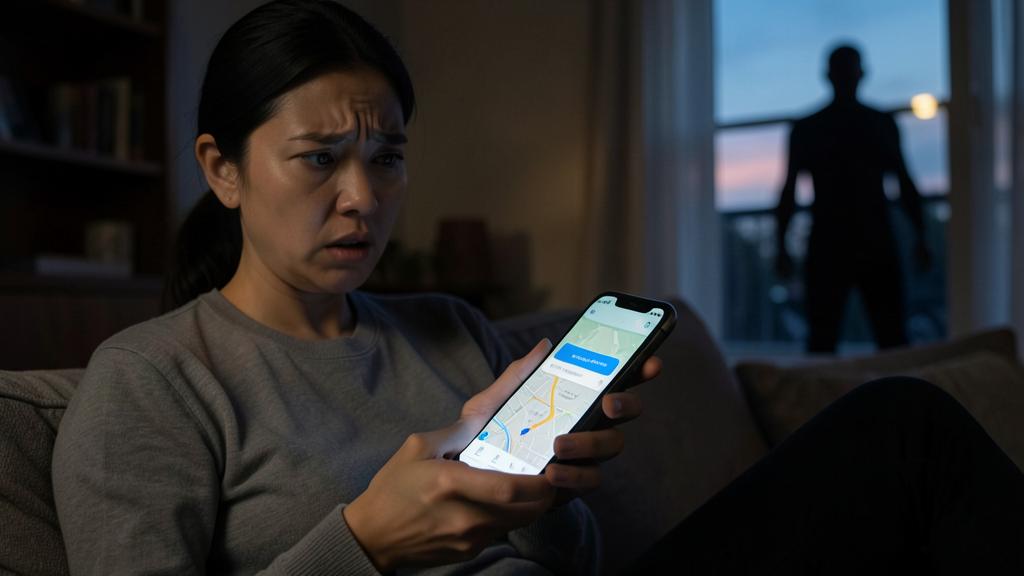
Warning: your location reveals a lot—beware of social networks, tracking, and forgotten shares. Location is one of the most sensitive pieces of data; several traps deserve your attention. The SOCIAL NETWORKS trap: publishing your location in real time exposes a lot; announcing you’re on VACATION or on a weekend (and thus your home is empty) is a boon for BURGLARS; photos can also contain the geolocation of the shooting location; avoid « marking » your location in real time, don’t reveal your prolonged absences, and share your vacation UPON RETURN (our guides limit the data you share online). The trap of apps that FOLLOW you CONTINUOUSLY: a location set to « Always » lets an app follow you even when closed, reconstruct all your movements, often to collect and SELL this data (your location is valuable); prefer « When I use the app, » and deny location to apps that don’t need it. The MALICIOUS TRACKING trap: this is the most serious risk; a malicious person (ex, controlling partner, stalker) may try to track your location via a share they activated on your account, an app installed on your phone without your knowledge, or a tracker slipped into your belongings; if you suspect this, CHECK carefully what’s sharing your location (location permissions, active location shares—with WHO?, unknown apps), turn off what shouldn’t be there, and pay attention to your phone’s alerts about an unknown tracker following you; in case of danger, GET HELP (loved ones, specialized associations, authorities—our guides help with harassment); don’t stay alone facing a controlling or harassment situation. The FORGOTTEN SHARES trap: you activate a location share with someone (for a meeting, an outing) and FORGET to turn it off; months later, that person still knows your location; REGULARLY check WHO you’re still sharing your location with, and clean up; prefer TEMPORARY sharing for occasional needs. Beware of CHILDREN: location sharing must be done with TRANSPARENCY and dialogue (no hidden surveillance), and THEIR location must not be exposed to third parties. Only share your location in real time with people of TOTAL trust. Finally, don’t fall into the opposite extreme (cutting everything out of paranoia to the point of depriving yourself of useful uses like « Find » to recover a device, or reassuring sharing with a loved one): the goal is CONTROL, not total deprivation. By staying vigilant on social networks, limiting apps’ continuous location, monitoring potential tracking and forgotten shares, and managing family sharing transparently, you effectively protect this sensitive data while taking advantage of its useful uses.
Frequent questions
Should I completely turn off location?
No, not necessarily: the goal is to MASTER it, not necessarily to cut everything. Location provides real useful services: locating and being guided (maps, GPS), finding nearby services, sharing your location with loved ones to meet up or reassure, locating a vulnerable loved one (with their consent), and especially FINDING a lost or stolen device (the « Find » function, a precious security use). Cutting everything would deprive you of these uses. The right approach is CONTROL: enable location when it’s useful, and limit it the rest of the time. Concretely: keep location ENABLED globally (to benefit from guidance, « Find, » etc.), but MASTER app permissions: give location « When I use the app » rather than « Always » (to avoid continuous tracking), and deny it to apps that don’t need it; also manage location sharing with loved ones (with WHO? preferably temporary; check regularly). This way, you take advantage of useful uses while limiting collection and exposure. You can occasionally DISABLE location when you don’t need it (to save battery or for privacy in a specific situation), and reactivate it as needed; but turning it off permanently is generally unnecessary and undesirable (you’d lose « Find, » guidance…). Special case: if you’re in a MALICIOUS TRACKING situation (harassment), specific measures are needed (check and cut what’s locating you, get help)—this is different from a comfort setting. In summary: don’t cut everything by principle; keep location for its useful uses, but control who accesses it (apps limited to « when I use the app, » controlled shares); it’s the balance between comfort and privacy.
How can I know who can see my location?
Two places to check: app permissions, and shares with people. APPS: in your device’s PRIVACY settings, Location/Position section, you see the LIST of apps that have access to your location, and the level granted to each (« Never, » « When I use the app, » « Always »); review this list: for each app, ask yourself if this access is justified; remove location from apps that don’t need it, and switch others to « When I use the app » rather than « Always » when possible. SHARES with PEOPLE: if you use a real-time location sharing feature (with family, friends), check WHO you’re currently sharing your location with; this is found in the relevant app or sharing feature (often a list of people you’re sharing with); you can STOP a share at any time; this is important because we sometimes forget a share activated long ago (for an occasional meeting) that’s still running; clean up regularly. Also check SOCIAL NETWORKS: look if your posts or photos share your location (geolocation); adjust this to not expose where you are. A good HABIT: periodically do a complete review—what apps have my location (and at what level)? with WHO am I sharing my location in real time? do my posts reveal my location?—and cut what’s not justified. If you suspect MALICIOUS TRACKING: be particularly attentive to these checks (an unknown app with location access, a share you didn’t activate), and to alerts about unknown trackers; cut any suspicious access, and get help in case of danger (our guides help with harassment). In summary: check app permissions (settings → privacy → location) AND active shares with people (in the sharing feature); do this regularly to precisely know who can see your location, and cut what shouldn’t have access.
Is sharing my location with loved ones a good idea?
It can be very useful, provided it’s done with discernment. The ADVANTAGES of family or loved ones’ location sharing: SECURITY and peace of mind (knowing a child has arrived at school or a friend’s, that an elderly person is okay, that a family member has come home); PRACTICALITY (easily meeting up during an outing, an event, knowing when someone arrives); REASSURING (informing a loved one of your location during a trip, a journey). For many families, it’s an appreciated and reassuring tool. The CONDITIONS for it to be a good idea: only share with people of TOTAL trust; do it MUTUALLY and TRANSPARENTLY (everyone knows who shares with whom; no hidden surveillance); for CHILDREN, in DIALOGUE according to their age (it’s a security tool, not a way to spy; respect their growing autonomy as they grow—our guides help parents with screens); prefer TEMPORARY sharing for occasional needs (for the duration of a meeting) rather than permanent when not necessary; and REGULARLY check WHO you’re sharing with (to not leave a forgotten share). PRECAUTIONS: location sharing must remain a FREE CHOICE and a tool of trust, not a means of control; beware of imposed sharing or used to spy (in a relationship, this can become problematic; a forced share is a warning sign); and don’t expose your loved ones’ (especially children’s) location to third parties. In summary: yes, sharing your location with loved ones is often a good idea for security and practicality, PROVIDED it’s mutual, transparent, with trusted people, in dialogue (especially with children: no hidden surveillance), and controlled (temporary when occasional, checked regularly); it’s a great use of technology to stay connected and reassured, as long as it remains a choice of trust and not a control tool.
What to remember
Location sharing is very practical (GPS guidance, finding loved ones, securing children or elderly loved ones, finding a lost device) but concerns a VERY SENSITIVE piece of data: knowing where you are at all times reveals your home, your habits, your absences—a major intrusion into your privacy in the wrong hands. The goal is to MASTER it: take advantage of it when useful, limit it the rest of the time, and decide for yourself who can know where you are; neither share everything nor cut everything, but CONTROL. For APPS: in Settings → Privacy → Location, check who has access; adopt « When I use the app » by default (avoid « Always, » which allows continuous tracking, often to collect/resell your data), and deny location to apps that don’t need it. For SHARING with LOVED ONES: very useful for security and practicality, provided it’s mutual, transparent, with people of TOTAL trust, in dialogue (especially with children: no hidden surveillance), preferably TEMPORARY for occasional needs, and CHECKED regularly (we often forget an active share). POINTS of VIGILANCE: on SOCIAL NETWORKS, don’t expose your location in real time or your ABSENCES (a boon for burglars; post your vacation upon return); beware of photo geolocation. Against MALICIOUS TRACKING (ex, stalker tracking your location via a share, a hidden app, or a tracker), check what’s locating you, turn off what’s suspicious, pay attention to alerts about unknown trackers, and get help in case of danger. Keep the « Find » function active (legitimate security use to find a device). Regularly check everything (app permissions, active shares, posts). Don’t fall into the opposite extreme (cutting everything out of paranoia would deprive you of useful uses). By controlling app permissions, managing shares with loved ones, staying vigilant on social networks and against tracking, you protect this sensitive data while taking advantage of its precious uses: it’s the balance between comfort and privacy—you decide who knows where you are, and when.
Doubts about your security, a device to check or clean up? Our support service guides you step by step.
Leave a Reply
You must be logged in to post a comment.