
Every year, an appalling amount of food is wasted: forgotten leftovers, wilting vegetables, expired products at the back of the fridge. It’s a waste for the planet as well as for the wallet. Anti-waste apps help change this: finding recipes from what you have, cooking leftovers, not wasting anything, and even recovering unsold items at a low price from shops. Here’s how these apps help reduce waste and cook better, for your budget and the environment.
Food waste and how apps help
Food waste is a massive problem: a significant portion of the food produced is thrown away, often at home — forgotten leftovers, spoiled vegetables, products nearing their expiration date, too many groceries. It’s a double waste: ECONOMIC (throwing away money) and ECOLOGICAL (producing food has an environmental cost, wasted when it’s thrown away). Anti-waste apps help reduce this waste in several ways: they can be categorized into major groups. Anti-waste RECIPE apps: you indicate the ingredients you HAVE (leftovers, what’s lingering in the fridge, what needs to be eaten quickly), and the app suggests RECIPES to make with them — a way to cook what you would have thrown away, without necessarily buying more. Fridge and expiration date MANAGEMENT apps: to track what you have, expiration dates, and be alerted before something goes bad (no more forgotten products at the back of the fridge). UNSOLD ITEM RECOVERY apps: they connect shops (bakeries, supermarkets, restaurants) with unsold items at the end of the day to individuals who can recover them at a LOW PRICE (surprise baskets at bargain prices); you eat well, cheaply, and avoid these products being thrown away. FOOD DONATION and sharing apps: to give or recover food between individuals or to associations. Anti-waste TIPS: storage tips, cooking leftovers, managing groceries. What this allows: COOKING what you have instead of throwing it away (recipes from leftovers), NO LONGER FORGETTING products (date management), RECOVERING unsold items at a low price (good for the budget), and LEARNING to waste less (tips). The BENEFITS: SAVINGS (less waste, buying unsold items cheaply), ECOLOGY (reducing waste is a concrete gesture for the planet), and sometimes DISCOVERY (cooking leftovers stimulates creativity, surprise baskets lead to discoveries). What you need to understand: these apps turn a problem (waste) into virtuous and easy habits; they help better use what you have, waste less, and consume more wisely. The key idea: anti-waste apps help reduce food waste — a double economic and ecological waste — in several ways: finding recipes from what you have (cooking leftovers), managing your fridge and dates (not forgetting anything), and recovering unsold items from shops at a low price. They allow you to save money, act for the planet, and sometimes discover: a simple and concrete way to waste less and consume better.

These apps help you use up food you already have, so you don’t throw it away. They also let you buy unsold food from stores at a discount, which saves money and reduces waste. It’s a simple way to save cash and help the planet.
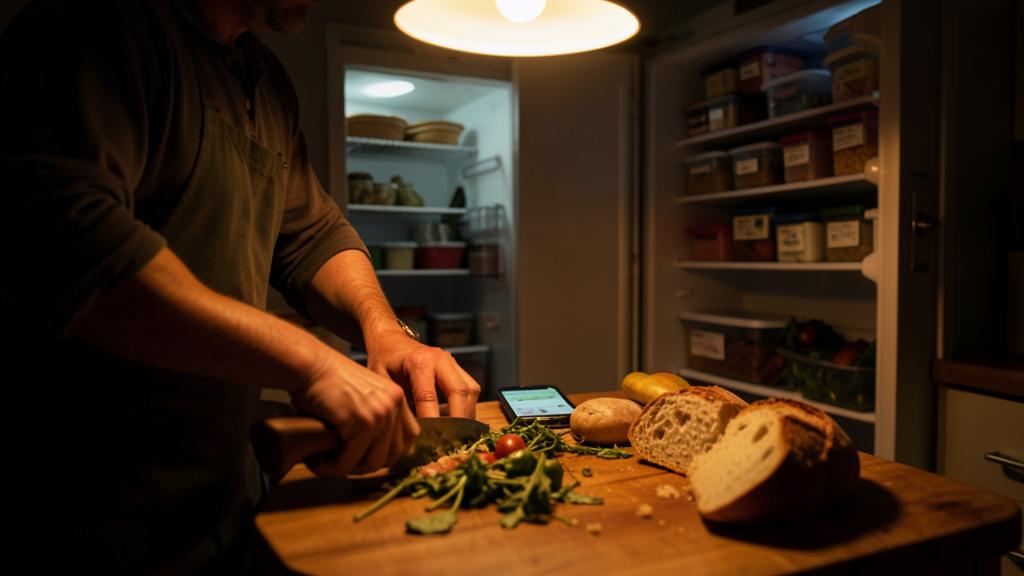
You have leftover chicken, rice, and vegetables in your fridge. Instead of throwing them away, you use an anti-waste recipe app to find a dish to make with them. The app suggests a chicken and rice stir-fry, so you cook it instead of buying more food. You save money and reduce waste.
How to use anti-waste apps effectively
Here’s how to make the most of these apps based on your needs. To COOK leftovers: anti-waste recipe apps — indicate what you HAVE (leftovers, ingredients to finish), and the app suggests suitable recipes; an excellent reflex before throwing away or buying more: “what can I make with this?”; you cook what would have been lost, and you vary your meals. To STOP FORGETTING: management apps — if you often throw away expired forgotten products: an app that tracks your food and their dates, and ALERTS you before they go bad, can help; some prefer simple methods (organizing the fridge to see what needs to be eaten), choose what suits you. To EAT cheaply and waste-free: unsold item recovery apps — install an app that offers unsold items from shops near you: reserve a basket (often a “surprise”) at a reduced price, pick it up at the indicated time; you eat well, cheaply, and avoid waste; ideal for bakeries, supermarkets, restaurants in your neighborhood. To GIVE or recover: sharing apps — if you have a surplus (before going on vacation, for example), give it away rather than throwing it away; or recover what others share. Learn ANTI-WASTE TIPS — take advantage of the tips (storage, cooking leftovers, managing groceries) to adopt lasting good habits. A few TIPS: adopt the reflex “what do I have to finish?” before cooking or shopping (the best anti-waste is using what you have); don’t OVER-EQUIP yourself (one useful app is better than several you don’t use; sometimes, good habits are enough without an app); for unsold items, check the TIME SLOTS and pick up at the right time (baskets are to be picked up at a specific time); and keep FOOD SENSE (see below: dates, storage, hygiene). A note on DATES and FOOD SAFETY: learn to distinguish dates (a “use by” date — DLC, to be respected for sensitive products — from a “best before” date — DDM/“use by preference before”, after which many products remain good); using your senses (see, smell) helps avoid throwing away what’s still good, BUT stay cautious for sensitive products (meat, fish, fresh products); in case of doubt about a food, it’s better not to take risks for your health (our guides on how to store food properly). In summary, to use these apps well: cook leftovers with recipe apps (the reflex “what do I have?”), manage your dates if you often forget, recover unsold items at a low price, give away your surplus, and learn the tips. Without over-equipping yourself, with common sense and food caution: this is how you waste less, save money, and eat better.
The right reflex. The best anti-waste gesture, which these apps encourage, comes down to one question to ask yourself before cooking or shopping: “what do I have to finish?”. Use an anti-waste RECIPE app: indicate the leftovers and ingredients you have (what needs to be eaten quickly), and it suggests recipes to make with them — you cook what would have been thrown away, without necessarily buying more, and you vary your meals. If you often throw away EXPIRED forgotten products, an app that tracks your food and ALERTS you before they go bad can help (but sometimes, simply organizing your fridge to see what’s urgent is enough — choose what suits you). To eat well and cheaply while avoiding waste, try UNSOLD ITEM RECOVERY apps: reserve a basket (often a “surprise”) at a reduced price from shops in your neighborhood (bakeries, supermarkets, restaurants), and pick it up at the indicated time slot; it’s economical, ecological, and sometimes a nice discovery. Before going on vacation or facing a surplus, GIVE rather than throw away (sharing apps). Two tips: don’t over-equip yourself (one useful app is better than several abandoned ones; and good habits often suffice without an app), and keep FOOD SENSE. On this point, learn to distinguish DATES: a “use by” date (to be respected for sensitive products) from a “best before” date (after which many products remain good); using your senses (see, smell) avoids throwing away what’s still good. BUT stay CAUTIOUS for sensitive products (meat, fish, fresh): in case of doubt about a food, don’t take risks for your health. The reflex “what do I have to finish?”, an app suited to your need, and a bit of common sense: this is how you waste less, save money, and eat better — for your budget and the planet.

Waste less, for your budget and the planet
Reducing food waste is one of the most accessible and rewarding daily gestures: good for the wallet AND the planet. Apps help, but the essential is the change in HABITS. A few reflections. The DOUBLE benefit: every food item saved from waste is money saved AND a resource preserved (producing food has an environmental cost); wasting less is a concrete and immediate ecological gesture, without sacrifice. The REFLEX of using what you have: the best anti-waste isn’t an app, it’s the habit of cooking and consuming what you own before buying or throwing away; recipe apps support this reflex. MANAGING groceries: much waste comes from buying too much; buying according to real needs (with a list, knowing your stock) is a major anti-waste step, upstream. UNSOLD ITEMS, a win-win: recovering unsold items from shops benefits everyone — the shop (which doesn’t throw away), you (who pay less), the planet; a beautiful logic. The CREATIVITY of leftovers: cooking leftovers stimulates imagination and discovers new recipes; the “empty fridge” becomes a culinary game. FOOD SENSE: knowing how to read dates, store properly, trust your senses (while staying cautious for sensitive products) avoids throwing away the good as well as risking the bad. TECHNOLOGY in moderation: apps help, but don’t over-equip yourself; sometimes simple habits (organizing your fridge, planning meals, making a list) are better than ten apps; the tool at the service of the habit, not the opposite. In summary, anti-waste apps help reduce food waste — a double economic and ecological waste — by finding recipes from what you have (cooking leftovers), managing your fridge and dates (not forgetting anything), and recovering unsold items from shops at a low price. To benefit: adopt the reflex “what do I have to finish?”, use an app suited to your need (recipes, management, unsold items, sharing), without over-equipping yourself, and keep food sense (dates, storage, caution for sensitive products). At the core, these apps serve a virtuous and easy habit change: better use what you have, waste less, consume more wisely. The benefit is double and immediate — real savings for your budget, and a concrete gesture for the planet — often accompanied by the pleasure of culinary creativity and nice discoveries. Wasting less is neither complicated nor constraining: it’s a rewarding habit, made even easier to adopt by digital tools, provided you keep common sense, food caution, and moderation.
Warning: keep food sense, don’t over-equip yourself, and distinguish dates. A few points. FOOD SAFETY — anti-waste should never compromise HEALTH: for SENSITIVE products (meat, fish, eggs, fresh products, ready meals), respect the “use by” dates and storage rules; in case of DOUBT about a food (suspicious smell, appearance, texture), don’t take risks: it’s better to throw away than to get sick; common sense and caution take precedence over saving a few euros. That said, learn to DISTINGUISH dates: many products with a “best before” date (minimum durability) remain perfectly good beyond it (waste often comes from confusion: throwing away good food due to ignorance); trusting your senses for these non-sensitive products avoids unnecessary waste. APP OVER-CONSUMPTION — don’t multiply apps: one useful, actually used app is better than ten installed and forgotten ones; and often, good HABITS (organizing your fridge, planning meals, making a shopping list based on your stock) are enough without any app; the tool should serve the habit, not replace it with a gadget. UNSOLD ITEMS TO MANAGE WELL — for unsold baskets, respect the pickup time slots (they must be picked up at a specific time), and keep in mind that they are often “surprise” baskets (you don’t choose everything — accept the discovery) and end-of-day products (to be consumed quickly). Other points: be careful with PERSONAL DATA collected by these apps (as always, prefer serious ones), don’t waste by buying “anti-waste” more than necessary (an unsold basket you don’t eat is also waste!), and remember that the best anti-waste is UPSTREAM: buying according to real needs. Anti-waste apps are excellent tools to save money and act for the planet, provided you keep common sense: food safety first (caution for sensitive products, in case of doubt don’t risk your health), technological sobriety (don’t over-equip yourself — habits matter more), and moderation (don’t waste while trying to fight waste). Well used, they make “wasting less” easy and rewarding; the real driver remains your habits and common sense.

Frequently asked questions
How do apps help reduce waste?
In several complementary ways. Anti-waste RECIPE apps: you indicate the ingredients you have (leftovers, products to finish), and they suggest recipes to make with them — you cook what would have been thrown away. Fridge and expiration date MANAGEMENT apps: they track your food and alert you before it expires (no more forgotten products at the back of the fridge). UNSOLD ITEM RECOVERY apps: they connect shops (bakeries, supermarkets, restaurants) with unsold items at the end of the day to individuals who recover them at a low price (surprise baskets) — you eat well, cheaply, and avoid waste. DONATION apps: to give or recover food between individuals. And anti-waste TIPS (storage, cooking leftovers, managing groceries). The benefits are double: economic (less waste, buying unsold items cheaply) and ecological (less waste, concrete gesture for the planet), with sometimes the pleasure of culinary creativity and discoveries. These apps turn waste into virtuous and easy habits: better use what you have, waste less, consume more wisely.
How do unsold item recovery apps work?
The principle is simple and win-win. Shops (bakeries, supermarkets, restaurants, greengrocers) have, at the end of the day or service, UNSOLD items perfectly good that they would otherwise throw away. Via the app, they offer them as REDUCED-PRICE BASKETS, often “surprise” (you don’t choose the exact content, but pay much less). You: install the app, see the participating shops near you and their available baskets, RESERVE (and usually pay in the app), then go PICK UP the basket at the INDICATED TIME SLOT (a precise time, often at the end of the day). You leave with good cheap products, the shop doesn’t throw away, and waste is avoided: everyone wins, including the planet. A few tips: respect the pickup time (the time slot is precise), accept the element of surprise (it’s the game: you don’t choose everything), and consume the products quickly (they are end-of-day unsold items). It’s an economical, ecological, and sometimes fun way to eat well while fighting waste: ideal to discover shops in your neighborhood and save money.

Can you eat a product after its date?
It depends on the TYPE of date, an essential distinction against waste. The “use by” date (DLC) concerns SENSITIVE products (meat, fish, fresh products): it must be RESPECTED, as beyond that, the product may pose a health risk; don’t exceed it for these products. The “best before” date (minimum durability, DDM) concerns less sensitive products (dry, canned, etc.): beyond that, the product may lose a bit in quality (taste, texture) but remains generally good and safe; much waste comes from the confusion between these two dates — throwing away good food due to ignorance. For these non-sensitive products, trust your SENSES (appearance, smell) to judge. BUT always stay CAUTIOUS: in case of doubt about a food (suspicious smell, appearance, texture), especially a sensitive product, don’t take risks — it’s better to throw away than to get sick; food safety takes precedence over saving a few euros. In summary: respect the DLC of sensitive products, downplay the “best before” dates of stable products (many remain good beyond them — we often throw away good food due to ignorance), and in case of doubt, caution prevails. Understanding dates is one of the best anti-waste gestures, while preserving health.
What to remember
Food waste is a massive problem and a double waste: ECONOMIC (throwing away money) and ECOLOGICAL (producing food has an environmental cost). Anti-waste apps help reduce it in several ways: anti-waste RECIPE apps (suggesting dishes from what you have — cooking leftovers), fridge and expiration date MANAGEMENT apps (not forgetting products), UNSOLD ITEM RECOVERY apps (recovering unsold items from shops at a low price via “surprise” baskets — win-win), DONATION apps, and anti-waste tips. The benefits are double and immediate: savings (less waste, cheap unsold items) and ecology (concrete gesture for the planet), often with the pleasure of culinary creativity and nice discoveries. To use them well: adopt the reflex “what do I have to finish?” before cooking or shopping (the best anti-waste is using what you have), choose an app suited to YOUR need (recipes, management, unsold items, sharing) without over-equipping yourself (one useful app is better than several abandoned ones; good habits often suffice), and keep FOOD SENSE. On the latter, learn to DISTINGUISH dates: respect the “use by” dates of sensitive products (meat, fish, fresh), but downplay the “best before” dates of stable products (many remain good beyond them — we often throw away good food due to ignorance); trust your senses for the latter, BUT stay CAUTIOUS: in case of doubt about a food, especially sensitive, don’t take risks for your health (safety takes precedence over saving a few euros). The best anti-waste is also UPSTREAM: buying according to real needs (list, knowledge of your stock). At the core, these apps serve a virtuous and easy habit change: better use what you have, waste less, consume more wisely. Wasting less is neither complicated nor constraining — it’s a rewarding habit, good for the budget AND the planet, made even simpler to adopt by digital tools, provided you keep common sense, food caution, and moderation.



Want to go further with your phone and apps? Our practical training is made for you.
Leave a Reply
You must be logged in to post a comment.