
Create an image from a few words: describe a scene, an object, an atmosphere, and see the AI generate it in seconds — this is one of the most spectacular and fun applications of artificial intelligence. Illustrate a project, create a visual for personal use, have fun bringing your imagination to life — image generation is now accessible to everyone, without knowing how to draw. Here’s how to create your first images with AI, how to get good results, and especially what precautions to keep in mind — because this technology raises real questions.
Create an image from words
The principle is fascinatingly simple: you describe what you want to see (a « prompt », often in English), and the AI generates a corresponding image. « A floating astronaut cat in space, watercolor style, » « a mountain landscape at sunset, realistic photo » — in seconds, the image appears. No drawing or software skills are required — just the ability to describe. VARIOUS USES: illustrating a personal project, a blog, a presentation; creating a visual for an invitation, a card; bringing life to an idea, a concept; or simply having fun and exploring one’s creativity. To get GOOD results, the KEY is the DESCRIPTION: the more precise your prompt, the better the image. Describe the SUBJECT (what), the STYLE (photo, drawing, watercolor, 3D…), the ATMOSPHERE (lighting, colors, emotion), the COMPOSITION (angle, framing), and the DETAILS that matter. Modern generative AI is surprisingly capable: it produces high-quality images in an infinite variety of styles from text descriptions. It’s an accessible creation tool that democratizes images, long reserved for those who knew how to draw or mastered complex software. To start, you just need a tool for image generation (there are several, online or as an app) and a bit of practice to learn how to describe well. Like writing, it’s the DIALOGUE that refines: you generate, adjust the description, regenerate, until the desired result is achieved. Image generation is both a creative game and a practical tool — but it comes with responsibilities that you should be aware of.
You type a description (called a “prompt”), and the AI creates an image matching it. The more detailed your description, the better the result. You can ask for different styles (like a photo or a painting) and keep adjusting until you get what you want. But remember, this tool has limits and important rules to follow.
If you type “A futuristic city at night, cyberpunk style, neon lights reflecting on wet pavement, wide-angle shot,” you might get a detailed sci-fi cityscape. But if you just type “city,” the result could be anything from a medieval town to a modern metropolis – the more specific you are, the better the match.

How to start: practicing the prompt
Some tips for your first images: BE PRECISE AND DESCRIPTIVE — a vague prompt gives a random result — describe the subject, the style, the atmosphere, the details (a « house » gives anything; « a small country stone house surrounded by flowers, under a sunny sky, in a soft illustration style » gives a controlled result) — SPECIFY THE STYLE — it’s crucial: realistic photo, drawing, painting, 3D, minimalist, colorful… the same subject changes completely depending on the style requested — ITERATE — the first image is rarely perfect — adjust the description and regenerate (add a detail, change the style, specify the composition) — EXPERIMENT — test different formulations, discover what works — and KEEP REALISTIC EXPECTATIONS — the AI can struggle with certain details (hands, text in the image, very complex or precise scenes) — that’s normal, these technologies have their limits. For BEGINNERS, start simple, have fun, and learn by practice: you progress quickly by discovering how to describe effectively. There are also tools that break down an image into several variations, or allow starting from an existing image: to explore widely. A practical point: many image generation tools are free or offer a free version — others work by subscription or credits (be careful with subscriptions — our guides will help you cancel them). Image generation is a field where you can do a lot with curiosity and practice: you don’t need to be an expert to create visuals that please you. But before you start, be aware of the important issues that accompany this technology — because creating images with AI is not trivial.
THE RIGHT APPROACH. Take care of your DESCRIPTION (the « prompt ») and ITERATE: the quality of the image directly depends on the precision of what you describe. Don’t settle for a couple of words — describe the SUBJECT, the STYLE (photo, drawing, watercolor, 3D — crucial!), the ATMOSPHERE (lighting, colors), the COMPOSITION and the details that matter. A precise prompt gives a controlled result; a vague prompt gives randomness. Then don’t wait for perfection on the first try: the first image serves as a base, adjust your description (add a detail, change the style, specify the framing) and regenerate until the desired result is achieved — it’s the iterative dialogue that refines, like writing with AI. Experiment with different formulations: you progress quickly by discovering what works. And keep realistic expectations: the AI can struggle with certain details (hands, text in the image, very complex or precise scenes) — that’s normal. Start simple, have fun, and learn by practice. But BEFORE you share or use your creations, inform yourself about the issues (rights, transparency, responsibility — see below): image generation is a creative and fun tool, as long as you use it responsibly.

Issues to know: rights, transparency, responsibility
Image generation is spectacular, but it raises real questions that you should know before using it seriously. First, TRANSPARENCY: an AI-generated image is not a real photo; using it as if it were real can DECEIVE (the more and more realistic false images are a major societal problem — our guides on online misinformation, when AI invents) — be honest about the origin of your images, especially in an informational context. Then, RIGHTS: the questions of rights around AI-generated images are complex and evolving (on the training data, on the ownership of the result) — for a commercial or public use, check the conditions of the tool and the applicable rules. RESPECT: do not generate images that harm people (using someone’s face without their consent, creating misleading or harmful images about them is serious — deepfakes and doctored images cause real harm: our guides on deepfakes) — do not create prohibited or harmful content either. CONFIDENTIALITY: be careful about what you describe and the images you provide to these tools (our privacy guides). Finally, keep in mind the ISSUE for creators: AI image generation raises questions for illustrators, photographers, and artists (whose work sometimes nourished the training) — it’s an important societal debate. In summary, AI image generation is a fascinating and accessible technology: from a few words, you create visuals in an infinite variety of styles, without knowing how to draw. For good results: be precise in your description, specify the style, iterate, experiment. But use it RESPONSIBLY: be transparent about the origin of your images (don’t deceive), respect people and rights (no misleading or harmful images), be careful about confidentiality, and be aware of the issues for creators and society (false images, online misinformation). A creative tool for personal and fun use; an ethically and discerningly handled tool when you touch the real, people, or the public. The technology gives a great creative power: each one should use it honestly and respectfully.
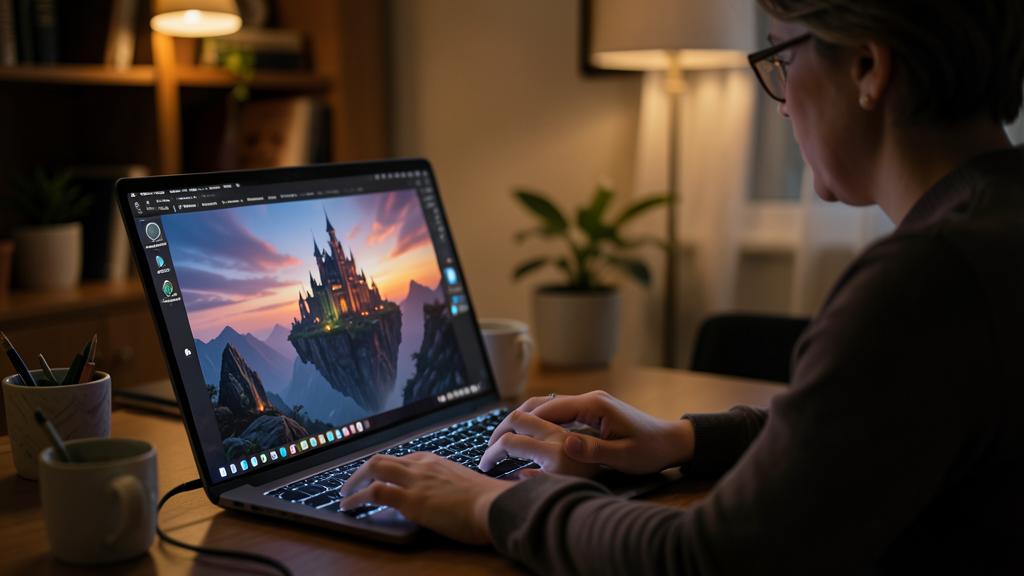
BE CAREFUL: transparency, rights, and respect for people — image generation is not trivial.
Frequently asked questions
How to create an image with AI when you’re a beginner?
It’s simple: with an image generation tool, you describe what you want to see (a « prompt »), and the AI generates the image in seconds, without any drawing skills. The KEY is the DESCRIPTION: be precise about the subject, the style (photo, drawing, watercolor — crucial), the atmosphere, the composition. A vague prompt gives randomness; a detailed prompt gives a controlled result. Then ITERATE: adjust the description and regenerate until the desired result is achieved. Start simple, experiment, learn by practice — you progress quickly. Many tools are free or have a free version (be careful with subscriptions). It’s a creative game accessible; just remember to use it responsibly (transparency, rights, respect for people).
Can we freely use AI-generated images?
It depends on the use and requires caution: for personal and fun use, it’s generally fine. But for commercial or public use, the questions of rights around AI-generated images are complex and evolving (on the ownership of the result, on the training data) — check the conditions of the tool you use and the applicable rules. Above all, be TRANSPARENT (don’t pass an AI image off as a real photo, which can deceive), respect PEOPLE (never use someone’s face without their consent, never create misleading or harmful images about them), and be aware of the issues for creators. Image generation is free and fun for personal use; as soon as it touches the public, commercial, or people, it requires discernment and respect for the rules. The great creative power comes with an honest and respectful use.

Can AI-generated images be misleading or dangerous?
Yes, it’s a major issue: AI-generated images are becoming increasingly realistic to the point that one can create false images that are hard to distinguish from the real thing. Used to deceive (passing an AI image off as a real photo, creating « deepfakes » with someone’s face), they cause real harm and fuel misinformation (our guides on deepfakes, online misinformation). That’s why responsible use is important: be transparent about the origin of your creations, never harm people, never create misleading or harmful content. On the receiving end, it reinforces the need for critical thinking: in an age of doctored images, one can’t believe everything one sees. The technology gives a great power; each one should use it honestly, and all should keep their discernment.
What to remember
AI image generation is fascinating and accessible: from a few words (a « prompt »), you create visuals in an infinite variety of styles, in seconds, without knowing how to draw. Uses are varied: illustrating a project, creating a visual, bringing life to an idea, or simply having fun. For good results: be PRECISE (subject, style, atmosphere, composition — a vague prompt gives randomness), specify the STYLE (crucial), ITERATE (adjust and regenerate), and experiment, keeping realistic expectations (the AI can sometimes struggle with details like hands or text). You progress quickly through practice. BUT this technology raises real issues to know and respect: TRANSPARENCY (an AI image is not a real photo; don’t deceive, especially in an informational context — false images are a societal problem), RESPECT for people (never use someone’s face without their consent, never create misleading or harmful images — deepfakes cause real harm), RIGHTS (complex for commercial or public use: check the conditions), CONFIDENTIALITY, and the issue for creators. Image generation is a formidable creative tool for personal and fun use; as soon as it touches the real, people, or the public, it requires discernment and ethics. The technology gives a great creative power: each one should use it honestly and respectfully, and all should keep their critical thinking in the face of images that can no longer be believed on their own.



Want to master AI and make it a real asset in your daily life? Our training programs will guide you at your own pace.
Leave a Reply
You must be logged in to post a comment.