
Redoing each quote based on the previous one (and forgetting to change a name—the classic that makes you blush), reconstructing the same invoice, retyping the certificate, reformatting the letter: administrative and professional life is full of documents that we constantly recreate instead of creating them once. Document templates are the answer—simple, free, and immediate: ready-to-fill templates that guarantee consistency, speed, and zero omissions. This guide shows you how to build your template library—and never start from scratch again.
Why templates change the game
The document recreated each time accumulates flaws: wasted time (reformatting, re-entering fixed information), inherited errors—the infamous duplicated quote with the previous client’s name lingering, the omission of a mandatory mention, the typo copied from version to version—, inconsistent image (each document has its own layout depending on the day’s mood). The template reverses everything: the structure, fixed information, and formatting are set and validated once; only the variable fields are filled in. Result: documents produced in minutes, always complete, always in your image. For a freelancer, it’s a professional uniform; for a private individual, the end of the administrative blank page.
Templates save time by fixing the structure and details you use often, so you only fill in the changing parts. This way, you avoid mistakes and make sure every document looks professional.
A freelance graphic designer creates 10 invoices a month. Without a template, each one takes 15 minutes to format, double-check, and send. With a template, it takes 2 minutes per invoice—saving 125 minutes (over 2 hours) every month.

The templates everyone should have
On the personal side: the standard letter (your coordinates in place, clean layout—only the recipient and subject remain), the affidavit, the termination letter (one template, a thousand uses), the master CV (the complete version from which each application is tailored). On the freelancer and small business side: the quote and invoice (complete legal mentions, numbering, conditions—validated once and for all), the letterhead, the commercial proposal, the meeting minutes, standard emails (response to quote request, unpaid reminder, thank you)—the latter directly as drafts or saved responses in the mailbox. The rule for creation: any document created twice becomes a template—that’s the signal, no exceptions.
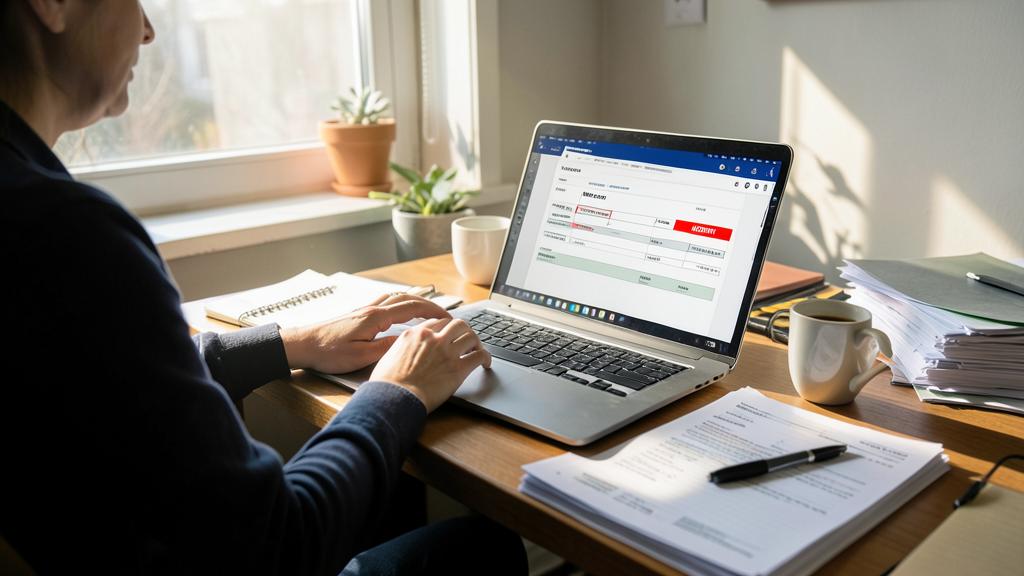
The right reflex. In each template, highlight the fields to fill in with unmissable markers: [CLIENT-NAME], [DATE], [AMOUNT]—in bright color if needed. Before any sending, a search for the character « [ » in the document instantly reveals any forgotten field. This small two-bracket system eliminates the most embarrassing error in the professional world: the document sent with another’s information.

Creating a good template: the method
Start with your best existing version of the document—the most complete, the cleanest—and transform it: replace each variable information with a marker [FIELD], check the fixed mentions (coordinates, legal mentions—an opportunity to validate them once and for all), refine the formatting (title styles, font, logo—this is where you invest, never again), then save as a template in your tool—the function exists everywhere and ensures that you always open a blank copy, never the original by accident. Office suites also offer galleries of ready-to-use templates: perfect as a starting point, to be customized in your image rather than used as-is—your template should look like you, not the neighbor who downloaded the same one.
Organizing and maintaining your template library
Templates only work if they are found in three seconds: a single « Templates » folder, in your cloud space (accessible and backed up everywhere), with explicit names (« Template – Quote », « Template – Termination »)—and its shortcut pinned where you work. Then, the maintenance: when a fixed information changes (address, rate, legal mention), correct the template immediately—not just today’s document, otherwise the error will reappear with each use; and a quick annual review to check that everything is up to date. Finally, the sharing: in a family or team, a shared template library aligns everyone—same quality, same mentions, zero reinvention of the wheel with each newcomer.

To check for binding documents. Quotes, invoices, and contracts follow rules: mandatory mentions, continuous numbering of invoices, sales conditions. Validate these elements once—if necessary with a professional or official resources—then freeze them in the template: its very strength is to guarantee their presence in each document. A legally sound template protects with each use; a shaky template reproduces the error in series.
Frequently asked questions
Office templates or dedicated invoicing tools?
For regular volumes, an invoicing tool (automatic numbering, payment tracking, reminders) quickly surpasses the office template. The template remains king for starting out, letters, and all non-invoicing documents—the two coexist very well.

Can AI help me create my templates?
Yes, in co-writing: ask it for the structure and standard formulations of the targeted document, then personalize and validate the mentions. For legal areas, AI explores—the official verification concludes.
How to manage versions of an evolving template?
A single « official » version in the Templates folder, corrected on the spot; old versions go into a « Archives » subfolder if historical tracking is needed. Two competing templates for the same document is a guaranteed error on a rushed day.

What to remember
Document templates transform the recurring chore into a two-minute formality: a validated framework once—structure, mentions, formatting—and [TO-FILL] fields impossible to miss, checked with a search before sending. Build the library as the « created twice = template » signal appears, store it in a single synchronized folder, maintain it with each change in fixed information, and share it with your team or family. Binding documents benefit doubly: mandatory mentions guaranteed with each use. Time, consistency, zero omissions—rarely will a quarter-hour of setup have paid off so much, for so long.


Want to gain confidence with your digital tools? Our personalized training adapts to your level.
Leave a Reply
You must be logged in to post a comment.