
A sudden idea while walking, a shopping list to remember, a thought to capture before forgetting, a report to dictate: using your phone to type isn’t always convenient. Voice notes — recording your voice or dictating text — are an incredibly powerful and underutilized productivity tool. They allow you to quickly capture ideas without using your hands. Here’s how to use voice notes to be more productive daily, avoid forgetting anything, and save precious time.
Capture by voice: faster, hands-free
The main advantage of voice notes: RAPIDITY and FREEDOM. Speaking is much faster than typing, especially on a phone, and it allows you to capture a thought HANDS-FREE — while walking, driving, cooking, when you can’t type. Two main forms: the VOICE MEMO — you record your voice (using the Dictaphone or notes app on your phone) to capture an idea, reminder, thought that you will listen to again; and DICTATION — you speak and the phone transcribes your words into text, in a note, message, email (our keyboard, dictation, and correction guides). Productive uses: capturing an IDEA on the fly (before it’s lost — the brain forgets quickly); making a LIST (groceries, tasks) by dictating; taking QUICK NOTES (a reflection, a report); responding to a message by dictating rather than typing; and recording a memo in a moment where you can’t write (while traveling). Voice notes fit into good idea management: capturing smoothly what you want to remember, freeing your mind and not losing anything (our second brain digital guides). They are particularly useful for people with moving ideas (ideas often come when you’re not at your desk), to go faster, and for ACCESSIBILITY (speaking is easier than typing for many — our accessibility settings guides). A voice note turns lost moments (a commute, a walk) into opportunities to capture and produce: a dictated idea while walking is a saved idea without stopping or carrying anything to write.
Voice notes let you capture ideas quickly by speaking instead of typing. You can use them while doing other things, like walking or driving, and they help you remember things without writing them down.
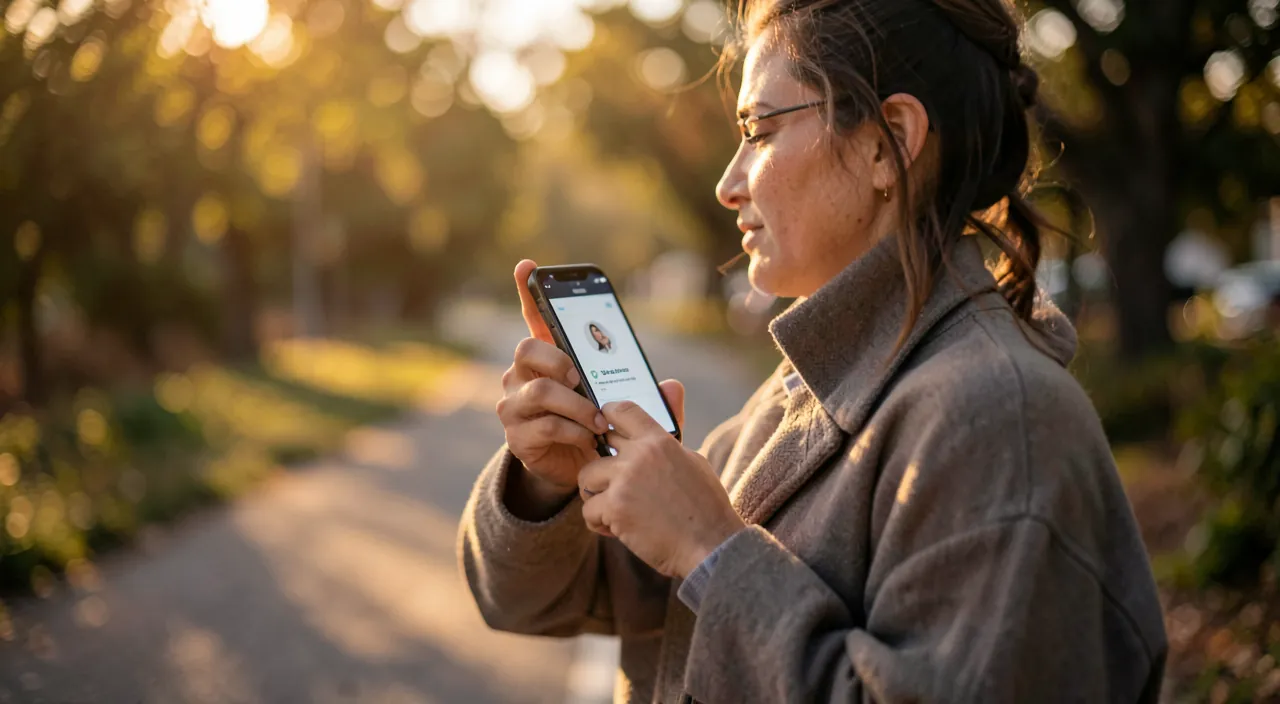
Imagine you’re walking to a meeting and suddenly remember you need to buy milk, eggs, and bread. Instead of stopping to type, you open your phone, tap the voice note app, and say, “Shopping list: milk, eggs, bread.” Done in seconds, hands-free.

Make the most of your voice notes
To get the best out of voice notes: CHOOSE THE RIGHT FORM FOR THE NEED — voice memo (recording) for quickly capturing a complex thought that you will refine; dictation (text transcription) when you want directly usable text (a written note, a message); USE DICTATION FOR TEXT — it transforms speech into text, much faster than typing for a long message or note (touch the microphone icon on the keyboard — our keyboard and dictation guides); CAPTURE WITHOUT OBSTACLES — the key is speed: a voice note should start with a gesture, as soon as the idea comes (if it’s complicated, we won’t do it); ORGANIZE LATER — voice notes captured must be RETYPED: listen to your memos, transform them into written notes, tasks, actions (an unretyped voice memo remains an forgotten recording; our task app, second brain guides); and COMBINE WITH YOUR TOOLS — an idea dictated can go into your notes app, a task into your task manager. Some TIPS: for good dictation, speak clearly in a not too noisy environment (our keyboard and dictation guides), and review the transcription (dictation is accurate but not perfect). For voice memos, name or date them for easy retrieval. And think about SECURITY: hands-free dictation is safer than typing while driving, but stay focused on the road (safety first). The key reflex that makes you productive: immediately capture what comes to mind (an idea, a task, a thought) by voice, then organize it later. This combines the best of both worlds: the speed of voice capture (nothing is lost) and the organization of writing (you can use it later). Well used, voice notes make every moment an opportunity to capture and not forget anything: a simple but powerful tool to be more productive and have a lighter mind.
The right reflex. Capture IMMEDIATELY by voice what comes to mind — an idea, a task, a thought — then organize it later. The key action: when an idea pops up while you can’t type (while walking, driving, cooking), launch a voice note or dictation in one gesture, before it’s lost (the brain forgets quickly; an unrecorded idea is often lost). Use dictation (speaking, the phone transcribes to text) when you want directly usable text — much faster than typing —, and the voice memo (recording of your voice) to quickly capture a complex thought. But capturing is only half the story: think about RETYPING later (re-listening to memos, transforming them into written notes, tasks, actions; an unretyped voice memo remains a forgotten recording; our task app, second brain guides). This combination — fast voice capture (nothing is lost), organized writing (you can use it later) — makes voice notes so productive. They turn lost moments (a commute, a walk) into opportunities to capture, hands-free. For good dictation, speak clearly and review the transcription. Capture by voice without obstacles, organize later: this reflex makes every moment an opportunity to not forget and move forward.
A powerful tool, with its precautions
Some guidelines for using voice notes effectively. CAPTURE and RETYPING go together: never capturing without retyping accumulates forgotten memos; organizing (transforming into notes, tasks, actions) gives value to voice notes (our second brain guides). The QUALITY of dictation depends on the conditions: speak clearly, in a not too noisy environment, and review (dictation is good but can make mistakes, especially on proper names or in noise — our keyboard and dictation guides). SAFETY in transit: hands-free dictation while driving is safer than typing, but it shouldn’t distract you from the road (driving is the absolute priority). CONFIDENTIALITY: be mindful of what you dictate or record, especially in public places (you can be overheard) or with sensitive information; and be aware of what dictation functions handle (our privacy guides). BACKUP: your voice notes and dictated texts, if they contain important things, deserve to be backed up like the rest (our backup 3-2-1 guides). Keep it SIMPLE: use the built-in tools on your phone (Dictaphone, keyboard dictation, notes app), which are sufficient and safe, rather than multiplying apps. In summary, voice notes are a powerful and underutilized productivity tool: they allow you to quickly capture, hands-free, what comes to mind — an idea, a list, a note, a message — via a voice memo or dictation. They transform lost moments into opportunities to capture, are valuable for speed and accessibility. The key reflex that makes you productive: immediately capture by voice, then organize later (transform into notes, tasks, actions) — the speed of voice plus the organization of writing. Some precautions: retyping (not accumulating forgotten memos), reviewing the transcription, staying focused on the road while driving, being mindful of confidentiality, and backing up important notes. Use the built-in, simple, and safe tools. Well used, voice notes make every moment an opportunity to capture and not forget anything: a simple tool to be more productive, with a lighter mind.

Be mindful: retyping your notes, reviewing the transcription, and being mindful of confidentiality and driving. Some vigilances: CAPTURE alone is not enough — capturing voice notes without ever retyping accumulates forgotten memos without value; think about listening to them and transforming them into written notes, tasks, or actions (our second brain, task app guides). REVIEW the transcription: it is accurate but not perfect (possible errors on proper names or in noise); speak clearly in a not too noisy environment, and check the transcription before sending (our keyboard and dictation guides). WHILE DRIVING, hands-free dictation is safer than typing, but it should never distract you from the road: driving is the absolute priority; don’t let your phone absorb you while driving. Be mindful of CONFIDENTIALITY: think about what you dictate or record, especially in public places (you can be overheard) or with sensitive information, and be aware of what dictation functions handle (our privacy guides). Also think about BACKING UP important notes (our backup 3-2-1 guides). Finally, keep it SIMPLE: the built-in tools on your phone (Dictaphone, keyboard dictation, notes) are sufficient and safe. Voice notes are a powerful tool for frictionless capture: as long as you retyping what you capture, reviewing the transcription, staying focused on the road, and being mindful of confidentiality.
Frequently asked questions
What is the difference between a voice memo and dictation?
A VOICE MEMO records YOUR VOICE (via the Dictaphone or notes app): you capture an idea or thought that you will listen to later — useful for quickly capturing something complex. DICTATION, on the other hand, transcribes your speech directly into TEXT (in a note, message, email — touch the microphone icon on the keyboard): you get usable text immediately, much faster than typing. Choose based on your need: a voice memo for quickly capturing a thought to refine, dictation for producing directly usable text. Both allow hands-free capture, which is their main advantage. In both cases, think about retyping later (re-listening to the memo, reviewing the transcription) to transform the capture into something usable.
Is voice dictation reliable?
Yes, modern dictation is surprisingly accurate: it faithfully transcribes, understands punctuation, and is much faster than typing. But it’s not perfect: it can make errors, especially on proper names, uncommon words, or in noisy environments. For good results, speak clearly in a not too noisy environment, and REVIEW the transcription before sending or validating (our keyboard and dictation guides). A quick review corrects rare errors. Despite this small check, dictation is much faster than typing, especially on a phone: it’s a real time-saver for messages, notes, and long texts. If you’ve never used it, try it: it changes your approach to typing, plus it’s hands-free.
Are voice notes really more productive?
Yes, provided they are used well: their strength is to quickly and hands-free capture what comes to mind in moments where typing isn’t practical (while walking, driving, cooking) — a captured idea is a saved idea. But capturing is only half the story: the real productivity gain comes from RETYPING (transforming voice notes into written notes, tasks, actions later). Capturing without retyping accumulates forgotten memos; capturing and then organizing combines the speed of voice with the exploitation of writing. Used this way — immediate voice capture, later retyping — voice notes transform lost moments into opportunities to capture and not forget anything. It’s a simple but powerful tool, particularly for people whose ideas come in motion.
What to remember
Voice notes are a powerful and underutilized productivity tool: they allow you to quickly and hands-free capture what comes to mind in moments where typing isn’t practical (while walking, driving, cooking). Two forms: the voice memo (recording your voice, to quickly capture a thought to refine) and DICTATION (transcribing your speech directly into text, much faster than typing). Productive uses: capturing an idea on the fly (before it’s lost — the brain forgets quickly), making a list, taking notes, responding to a message by dictating. They transform lost moments into opportunities to capture, and are valuable for speed and accessibility. The key reflex that makes you productive: immediately capture by voice (nothing is lost), then organize later (transform into written notes, tasks, actions) — the speed of voice plus the organization of writing. Some precautions: retyping what you capture (not accumulating forgotten memos), reviewing the transcription (accurate but not perfect: speak clearly, check), staying focused on the road while driving (hands-free dictation is safer than typing, but driving is the priority), being mindful of confidentiality (what you dictate in public or sensitive information), and backing up important notes. Use the built-in tools on your phone (Dictaphone, keyboard dictation, notes), simple and safe. Well used — capture without obstacles, retyping later — voice notes make every moment an opportunity to capture and not forget anything: a simple tool to be more productive and have a lighter mind.

Want to become more comfortable with your digital tools? Our personalized training adapts to your level.
Leave a Reply
You must be logged in to post a comment.