
Who brings what to the picnic, what arrangements for the meeting, how many participants in the tournament, what did the clients think of the training: every time a question arises for more than five people, the inbox explodes—forty unordered replies, three follow-ups, a manual count that’s wrong. The online form solves everything: a page of questions, a shared link, the responses neatly sorted into a table. Creation in fifteen minutes, free, without expertise—here’s the full guide, from the association’s shopping list to the satisfaction survey.
The tool and the first time: fifteen minutes on the clock
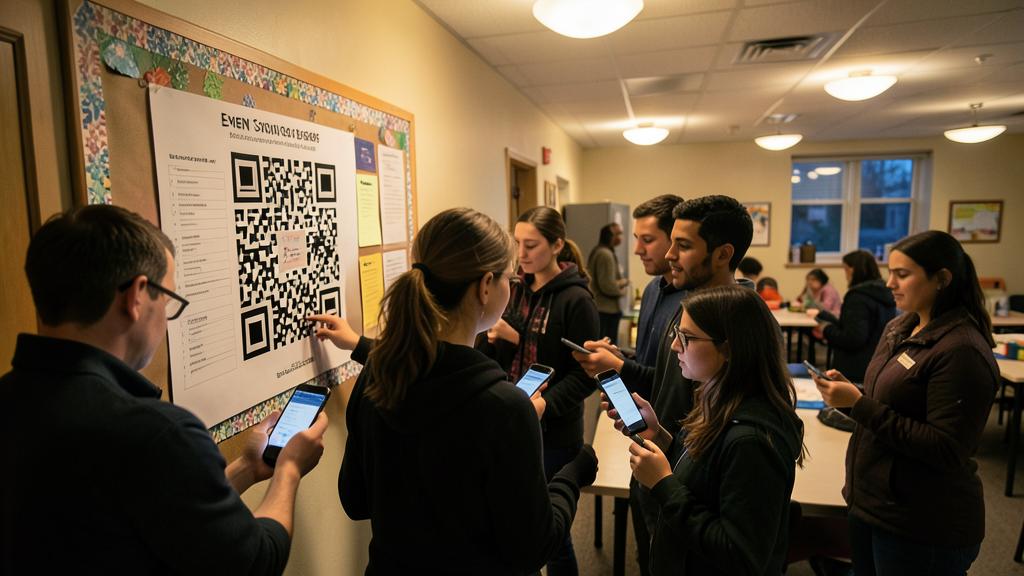
The tools are similar—take the one from your ecosystem: Google Forms (the de facto standard: free, unlimited, responses deposited in a spreadsheet), Microsoft Forms (same logic on 365), the survey modules of collaborative suites, and the specialists (more polished, free versions limited—later, if needed). First creation, step-by-step: 1) New form, clear title + a sentence of context (« Responses desired before the 15th »), 2) questions choosing the RIGHT type for each—this is the heart of the matter: multiple choice when answers are known in advance (check—automatic sorting), checkboxes for « multiple answers possible, » dropdown list for long series (slot among twelve), scale for opinions (1 to 5), short text for names, long text—with restraint: each free-form field is a response to be read manually (the golden rule of the form: closed wherever possible, one « other thing to say » open at the end), 3) mandatory questions checked (the name! ), 4) the preview tested on YOUR phone (80% of respondents will be on mobile), 5) the shared link—group messaging, email, or printed QR code (generated by the tool: the community hall poster becomes a form). Done—responses come in real-time.

Designing questions that yield useful answers
A failed form is not ugly—it just asks poorly: short—each extra question costs respondents (aim for 5-8 questions: response rates plummet beyond that—ask yourself for each « what will I DO with this response? » : no response to the question = question deleted), one idea per question— »Are you satisfied with the welcome and the schedule? » is unanswerable (satisfied with which? ) : two questions, complete and exclusive options—the multiple choice must cover all cases (the « Other » option as a safety net) without overlapping (the « 10-20 » and « 20-30 » ranges confuse the 20s— « 10-19″/ »20-29 »), neutral— »What do you think of our excellent new website? » dictates its answer: honest questions yield useful answers (and balanced scales: as many positive as negative degrees), in order of comfort—the easy first (we commit), the sensitive later, the free-form last, and conditional logic for cases— « Are you coming? If yes → how many people; if no → end. » Conditional sections (in the question settings) avoid inflicting ten questions on those who don’t come. One last detail that changes the response rates: announce the duration (« 2 minutes ») and keep it.
A good form is short, clear, and easy to answer. Ask only what you need, in a way that doesn’t confuse people. Keep it simple, and you’ll get better answers.
For a family picnic, you might ask: “What dish will you bring?” (multiple choice: “salad,” “dessert,” “other”). Then, “How many people are in your group?” (number input). Finally, “Any dietary restrictions?” (short text). This keeps it quick and useful.
The right reflex. Before any submission, the three-test rule: fill out the form yourself on your phone (typos and ambiguous questions stand out in context), have a close friend fill it out without explanation (where they struggle, everyone will struggle), and check the response table with these trials (are the data usable? A poorly-typed question is visible here—better to fix it before the hundred real responses), then delete the test responses and launch. Ten minutes that save the sorting—forms can only be fixed before.

Exploiting the responses: the sorting that happens on its own
The reward: on the responses side, the tool offers automatic charts per question (pie charts of choices, averages of scales—visual synthesis ready to show in a meeting or assembly) and the spreadsheet view—each response in a row, each question in a column—the living file where everything filters and sorts (who didn’t respond? Who’s carpooling?—our spreadsheet guides take over: the form is actually the best entry point to the spreadsheet, since the data arrive clean by design), uses of the table: the printed sign-in list from the attendees, the mass email of confirmations (our text processing guides), targeted follow-ups (the list of invitees crossed with the respondents—the follow-up goes only to the silent ones, in one message), and AI as analyst for free-form fields (the fifty « notes » stuck to the assistant— »extract recurring themes »—qualitative sorting in a minute, our AI-table guides), and collection settings to know: the closing date (the form closes on its own), limiting to one response per person (via connection—otherwise, honor), allowing or not modification ( « you can modify your response » disarms the hesitant), and email notification for each response (useful for small volumes, cut off beyond—our notification guides).
Use cases that change collective life
The form everywhere the group exists: the association—registrations for events (name, number, diet, carpool), volunteer slots (the checkboxes for shifts—end the paper table), the prepared general assembly (questions received in advance), the extended family—the cousin party schedule (the date poll—the tools of « which slot works for you » are specialized forms: for pure dates, they’re even faster), who sleeps where, who brings what (anti-duplicate list—three tabouls, zero dessert—never again), the school and activities—dematerialized authorizations and registrations (for parents organizers: fair, raffle, escorts), the small business—post-service satisfaction (three questions + a scale—structured customer feedback that also feeds the reviews—our customer review guides), the client brief before the quote (needs framed in writing), simple appointment taking, and the quiz—the « graded questionnaire » mode of the tools (correct answers defined, automatic score). Everywhere the same gain: the question asked ONCE, the responses sorted ALONE—and the organizer organizes instead of compiling.

Be mindful of the data you collect. A form creates a file—and the rules follow, even for an association or a fair: collect the minimum (GDPR says « minimization, » common sense says the same: no birthdate for a picnic—each extra data point is an extra responsibility), state the purpose (a line at the top: « These responses are solely for event organization and will be deleted after »), and do it (the big clean-up of old forms and their response tables: years of contact information sleep in the accounts of volunteers—delete after use), never sensitive in a general form (health beyond dietary, ID numbers, bank details—NEVER a credit card in a home form: payments go through payment tools, period), and restricted access—the response table shared only with organizers who need it. The form is a group’s trust tool: treat it as such, and it will remain so.
Frequently asked questions
Do respondents need an account?
No by default with major tools—the link is enough (check the « login required » setting, useful only to limit to one response per person or to automatically identify). For publics less comfortable: the QR code and « it opens in the browser, nothing to install » remove the last fears—and paper remains a right: a few printed copies for the resistant, resubmitted later (inclusion is worth five minutes).

Can I put photos, or receive them?
Yes on both sides: images in the questions (choosing between two templates, two menus—the visual vote), and the « file import » field to receive them (the contest photos, justifications—be careful: import often requires the respondents’ connection, and received files are stored in YOUR space: plan the space and sorting).
Online form or group poll (integrated surveys in groups)?
The group poll (one question, simple choices) wins for instantaneity (« pizza or sushi? »): zero friction, result visible to all. The form wins when there are MORE questions, data to keep, or sorting: the line is simple—one ephemeral question = poll; one organization = form.

What to remember
The online form is the anti-chaos tool for groups: fifteen minutes of creation (as many closed questions as possible, 5-8 max, mandatory with restraint, tested on mobile and a test subject), a link or a QR code, and responses that sort themselves—automatic charts, living table, targeted follow-ups, AI-analyzed free-form fields. Its fields: registrations, slots, satisfaction, client brief, quiz—everywhere where the inbox exploded. Its rules: neutral questions, one idea per question, announced duration, and data sobriety (minimum collected, usage announced, deleted after, no sensitive). The next time the question addresses more than five people, the reflex is ready: no group message—just a link. Your forty responses will sort themselves, and you, you will organize.


Want to gain ease with your digital tools? Our personalized training adapts to your level.
Leave a Reply
You must be logged in to post a comment.