
Bookmarks accumulated in the browser, a mess where you can never find the right site, bookmarks added and then forgotten: the system meant to save time becomes an useless chaos. Yet, well organized, bookmarks (or favorites) are a valuable tool to instantly find the sites you use. Here’s how to effectively organize your bookmarks, sort them, and turn them into a real daily tool rather than an endless list that you never open.
Why bookmarks end up in a mess
The problem with bookmarks is almost universal: it’s easy to add them (one click to mark a site « just in case ») but they are never organized or cleaned up. Result: a long, disorganized list where useful sites, those visited once and never revisited, duplicates, and dead links mix together. You can’t find anything, and the system loses all its usefulness — you end up not using your bookmarks, or searching everything again in the search engine. Well-organized bookmarks are a real time-saver: accessing frequently used sites (your bank, your tools, your reference sites) with just a click, without having to search for or type their address. The key is not to have many bookmarks, but to have the right ones, well organized and easy to find. Like filing (our guides on filing) or organizing your ideas (our guides on digital second brain), the principle is SELECTION and ORGANIZATION rather than accumulation. A useful bookmark system is one that saves you time: a few really useful sites, well organized, instantly accessible — not an endless list where the important gets lost. The right mindset: bookmarks are not an archive of everything you’ve visited, but a quick access to what you really USE. With this approach, you transform the mess into a tool.
Bookmarks become useless when you save too many without organizing them. The solution is to keep only the sites you truly need and sort them into clear categories. This way, you can find what you need quickly instead of wasting time searching.
Imagine you have 200 bookmarks, but only 20 are truly useful. If you delete the rest and organize the 20 into folders like “Work,” “Shopping,” and “News,” you’ll save time every day. For example, your bank’s website in the “Work” folder is just one click away instead of buried in a long list.
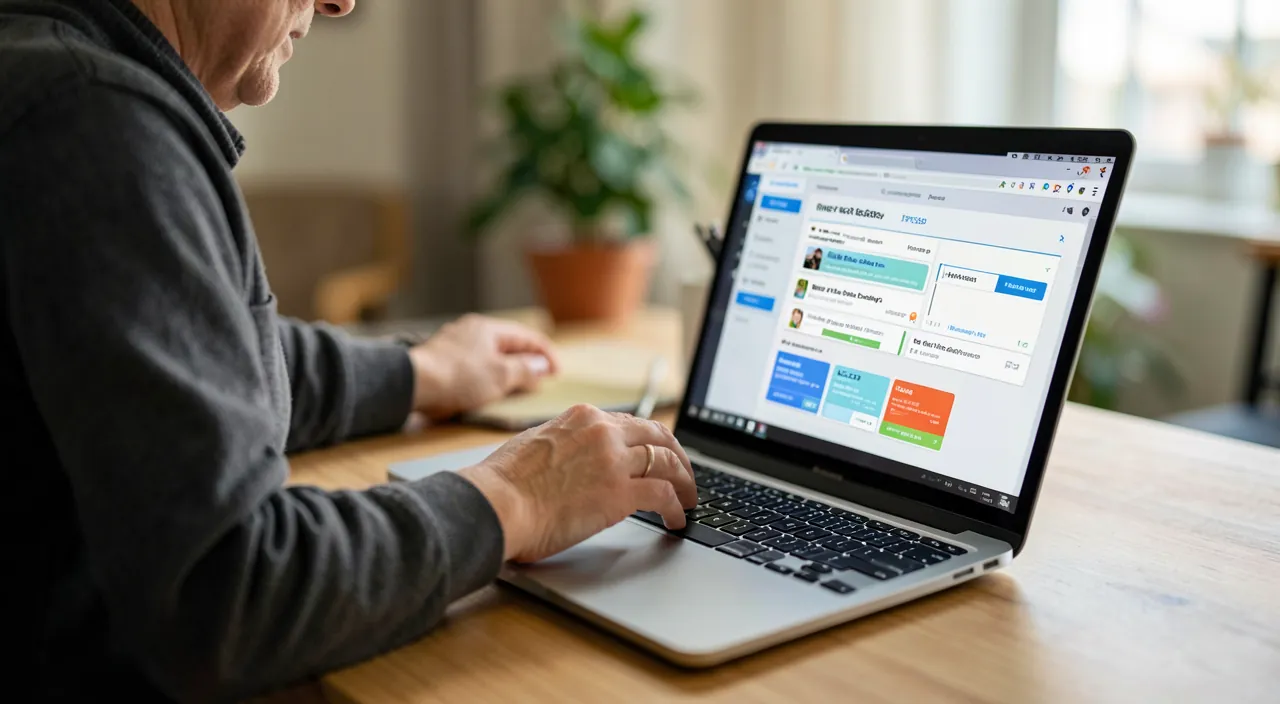
Organizing and cleaning up your bookmarks
Here’s how to take control: 1. DO A MAJOR SORT — go through your bookmarks and delete those you no longer use, duplicates, dead links, one-time visits; keep only those that really serve you; 2. CREATE THEMATIC FOLDERS — group your bookmarks by categories that make sense to you (work, shopping, news, leisure, administrative…); thus, you can easily find them instead of sifting through a long list; 3. KEEP THE ESSENTIALS ACCESSIBLE — the most frequently used sites can be placed in the FAVORITES BAR (visible constantly under the address bar) for instant access; 4. NAME CLEARLY — a well-named bookmark (instead of the often obscure page title) is easier to find; 4. USE SEARCH — browsers allow you to search within bookmarks: good naming makes this search effective. To live well with your bookmarks afterwards: add only what is really useful (not everything « just in case » — for what you want to just keep in memory, a note might be better than a bookmark: our guides on digital second brain); organize as you go (a bookmark added directly to the right folder avoids the mess), and do a small sort from time to time. A practical point: browsers often allow you to SYNCHRONIZE your bookmarks between your devices (via your account), to find them on your phone and computer — practical, but it requires securing the relevant account (our guides on password manager). With this cleaning and habits, your bookmarks become what they should be: a quick and organized access to useful sites, a real time-saver in daily life, instead of an endless list you never open.
The right reflex. Place your most used bookmarks in the FAVORITES BAR (visible constantly under the address bar) and organize the rest in thematic folders: this transforms an useless list into an effective tool. The few sites you check every day (your bank, your tools, your reference sites) deserve to be within a click in the bar, without having to open a menu or search. The rest, organized by categories that make sense to you (work, shopping, administrative…), can be easily found instead of getting lost in a long list. The key principle: better a few well-organized bookmarks than many in a mess. First, do a major sort (delete dead links, duplicates, one-time visits — keep only the useful ones), then organize, and take the habit of ORGANIZING as you go (a bookmark added directly to the right folder avoids the mess). For what you just want to « keep in memory » without necessarily revisiting often, a note might be better than a bookmark (our guides on digital second brain). Your bookmarks are not an archive of everything you’ve visited, but a quick access to what you really USE: well selected and organized, they save you precious time daily. The universal problem of the mess comes from adding easily but never sorting or organizing. The solution: do a major sort (keep only the useful ones), create thematic folders, put the essentials in the favorites bar for instant access, name clearly, and organize as you go. The key is not to have many bookmarks, but the right ones, well organized. Lightly maintain, synchronize (secure the relevant account), save when needed, and distinguish what you use (bookmark) from what you just want to keep in memory (note). With this approach — selection, organization, maintenance —, your bookmarks become a real time-saver in daily life: a quick and organized access to your useful sites, instead of an endless list you never open. A small tidying for a big comfort.

A daily tool, well maintained
Some guidelines to keep your bookmarks useful over time. SELECTION is key: add only what is really useful; adding a bookmark for each visited site leads to a mess; distinguish what you REGULARLY USE (a bookmark) from what you just want to keep in memory (a note might be better — our guides on digital second brain). Light maintenance: a small sort from time to time (delete dead links, reorganize) keeps the system clean; organize as you go rather than letting it accumulate. SYNCHRONIZATION: finding your bookmarks on all your devices via your browser account is practical, but this account gives access to your bookmarks (and sometimes your browsing history, saved passwords) — secure it well (strong password, two-factor authentication — our guides on password manager, two-factor authentication). BACKUP: browsers often allow you to EXPORT your bookmarks (a backup file), useful before changing browsers or devices, or as a precaution (our guides on transferring data to a new computer). Finally, do a light maintenance from time to time (delete dead links, reorganize) to keep the system clean; a once-done sorting abandoned quickly becomes a mess. Bookmarks are a valuable tool if selected, organized, and maintained: don’t accumulate, secure the synchronization account, and back up before migrations. With this approach — selection, organization, maintenance —, your bookmarks become a real time-saver in daily life: a quick and organized access to your useful sites, instead of an endless list you never open. A small tidying for a big comfort.
BE CAREFUL: avoid accumulation, secure synchronization, and back up before changing browsers. Three points: avoid ACCUMULATION — the mess of bookmarks comes from adding everything « just in case » without ever sorting; keep only what you really USE, and distinguish what deserves a bookmark (a site you regularly consult) from what you just want to keep in memory (a note might be better — our guides on digital second brain). An endless list where the important gets lost is useless. Secure SYNCHRONIZATION: finding your bookmarks on all your devices via your browser account is practical, but this account gives access to your bookmarks and sometimes your browsing history, saved passwords — secure it well (strong password, two-factor authentication — our guides on password manager, two-factor authentication). Don’t forget to BACKUP (export) your bookmarks before changing browsers or devices, to avoid losing them during a migration (our guides on transferring data to a new computer). Finally, do a light maintenance from time to time (delete dead links, reorganize) to keep the system clean; a once-done sorting abandoned quickly becomes a mess. Bookmarks are a valuable tool if selected, organized, and maintained: don’t accumulate, secure the synchronization account, and back up before migrations. With this approach — selection, organization, maintenance —, your bookmarks become a real time-saver in daily life: a quick and organized access to your useful sites, instead of an endless list you never open. A small tidying for a big comfort.
Frequently asked questions
How can I effectively organize my bookmarks?
In three steps: first, do a major sort (delete dead links, duplicates, one-time visits — keep only the useful ones). Then, create THEMATIC FOLDERS (work, shopping, administrative… according to what makes sense to you) to easily find them. Finally, put your most used bookmarks in the FAVORITES BAR (visible constantly) for instant access. Clearly name your bookmarks (for easy search) and get into the habit of organizing as you go (a bookmark added directly to the right folder avoids the mess). The key: better a few well-organized bookmarks than many in disarray. Your bookmarks then become a quick and organized access to your useful sites, a real time-saver — not an endless list you never open.
Should I keep all the sites I visit as bookmarks?
No, definitely not: this leads to a mess. A bookmark for each visited site creates an endless list where the important gets lost. Distinguish what you REGULARLY USE (which deserves a well-organized bookmark) from what you just want to keep in memory or read later (a note, or a reading app, might be better — our guides on digital second brain, reading later). Add to bookmarks only what you really use and will revisit. Your bookmarks are not an archive of everything you’ve visited, but a quick access to your useful sites. Selection is key: a few well-chosen and organized bookmarks infinitely outweigh a disorganized accumulation that you eventually stop using.
Can I find my bookmarks on all my devices?
Yes, browsers often allow you to SYNCHRONIZE your bookmarks between your devices via your account: you can find them on your phone and computer, always up to date. It’s practical, but it requires securing the relevant account (strong password, two-factor authentication — our guides on password manager), as this account gives access to your bookmarks and sometimes other data. Don’t forget to BACKUP (export) your bookmarks before changing browsers or devices, to avoid losing them during a migration (our guides on transferring data to a new computer). Synchronization makes your bookmarks available everywhere; secure the account that allows it, and keep an export option for precaution.
What to remember
Bookmarks (favorites) are a valuable tool to instantly find your useful sites — provided you ORGANIZE them instead of ACCUMULATING them. The universal mess comes from adding easily « just in case » bookmarks but never sorting or organizing them: a long list where the important gets lost, eventually not used. The solution: do a major sort (delete dead links, duplicates, one-time visits — keep only the useful ones), create THEMATIC FOLDERS (by categories that make sense), put the ESSENTIALS in the favorites bar (instant access), name clearly, and organize as you go. The key is not to have many bookmarks, but the right ones, well organized and easy to find: a few well-organized bookmarks infinitely outweigh a disorganized accumulation. Distinguish what you REGULARLY USE (a bookmark) from what you just want to keep in memory or read later (a note or a reading app might be better). Lightly maintain (a small sort from time to time), synchronize between devices if useful (secure the relevant account), and back up (export) before changing browsers. Your bookmarks are not an archive of everything you’ve visited, but a quick access to what you really USE. With this approach — selection, organization, maintenance —, they become a real time-saver in daily life: a quick and organized access to your useful sites, instead of an endless list you never open. A small tidying for a big comfort.

Want to be more at ease with your digital tools? Our personalized training is tailored to your level.
Leave a Reply
You must be logged in to post a comment.