
Two million apps — and the essence of digital life that fits into fifteen. After hundreds of apps tested in our guides, here’s the refined selection: the truly essential apps in 2026, those that save time, money, or serenity every week — categorized by function, with the why and the first key setting. No sponsors, no gadgets: the list you install on a beginner’s phone or check on your own.
The foundation: the five that protect
1. The password manager — the most important app on your phone: unique passwords generated and auto-filled (the one built into your ecosystem — Apple’s Passwords app, the Google equivalent — or a specialist); first setting: migrate your email and bank, then the rest over time. 2. The authentication app — two-factor authentication that locks down your critical accounts (often included in the password manager); key setting: enable token backups. 3. Your bank’s app — notifications for every transaction (real-time fraud detection), card locking, limits: ten minutes in its security settings is worth an audit. 4. Cloud storage (iCloud/Drive) — synchronized photos and automatic backups: digital life insurance; check that matters: the last backup date, today and not eight months ago. 5. « Find My » (or equivalent) — locatable, remotely erasable devices, shared location with family under chosen conditions; test it once BEFORE you need it. These five don’t do anything spectacular — until the day they do everything.
These apps are like insurance: you don’t notice them until something goes wrong. A password manager stops hackers, the bank app alerts you to fraud, and « Find My » helps if you lose your phone. Set them up once, and forget about them—until you need them.
Imagine you lose your phone. With « Find My » enabled, you can track it or erase it remotely. If your bank app alerts you to a suspicious transaction, you can freeze your card instantly. These tools work best when set up in advance.
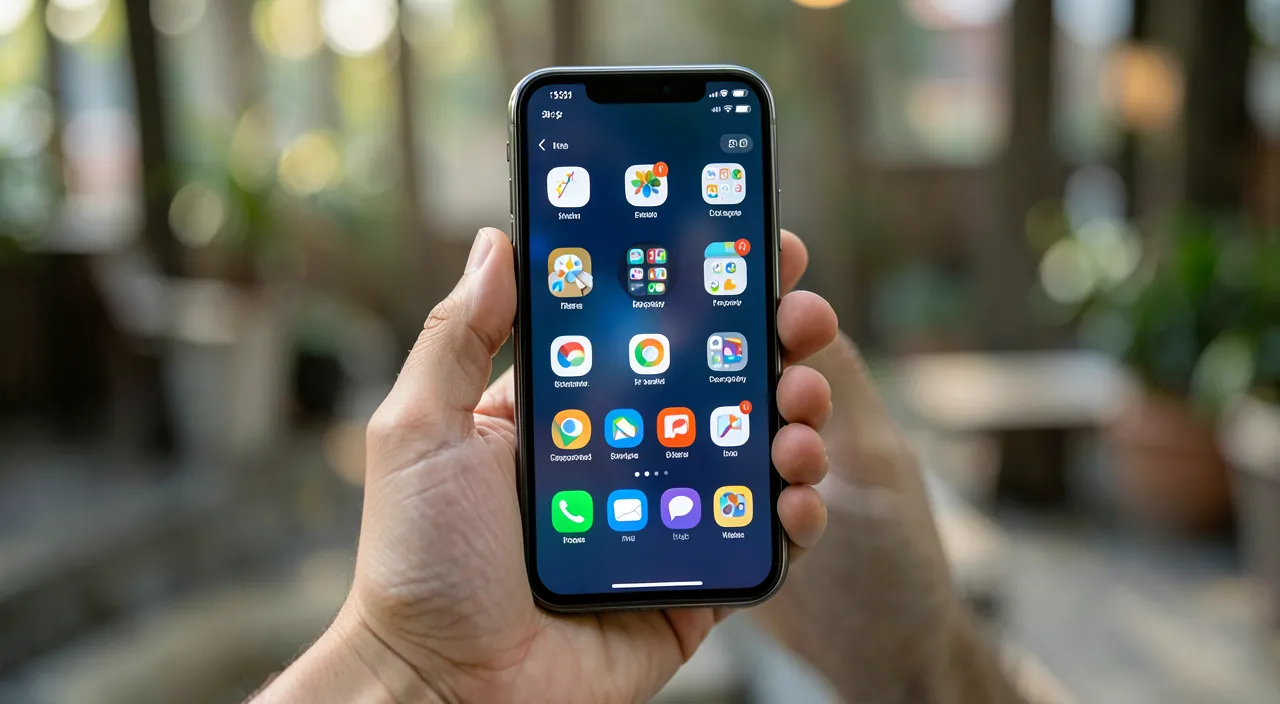
The daily essentials: the five that simplify
6. Notes (with built-in document scanning) — the organized catch-all for your brain: ideas, lists, scans of tickets and papers — our warranty system fits here; useful setting: an « Administrative » folder and the habit of scanning everything. 7. Shared Reminders — the household’s shared grocery list (voice input, location-based reminders) and time-sensitive tasks: the ultimate anti-mental-load app. 8. Shared Calendar — the family agenda overlaid on your personal one: the end of « you didn’t tell me »; setup: enter yearly recurrences once. 9. Wallet — credit cards (paying by phone is SAFER than the card — tokenization ensures it), tickets, boarding passes, loyalty cards: your left pocket digitized; first step: add your main card from the banking app. 10. A full-featured mapping app — navigation, traffic, transit, reviews — with the traveler setting: download offline maps of your region. Five free tools, already installed for most — the difference between owning them and using them lies in the three settings mentioned.
The right reflex. For each app on this list, the value lies in ONE initial setting more than in the installation — passwords: migrate email + bank; cloud: check today’s backup; bank: enable all notifications; reminders: share the grocery list with the household; cards: download offline. Block an hour on a Sunday to go through the fifteen settings in this article — it’s the best hour invested in your digital year, and it’s not something you can redo.
Fulfillment: the five that enrich
11. A podcast or audiobook app — commutes, cooking, and workouts turned into learning or escape: the upgrade for dead time (download episodes over Wi-Fi); 12. A language or learning app — ten gamified minutes a day: the skill that builds effortlessly — consistency beats intensity; 13. An active health app — the beginner’s running program, guided yoga, or simply checking the Health app (step trends, sleep — and the filled emergency medical info: five minutes that can save lives); 14. A secondhand app — the reflex before any new purchase (alerts set for what you’re looking for) and the outlet for overflowing closets: the only app on the list that makes you money; 15. A consciously chosen messaging app — the one where your family lives, set up properly: notifications under control, conversation backups enabled, and video calls that bring grandparents closer. These five are chosen based on your preferences — their common point: they make your phone contribute to real life (learn, move, save, talk) instead of just filling it.
And the big cleanup: what this list replaces
The list of essentials has a liberating corollary: everything else is optional — and much of it is superfluous. The spring cleaning: apps not opened in six months are deleted (they reinstall in a minute if ever needed — and their accounts are closed: every dormant app is a data leak surface); duplicates are eliminated (three photo editing apps, two to-do lists, four weather apps: only one survives per function); apps with forgotten subscriptions are tracked down (Settings → Subscriptions — that 4.99€/week line for the photo filter tried one evening: cancel it); permissions are purged (permanent location, microphone, contacts: granted once, never revoked); and the home screen is reorganized around the essentials — first page for the foundation and daily tools, time-wasting temptations moved out of sight (they’re searched for, so they’re chosen). A phone with fifteen essential apps + a few chosen ones beats a phone with 130 icons: in battery life, storage, security — and mental clarity, which was perhaps the most important.
Beware of fake essentials. The stores are full of apps that mimic native functions in paid versions — « document scanner » with a subscription (Notes does it for free), « miracle phone cleaner » (at best useless, at worst harmful), shady free VPNs, alarmist antivirus, 6€/week photo filters. The reflex before any paid install: does this function already exist on the phone? (the answer is yes more often than you’d think — scan, translate, magnifier, bubble level, TV remote…), and any trial terms are read before validating. The best filter remains this list: if an app doesn’t concretely protect, simplify, or enrich your week — it can wait.
Frequently asked questions
Fifteen apps are too many for my beginner parents: where to start?
The minimal foundation: passwords (with you as installation partner), the banking app (notifications active), the family messaging app, and « Find My » configured together. Four well-tamed apps — the rest will follow in circles, at the pace of real needs. And the triple-click magnifier, bonus accessibility gift.
Why no social media apps in the list?
Because « essential » is measured here in net added value: social networks bring value to some (real connections, communities, monitoring) and cost a lot to others (time, attention, mood) — it’s the most personal choice, to be made consciously and strictly regulated (notifications cut, time limited) rather than passively endured by default. Their absence from the list IS the advice.
Are paid apps worth it?
Often, yes — a one-time purchase at a fair price for a tool used weekly (drawing, expert weather, quality game) is an excellent deal, far better than free apps funded by your data or dormant subscriptions. The yardstick: real usage × price per month. What this list challenges isn’t the paid — it’s the useless.
Key takeaways
Fifteen apps are enough for a complete digital life: the foundation that protects (passwords, authentication, banking set up, cloud verified, Find My tested), the daily essentials that simplify (notes-scanner, shared reminders, family calendar, Wallet, offline maps), the chosen fulfillment (audio, learning, health, secondhand, messaging). Each is worth its initial setup — the Sunday hour that configures them all is the best digital investment of the year. And the mirror of the list: the big cleanup of dormant apps, duplicates, forgotten subscriptions, and expired permissions. The ideal phone of 2026 isn’t the one with the most apps — it’s the one where every icon has earned its place: fifteen essentials, a few intentional pleasures, and room for real life.
Want to go further with your phone and apps? Our practical training is for you.
Leave a Reply
You must be logged in to post a comment.