
On the plane, on a train without a network, in a waiting room, or simply at home when you want to focus: being offline is not a punishment, it’s an opportunity. Far from constant notifications, incoming emails, and online temptations, airplane mode becomes one of the best productivity and concentration tools out there. You just have to PREPARE your offline work. Here’s how to turn moments without connection into deep, serene work time—and rediscover the concentration that the internet has made us lose.
The offline, an unexpected ally for concentration
The science of attention is clear: every notification, every temptation to “quickly check something” fragments our concentration, and it takes long minutes to get back into a task after an interruption. Yet, when connected, we are constantly interrupted—by others and by ourselves. Airplane mode (or simply turning off Wi-Fi and data) creates a bubble: no incoming emails, no messages, no social networks a click away, no research that turns into an hour of browsing. This DIGITAL SILENCE is exactly what the brain needs for deep work: writing, thinking, reading, creating, learning. Many people rediscover, especially on a plane, a productivity and clarity they had forgotten—not by magic, but because nothing interrupts them. The key idea: offline is not a constraint to endure, it’s a WORK MODE to choose. You can create this bubble anytime, not just on a plane—and get the most out of your day.
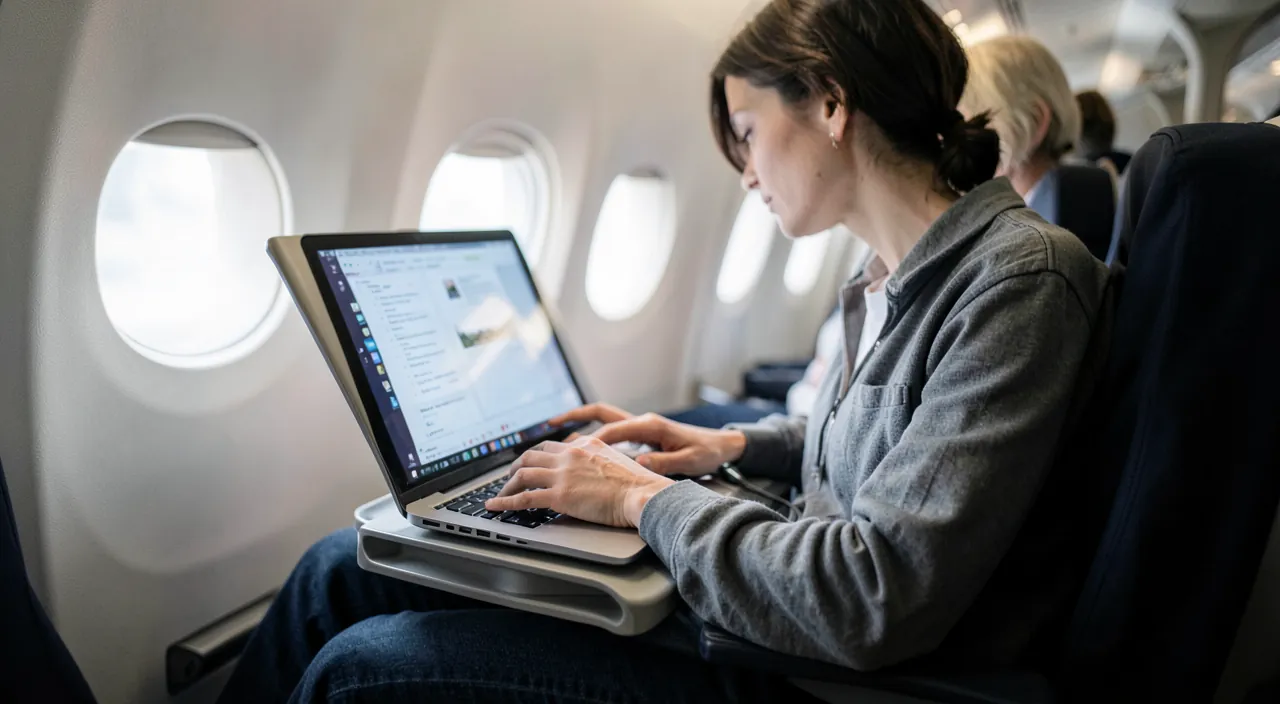
When you go offline, you cut out all distractions. Your brain can focus better because nothing is pulling your attention away. It’s like giving your mind a quiet space to work deeply, whether you’re on a plane or just at your desk.
Imagine you’re writing a report on a 3-hour flight. Without airplane mode, you might check emails, scroll social media, or get distracted by notifications. With airplane mode, you focus for 3 hours straight and finish the report—something that might have taken twice as long with interruptions.
Preparing your offline work
The key to productive offline work: ANTICIPATE, because you can’t download anything once disconnected. Before cutting the network, prepare: the documents to work on—make sure they are available offline (downloaded locally, not just “in the cloud”: many apps have an offline mode or a “make available offline” button—our organization guides); the readings—saved articles, downloaded e-books and audiobooks, PDFs to read (our reading app guides); the content—videos, courses, podcasts, music downloaded in advance to learn or accompany you; the tools that work without a network—word processing, spreadsheets, notes, editing… most work perfectly offline (our word processing, spreadsheet guides), with changes syncing back when reconnected; the offline maps for navigating without data (our transport app guides). The good reflex: the day before a trip or before a focus session, do your “full tank” of content and check that your documents are locally accessible. Five minutes of preparation turns a dead time (plane, train, waiting) into a fully productive work or learning session.
The good reflex. Use airplane mode as a VOLUNTARY CONCENTRATION TOOL, not just while traveling: when you have a demanding task (writing, reviewing, thinking), deliberately turn on airplane mode on your phone (and turn off the computer’s Wi-Fi if the work doesn’t require the internet) for 45 minutes to an hour. This way, you cut yourself off from ALL interruptions in one gesture. Pair it with a clear goal (“during this hour, I’m writing this document”) and you’ll be amazed at what you accomplish without the harassment of notifications (our concentration mode guides for more). Chosen disconnection is one of the most powerful productivity levers—free, immediate, and within reach of a simple button.

Upon reconnecting, and the balance to find
Offline fits into a cycle: upon returning to connection, everything syncs (modified documents update, emails are sent—our organization guides): nothing is lost, your offline work rejoins the normal flow. Then manage the RETURN of notifications without being overwhelmed: process pending emails in batches rather than diving back into constant reactivity. At its core, productive airplane mode opens a broader reflection on our relationship with connectivity: we are constantly connected, often at the expense of concentration and serenity. Scheduling REGULAR offline periods—not just on a plane—is a valuable digital hygiene: an hour of deep work in the morning, an evening without connected screens, a lighter weekend. It’s not about rejecting technology, but about taking CONTROL of your attention (our guides to reducing your digital footprint, concentration modes). The paradox is delightful: by voluntarily disconnecting at times, you become more productive, more focused, and more serene—the plane simply reminds you of a freedom you’ve had at your fingertips all along.

Warning: anticipate downloads, and keep the essential accessible. Two pitfalls of offline mode: poor preparation—thinking a document “in the cloud” will be accessible offline: NO, if it’s not downloaded LOCALLY, it will be inaccessible once disconnected (check BEFORE cutting the network that your files, readings, and content are indeed available offline—otherwise, the session is wasted). And the opposite extreme—making yourself unreachable at the wrong time: airplane mode also cuts off calls and messages; if you’re expecting an important contact or need to stay reachable (family, emergency), full airplane mode isn’t suitable (then only turn off data/notifications, or use a concentration mode that lets through the essential—our concentration mode guides). Offline is a fantastic concentration tool, provided you use it wisely: prepared in advance, and chosen at times when being unreachable isn’t a problem.

Frequent questions
What can I do productively without a connection?
A lot: write (word processing), calculate (spreadsheets), take notes, read (saved articles, downloaded books and PDFs), learn (preloaded courses, podcasts, videos), think and organize your ideas, edit photos or videos, review. Most tools work perfectly offline, with changes syncing back when reconnected. The condition: having PREPARED these contents before disconnecting (documents available locally, readings and media downloaded). Well prepared, a flight or a trip becomes one of your most effective work periods.
How can I ensure my documents will be accessible offline?
Don’t rely on “it’s in the cloud”: a cloud file not downloaded is inaccessible without a network. Before disconnecting, open each important document once (many apps then cache it), or use the “make available offline” option when it exists. Also download your readings and media. Do this “full tank” the day before a trip, on a good connection: it’s the step that makes all the difference between a productive session and wasted time staring at a screen that loads nothing.

Isn’t airplane mode too extreme to concentrate?
That’s exactly its strength: by cutting off ALL interruptions in one gesture, it creates a concentration bubble that no half-measure can match. But adapt as needed: if you need to stay reachable, only turn off data and notifications, or use a concentration mode that filters the essential (our concentration mode guides). The idea isn’t to cut yourself off from the world permanently, but to schedule CHOSEN periods of disconnection for deep work. Extreme for a session, liberating in the results.
What to remember
Offline is not a constraint but a powerful concentration tool: by cutting off notifications, emails, and temptations, it recreates the conditions for deep work that constant connectivity has made us lose. The key is PREPARATION: before cutting the network, make sure your documents are locally available (not just “in the cloud”), and download your readings, courses, and media. Most tools (text, spreadsheets, notes, reading) work perfectly offline, everything syncing back upon reconnection. Beyond trips, use airplane mode for VOLUNTARY concentration: 45 minutes to an hour without interruptions to complete a demanding task. With two precautions: anticipate downloads (a non-local file will be inaccessible), and don’t make yourself unreachable at the wrong time (then only turn off data, or filter via a concentration mode). Disconnecting by choice is about taking control of your attention—and becoming more productive and serene.

Want to improve your digital skills? Our personalized training adapts to your level.
Leave a Reply
You must be logged in to post a comment.