
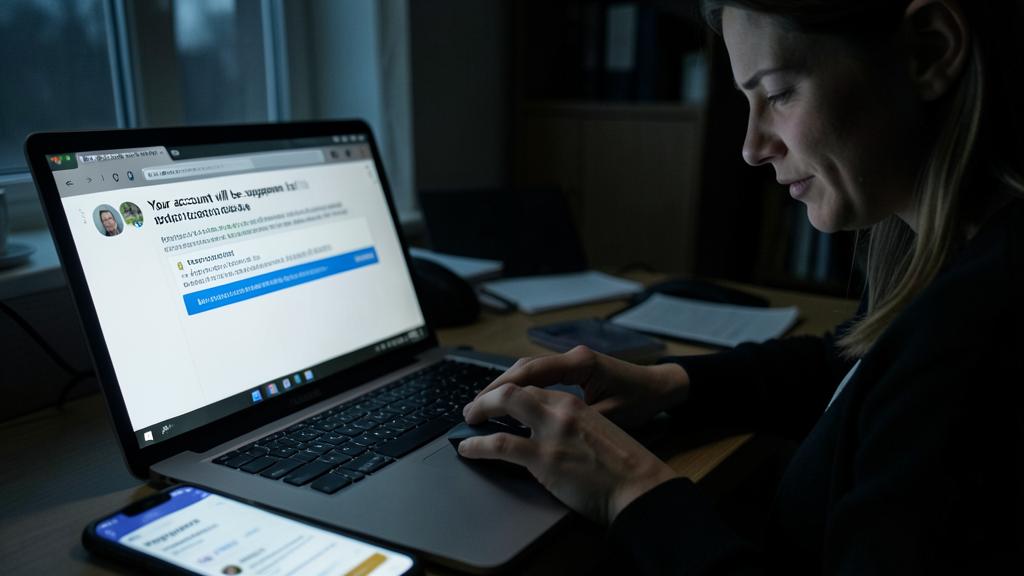
« Your account will be suspended within 24h », « A refund of 87,50 € is waiting for you », « Suspicious connection attempt detected » : phishing (fraud) is the number one digital threat for individuals — and by a wide margin. Its principle: impersonating a trusted organization to extract your login credentials, bank details, or payments. Today’s messages are polished, personalized, sometimes generated by AI: the glaring mistakes of the past are no longer enough to expose them. This guide teaches you how to recognize them for sure — by method rather than instinct.
Understanding the mechanics of the trap
All phishing relies on the same triad: a stolen identity (bank, delivery service, government agency, known service), a triggered emotion (fear of loss, greed, urgency), and a requested action (click, enter, pay, call). The message is just the bait: the real trap is the fake login page where you’ll enter your credentials, or the fake payment form. Understanding this pattern changes everything: when a message ticks all three boxes — identity + emotion + action — your vigilance should be triggered, no matter how good the imitation is.
Fraudsters pretend to be someone you trust, make you feel panicked or excited, and ask you to do something quickly. If all three happen together, it’s probably a scam.
You get an email from “PayPal” saying your account will be closed in 24 hours unless you click a link to verify. This uses PayPal’s name (identity), fear of losing access (emotion), and asks you to click (action). Real PayPal would never send such urgent requests.

Warning signs
- Artificial urgency: « within 24h », « immediately », « final reminder ». Legitimate organizations rarely pressure you like this.
- Request for sensitive data: no serious organization asks for passwords, card codes, or SMS codes via a message.
- Approximate sender address: a strange domain, a subtle variant of the official name. Check the real address, not the displayed name.
- Disguised link: the text shows a reassuring name, but the link points elsewhere. A long press (mobile) or hover (computer) reveals the true destination.
- Unlikely context: a package you weren’t expecting, a refund without any action, a bank that isn’t yours.
- Unexpected attachment: surprise invoice, document « to validate » : maximum caution.
The golden reflex. Never click on a message link to access an account: always do it yourself — by typing the official address or via the app. If the alert is real, you’ll find it in your customer space; if nothing appears, it was phishing. This simple 10-second detour neutralizes almost all attacks, even the most sophisticated ones.
Three dissected examples
The fake delivery: « Your package is on hold, pay 1,95 € in customs fees. » The negligible amount lulls suspicion — but the goal is your card number, not the two euros. Rule: a carrier never charges fees via SMS; check on the official website with your real tracking number.

The fake bank: « A suspicious connection was detected, confirm your identity. » The irony is cruel: the message that claims to protect you IS the attack. Rule: your bank will never ask for your full codes or an SMS code by phone or message — this code is precisely used to validate a payment in progress, often the fraudster’s.
The fake technical support: an on-screen alert, « your computer is infected, call this number ». On the other end, a « technician » takes control of your machine and charges you — or worse. Rule: no legitimate alert displays a number to call. Close the page, and if you’re still worried, have the device checked by a professional of your choice.
Did you click? Emergency procedure
No shame — even the best get caught — but speed is key:
- Login credentials entered: immediately change the password for the affected account, then everywhere you used the same. Enable two-factor authentication right away.
- Bank details entered: contact your bank immediately to block the card and monitor transactions. Speed determines the refund.
- Attachment opened: run a full antivirus scan and change your important passwords from another clean device.
- In all cases: report the message (reporting platforms exist for this) and notify the impersonated organization.
The SMS code, absolute red line. The validation code received by SMS is the final key to your payments and logins: anyone who asks for it — by phone, message, « bank advisor » on the line — is a fraudster in the process of validating a transaction with your data. Never share it, with anyone, under any pretext. Hang up and call your bank at its official number yourself.

Frequently asked questions
Aren’t spam filters enough?
They block a lot, but not everything — especially targeted and recent attacks. The filter reduces the volume; your method makes the difference on what gets through.
How to verify a message that seems legitimate?
Through the official channel, never via the received link: log in yourself to the website or app, or call the official number (the one on your card or the website, not the one in the message). Any real alert will be there.

Does phishing also exist by phone?
Yes — it’s called « vishing » : fake bank advisors, sometimes very convincing and already in possession of information about you. Same rule: never share codes or validations with an incoming call. Hang up, call the official number back.
What to remember
Phishing is no longer spotted by spelling mistakes: it’s outsmarted by method. Recognize the triad of stolen identity + triggered emotion + requested action, check the real address and link destinations, and above all apply the golden reflex: never via the received link, always via the official channel. Never share an SMS code, with anyone. And in case of a mistake, speed (passwords, bank block) limits most of the damage. The right attitude is neither fear nor blind trust: it’s a 10-second verification routine — the negligible price of your digital peace of mind.

Doubt about a received message? Ask before clicking.
Leave a Reply
You must be logged in to post a comment.