
You may have heard of these small objects, resembling a USB key, that would offer the best possible protection for your online accounts: physical security keys. Used by experts and increasingly accessible to the general public, they represent one of the most solid ways to protect your most precious accounts from hacking and phishing. But what exactly are they? How do they work? Are they for you? Here’s a clear explanation of physical security keys, their advantages, and the precautions to know before getting started.
What a physical security key is
A physical security key is a small physical object (often the size of a USB key) that serves to PROVE that it is indeed YOU who are logging into an account; it is a very solid form of two-factor authentication. Reminder about TWO-FACTOR authentication: to secure an account, a second form of identity verification is added to the password; this second form can be a code received by message, a code from an app, or… a physical key (our guides on how to enable two-factor authentication). The physical key as a SECOND form of verification: instead of (or in addition to) a code, you prove your identity by using your physical key; usually, you plug it in (on a port of the computer or phone) or bring it close (contactless), and touch it; the account then verifies that it is indeed YOUR key. Why it’s VERY solid: the physical key is considered one of the strongest protections against hacking, for two main reasons. It resists PHISHING: unlike a code (which you can be tricked into entering on a fake site), a physical key only works WITH the real site; even if you are tricked by a fake site, the key will not validate the connection; it is a major barrier. It requires PHYSICAL possession: to log in, you must have the key IN HAND; a hacker on the other side of the world, even with your password, can do nothing without your physical key. For WHICH accounts? Especially the most PRECIOUS and sensitive ones: your main email (the most critical), your important accounts; the services that offer it. What is it for? To protect your most important accounts in a VERY solid way; to guard against PHISHING (a barrier that codes do not offer); and to have the peace of mind of a physical protection. The main idea: a physical security key is a small object that serves as a SECOND form of identity verification to log into an account, and it is one of the most SOLID protections that exist. Its main advantage: it resists phishing (it only works with the real site, even if you are tricked) and requires physical possession (impossible to log in without having it in hand). It is the level of protection of experts, now accessible. However, it has constraints — you must have it with you, and plan a backup solution in case of loss —, which we will see; it is mainly for those who want to protect their most precious accounts to the maximum.
A physical security key is like a digital bodyguard for your accounts. It proves it’s really you by requiring both your password and the key itself. Hackers can’t trick you into giving them access because the key only works with real websites, not fake ones. But you must always keep it safe – if you lose it, you could lock yourself out of your own accounts.
Imagine you’re a journalist protecting your Gmail account. When you log in, you enter your password, then plug in your YubiKey (a popular security key). The key verifies you’re on Google’s real login page (not a fake one), and only then allows access. If a hacker tries to phish you, even if you enter your password on their fake site, the key won’t work – it only communicates with the real Google servers.
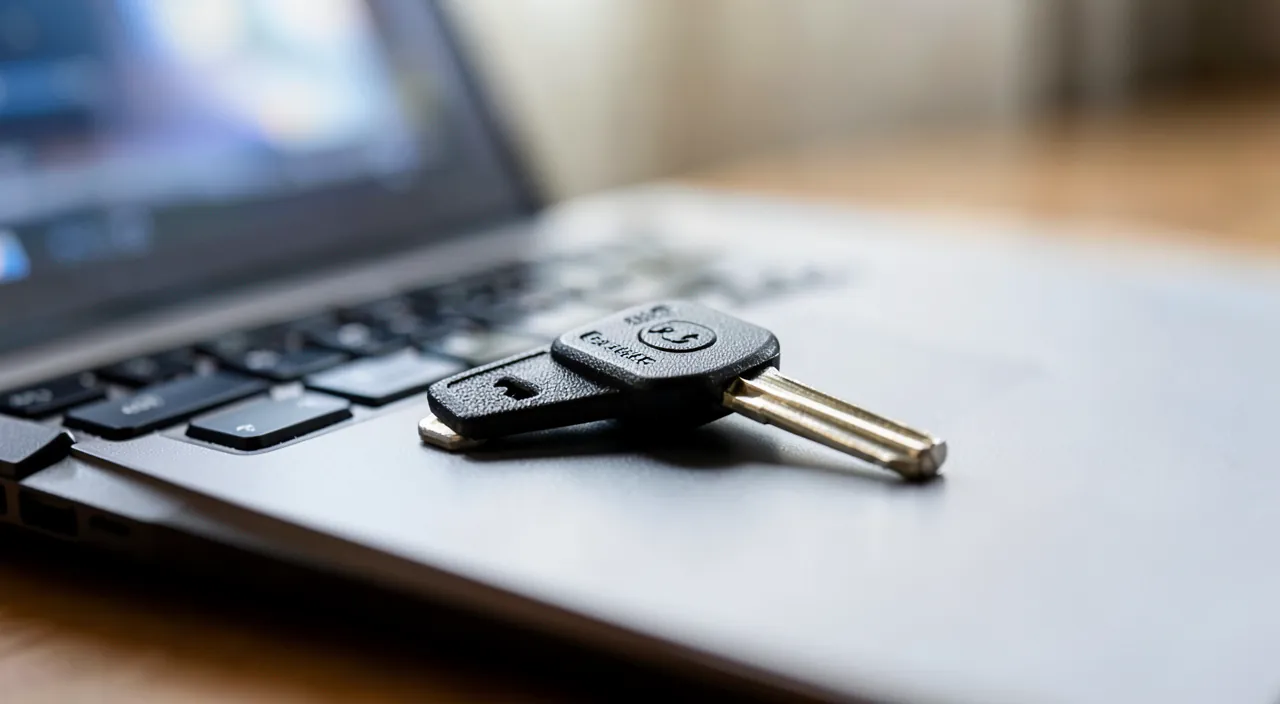
How a security key works and is used
Here’s how it works in practice and how to go about it. THE PRINCIPLE — you associate your physical key with an account (once, in the security settings of the account); then, at each login (or sensitive connections), in addition to your password, the account asks you to use your key to confirm that it is indeed you. DAILY USE — when the account asks for it, you PLUG IN the key (on a port of your device) or BRING IT CLOSE (contactless keys work by placing it near the phone), then you TOUCH IT (a simple touch of the finger); the connection is then validated; it’s quick once you get the hang of it. CHOOSING a key — there are different models of security keys (with different types of connection: to plug into a computer, a phone, or contactless); choose a REPUTABLE key and compatible with your devices and the accounts you want to protect; check compatibility before buying. ASSOCIATING the key with your accounts — in the security settings of each account to be protected, look for the option for two-factor authentication by security key, and follow the procedure to associate your key; start with your most important accounts (email). Planning a SECOND key or a backup — crucial point: always PLAN a backup solution (a second spare key, or another recovery method) in case of loss of your main key (see precautions: it’s essential). KEEPING the key safe — your key being the « proof » that it is you, keep it precious (on your keychain, in a safe place); don’t lose it, don’t lend it. Using as a COMPLEMENT — the key is generally used in addition to the password (double protection); so keep a good password as well. Starting with the ESSENTIAL — no need to equip all your accounts; first protect the most precious ones (main email, very sensitive accounts), where the security gain is the most important. A few TIPS:
- Choose a reputable and compatible key
- Always plan a backup solution
- Start with your most important accounts
In summary: associate your physical key with your important accounts in their security settings; use it at login by plugging it in or bringing it close then touching it; choose a reputable and compatible key; always plan a backup key or recovery method; keep the key precious; and start by protecting the essential. You thus obtain a very high-level protection for what matters most.
The right reflex. If you decide to adopt a physical security key — one of the best protections there is — there is ONE absolute rule never to neglect: always PLAN a BACKUP solution. This is the most important point, and the one most often forgotten. A security key is powerful precisely because you must POSSESS it to log in; but this means that if you LOSE your only key, or it is damaged, you could end up LOCKED OUT of your own accounts. That would be the ultimate irony: the protection that locks you out. To avoid this scenario, the solution recommended by all: get TWO security keys, associate both with your accounts, and keep the second in a safe place (a secure drawer, a safe) as a backup key; thus, if you lose the first one, the second one always allows you to access your accounts. Failing that, make sure you have configured another RECOVERY METHOD for your accounts (backup codes, another form of two-factor authentication) that you keep precious. Never rely on a single key, without a safety net. To get started well: choose a REPUTABLE key and compatible with your devices and the accounts you want to protect (check compatibility before buying), and focus first on your most PRECIOUS accounts — in priority your main email, which is the keystone of your entire digital life (it is through it that you reset other accounts). No need to equip all your accounts immediately: the strongest security gain concerns the few really critical accounts. Finally, keep your main key precious (on your keychain or in a safe place), and remember that it is used in addition to your password, which must remain strong. A reputable key, an essential backup solution, a start on essential accounts: with these reflexes, you benefit from the protection of experts without risking to lock yourself out.

The limits and precautions to know
Security keys are excellent, but they have constraints that must be considered before getting started. LOSS, the major risk: this is THE point of vigilance; losing your only key can lock you out of your accounts; hence the absolute imperative of a second key or a backup solution (see above); never rely on a single key without a safety net. You must HAVE it with you: to log in with the key, you must have it physically; if you leave it at home, you won’t be able to use it elsewhere; this requires having it always at hand (on your keychain); it’s a daily constraint. COMPATIBILITY: not all keys work with all devices or all accounts; make sure the chosen key is compatible with your devices (type of connection) and that the services you want to protect accept security keys (not all offer it); check before buying. COST: a security key is purchased (and ideally you need two); it’s a modest but real investment; to be weighed against the desired level of protection. LEARNING CURVE: it’s a bit more technical to set up than other methods; associating with accounts requires following a procedure; nothing insurmountable, but it requires a small initial effort. Not for ALL accounts: no need to protect unimportant accounts with a physical key; reserve this effort for precious accounts; for secondary accounts, classic two-factor authentication is sufficient. It’s not the ONLY protection: the key protects the connection, but does not dispense with other good practices (good password, vigilance against scams, updates); it complements, it does not replace everything. For WHOM is it suitable? For those who want the BEST protection for their most sensitive accounts, and who are ready for the small constraint of having it with them and managing a backup; for general public use on ordinary accounts, classic two-factor authentication by app or code is already a very good protection, simpler. In summary: the security key is very solid, but it requires having it with you, managing a backup solution (against loss), checking compatibility, and represents a cost and a small learning curve; reserve it for your most precious accounts; and know that it complements, without replacing, other good security practices. Weigh these elements to know if it is for you.
Warning: losing your only security key can lock you OUT of your own accounts — always plan a backup. This is the paradox and the main danger of physical security keys: their strength is also their risk. These keys offer exceptional protection precisely because you must PHYSICALLY possess them to log in; a hacker, even with your password, can do nothing without your key in hand. But this same requirement backfires on you if you lose your key: without it, YOU can no longer prove your identity, and you risk being permanently locked out of your own accounts — your email, the services you had so carefully protected. This is a real and serious scenario: the security that locks you out. The rule is therefore imperative, non-negotiable: never rely on a single key without a backup solution. The best approach: buy TWO security keys from the start, associate both with each of your protected accounts, and put the second one in a safe place (a safe, a secure drawer, with a trusted person) as a spare key; if you lose the first one, the second one saves you. Failing that, configure and keep precious another method of recovering your accounts (backup codes to print and keep in a safe place, another form of two-factor authentication) that will allow you to regain control in case of loss. Note well your backup solution and keep it accessible to YOU but safe from others. Second constraint to anticipate: you must HAVE the key with you to use it; if you leave it at home, you won’t be able to log in while traveling to an account that requires it; so keep it always at hand (on your keychain). Also check COMPATIBILITY (with your devices and the services concerned) before buying, and keep in mind that the key protects the connection but does not replace other good practices (good password, vigilance against scams). In summary: the security key is a remarkable protection, but it requires discipline: always a backup solution against loss, the key with you, and verified compatibility. Adopt it for your most precious accounts, but never without a safety net: this is the condition for it to protect you without ever locking you out.

Frequently asked questions
Is a physical security key really safer?
Yes, the physical security key is considered one of the most solid protections that exist for your accounts, superior to other forms of two-factor authentication on two essential points. First advantage, decisive: it resists PHISHING. This is its major asset. With other methods (a code received by message or generated by an app), you can be TRICKED: a fake site imitating your bank or your email asks for your code, you enter it in good faith, and the hacker recovers it to log in to your real account. A physical key, on the other hand, cannot be tricked like this: it only works WITH the real site, because it technically verifies that it is communicating with the authentic site; even if you are deceived by a perfectly imitated fake site, the key will not validate the connection. This is a barrier against phishing that codes do not offer. Second advantage: it requires PHYSICAL possession. To log in, you must have the key IN HAND and touch it; a hacker at a distance, even if he has stolen your password, can do absolutely nothing without your physical key, which he does not have. These two characteristics make the security key the level of protection of experts and highly exposed individuals. That said, « safer » comes with constraints: you must have the key with you, manage a backup solution in case of loss, check compatibility, and it has a cost. For your most PRECIOUS and sensitive accounts (main email, critical accounts), this effort is worth it: the key offers a peace of mind difficult to match. For ordinary accounts, classic two-factor authentication by app or code, simpler, is already a very good protection. In summary, yes, the physical key is safer — especially against phishing — and it is the best protection for your essential accounts; to be reserved where the level of security justifies its few constraints.

What happens if I lose my security key?
This is THE crucial question, and the answer depends entirely on whether you have planned — or not — a backup solution. If you have ANTICIPATED (which is imperative): losing your key is not a drama. If you have a SECOND backup key associated with your accounts, you just need to use it to access your accounts, then remove the lost key from your accounts (so that it can no longer be used, just in case) and possibly associate a new one. Similarly, if you had configured another recovery method (backup codes, other two-factor authentication), it allows you to regain control. In this case, the loss is a manageable inconvenience, not a disaster. On the other hand, if you have NOT planned a backup — a single key, no recovery method —, the situation is much more serious: without your key, you can no longer prove your identity, and you risk being permanently BLOCKED out of your own accounts. Recovering access then becomes very difficult, or even impossible depending on the services, because the key was precisely the guarantee that it is you. This is why you must ABSOLUTELY plan a backup BEFORE you need it. The lesson is therefore clear: as soon as you set up a security key, get a second spare key (associated with your accounts and kept in a safe place) or configure and keep precious an alternative recovery method. Never put all your eggs in one basket with a single key. If you lose your key, also act quickly: use your backup to access your accounts, remove the lost key from the list of authorized methods, and put a complete protection back in place. Rest assured: a lost key cannot be used by someone else to access your accounts, because it also requires your password (and often a touch); the real risk of loss is not that someone else gets in, but that YOU can no longer get in. In summary, losing your key is manageable if you have planned a backup, and problematic otherwise: the backup solution is not optional, it is vital.
Do I need a physical security key for my accounts?
This depends on your needs and your level of security requirements: the physical key is not essential for everyone, but it is precious to protect your most sensitive accounts to the maximum. Let’s see. For the MAJORITY of people and accounts, a physical key is not necessary: enabling classic two-factor authentication (by an authentication app or a code) on your important accounts already offers excellent protection, far superior to the simple password, and it is simpler to set up and use. If you haven’t done this yet, it is the absolute priority, even before thinking about physical keys. The physical security key becomes interesting in certain cases: if you want the BEST possible protection for particularly precious or sensitive accounts (your main email, critical accounts, important professional accounts); if you are a more EXPOSED person (by your activity, your visibility); or if you are security-conscious and ready to assume the small constraints (having the key with you, managing a backup) in exchange for maximum peace of mind, especially against phishing. For these situations, the key provides a level of protection difficult to match. To decide: ask yourself which of your accounts are TRULY critical (those whose compromise would be the most serious), and if the level of security they deserve justifies the effort of a physical key. Often, the right approach is gradual: classic two-factor authentication on all your important accounts (the essential, to do absolutely), and possibly a physical key in addition on the very first ones, the most sensitive (especially email). No need to equip all your accounts with a physical key. In summary, you do not « need » a security key for ordinary accounts: classic two-factor authentication is largely sufficient; but to protect your most precious accounts to the maximum, or if you are exposed or very security-conscious, the physical key is an excellent choice, provided you accept its constraints and always plan a backup.
What to remember
A physical security key is a small physical object that serves as a SECOND form of identity verification to log into an account, and it is one of the most SOLID protections that exist — the level of experts, now accessible. How it works: after associating it with an account, you prove your identity at login by plugging it in or bringing it close to your device then touching it. Its two main advantages: it resists PHISHING (it only works with the real site, so even if you are tricked by a fake site, it will not validate the connection — a barrier that codes do not offer), and it requires PHYSICAL possession (a hacker at a distance, even with your password, can do nothing without your key in hand). This is why it is ideal for protecting your most PRECIOUS accounts (in priority your main email). But it has constraints to consider: you must have it with you to use it, check compatibility (with your devices and the services), and it has a cost. Above all, remember the absolute imperative: always PLAN a BACKUP solution. The main danger is to lose your only key and end up locked out of your own accounts: so get TWO keys (one main, one backup kept in a safe place, both associated with your accounts), or configure and keep precious another recovery method. Never rely on a single key without a safety net. Rest assured: a lost key does not allow someone else to log in (you also need your password); the real risk is that YOU can no longer log in, hence the vital backup. This protection is not essential for everyone: for ordinary accounts, classic two-factor authentication (by app or code) is already an excellent protection, simpler, and it is the priority if you have not yet enabled it. Reserve the physical key for your most sensitive accounts, or if you are exposed or very security-conscious, by accepting its constraints. Well used — reputable and compatible key, essential backup solution, start on essential accounts — the security key offers a peace of mind difficult to match against hacking and phishing. The best of barriers, provided you never stay without a safety net.


Doubts about your security, a device to check or clean up? Our support service accompanies you step by step.
Leave a Reply
You must be logged in to post a comment.