
A burning hot computer, fans roaring constantly, sudden slowdowns or unexpected shutdowns: overheating is a common, and especially dangerous, problem for your hardware. A computer that gets too hot wears out prematurely and can suffer irreversible damage. Fortunately, most causes are identifiable and treatable. This guide explains how to recognize, understand, and resolve overheating issues.
Recognizing Overheating
Several signs indicate a computer that’s overheating: loud fans running at full speed even without heavy use, a very hot case or underside, slowdowns as the machine voluntarily reduces performance to protect itself, and in severe cases, sudden shutdowns—the system cutting off abruptly to prevent damage. These symptoms, especially when combined, should not be ignored.

Why a Computer Overheats
- Dust: the number one cause. It builds up in fans and vents, blocking airflow.
- Blocked ventilation: a laptop placed on a bed or couch covers its air vents.
- A hot environment: an overheated room or direct sunlight worsens the issue.
- Prolonged heavy workload: gaming, video editing, or running multiple programs heavily strain the machine.
- Worn thermal paste, on older machines.
The right reflex. Always ensure your device’s vents are not blocked. For a laptop, place it on a hard, flat surface instead of a bed or your lap: soft surfaces block air intakes and cause immediate overheating.
Simple and Effective Solutions
The first and most effective action is dust removal. With a can of compressed air, clean the vents and fans to restore airflow. Then, ensure proper positioning: hard surface, clear vents, and optionally a ventilated stand for a heavily used laptop. Finally, a moderate environment helps: avoid direct sunlight and overheated rooms.
Overheating happens when your computer can’t cool itself properly. Dust, bad placement, or too much work can block its cooling system, making it too hot. Cleaning and better airflow usually fix the problem.
A gaming laptop like the ASUS ROG Zephyrus G14, running a demanding game like Cyberpunk 2077, can reach 90°C (194°F) if placed on a bed. Moving it to a cooling pad and cleaning the vents reduces the temperature to 75°C (167°F), preventing throttling and shutdowns.

When It Goes Further
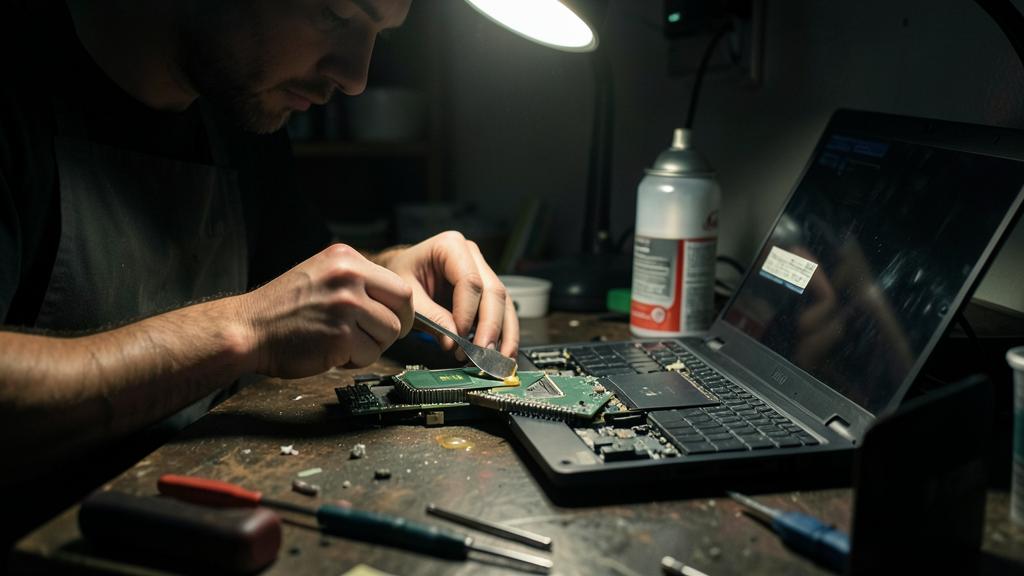
If cleaning isn’t enough, other options exist. On an older machine, the thermal paste that ensures contact between the processor and its cooler may have dried out: its replacement, which is delicate, is often best left to a professional. A failing fan that no longer spins properly needs to be replaced. Finally, background programs constantly straining the processor can keep the heat up: checking what’s running helps reduce the load.
Not to be neglected. Don’t let overheating persist over time: excessive heat prematurely wears out components and can cause permanent failures. Repeated sudden shutdowns due to heat are a warning sign to address immediately, before the hardware is damaged.

Frequently Asked Questions
Is it normal for my fan to be loud?
Yes, temporarily during heavy use. However, a fan constantly running at full speed even at idle indicates a cooling issue that needs fixing.
Can I clean the inside myself?
External dust removal with compressed air is manageable for everyone. Opening the machine and replacing the thermal paste, which is more delicate, is better left to a professional.

Key Takeaways
Overheating isn’t inevitable, but it should never be ignored: it directly threatens your hardware’s lifespan. In most cases, regular dust removal and proper positioning are enough to restore healthy operation. If overheating persists or causes sudden shutdowns, more in-depth intervention is needed. Monitoring your computer’s temperature is key to extending its life and preserving performance.



Is your computer overheating abnormally? We diagnose the cause.
Leave a Reply
You must be logged in to post a comment.