
Is your WiFi working fine during the day but struggling especially in the EVENING? Videos cut out, pages load slowly, video calls degrade — exactly when the whole family (and the whole neighborhood) is connected? This very common phenomenon has well-identified causes, and often solutions that are accessible without being a technician. A slow WiFi in the evening is not inevitable: it could be due to network saturation during peak hours, the multiplication of connected devices at home, interference, or the placement of your box. By understanding why, you can act on what depends on you, and know when the problem comes from elsewhere. Let’s see why WiFi slows down in the evening, how to improve it, and when you should contact your provider.
Why WiFi slows down especially in the evening
Several reasons explain a WiFi that slows down in the evening; let’s look at them. PEAK HOURS: in the evening, everyone connects (videos, games); the network is more solicited; saturation slows it down; the main cause. NETWORK SATURATION: during busy hours, the network (or even the neighborhood’s) is saturated; less bandwidth for everyone; a collective effect; frequent. MORE DEVICES connected: in the evening, the whole family uses WiFi (phones, TV, tablets); sharing divides the bandwidth; at home; common. HEAVY USAGE: video streaming, gaming, video calls in the evening; these uses consume a lot; they saturate your WiFi; important. INTERFERENCES: in the evening, more neighboring WiFi networks and devices are active; interference increases; a possible factor. BOX PLACEMENT: a poorly placed box gives weak WiFi (worsened during peak hours); location matters; to optimize; useful. DISTANCE to the box: far from the box, WiFi weakens (walls, floors); limited range; to consider; common. NEIGHBORHOOD NETWORK: sometimes, it’s the local network (shared) that saturates in the evening; out of your control; provider side; possible. WiFi or LINE: distinguish a WiFi issue (at home) from a bandwidth issue (the line); two different causes; to diagnose; important. Often IMPROVABLE: many causes can be fixed (placement, devices, settings); reassuring; act; positive. In summary, several reasons explain a WiFi that slows down especially in the evening. The main cause: PEAK HOURS and SATURATION. In the evening, everyone connects at the same time (streaming, gaming, video calls) — at your place AND in the neighborhood — which heavily solicits the network; when it’s saturated, there’s less bandwidth for everyone. At home, this worsens with the MULTIPLICATION of connected devices (the whole family uses WiFi in the evening: phones, TV, tablets — the bandwidth is shared) and HEAVY USAGE (video streaming, gaming, and video calls consume a lot). Added to this are INTERFERENCES (more neighboring networks and active devices in the evening), the PLACEMENT of your box (poorly placed, it gives weak WiFi), and the DISTANCE to the box (far from it, through walls and floors, WiFi weakens). Sometimes, it’s the NEIGHBORHOOD NETWORK (shared) that saturates during peak hours, which is out of your control (provider side). An important point to diagnose: distinguish a WiFi issue (at home, improvable) from a LINE BANDWIDTH issue. Reassure yourself: many causes can be fixed (box placement, device management, settings) without being a technician. Let’s see.
When everyone connects at the same time in the evening, the internet network gets overloaded like a highway at rush hour. This means less bandwidth for everyone, making your WiFi slower. At home, more devices using WiFi at once (like phones, TVs, and tablets) also share the same limited bandwidth. Heavy activities like streaming videos or gaming make it worse. Sometimes, even your internet provider’s network gets overloaded in the evening, which is out of your control.
Imagine a family of four where everyone connects in the evening: one person streams a 4K movie (25 Mbps), another plays an online game (10 Mbps), a third has a video call (5 Mbps), and the fourth is downloading updates (10 Mbps). That’s 50 Mbps total needed, but if their internet plan only offers 100 Mbps, the remaining 50 Mbps must be shared with neighbors also using the same local network. If 10 neighbors do the same, that’s 500 Mbps needed for just one neighborhood segment, causing significant slowdowns for everyone.
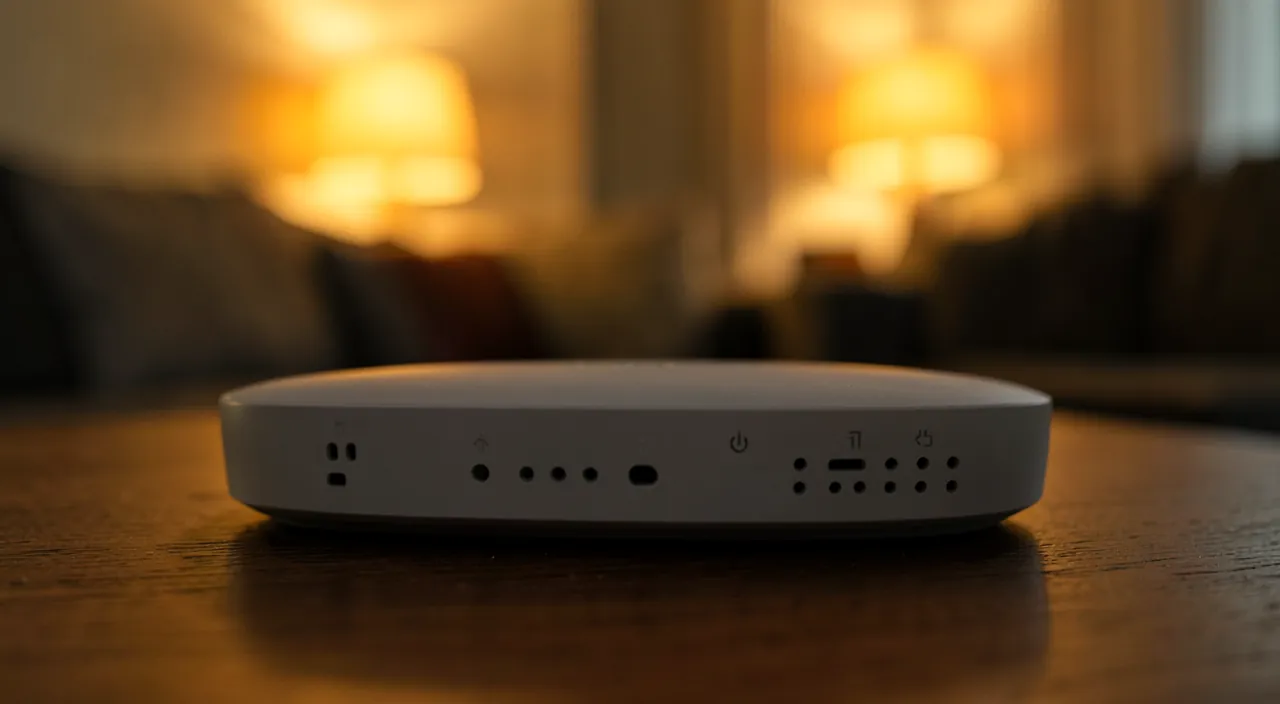
How to improve your WiFi in the evening
Here are the solutions to improve your WiFi during peak hours; let’s follow them. RESTART the box: a restart often fixes slowness; the basic gesture; simple; effective. PLACE the box WELL: central, high up, unobstructed (not in a closet, behind the TV); a better signal; important; advice. GET CLOSER to the box: near the box, WiFi is better; for important uses; useful; simple. LIMIT heavy devices: pause heavy consumers when you need bandwidth; free up bandwidth; clever; useful. WIRED for important uses: connect the device that needs bandwidth (TV, computer) with a cable; wired doesn’t saturate like WiFi; effective; advice. A WiFi REPEATER: to extend WiFi far from the box; better coverage of the house; a solution; useful. Reduce INTERFERENCES: move the box away from disruptive devices, change the WiFi channel; a better signal; technical; useful. Choose the right BAND: some boxes have two WiFi networks (one less crowded for nearby, one for far); optimize; advanced; useful. UPDATE the box: an updated box works better; maintenance; sometimes automatic; advice. TEST the bandwidth: measure your bandwidth (evening vs. daytime); know if it’s the WiFi or the line; consult our guides on bandwidth testing; diagnosis. In summary, to improve your WiFi in the evening, several accessible solutions: RESTART the box (a restart often fixes slowness: the basic gesture), PLACE it WELL (central, high up, unobstructed: not in a closet or behind the TV — this significantly improves the signal), and GET CLOSER to it for important uses (WiFi is better near the box). LIMIT HEAVY DEVICES when you need bandwidth (pause heavy consumers: streaming, downloads — to free up bandwidth), and for important use (TV, computer, remote work), switch to WIRED (a cable doesn’t saturate like WiFi: very effective). To cover a large house, a WiFi REPEATER extends the signal far from the box. More technically: reduce INTERFERENCES (move the box away from disruptive devices, change the WiFi channel), choose the right BAND if your box has two WiFi networks, and keep the box UPDATED. Finally, TEST your BANDWIDTH (evening compared to daytime): this will tell you if the problem comes from your WiFi (improvable) or the line (provider side). By acting on what depends on you, you will often significantly improve your WiFi during peak hours.
- Place the box centrally in your home, high up, and away from obstacles
- Use wired connections for devices needing the most bandwidth (TV, computer, gaming console)
- Limit heavy usage during peak hours by pausing non-essential downloads or streams
- Consider a WiFi repeater if your home is large or has many walls
- Update your router firmware regularly for optimal performance
The most helpful gestures: placing the box well, switching to wired for important uses, and limiting heavy devices during peak hours. Faced with a WiFi that slows down in the evening, three gestures have a particularly strong impact — and are accessible to everyone. Gesture 1: PLACE your box WELL. This is often the most effective and most neglected gesture. WiFi radiates around the box, and its range is reduced by distance and obstacles. A poorly placed box (on the floor, in a corner, in a closet, behind the TV or a piece of furniture, near electronic devices) gives weak WiFi everywhere — which worsens during peak hours. Therefore, place your box: as CENTRAL as possible in your home (to radiate everywhere), at HEIGHT (on a piece of furniture rather than on the floor), UNOBSTRUCTED (not enclosed in a closet or hidden behind a piece of furniture or the TV), and away from sources of interference (other electronic devices, large appliances). This simple repositioning can significantly improve your WiFi throughout the house. Gesture 2: switch to WIRED for the important device. WiFi shares a limited bandwidth among all devices and suffers from saturation and interference in the evening. The CABLE (wired), on the other hand, offers a direct, stable connection that doesn’t saturate like WiFi. For the device that needs the most bandwidth and stability — the TV (for evening streaming), the computer (for remote work or video calls), the gaming console — CONNECT it to the box with a cable. You thus guarantee it a good connection, independent of WiFi issues, and you relieve WiFi for other devices. This is particularly effective in the evening: the wired device is not affected by WiFi congestion. Gesture 3: LIMIT heavy devices during peak hours. In the evening, when bandwidth is precious, everything that consumes a lot at the same time worsens the slowness. If an important activity slows down (a video call, a movie), look at what is USING the bandwidth in parallel: a large download in progress, several simultaneous video streams (each person watches their video), updates that start, devices that consume in the background. PAUSE the non-priority heavy consumers for the duration of your important use: you free up bandwidth for what matters. Also adapt the quality (a video in slightly lower quality passes better than in very high definition on a saturated WiFi). These three gestures — well-placed box, wired for important uses, heavy devices limited during peak hours — directly address the causes of a slow WiFi in the evening (range, saturation, bandwidth sharing). A fourth useful gesture for a large house: a WiFi REPEATER (to extend the signal to rooms far from the box). And the basic gesture not to forget: RESTART the box, which often fixes many slowness issues. In summary, the most helpful gestures against a slow WiFi in the evening: PLACE the box WELL (central, high up, unobstructed: often the most effective gesture), switch to WIRED the device that needs bandwidth (TV, computer: a stable connection that doesn’t saturate), and LIMIT heavy devices during peak hours (pause heavy consumers to free up bandwidth). Completed by a repeater for a large house, and the box restart. These simple gestures, acting on the real causes (range, saturation, sharing), often significantly improve your WiFi during peak hours.

WiFi or bandwidth: distinguishing the real problem
It is useful to know if the issue comes from the WiFi or the line; let’s see how. WiFi vs. LINE: two different problems (WiFi at home, line bandwidth); distinguishing them guides the action; important; methodical. TEST the bandwidth: measure your bandwidth (evening vs. daytime, near vs. far from the box); comparing sheds light; consult our guides on bandwidth testing; useful. TEST wired: with a cable, you isolate WiFi; if wired is good in the evening, it’s WiFi (not the line); the key test; revealing. Wired good, WiFi bad: the problem is WiFi (placement, local saturation, interference); act at home; localized. Wired also bad in the evening: the problem is the line/network (neighborhood saturation); provider side; localized. NEIGHBORHOOD SATURATION: if even wired slows down in the evening, the local network is saturated; out of your control; contact the provider; possible. NOTE the results: keep your measurements (evening/daytime, wired/WiFi); to understand and argue; useful; advice. ACT according to the cause: WiFi → improve at home; line → contact the provider; adapt; important. CONTACT the provider: if it’s the line/saturation, report it (with your tests); they can act or explain; useful. Consider an ADAPTED OFFER: if your offer is insufficient for your uses, consider a better one; adapt to your needs; solution; useful. In summary, it is very useful to distinguish if your evening problem comes from WiFi (at home) or LINE BANDWIDTH — because this determines the action. The decisive test: TEST WIRED (with a cable connecting your device to the box). If WIRED BANDWIDTH is GOOD in the evening but your WiFi slows down, the problem comes from WiFi (box placement, local WiFi saturation, interference, too many devices) — and you can act AT HOME (better place the box, wired, limit devices, repeater). If, on the other hand, WIRED also SLOWS DOWN in the evening (while it’s good during the day), the problem comes from the LINE or the network: it’s often the SATURATION of the NEIGHBORHOOD NETWORK during peak hours, which is out of your control (provider side). To properly diagnose, TEST your bandwidth at different times (evening compared to daytime) and conditions (wired compared to WiFi, near compared to far from the box), and NOTE the results. Then act according to the cause: if it’s WiFi, improve it at home; if it’s the line or saturation, CONTACT your provider (with your tests as evidence: they can act or explain), and consider a more adapted offer if yours is insufficient for your uses. Distinguishing WiFi from the line avoids acting in the wrong place: you target the real cause.
Warning: neighborhood saturation in the evening does not depend on you, a well-done test avoids false conclusions, and adapt your offer to your real uses. A few points of vigilance to properly understand and treat a slow WiFi in the evening. First point: NETWORK SATURATION during peak hours DOES NOT DEPEND ON YOU. Part of the evening problem comes from the fact that EVERYONE is connected at the same time — in your household, but also in the entire neighborhood that often shares the same network infrastructure. This collective saturation during peak hours is a REAL phenomenon over which you have no control: even with a perfect WiFi at home, if the neighborhood network saturates in the evening, your bandwidth can decrease. Don’t insist on « repairing » at home what comes from general saturation: in this case, it’s on the PROVIDER’S side (or infrastructure side) that it happens. You can report it to your provider (who can confirm, explain, or sometimes improve), but understand that this factor is partly out of your control. Second point: a BADLY DONE TEST leads to FALSE CONCLUSIONS. Before concluding that « your WiFi is bad » or that « your provider is ripping you off, » do RIGOROUS tests: test at different TIMES (in the evening AND during the day, to confirm that it’s indeed a peak hour problem), in WIRED AND WiFi (to distinguish a WiFi issue from a line issue), and NEAR AND FAR from the box (to distinguish a range issue). A test done at a single time, in WiFi, far from the box, will not give you reliable information. It’s the COMPARISON of several tests that reveals the real cause. Without this rigor, you risk acting in the wrong place (changing offers when it’s the box placement, or vice versa). Third point: adapt your OFFER to your REAL USES. If, tests in hand, your connection is truly insufficient for your needs (many devices, heavy evening uses, several people streaming at the same time), your INTERNET OFFER may simply be underpowered for your household. In this case, no adjustment will work miracles: you will have to consider a more adapted offer (more bandwidth). But first verify that the problem does not come from correctable factors (placement, WiFi, devices) before changing offers — don’t change your subscription for nothing. Fourth point: beware of « miracle solutions » and useless equipment. You can find all kinds of products promising to « boost » WiFi: beware of exaggerated promises and dubious equipment. A quality repeater can help with range, but no gadget will create bandwidth that doesn’t exist on your line or that evening saturation absorbs. Prioritize simple and effective gestures (placement, wired, device management) before buying equipment. Fifth point: for technical manipulations (WiFi channels, box settings) or in case of doubt, don’t hesitate to ask for help (from your provider, or someone more comfortable): it’s better to be guided than to mess up your box. In summary: NEIGHBORHOOD SATURATION during peak hours does not depend on you (it’s on the provider/infrastructure side: report it, but this factor is partly out of your control), a WELL-DONE TEST (at different times, in wired and WiFi, near and far from the box) avoids false conclusions and helps you target the real cause, adapt your OFFER to your real uses if it’s truly underpowered (but after ruling out correctable causes), beware of miracle solutions and useless equipment, and get help for the technical aspects. With these guidelines, you will treat the real cause of your slow WiFi in the evening, without fighting the wrong battle or spending unnecessarily.
Frequent questions
Why is my WiFi good during the day but slow in the evening?
Because in the evening, everyone connects at the same time (at your place and in the neighborhood): the network is saturated during peak hours, and bandwidth is shared among more devices and heavy uses; this is the classic evening congestion phenomenon. Let’s see. PEAK HOURS: evening = connection peak; everyone online; the network is more loaded; the main cause. SATURATION: the network (at home, in the neighborhood) saturates during busy hours; less bandwidth for everyone; collective effect; classic. MORE DEVICES in the evening: the family comes home, everyone connects; bandwidth is shared; at home; common. HEAVY EVENING USES: streaming, gaming, video calls in the evening; these uses consume a lot; they saturate; important. THE NEIGHBORHOOD TOO: neighbors often share the network; their saturation affects you; out of your control; to know. DAYTIME: network FREE; during the day, fewer people connected; the network « breathes »; hence the good bandwidth; logical. A NORMAL phenomenon: evening congestion is common and known; it’s not necessarily a failure; reassure yourself; nuanced. What you CAN DO: box placement, wired, limit heavy devices; act on your part; useful; advice. What you CAN’T CONTROL: neighborhood saturation is on the provider’s side; report it, but it’s out of your control; nuance; lucid. The ADVICE: in the evening, everyone connects at the same time (at your place and in the neighborhood); the network saturates during peak hours and bandwidth is shared; this is the classic evening congestion phenomenon; act on your part (box, wired, devices), neighborhood saturation being out of your control. In summary, if your WiFi is good during the day but slow in the evening, it’s due to the very common phenomenon of PEAK HOUR CONGESTION. The explanation is simple: in the EVENING, everyone connects at the same time. At your place first — the family comes home, everyone uses WiFi (phones, TV, tablets, games), and bandwidth is SHARED among all these devices, with particularly HEAVY USES in the evening (video streaming, online games, video calls, which consume a lot). But also in the ENTIRE NEIGHBORHOOD: neighbors often share the same network infrastructure, and when everyone is connected at the same time (the evening peak), this shared network SATURATES — there is then less available bandwidth for everyone. It’s this collective saturation during peak hours that slows down your connection. During the DAY, on the other hand, there are far fewer people connected (people are at work, at school): the network « breathes, » there is abundant available bandwidth, hence your good WiFi. Important point to understand: this phenomenon is NORMAL and known — it’s not necessarily a sign of a failure or a problem with you. Reassure yourself: your equipment is not necessarily at fault. That said, part of the problem depends on YOU and can be improved: the PLACEMENT of your box, the number of DEVICES you leave consuming in the evening, the fact of switching important use to WIRED. Acting on these factors often significantly improves your situation. On the other hand, the SATURATION of the neighborhood network during peak hours is PARTLY OUT OF YOUR CONTROL: it’s on the provider and infrastructure side — you can report it, but this factor is not your responsibility. In summary: your WiFi slows down in the evening because everyone connects at the same time (at your place and in the neighborhood), saturating the network during peak hours and dividing the available bandwidth; this is a classic congestion phenomenon. Act on what depends on you (box, wired, heavy devices), and know that the part related to general evening saturation is out of your control.

Is wired really better than WiFi for the evening?
Yes: a wired connection (cable) is more stable and does not suffer from saturation or interference like WiFi; for the device that needs the most bandwidth in the evening (TV, computer), connecting it with a cable significantly improves the connection. Let’s see. YES, wired is better: the cable offers a more stable and direct connection; it doesn’t share WiFi’s weaknesses; effective; advice. No WiFi SATURATION: wired doesn’t suffer from evening WiFi congestion; a separate connection; stable; advantage. No INTERFERENCES: the cable is not bothered by neighboring networks, obstacles; WiFi is; wired is reliable; useful. No RANGE issue: wired doesn’t weaken with distance/walls (unlike WiFi); constant bandwidth; solid; advantage. For IMPORTANT USES: connect the key device (evening TV, computer, video call, console) with a cable; guarantee it a good connection; clever; advice. RELIEVES WiFi: a wired device no longer takes WiFi bandwidth; more WiFi for others; double benefit; useful. Easy to DO: a cable between the box and the device; not complicated; accessible; practical. The CONSTRAINT: you need a cable and the device must be near/connected to the box; less practical than WiFi; to weigh; nuance. Not for MOBILE: wired is suitable for fixed devices (TV, computer), not for the phone that you move around; depending on the use; logical. The ADVICE: yes, wired is more stable and does not suffer from saturation or interference like WiFi; for the device that needs the most bandwidth in the evening (TV, computer, video call), connecting it with a cable significantly improves the connection and relieves WiFi for others. In summary, yes, WIRED (a cable connection) is really better than WiFi for the evening — especially for the device that needs the most bandwidth and stability. Several reasons explain this superiority, particularly in the evening. First, wired does NOT suffer from WiFi SATURATION: a cable connection is direct and dedicated, it does not suffer from WiFi congestion during peak hours. Then, wired is not bothered by INTERFERENCES (neighboring WiFi networks, disruptive devices, which affect WiFi especially in the evening when everything is active). Finally, wired does NOT suffer from RANGE issues: unlike WiFi which weakens with distance and through walls, the cable offers constant and solid bandwidth regardless of the distance to the box. In short, where WiFi accumulates weaknesses in the evening (saturation, interference, range), wired avoids them all. In practice: for the KEY DEVICE you need the most in the evening — the TV (for streaming), the COMPUTER (for remote work or video calls), the GAMING CONSOLE — CONNECT it to the box with a CABLE. You thus guarantee it a stable and reliable connection, independent of WiFi issues in the evening. Appreciated bonus: a wired device no longer consumes WiFi bandwidth, which RELIEVES WiFi for all other devices (phones, tablets) — everyone benefits. It’s simple to do (a cable between the box and the device) and very effective. The only CONSTRAINT: you need a cable and a device located close enough to the box (or connected to it), which is less practical than wireless WiFi — and this only suits FIXED DEVICES (TV, computer), not the phone that you move around. But for important and fixed evening uses, wired is really the best solution. In summary: yes, wired is more stable and does not suffer from WiFi’s weaknesses (saturation, interference, range); connect the device that needs the most bandwidth in the evening (TV, computer) with a cable, and you will significantly improve its connection while relieving WiFi for others.
When should you contact your internet service provider?
Contact your provider if, tests in hand, the problem persists even when wired (which indicates the line or network saturation, out of your control), or if your bandwidth is durably insufficient for your uses; they can verify, explain, or propose a solution. Let’s see. If WIRED also slows down: if even with a cable the bandwidth is bad in the evening, it’s not your WiFi; it’s the line/network; provider side; contact them. NEIGHBORHOOD SATURATION: if the local network saturates in the evening, only the provider can act/explain; report it; useful. A DURABLY INSUFFICIENT bandwidth: if your bandwidth is not enough for your uses (even outside peak hours); the offer may be at fault; see with them; advice. With your TESTS: present your measurements (evening/daytime, wired/WiFi); concrete evidence to argue; effective; useful. AFTER checking at home: contact them after ruling out causes on your side (box, WiFi); don’t accuse wrongly; methodical. They can VERIFY the line: the provider can test your line, detect an issue; their expertise; useful. They can EXPLAIN: they can confirm saturation, a network issue; understand the cause; useful. An ADAPTED OFFER: if your offer is underpowered, they can propose a better one; adapt to your needs; solution; useful. Don’t CHANGE wrongly: verify first that it’s not your WiFi before changing offers; avoid unnecessary expenses; cautious. The ADVICE: contact your provider if the problem persists even when wired (line or network saturation, out of your control) or if your bandwidth is durably insufficient; present your tests, after ruling out causes on your side; they can verify, explain, or propose a better offer. In summary, you should contact your internet service provider in two main situations, and after doing what’s necessary on your side. First situation: the problem PERSISTS even when WIRED. This is the decisive test: if you connect a device with a cable to the box and the bandwidth is BAD in the evening (while it’s good during the day), the problem does NOT come from your WiFi (which wired bypasses), but from the LINE or the NETWORK. This is often the SATURATION of the neighborhood network during peak hours — a phenomenon that is out of your control and that only your provider can verify, explain, or improve. Report it to them. Second situation: your bandwidth is DURABLY INSUFFICIENT for your uses, even outside peak hours. If, tests in hand, your connection is not enough for what you do (many devices, heavy uses, several people), your OFFER may be underpowered for your household: your provider can offer you a more adapted offer (more bandwidth). In both cases, present them with your TESTS (your bandwidth measurements at different times — evening and daytime — and conditions — wired and WiFi): these concrete data support your request and help them diagnose. Important: contact them AFTER verifying and ruling out causes ON YOUR SIDE (box placement, WiFi, heavy devices) — to avoid wrongly accusing your provider of a problem that actually comes from your installation. What the provider can do: VERIFY your line (test remotely, detect a possible technical issue), EXPLAIN the situation (confirm saturation, a network issue), and if necessary PROPOSE a solution (intervention, or better offer). A final advice: don’t CHANGE your offer lightly — verify first that the problem does not come from your WiFi (correctable for free) before incurring an expense. In summary: contact your provider if the problem persists even when wired (line or network saturation) or if your bandwidth is truly insufficient for your uses; do so with your tests in hand, after ruling out causes on your side; they can verify, explain, or offer you a better offer.
What to remember
A WiFi that works well during the day but slows down in the EVENING is a very common phenomenon, with well-identified causes. The main cause: PEAK HOUR CONGESTION. In the evening, everyone connects at the same time — at your place (the whole family, with heavy uses: streaming, gaming, video calls) and in the ENTIRE NEIGHBORHOOD (which often shares the same infrastructure) — which SATURATES the network and divides the available bandwidth. Added to this are the PLACEMENT of the box, the DISTANCE to the box, INTERFERENCES, and the multiplication of connected devices. This is a NORMAL phenomenon, not necessarily a sign of a failure. To improve your WiFi in the evening, the most effective gestures: PLACE the box WELL (central, high up, unobstructed — not in a closet or behind the TV: often the most effective and most neglected gesture), switch to WIRED the device that needs the most bandwidth (TV, computer: a stable connection that doesn’t suffer from saturation, interference, or WiFi range — and that relieves WiFi for others), and LIMIT heavy devices during peak hours (pause heavy consumers to free up bandwidth). Complete with a REPEATER for a large house, and the BOX RESTART (the basic gesture). Key point of diagnosis: distinguish if the problem comes from WiFi (at home) or LINE BANDWIDTH, by TESTING wired: if wired is good in the evening but WiFi slows down, it’s your WiFi (improvable at home); if even wired slows down in the evening, it’s the line or network saturation (provider side). For a reliable test, measure your bandwidth at different times (evening and daytime) and conditions (wired and WiFi, near and far from the box), and note the results. Points of vigilance: NEIGHBORHOOD SATURATION during peak hours DOES NOT DEPEND ON YOU (it’s on the provider/infrastructure side: report it, but this factor is partly out of your control — don’t insist on « repairing » it at home), a WELL-DONE TEST avoids false conclusions (and helps you target the real cause), and adapt your OFFER to your real uses if it’s truly underpowered (but after ruling out correctable causes: don’t change your offer for nothing). Beware of « miracle solutions » and useless equipment (no gadget creates bandwidth that doesn’t exist). Contact your provider if the problem persists even when wired or if your bandwidth is durably insufficient (with your tests in hand): they can verify, explain, or propose a better offer. In short, a slow WiFi in the evening is not inevitable: act on what depends on you (box placement, wired for important uses, device management), diagnose the real cause (WiFi or line) with rigorous tests, and contact your provider for what you can’t control. By targeting the right cause, you will often significantly improve your connection during peak hours.

Persistent issue, capricious device? Our remote troubleshooting service resolves your problem quickly, without jargon.
Leave a Reply
You must be logged in to post a comment.