
You’re listening to music, a movie, or in the middle of a conversation, and the sound from your headphones or earbuds crackles, pops, cuts out, or distorts: it’s unpleasant and ruins the listening experience. Don’t worry: crackling sound in headphones has concrete causes, and most can be fixed with simple checks—a cable, a port, a Bluetooth connection, a setting. Rarely, it’s the headphones or the device at fault. Here’s how to diagnose and fix crackling sound in headphones, methodically, from the simplest to the most serious.
Where does crackling sound come from?
The crackling can come from the headphones, the connection, the device, or a setting. A CABLE issue (wired headphones): a damaged, twisted, or frayed cable near the plug is a very common cause of crackling and dropouts; it’s also easy to test. A DIRTY or DAMAGED PORT: the headphone jack (the connector) may be clogged with dust, or the contact may be poor; the sound crackles or only plays on one side. A BLUETOOTH CONNECTION issue (wireless headphones): for wireless headphones, crackling or dropouts often come from the Bluetooth connection: too great a distance, interference, obstacles, or unstable pairing. A FAULTY SOUND SOURCE: sometimes, the crackling comes from the device or the file being played, not the headphones; a low-quality file, an app, a sound setting. A VOLUME or EQUALIZER SETTING: maxed-out volume can saturate and cause crackling; a poorly adjusted sound enhancement setting can distort. A DRIVER or software issue: on a computer, the software managing the sound may be at fault. INTERFERENCE: for wireless headphones, other electronic devices can disrupt the signal. A FAULTY HEADSET: wear and tear, a speaker in the headphones starting to fail. How to narrow it down? A few questions: is the crackling constant or does it depend on the position/movement (cable)? Is it only on one side? Is it only with this headset, or with another one too? Wired or Bluetooth? Why does it matter? To check simple causes (cable, port, Bluetooth); to distinguish between a headset issue, a connection issue, or a device issue; and to know what to replace or repair. The key idea: crackling sound often comes from SIMPLE causes—a damaged cable, a dirty port, an unstable Bluetooth connection, a volume setting—that are easy to check and fix. The key question to narrow it down: does the issue come from the HEADSET, the CONNECTION, or the DEVICE? A very simple test often answers this question: try ANOTHER headset, or the same headset on another device. This comparison isolates the cause and guides the entire process.
Most crackling comes from simple things like a bad cable, dirty port, or Bluetooth problems. The first step is to test if the issue follows your headset or stays with your device. This tells you where to look for the problem.
You notice crackling when moving your wired headset cable. When you gently bend the cable near the plug, the sound cuts out. This means the cable is damaged and needs replacement.
How to fix crackling sound
Here’s the step-by-step approach, from simplest to most involved. Do the COMPARISON TEST—it’s the most revealing step: try ANOTHER headset on the same device, AND your headset on another device; if the crackling follows the headset, it’s the headset (or its cable); if it stays on the device no matter the headset, it’s the device or its settings. For a WIRED HEADSET: check the CABLE and the PORT—gently move the cable, especially near the plug, while the sound is playing: if the crackling changes when you move the cable, it’s the cable (or its connector) at fault; check that the port is fully inserted; gently clean the device’s port (dust), and try another port or headphone jack if possible. For a BLUETOOTH HEADSET: improve the connection—get closer to the device (Bluetooth has limited range; distance and obstacles cause dropouts and crackling); reduce interference; “forget” the headset in the Bluetooth settings and re-pair it properly; check the headset’s battery (a low battery can degrade the sound); make sure the headset isn’t connected to multiple devices at once. LOWER the volume—maxed-out volume can saturate and cause crackling; lower it to see if the crackling disappears. CHECK the sound source—try another track, another app, another file; if the crackling only appears on specific content, it’s that file or source at fault, not your headset. RESTART the device—a simple restart can fix a sound bug (our guides on restarting fix many issues). CHECK the SOUND SETTINGS—disable any “enhancements” or equalizers that might be distorting the sound; on a computer, check that the correct output device is selected. UPDATE—an up-to-date system can fix audio driver issues (our guides on checking and installing updates). If the issue FOLLOWS the headset—if the comparison test shows the crackling comes from the headset itself: for a wired headset, the cable is often the culprit (sometimes replaceable); if the headset is worn out or a speaker is failing, you’ll need to repair or replace it. A few TIPS: the “other headset / other device” test isolates the cause instantly; for wired headsets, think about the cable and the port; for wireless headsets, think about range and pairing. In summary: do the comparison test, check the cable and port (wired) or the Bluetooth connection (wireless), lower the volume, check the source and sound settings, restart, update; and if the crackling comes from the headset, repair or replace it. Most cases are fixed with the first checks.
The right reflex. When facing crackling sound, first do THE test that, on its own, will tell you where the issue comes from: the COMPARISON. Try ANOTHER headset on your device, and your headset on ANOTHER device. The conclusion is immediate: if the crackling follows your headset everywhere, it’s the HEADSET (or its cable) at fault; if it stays on the device no matter the headset plugged in, it’s the DEVICE or its settings. This simple test saves you from looking in the wrong place. Then, depending on the headset type, two main leads. For a WIRED HEADSET, the number one culprit is the CABLE: do this revealing test—while the sound is playing, gently move the cable, especially near the plug; if the crackling changes, appears, or disappears when you move the cable, it’s the cable (or its worn-out connector) at fault. Also check that the port is fully inserted and gently clean the device’s port, often clogged with dust. For a BLUETOOTH HEADSET, crackling and dropouts almost always come from the CONNECTION: get closer to the device (wireless hates distance and obstacles), “forget” then re-pair the headset properly, and check its battery (a nearly drained headset can crackle). Two simple reflexes valid in all cases: LOWER the volume (maxed out, it can saturate and cause crackling), and try ANOTHER sound source (another track, another app); if the crackling only appears on specific content, it’s that file at fault, not your hardware. Comparison test first, then cable/port for wired or range/pairing for wireless, volume and source next: with these reflexes, you identify and fix the vast majority of crackling issues in a few minutes, without unnecessarily replacing anything.
When should you repair or replace?
If simple checks don’t work, you need to know what can be repaired and what needs replacing. The CABLE of a wired headset: it’s the part that wears out the most (especially near the plug, from repeated bending); on some headsets, the cable is detachable and can be easily and cheaply replaced; on others, it’s integrated, and a damaged cable may doom the headset (or require repair). The DEVICE’S PORT: if the device’s headphone jack is damaged (sound only works in certain positions), it’s a hardware issue with the device, harder to repair; in the meantime, a Bluetooth headset bypasses the problem. A WORN-OUT HEADSET: an old or heavily used headset may have a degrading speaker (crackling, weakening, or sound only on one side); depending on the headset’s value, repair may or may not be worth it; for a cheap headset, replacement is often simpler. Sound only on ONE SIDE: often a cable (wired) or connection issue; sometimes a failing speaker; the comparison test helps locate the issue. A FAULTY BLUETOOTH HEADSET: if connection issues persist despite good pairing and proximity, the headset may be faulty, or its battery worn out. The DEVICE at fault: if the crackling comes from the device (comparison test), and persists despite settings and a restart, it may be an issue with the device’s audio output (port, component, driver); diagnostics may be needed. The COST/value ratio: before repairing, compare the repair cost to that of a new headset; for a valuable headset, repair (cable, possibly speaker) may be worth it; for a cheap headset, replacement is often more reasonable. Don’t OVERDO IT: if the headset crackles irreparably and it’s old or cheap, insisting doesn’t make sense; better to replace it. When to ASK for help? If you suspect an issue with the device’s port or audio output (more technical); or if you’re unsure of the cause despite the tests. In summary: the cable is the most often at fault and sometimes replaceable; a damaged device port or audio output is a trickier hardware issue; a worn-out headset is repaired or replaced depending on its value; always compare repair cost to replacement cost, and don’t overdo it on a cheap old headset.
Warning: listening with crackling or saturated sound can tire your ears—and beware of maxed-out volume. Beyond the annoyance, poor-quality sound deserves your attention for two reasons. First, the VOLUME. When sound crackles or seems weak, you’re tempted to max out the volume to “compensate”; that’s a double mistake. On one hand, maxed-out volume can itself SATURATE and cause crackling (it then becomes the cause of the problem rather than the solution); on the other hand, and more importantly, listening loudly, for long periods, with headphones or earbuds, is bad for your HEARING. Hearing is permanently damaged without you noticing due to overly loud and prolonged listening; this is especially true with in-ear earbuds, very close to the eardrum. So don’t max out the volume to cover crackling: instead, fix the issue at its source, and generally keep a moderate volume, with regular breaks. Many devices even offer settings to limit volume and alert you to overly loud listening: this is particularly useful to protect children’s and teenagers’ hearing, who are more exposed. Then, a material precaution: when looking for the cause of crackling, don’t FORCE the connectors. If you manipulate the cable or port to test, do it gently: brutally jamming in a port, forcefully twisting a cable, or poking a headphone jack with a hard object can worsen the damage, damage the headset’s connector, or worse, your device’s port (a much more annoying repair). If you clean a clogged headphone jack, do it delicately (a puff of dry air, without a pointed object that would scratch the contacts). Finally, don’t stubbornly listen with a crackling headset while waiting: beyond the discomfort, it doesn’t improve anything and may push you to max out the volume. Fix the cause, keep a reasonable volume for your ears, and handle connectors gently: your listening comfort, your hearing, and your hardware will all benefit.
Frequently asked questions
How to tell if the crackling comes from the headset or the device?
A very simple test answers this question in seconds: the cross-comparison. The principle: you want to know which of the two—the headset or the device—is at fault; to do this, change one element at a time. First step: plug in (or connect) ANOTHER headset to the same device, and listen. If the crackling DISAPPEARS with the other headset, then the problem was with your first headset (or its cable). If the crackling PERSISTS even with another headset, then the problem comes from the device (or its settings), not the headset. Second step, to confirm: plug your original headset into ANOTHER device. If the crackling FOLLOWS it (present on the new device too), it’s indeed your headset at fault; if it doesn’t crackle on the other device, then your headset is fine, and it was your original device at fault. By crossing these two tests, you isolate the cause for sure: the crackling always follows the faulty element. Once the cause is identified, you know where to act: if it’s the headset, check its cable (wired) or its pairing and battery (Bluetooth), and consider repair or replacement; if it’s the device, check its sound settings, the cleanliness of its headphone jack, restart it, and update it. This comparison test is the most effective starting point for any audio troubleshooting: in one minute, it saves you from looking (or replacing) in the wrong place. Do it before anything else.
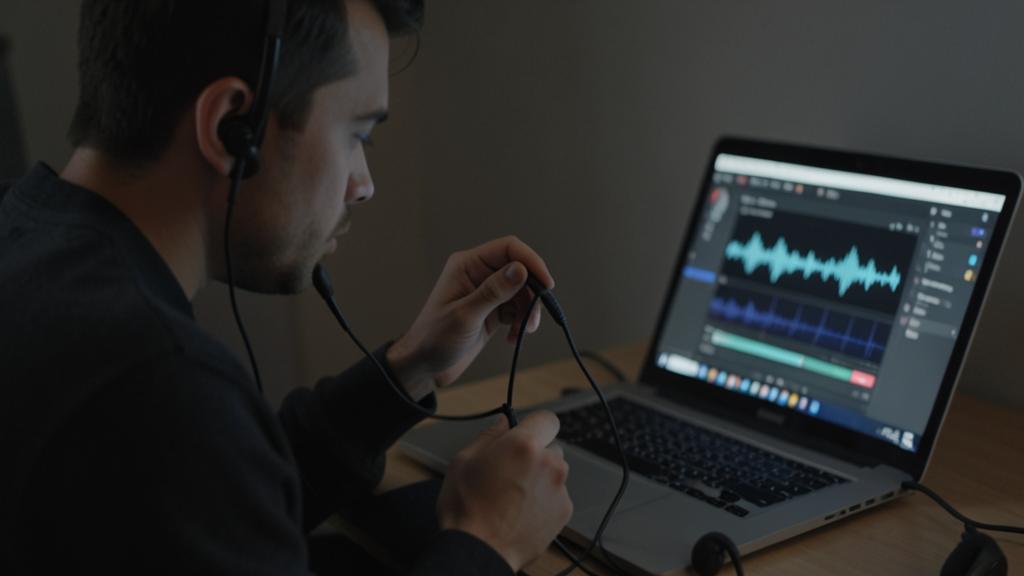
My wired headset crackles when I move the cable, what should I do?
If the crackling APPEARS, changes, or disappears when you move the cable, the diagnosis is clear: it’s the CABLE (or its connector) at fault—it’s even one of the most common failures in wired headsets. A headset cable is subjected to a lot of strain: it’s bent, coiled, pulled on; over time, the internal wires wear out and eventually make poor contact, especially near the plug (where the cable bends the most). Hence the crackling or dropouts that vary depending on the cable’s position. What to do? It depends on your headset. If the cable is DETACHABLE (it unplugs from the headset)—this is the case for many headsets, especially high-quality ones—the solution is simple and inexpensive: replace the cable with a new one; the headset gets a second life. If the cable is INTEGRATED (fixed to the headset, non-detachable), it’s more annoying: a damaged cable may doom the headset, or require repair (sometimes possible but delicate, and not always worthwhile for a cheap headset). Before concluding, do check that the issue comes from the cable and not the device’s port: test the headset on another device (if the crackling when moving the cable persists, it’s indeed the cable). In the meantime, avoid straining the cable in the position that causes crackling. And for the future, take care of your cables: don’t sharply bend them near the connectors, don’t coil them too tightly, don’t pull on the cable to unplug (pull on the plug), and store them without tying them: that’s how you extend their lifespan. In summary: crackling that varies when moving the cable = cable at fault; replace it if it’s detachable (easy and cheap), otherwise consider repairing or replacing the headset depending on its value.
My Bluetooth headset cuts out and crackles, how to improve?
Dropouts and crackling in a wireless headset almost always come from the BLUETOOTH CONNECTION; several simple steps significantly improve the situation. First, PROXIMITY: Bluetooth has limited range and doesn’t handle obstacles well; get closer to the source device (phone, computer), and avoid putting a wall, your body, or other obstacles between the two; if you leave your phone in one room and move away, dropouts are normal. Then, INTERFERENCE: other nearby wireless or electronic devices can disrupt the signal; move away from them if possible. A often effective step: “FORGET” the headset in your device’s Bluetooth settings, then re-pair it properly (as if it were the first time); this resets the connection and fixes many unstable pairings. Also check the headset’s BATTERY: a nearly drained headset may see its connection and sound degrade; recharge it. Another point: make sure the headset isn’t trying to stay connected to MULTIPLE DEVICES at once (some headsets remember multiple devices and may “hesitate”); disconnect it from the other devices. Restarting the source device and the headset can also help. Finally, check that your device’s system is up to date, as updates sometimes fix Bluetooth issues. If, despite all this, the headset continues to cut out while you’re close and properly paired, the issue may come from the headset itself (failure, worn-out battery) or the device: the comparison test (the headset on another device, or another headset on yours) helps decide. In summary, for a finicky Bluetooth headset: get closer, reduce interference, re-pair properly, check the battery, and avoid multiple connections; these steps fix the vast majority of dropouts and crackling.
What to remember
Crackling, popping, or cutting out sound in a headset is unpleasant, but its causes are generally simple and can be fixed with basic checks: a damaged cable, a dirty port, an unstable Bluetooth connection, saturated volume, or a setting. The first step, the most revealing, is the COMPARISON TEST: try another headset on your device, and your headset on another device; if the crackling follows the headset, it’s the headset (or its cable) at fault; if it stays on the device, it’s the device or its settings. This comparison isolates the cause in a minute and saves you from looking in the wrong place. Then: for a WIRED HEADSET, first suspect the CABLE (move it while listening: if it crackles when moving, it’s the cable—replaceable if it’s detachable) and check the cleanliness and proper insertion of the port; for a BLUETOOTH HEADSET, improve the CONNECTION (get closer, re-pair properly, check the battery, avoid multiple connections). In all cases, lower the VOLUME (maxed out, it saturates and crackles) and test another SOUND SOURCE (the crackling only appears on a specific file? It’s the file, not your headset); restart and update the device. Most cases are fixed with these checks. Two important precautions: protect your HEARING—never max out the volume to cover crackling (it’s bad for your ears and can even saturate more; keep a moderate volume, especially for children)—, and handle connectors GENTLY (don’t force, don’t poke the port with a hard object, risking worsening the damage). Finally, if the crackling comes from the headset and persists: the cable is the most often at fault (and sometimes replaceable at low cost); for a worn-out headset, compare the repair cost to that of a replacement, and don’t overdo it on a cheap old headset. By proceeding methodically—comparison first, then cable/port or connection depending on the type—you identify and fix the vast majority of crackling issues yourself, without unnecessarily replacing anything, while protecting your ears.
Persistent issue, finicky device? Our remote troubleshooting service quickly resolves your problem, without jargon.
Leave a Reply
You must be logged in to post a comment.