
This song playing on the radio, in a café, in an ad, in a movie — impossible to put a name on it, and it keeps running through your head? No more frustration: your phone can **IDENTIFY** music it « hears » in a few seconds. Just launch the music recognition, let the phone listen, and it gives you the title, the artist, and often where to listen to it in full. It’s magical, free, and built into most devices. Here’s how to identify a song you hear, in the simplest way.
Music recognition: how does it work?
Let’s discover this amazing feature and how it works. The **PRINCIPLE**: your phone **LISTENS** to the music playing around you (via its microphone), analyzes it (a kind of « fingerprint »), compares it to a huge database of tracks, and **IDENTIFIES** the song for you: title, artist, album; all in a few seconds; it’s amazing how fast and accurate it is. What it **IDENTIFIES**: a song playing on the radio, in a store, a café, a restaurant, an ad, a movie, a series, on TV, at a friend’s place; as soon as a « recorded » (commercial) song plays within microphone range, it can usually identify it. What it **GIVES**: the title and the artist (the essential!), often the album, the lyrics, a link to **LISTEN** to the track in full (on music services), information about the artist, sometimes other similar tracks. The **TOOLS**: there are dedicated apps for music recognition (very effective), but also: a feature **INTEGRATED** into many phones (accessible via the control center on iPhone, or the voice assistant); the **VOICE ASSISTANTS** (ask « What is this song? » and the assistant listens and identifies); sometimes integrated into the music services themselves. For most people, the feature built into the phone or the voice assistant is enough; a dedicated app sometimes offers more (history, features). The **MAGIC** of it: it’s one of those features that amaze; what was impossible before (finding the name of a song heard by chance) is done in a few seconds; no more humming in vain or searching for approximate lyrics. The **USES**: identify a song you like to listen to later, find a title that’s haunting you, discover new tracks, enrich your musical culture, note a song from a movie/ad. What to remember to get started: your phone can identify a song it hears in a few seconds (title, artist, and where to listen to it); just launch the music recognition (built-in feature, voice assistant, or dedicated app) and let the phone listen; it’s free, magical, and puts an end to the frustration of not knowing the name of a song. Let’s see how to use it.
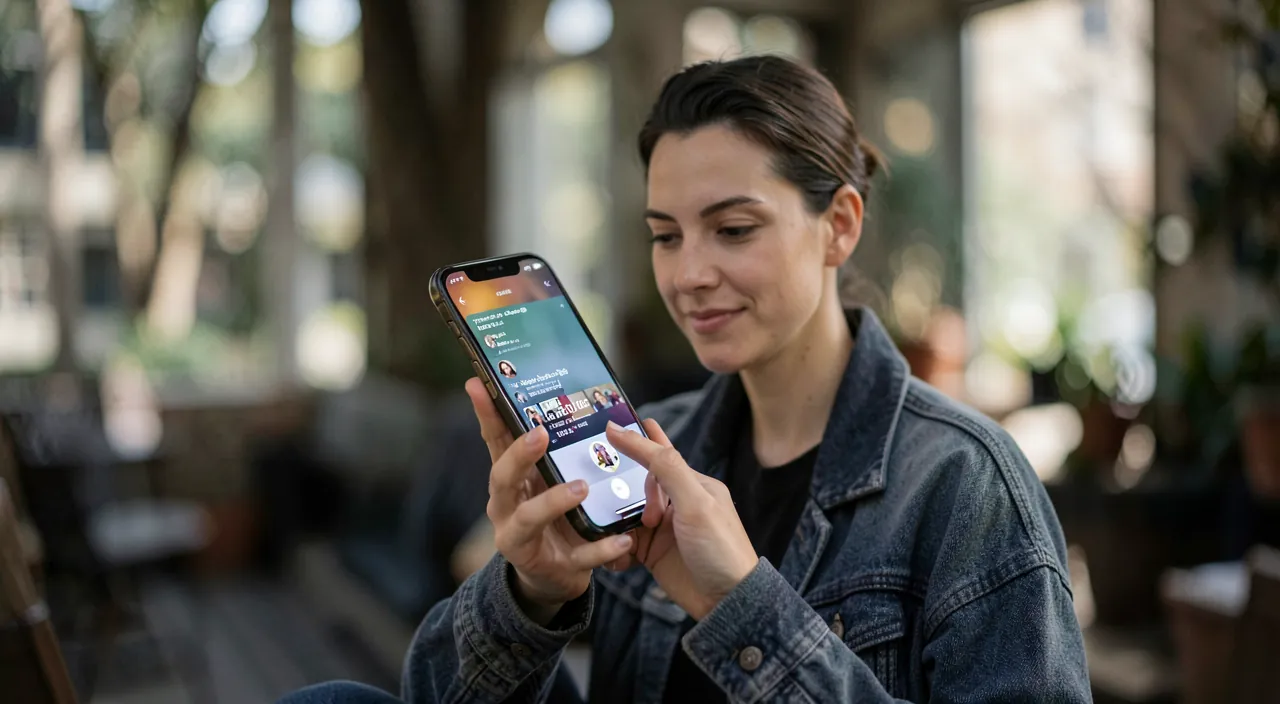
Your phone can recognize songs by listening to them through the microphone. It compares what it hears to a huge database of music and tells you the title and artist in seconds. It works best with recorded songs you hear playing around you.
You hear “Blinding Lights” by The Weeknd playing in a coffee shop. You open the music recognition feature on your phone, hold it up to the music for a few seconds, and it tells you exactly which song it is, along with a link to listen to it on Spotify.
Identifying a song: the methods
Several ways to identify a song; choose the most practical for you. Via the **VOICE ASSISTANT** (the easiest): ask your phone’s assistant « What is this song? » (or « What’s playing? ») it activates listening, analyzes the surrounding music, and gives you the result; fast and hands-free (our guides use a voice assistant). Via the **BUILT-IN FEATURE**: many phones have built-in music recognition; on iPhone, you can add it to the **CONTROL CENTER** (a shortcut to tap for music recognition; the phone listens and identifies, even the result is recorded — our guides customize the control center); on other phones, similar features exist (sometimes the phone even displays the music it hears permanently). Via a **DEDICATED APP**: install a music recognition app (reputable); open it, tap the listen button, let it analyze; it identifies and often keeps a **HISTORY** of your identifications (practical for finding a song identified later). The **GENERAL PROCEDURE**: when a song interests you, **LAUNCH** the recognition (by one of the above methods), optionally bring the phone closer to the sound source, let it **LISTEN** for a few seconds (don’t talk during), and it gives you the result. After identification: you can usually **LISTEN** to the track in full (link to a music service), see the **LYRICS**, add it to a playlist, discover the artist. For a good result: let the phone listen in **GOOD CONDITIONS** — not too much background noise (loud conversations, other sounds), the music loud enough (bring the phone closer if it’s faint), and while the track is playing (not just at the end). The **HISTORY**: dedicated apps and some features keep a history of your identifications; very practical for finding « that song I identified the other day. » In short, to identify a song: the easiest is to ask the **VOICE ASSISTANT** (« What is this song? »), or use the **BUILT-IN FEATURE** (control center shortcut) or a **DEDICATED APP**; launch the recognition, let the phone listen to the music for a few seconds in good conditions, and it gives you the title, artist, and where to listen to it; it’s fast and simple.
The fastest: ask the voice assistant, or a shortcut at hand. To never miss a song you like, have music recognition **READY TO GO**, ready to use; two very practical ways. ONE, the **VOICE ASSISTANT**: it’s often the fastest and most natural; as soon as a song intrigues you, just say to your phone’s assistant « What is this song? » it starts listening and gives you the title and artist in a few seconds; hands-free, instant, without having to open an app; it’s ideal when the song plays and you want to catch the name quickly before it ends. TWO, a **SHORTCUT** at hand: on iPhone, you can add music recognition to the **CONTROL CENTER** (the panel you slide down); a simple tap on the icon, and the phone listens and identifies; it’s very fast, and the result can be recorded to find it later (our guides customize the control center); on other phones, similar shortcuts or widgets exist. The advantage of having this shortcut ready: songs don’t warn you; the one you like in a store or an ad only lasts a few moments; if you have to search and install an app at that moment, it’s too late; with the assistant or a shortcut at hand, you catch the title **BEFORE** the track ends. Additional tip for a good result: let the phone listen to the music for a few **SECONDS** while it’s playing (not at the very end), in not too **NOISY** conditions (the less background noise — conversations, other sounds — the better), and bring the phone closer to the source if the sound is faint. If identification fails once (noise, too rare track), try again, or wait for a clearer passage. Also think about the **HISTORY**: dedicated apps and some features keep a list of your identifications; so you can easily find later « that song I identified, » even if you didn’t have time to note it; it’s a real plus to not lose anything. By having music recognition ready (voice assistant or shortcut) and knowing these tips (good listening conditions, history), you’ll never again be left with a song « on the tip of your tongue »: you catch its name in a few seconds, wherever you hear it. It’s one of the little smartphone magics that make daily life more enjoyable.
Going further: listening, discovering, and the limits
Once the song is identified, you can do much more with it; let’s also look at the limits. **LISTEN** to the track: after identification, the app usually offers a link to listen to the song in **FULL** (on music services); you can add it to a playlist, save it; some features connect directly to your favorite music service. **DISCOVER** new tracks: music recognition is an excellent way to enrich your **MUSIC**; identify the songs you like throughout your days, and you build a nice list of discoveries; then explore the artist, similar tracks. The **LYRICS**: often displayed; practical for knowing the lyrics of a song. The **ARTIST**: information, other tracks, allowing you to discover their music. The **HISTORY**, a musical memory: your past identifications are saved (in dedicated apps and some features); it’s your « notebook » of songs spotted, to listen to again whenever you want. The **LIMITS** to know: recognition works very well for **RECORDED** and commercialized music (known songs), but may fail for: a very **RARE**, obscure, or not in the databases song; a **LIVE** performance or a very different version of the original; someone **SINGING** or humming (some apps try to identify a hummed tune, with variable success — it’s harder than recognizing a recording); music too covered by **NOISE**; classical or instrumental music sometimes more delicate. If it fails, try again in better conditions (less noise, clearer track). The **CONNECTION**: recognition usually needs the internet (to compare to the database); some features work partially offline (deferred identification), but generally a connection is required. The **PRIVACY**: recognition uses the **MICROPHONE** (to listen to the music); it’s normal and temporary (the time of identification); use reputable apps; as with any app, check the permissions (microphone access is necessary for this feature — our guides check app permissions). The **PLEASURE**: at the end of the day, it’s a tool for pleasure and discovery; use it to never lose a song that moves you, and to enrich your musical universe. In short: after identification, listen to the track in full, add it to your playlists, discover the artist and similar tracks, check the lyrics, and keep the history (your musical memory); know the limits (rare music, live, hummed, noise: recognition may fail; it shines on commercial recordings); it’s a fantastic tool for musical pleasure and discovery.
Warning: recognition has its limits, uses the microphone, and beware of dodgy apps. Music recognition is amazing, but a few points deserve your attention. Its **LIMITS**: it works very well to identify a **RECORDED** and commercialized song (known, in the databases), but may **FAIL** in some cases: a very **RARE** or obscure song (absent from databases), a **LIVE** version or a cover very different from the original, music too **COVERED** by noise (conversations, other sounds), or when someone **SINGS/hums** (identifying a hummed tune is much harder than recognizing a recording; some apps try, with variable success); don’t be surprised if it doesn’t always find it; if it fails, try again in better conditions (less noise, let it listen to a clearer and longer passage); but for the vast majority of commercial songs, it works very well. Microphone **USE**: recognition needs to **LISTEN** via your phone’s microphone; it’s normal and necessary for this feature, and temporary (the time of identification); the app will ask for permission to access the microphone (essential here); use **REPUTABLE** apps and check their permissions (our guides check app permissions); beware of dodgy or unknown music recognition apps that would ask for more than the microphone, or be full of ads; prefer the features built into your phone (assistant, control center) or recognized apps. Download from **OFFICIAL** stores. The **INTERNET CONNECTION**: recognition usually requires the internet (to compare to the database); without a connection, it may be limited (some features keep the identification pending until the network returns). Be careful with the **CONTENT** offered after identification: links to listen to the track lead to music services (sometimes paid/subscription-based); no obligation to subscribe to identify. Don’t let yourself be **DISTRACTED** at the wrong time: don’t try to identify a song while driving (focus on the road; use the hands-free voice assistant if needed, but without getting distracted). Finally, respect the **CONTEXT**: taking out your phone to identify a song is harmless, but in some situations (show, cinema, moment of reflection), be discreet and respectful. These points of vigilance are minor: music recognition remains a simple, free, and magical tool; by knowing its limits (it doesn’t find everything), using reliable apps (normal microphone permission), and with an internet connection, you fully enjoy it to identify and discover the music around you.
Frequent questions
How to identify a song that’s playing?
It’s very simple, and several methods are available to you; the fastest is often the voice assistant. Via the **VOICE ASSISTANT**: just say to your phone’s assistant « What is this song? » it activates listening, analyzes the music playing around you, and gives you the title and artist in a few seconds; it’s instant and hands-free. Via the **BUILT-IN FEATURE**: many phones have music recognition; on iPhone, add the music recognition shortcut to the **CONTROL CENTER** (the panel you slide down), then tap it for the phone to listen and identify; on other devices, similar features or widgets exist. Via a **DEDICATED APP**: install a reputable music recognition app, open it, tap the listen button, and let it analyze; it often keeps a history of your identifications. In all cases, the procedure is the same: launch the recognition, let the phone **LISTEN** to the music for a few seconds (while it’s playing, not at the end), without talking or covering the sound, in not too noisy conditions; bring the phone closer to the source if the sound is faint; and it gives you the result (title, artist, often where to listen to it in full). For a good result: the less background noise, the better; let it listen long enough; if it fails, try again in better conditions or wait for a clearer passage. The key tip: have recognition **READY** (voice assistant or control center shortcut) to launch it **QUICKLY**, as a song only lasts a few moments; this way, you catch its name before it ends. In short: ask the voice assistant « What is this song? », or use the control center shortcut, or a dedicated app; let the phone listen for a few seconds; it’s fast, free, and effective for most songs.

Can you identify a song you’re humming?
Sometimes, but it’s harder and less reliable than identifying a recording. « Classic » music recognition is designed to identify a **RECORDED** song playing (via its precise « fingerprint »); it excels at recognizing a commercial song playing on the radio, in a store, etc. On the other hand, identifying a song YOU’RE **HUMMING**, singing, or whistling is a whole different and more delicate challenge: your humming doesn’t have the exact fingerprint of the recording (not the same instruments, your voice, your approximate pitch…); the app must then recognize the **MELODY**, which is more complex. That said, some tools and assistants offer a « hum to search » feature: you hum/sing the tune, and the tool tries to find the corresponding song by analyzing the melody; this can work, especially for well-known songs and if you hum the tune quite accurately and recognizable; but success is **VARIABLE** (less reliable than recognizing a recording); sometimes it finds it, sometimes not. To maximize your chances while humming: hum/sing the tune as **ACCURATE** and **RECOGNIZABLE** as possible (the most characteristic part, the chorus), in a quiet place; try again if needed. Where to find this feature: some voice assistants and search tools offer « identify a hummed song »; look for this option. In short: yes, you **CAN** sometimes identify a hummed song (« hum to search » features exist), but it’s less reliable than identifying a recording playing; for a recording (a song playing), recognition is very effective; for a tune you have in your head without hearing it, try the humming feature, with variable results; it’s amazing when it works, but don’t be surprised if it fails sometimes — it’s a much harder task for the machine.
Is this feature free?
Yes, music identification itself is usually free. The music recognition features **BUILT INTO** your phone (via the voice assistant or control center) are free and already present: nothing to pay or install; just ask the assistant or tap the shortcut, that’s all. **DEDICATED** music recognition apps usually have a free version that allows you to identify songs without paying; some offer paid options (removing ads, additional features), but basic identification is free. So, to simply know « what is this song? », you don’t have to pay anything: it’s free and accessible to everyone. What can be **PAID** comes AFTER identification, if you want to **LISTEN** to the track in full: the link takes you to a music service; listening to the full song may require a subscription to that music service (streaming), which is often paid (or with a free version limited/with ads); but this concerns listening to the track, not its identification; you can very well identify a song for free, then choose how to listen to it. Just be careful: don’t confuse identification (free) with a possible subscription to a music service (to listen); and beware of dodgy apps that would charge for identification itself or be misleading; built-in features and reputable apps offer free identification. In short: yes, identifying a song is free (via your phone’s built-in features or the free versions of dedicated apps); only **LISTENING** to the track in full may require a subscription to a music service; but to know the title and artist of a song you hear, it’s free and accessible to everyone.
What to remember
Your phone can **IDENTIFY** a song it « hears » in a few seconds: it listens via its microphone, analyzes the track, compares it to a huge database, and gives you the title, the artist, and often where to listen to it in full; no more frustration of not knowing the name of a song heard on the radio, in a café, an ad, or a movie. The **METHODS**, very simple: the **VOICE ASSISTANT** (say « What is this song? » — often the fastest, hands-free), the **BUILT-IN FEATURE** (shortcut in the control center on iPhone), or a **DEDICATED APP** (with history). Launch the recognition, let the phone listen for a few seconds while the music plays, in good conditions (not too much noise, audible sound), and it identifies. The **KEY TIP**: have recognition **READY** (assistant or shortcut) to launch it **QUICKLY**, as a song only lasts a few moments. After identification, you can **LISTEN** to the track in full, discover the artist and similar tracks, see the lyrics, and the **HISTORY** keeps your identifications (your musical memory, to find later). Know the **LIMITS**: recognition shines on commercial recordings, but may fail for rare music, a live version, a hummed tune (possible « hum to search » feature but less reliable), or in noise; if it fails, try again in better conditions. It uses the **MICROPHONE** (normal and temporary: microphone permission is necessary) and usually requires the internet; use **REPUTABLE** apps (preferably built-in features), downloaded from official stores. Identification is **FREE** (built-in features and free versions of apps); only listening to the track in full may require a subscription to a music service. Don’t try to identify a song while driving, and be discreet in contexts that require it. It’s one of the little smartphone magics: free, amazing, it lets you never lose a song that moves you and constantly enrich your musical universe; have it at hand, and enjoy it.
Want to go further with your phone and your apps? Our practical training is made for you.
Leave a Reply
You must be logged in to post a comment.