
Someone impersonating YOU: opens accounts in your name, makes purchases, takes out credit, sends fraudulent messages to your loved ones, tarnishes your reputation… Online identity theft is a real threat, with sometimes serious and long-lasting consequences to repair. It exploits the personal information we leave scattered across the internet. Good news: a few protective reflexes significantly reduce the risk, and knowing how to react quickly limits the damage. Here’s how to avoid online identity theft and what to do if it happens.
Identity theft: what are we talking about?
Let’s understand this threat to better protect ourselves. IDENTITY THEFT is when someone uses YOUR personal information (name, date of birth, address, ID document numbers, banking details, login credentials…) to IMPERSONATE you, without your knowledge, usually for fraudulent purposes. What an impersonator can DO: open ACCOUNTS in your name (online accounts, sometimes bank accounts); make PURCHASES or subscribe to services/credit in your name (which you’d have to repay!); access your EXISTING accounts (email, bank, social networks) by impersonating you; send FRAUDULENT messages to your loved ones while pretending to be you (to scam them: “It’s me, I have a problem, send me money”); create FAKE profiles in your name on social networks; tarnish your REPUTATION; commit acts in your name. The CONSEQUENCES: financial (debts, fraudulent purchases to dispute), administrative and legal (sorting out the situation can be long and painful), personal (reputation damage, stress), and on your loved ones (scammed in your name). How impersonators get your INFORMATION: through PHISHING (tricking you into giving your information — our guides on recognizing phishing); through DATA LEAKS (when a site you’re registered on gets hacked, your information leaks); through what you SHARE publicly (social networks, overly exposed information); through poorly protected documents (ID photos lying around); through malware; or through the theft/loss of devices or documents. The KEY POINT: identity theft exploits your personal INFORMATION; the less you expose, the better you protect it, and the more you reduce the risk; and the more your accounts are securely protected, the harder it is to impersonate your identity online. What to remember to start: identity theft involves impersonating you with your personal information, for fraudulent purposes, with potentially serious consequences; it exploits information that is leaked or exposed; protecting yourself involves limiting the exposure of your information and securely protecting your accounts. Let’s see how.
Identity theft means someone uses your personal details to pretend to be you. They can open accounts, make purchases, or even scam your family. The best protection is to limit what you share online and use strong passwords with two-factor authentication.
In 2023, a French man discovered someone had opened a €15,000 credit card in his name after his email was hacked through a phishing attack. He had to spend months proving his identity to banks and authorities to resolve the issue.
How to protect yourself from identity theft
Several reflexes greatly reduce the risk; they revolve around two axes: protecting your information and securing your accounts. PROTECTING your personal information: LIMIT what you expose publicly; on social networks, don’t share too much personal information (full date of birth, address, locations, long absences…), and adjust the privacy settings of your accounts (our guides on limiting the data you share online). BEWARE of PHISHING: never share your sensitive information in response to an unsolicited message; it’s a major source of data theft (our guides on recognizing phishing). PROTECT your ID DOCUMENTS: don’t share photos of your ID, bank card, or official documents; only send them to legitimate recipients, via secure channels; be wary of requests for copies of ID (a common scam). SECURING your accounts (the other essential axis): use STRONG and UNIQUE passwords for each account (via a password manager — our guides on managing passwords); thus, a leak on one site doesn’t compromise your other accounts. Enable TWO-FACTOR AUTHENTICATION wherever possible (especially for email, banking, and important accounts): it’s THE major protection; even if a hacker has your password, they can’t access the account without the second factor (our guides on enabling two-factor authentication). Prioritize protecting your MAIN EMAIL: it’s the cornerstone; it’s used to reset your other accounts; if it’s compromised, everything is; secure it to the maximum (strong password, two-factor authentication). KEEP your devices UPDATED and protected: updates and caution prevent malware that steals data (our guides on why updates protect). MONITOR your accounts and statements: regularly check your bank statements and the activity of your online accounts; spotting an anomaly early allows you to react quickly. CHECK if your data has LEAKED: services allow you to check if your email address has appeared in known data leaks; if so, change the affected passwords. Be cautious with REQUESTS for information: a legitimate organization won’t ask for your sensitive information in an unusual way; always verify. DESTROY sensitive documents: don’t throw away documents with your personal information without shredding them (identity theft also happens physically). Be careful on PUBLIC NETWORKS: avoid sensitive operations on an unsecured public WiFi. In summary: protect your information (limit public exposure, beware of phishing, protect your ID documents) AND secure your accounts (strong and unique passwords, two-factor authentication everywhere, ultra-protected main email, updated devices); monitor your accounts and statements. These reflexes, combined, significantly reduce the risk of impersonation.
The two major protections: locking your accounts and controlling your information. To effectively protect yourself from identity theft, two priority axes do most of the work. AXIS 1: SECURELY LOCK your accounts. The impersonator often tries to access your existing accounts (email, bank, social networks) or open new ones in your name; make this as difficult as possible. Three key actions: 1) STRONG and UNIQUE passwords for each account (use a password manager that generates and remembers them — thus, a leak on one site doesn’t give access to your other accounts); 2) TWO-FACTOR AUTHENTICATION enabled wherever possible — it’s THE major protection: even if a hacker gets your password, they can’t access the account without the second code (sent to your phone, for example); enable it first on your email, bank, and important accounts (our guides on enabling two-factor authentication); 3) protect your MAIN EMAIL like a treasure: it’s the cornerstone, as it allows you to reset all your other accounts; if it falls, everything falls; secure it to the maximum. AXIS 2: CONTROL your personal information. Identity theft exploits your information; the less you expose, the less vulnerable you are. Concretely: LIMIT what you share publicly (especially on social networks: date of birth, address, frequented places, absences); adjust the privacy settings of your accounts; PROTECT your ID documents (don’t share photos of your ID or bank card; beware of requests for copies of ID, often fraudulent); and BEWARE of phishing (never give your sensitive information in response to an unsolicited message). These two axes complement each other: locking your accounts prevents fraudulent access; controlling your information reduces what an impersonator can obtain to pretend to be you. Add regular MONITORING (check your bank statements and account activity; spotting an anomaly early allows you to react quickly and limit the damage). If you only do a few actions: strong and unique passwords, two-factor authentication everywhere (especially email), and caution about what you expose and phishing; these major protections make online identity theft much harder, and protect you from the vast majority of attempts.

Recognizing and reacting in case of identity theft
Knowing how to spot the signs and react quickly is crucial to limit the damage. SIGNS of possible identity theft: BANKING operations you didn’t make (purchases, withdrawals, unknown transfers on your statements); letters or notifications about accounts, credit, or services you didn’t OPEN; messages from your accounts reporting CONNECTIONS or changes you didn’t make; sudden inability to access one of your accounts (password changed without your knowledge); loved ones receiving messages “from you” that you didn’t send; a fake profile in your name on a network; reminders for debts that aren’t yours. When facing these signs, REACT QUICKLY (time is of the essence to limit the damage). What to DO in case of identity theft: SECURE your accounts immediately: change the passwords of the affected accounts (and the others, especially email), enable two-factor authentication; start with the main email and sensitive accounts. CONTACT your BANK immediately if fraudulent operations or accounts/credit opened in your name are involved: to block, dispute, and secure; banks have procedures for this. REPORT and FILE a COMPLAINT: identity theft is a crime; file a complaint with the authorities (police/gendarmerie); the complaint is often necessary to assert your rights, dispute the fraud, and prove your good faith; keep all EVIDENCE (messages, statements, letters). Use ASSISTANCE DEVICES: depending on your country, there are official organizations and platforms to help victims of identity theft and online scams; they guide you through the steps. WARN your LOVED ONES if your identity is being used to scam them (so they don’t fall for a fake “you”). MONITOR the follow-up: continue to monitor your accounts, statements, and mail in the months that follow (consequences can stretch over time). Have FAKE PROFILES removed: report them to the relevant platforms to have them deleted. Don’t BLAME YOURSELF and don’t stay ALONE: identity theft happens to many people; the important thing is to react methodically and get help; the steps can be long, but remedies exist. In summary: monitor the signs (unknown operations, unopened accounts, lost access, loved ones contacted); in case of identity theft, react QUICKLY — secure your accounts, contact your bank, file a complaint, keep the evidence, use assistance devices, warn your loved ones, and monitor the follow-up. A quick and methodical reaction significantly limits the consequences.
Warning: protect your ID documents and your email — they are the preferred targets. Certain elements are particularly coveted by impersonators; protect them as a priority. Your ID DOCUMENTS: a copy of your ID (ID card, passport, driver’s license) is a goldmine for an impersonator; NEVER share it publicly, don’t store it without protection, and be EXTREMELY wary of requests for copies of ID: it’s a very common scam (a fake organization, a fake site, a fake job or rental offer that asks for a copy of your ID “for verification”); only send it to LEGITIMATE and verified recipients, via secure channels, and if possible with a mention limiting its use; a copy of an ID in the wrong hands allows opening accounts in your name. Your MAIN EMAIL: it’s the cornerstone of your digital identity, as it allows resetting ALL your other accounts; if it’s compromised, the impersonator can take control of everything; protect it to the MAXIMUM (strong and unique password, mandatory two-factor authentication); it’s THE account to secure as an absolute priority. Your BANKING INFORMATION: never share it lightly; beware of unsolicited requests; monitor your statements. Beware of PHISHING: it’s the main way impersonators get your information; never give your sensitive data in response to an unsolicited message (email, SMS, call), no matter how credible it seems (our guides on recognizing phishing). Beware of what you EXPOSE on social networks: full date of birth, address, answers to possible “security questions” (name of your pet, birthplace…), photos revealing too much information; impersonators collect these bits to reconstruct your identity or guess your passwords/security questions; limit exposure and adjust privacy settings. Beware of MONEY REQUESTS “from loved ones”: if you receive an urgent message “from” a loved one asking for money (it might be their identity being impersonated), VERIFY through another means (call them directly) before acting; and conversely, warn your loved ones if your identity is being impersonated. Don’t throw away PAPER documents with your personal information without shredding them. Finally, don’t assume that “it only happens to others”; identity theft affects many people, often via data leaks they were unaware of; adopt protections as a precaution. By particularly protecting your ID documents, your main email, and your banking information, by being wary of phishing and requests for copies of ID, and by limiting what you expose, you target the most vulnerable points; that’s where the essence of protection against impersonation lies.
Frequent questions
How does an impersonator get my information?
Through several channels; knowing them helps protect yourself. PHISHING (phishing): it’s a major source; the scammer tricks you (fake email, fake site, fake SMS imitating a trusted organization) to make you ENTER or share your information (credentials, banking data, ID); hence the importance of never giving sensitive information in response to an unsolicited message (our guides on recognizing phishing). DATA LEAKS: when a site or service you’re registered on gets HACKED, user information (email addresses, passwords, sometimes more) can leak and end up in malicious hands; you’re not at fault, but your data circulates; hence the importance of UNIQUE passwords (a leak on one site doesn’t compromise your other accounts) and checking if your email has appeared in known leaks. What you EXPOSE yourself: the information you share publicly (social networks: date of birth, address, locations, answers to “security questions”) can be collected and exploited; limit exposure. Poorly PROTECTED DOCUMENTS: photos of ID, bank card, that are carelessly shared; fraudulent requests for copies of ID. MALWARE: a virus/spyware on your device can steal your information and passwords (hence the importance of updates and caution). THEFT or LOSS of devices or documents (physical). Fake offers (job, housing, winnings) that demand your personal information. In summary, an impersonator gets your information through: phishing (tricking you), data leaks (site hacking), what you expose publicly, your poorly protected documents, malware, and physical theft. To protect yourself: beware of phishing, use unique passwords, limit what you expose, protect your ID documents, keep your devices secure, and check if your data has leaked. Reducing all these sources reduces the risk of impersonation accordingly.
How to know if my identity has been impersonated?
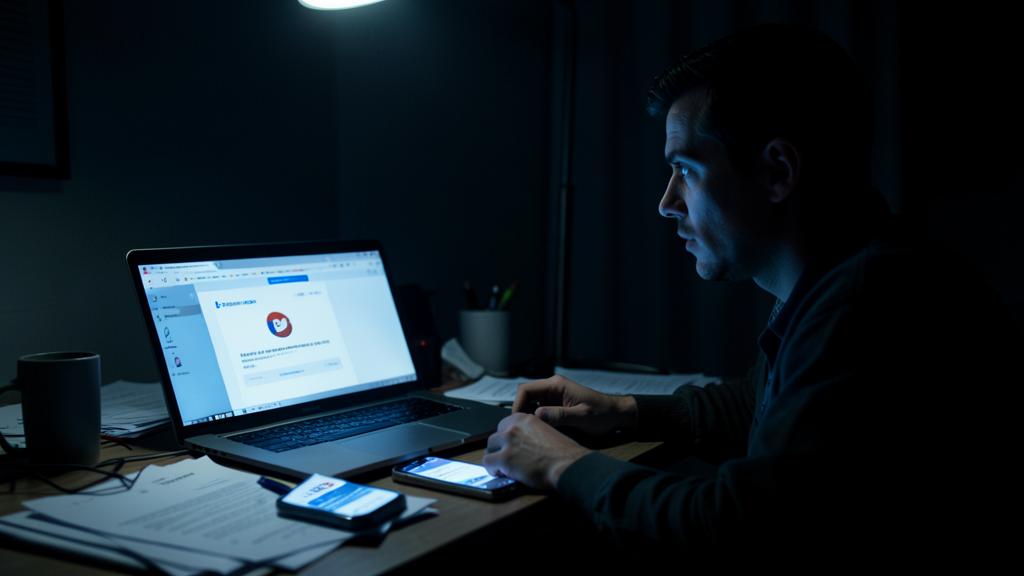
Several SIGNS should alert you; vigilance helps detect early. Unknown BANKING operations: purchases, withdrawals, or transfers you didn’t make on your statements (monitor them regularly). Letters or notifications about ACCOUNTS, CREDIT, or services you DIDN’T open: a bill, a contract, a reminder for something unknown. Alerts from your accounts reporting unusual CONNECTIONS or CHANGES (password, information) you didn’t make. Sudden inability to ACCESS one of your accounts (password changed without your knowledge: someone may have taken control). LOVED ONES reporting receiving messages “from you” that you didn’t send (your identity may be impersonated to scam them). A FAKE PROFILE in your name discovered on a social network. Reminders for DEBTS that aren’t yours. Unexpected rejections (for credit, for example) that may indicate fraudulent activity in your name. To DETECT early: regularly monitor your bank statements and the activity of your online accounts; pay attention to connection alerts; occasionally check if your email address has appeared in known data leaks (services allow this); be attentive to mail about unknown accounts. If you notice one or more of these signs, REACT QUICKLY: secure your accounts (change passwords, enable two-factor authentication), contact your bank if necessary, file a complaint, and keep the evidence. The earlier you detect and react, the more you limit the damage. Regular monitoring of your accounts and statements is your best alert system; it allows spotting impersonation before it causes too much harm.
What to do if I’m a victim of identity theft?
React QUICKLY and methodically; time is of the essence to limit the damage. Step 1, SECURE your accounts immediately: change the passwords of the affected accounts AND the others (especially your MAIN EMAIL, the cornerstone), and enable TWO-FACTOR AUTHENTICATION; regain control of your access. Step 2, CONTACT your BANK immediately if fraudulent operations, or accounts/credit opened in your name, are involved: to block, dispute the operations, and secure your accounts; banks have dedicated procedures; act quickly to dispute within deadlines. Step 3, FILE a COMPLAINT with the authorities (police/gendarmerie): identity theft is a crime; the complaint is often NECESSARY to assert your rights, dispute the fraud committed in your name, and prove your good faith; carefully keep ALL evidence (messages, statements, letters, screenshots). Step 4, use ASSISTANCE DEVICES: depending on your country, there are official organizations and platforms to assist victims of identity theft and online fraud; they guide you through the steps (often complex) and advise you; don’t stay alone. Step 5, WARN your LOVED ONES if your identity is being used to scam them (fake messages “from you”); so they don’t get tricked. Step 6, have FAKE PROFILES removed (report them to the relevant platforms). Step 7, MONITOR the follow-up: continue to monitor your accounts, statements, and mail in the following months (consequences can stretch over time); other frauds may appear. Don’t BLAME YOURSELF: identity theft affects many people, often via data leaks they’re not responsible for; the important thing is to act. The steps can be long and painful, but REMEDIES exist, and a quick and methodical reaction significantly limits the consequences. In summary: secure your accounts, contact the bank, file a complaint (with evidence), get help from official devices, warn your loved ones, and monitor the follow-up; acting quickly and getting support are the keys to regaining control.
What to remember
Online identity theft — someone impersonating YOU with your personal information (opening accounts, making purchases/credit, scamming your loved ones, tarnishing your reputation) — is a real threat with sometimes serious and long-lasting consequences to repair. It exploits the information we leak or expose. PROTECTING yourself relies on TWO major axes. AXIS 1, LOCK your accounts: STRONG and UNIQUE passwords for each account (via a manager: a leak on one site doesn’t compromise the others), TWO-FACTOR AUTHENTICATION enabled everywhere (the major protection: the stolen password is no longer enough), and MAXIMUM protection of your MAIN EMAIL (cornerstone that allows resetting all your accounts). AXIS 2, CONTROL your information: limit what you expose publicly (social networks: date of birth, address, answers to “security questions”), beware of PHISHING (never give your sensitive information in response to an unsolicited message), and PROTECT your ID documents (never share a copy of your ID; beware of requests for copies, often fraudulent). Keep your devices UPDATED, and REGULARLY monitor your bank statements and account activity (to detect early). SIGNS of identity theft: unknown banking operations, unopened accounts/credit, lost access to an account, loved ones receiving messages “from you”, fake profile in your name. In case of identity theft, REACT QUICKLY: secure your accounts (passwords, two-factor authentication), contact your bank, FILE a COMPLAINT (with evidence), use official assistance devices, warn your loved ones, and monitor the follow-up; don’t blame yourself and don’t stay alone. Prioritize protecting your ID documents, your main email, and your banking information: they are the preferred targets. By combining locked accounts and controlled information, plus regular monitoring, you significantly reduce the risk of identity theft; and knowing how to react quickly, if it happens, strongly limits the damage.



Concerned about your security, a device to check or clean up? Our support service guides you step by step.
Leave a Reply
You must be logged in to post a comment.