
The « private browsing » mode of your browser — this often dark special window — is surrounded by misunderstandings: some believe it makes them completely anonymous and invisible on the internet, while others think it protects them from everything. The reality is more nuanced: private browsing protects against CERTAIN things (especially from other users of your device), but NOT from everything. Understanding what it actually does — and what it doesn’t do — is essential to use it properly and not mistakenly believe you are protected. Here’s what private browsing actually protects.
Private browsing: what it actually does
Let’s first clarify what the private browsing mode DOES CONCRETELY. The PRINCIPLE: when you browse in private mode (a special window in your browser), it does NOT SAVE, on your device, the usual traces of your session once the window is closed. In concrete terms, when the private window is closed, the browser does NOT RECORD: the HISTORY of visited sites (the pages you viewed are not added to your history); the COOKIES and site data (the information that sites store; they are deleted at the end of the session); the information entered in FORMS; and generally, you are not LOGGED IN to your usual accounts (the session starts « fresh »). What this PROTECTS: essentially, it protects against OTHER people who use the SAME device as you; someone who uses your computer after you will not see, in the history, the sites you visited in private mode, nor your connections. The LEGITIMATE and useful uses: browsing something on a SHARED or BORROWED computer without leaving traces (a personal search, logging into an account on a friend’s computer); logging into a SECOND account at the same time as a first (for example, two email accounts); performing a search without it influencing your usual suggestions; preparing a surprise (a gift) without it appearing in the family history; automatically logging out when closing the window (practical on a public computer: no risk of staying logged in). What you should REMEMBER from the start: private browsing acts LOCALLY, on YOUR device; it prevents leaving traces of your session on the device (history, cookies, connections) once the window is closed; it is useful, especially on a shared or public device; BUT — and this is the crucial misunderstanding — it does NOT make you anonymous on the internet, nor invisible to sites, your internet service provider, or your employer (we’ll detail this right after). Understanding this scope is essential to not mistakenly believe you are protected. Let’s now see what private browsing DOES NOT DO.
Private browsing only clears your local traces (history, cookies) after you close the window. It doesn’t hide you from websites, your internet provider, or your employer. Think of it like cleaning your footprints from a beach—it doesn’t stop people from seeing you walk there.
You use private mode to book a surprise birthday gift on a shared family computer. After closing the window, no one checking the browser history will see the gift shop visits. But the website still knows you visited, and your internet provider can see the activity too.

What private browsing DOES NOT PROTECT
This is the most important point, as misunderstandings are numerous and can give a false sense of security. Private browsing does NOT make you ANONYMOUS on the internet: contrary to a widespread belief, it does NOT hide you from the sites you visit, nor from online services. Your INTERNET SERVICE PROVIDER (your operator) can still see the sites you consult (private mode does not change this). The SITES you visit can still identify you and track your activity during the session (via other means than classic cookies; and if you LOG IN to an account in private mode, the service obviously knows who you are). Your EMPLOYER or the NETWORK ADMINISTRATOR (at work, at school) can still see your activity, as it goes through THEIR network; private mode hides nothing at this level. Your LOCATION (IP address) remains visible to sites; private mode does not mask it. It does NOT protect against VIRUSES and malware: browsing privately does not make dangerous sites less dangerous; you can still download a malicious file or fall for a scam (see our guides on recognizing dangerous sites). It does NOT protect against PHISHING: a fake site remains a fake site in private mode; scams work just as well; vigilance remains necessary (see our guides on recognizing phishing). It does NOT COMPLETELY PREVENT advertising tracking: if session cookies are deleted at the end, other tracking techniques exist; private mode is not a complete anti-tracking tool. It does NOT SAVE your data: nothing you do in private is saved (history, passwords entered…); this is the goal, but means you won’t find these traces if you needed them. What it also does not hide: the files you DOWNLOAD (they remain on your device), nor the BOOKMARKS you add (they are saved). The MISUNDERSTANDING to absolutely dispel: private browsing is NOT an anonymity tool nor a complete protection; it only prevents leaving LOCAL traces on your device; for real anonymity or enhanced protection, other tools are necessary (and even they have limits); do not believe you are « invisible » or « protected from everything » because you are in private browsing. In summary: private browsing does not make you anonymous (your operator, sites, and employer can see your activity), does not mask your location, does not protect against viruses or scams, and is not a complete anti-tracking tool; it is a LOCAL tool for not saving traces on your device, nothing more.
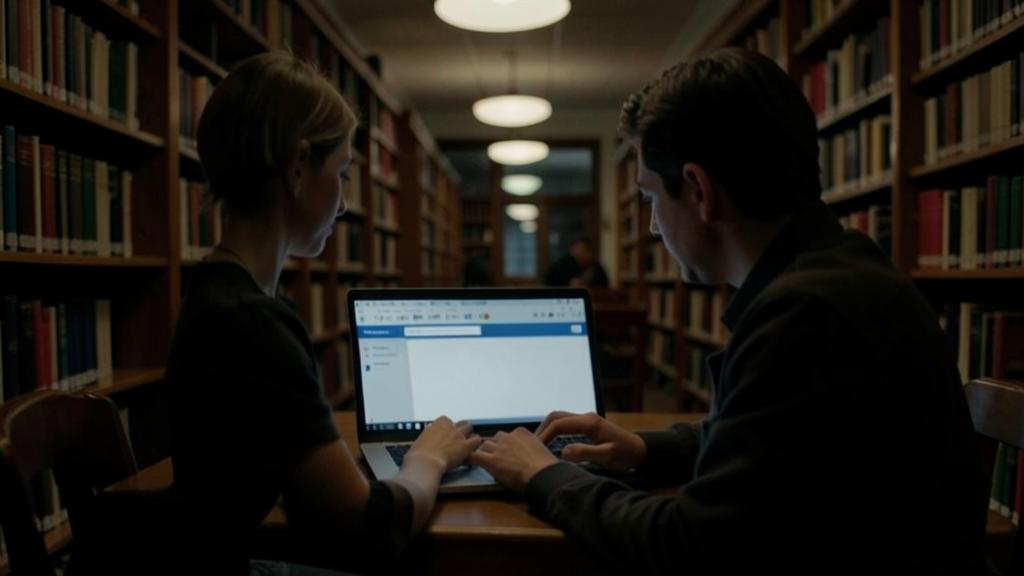
Use private browsing for what it actually does: not leaving traces on a shared device. Once you understand its true scope, private browsing becomes a useful tool for specific uses; here are the most relevant ones. On a SHARED or BORROWED computer: this is its most useful use; if you use a friend’s, family’s, or public computer (library, hotel), or a shared device at home, private browsing prevents leaving in the history the sites you visited, and automatically LOGS YOU OUT of your accounts when closing the window (no risk of forgetting to log out and staying logged in on a public computer — a real security advantage in this specific case). To log into a SECOND account: practical for opening a second account (email, social network) in parallel with your usual account, without logging out of the first or mixing sessions. For a PONCTUAL « neutral » search: performing a search without it influencing your usual suggestions or history (for example, searching for a surprise gift without it appearing). To test a site « as a new visitor »: without your usual cookies and connections. However, do NOT rely on private browsing to: be anonymous, hide your activity from your operator/employer, protect yourself from viruses or scams, or mask your location; for these needs, it is useless (see above). A practical tip: on a public or borrowed computer, private browsing is a good reflex, BUT complement it with caution — do not enter very sensitive information on a public device you do not control (it could be compromised, with spyware), log out, and avoid performing banking operations if possible (see our security guides for public computers). Another clever use: if you lend your device to someone for a quick search, suggesting private browsing prevents them from accidentally logging in with your accounts or seeing your history. In summary, private browsing is perfect for « not leaving local traces on this device » (especially shared or public) and for managing multiple accounts; use it for this, knowing that it only does this: it is a LOCAL privacy tool, not an anonymity or online protection tool.

To go further: real privacy and security
Since private browsing is not enough to truly protect you, here’s what matters for better online privacy and security. To limit ADVERTISING TRACKING: private browsing is not a complete anti-tracking tool; to truly limit tracking, AD BLOCKERS/trackers (extensions), privacy-focused browsers, and refusing non-essential cookies (via cookie banners — see our guides) are more effective; also adjust your browser’s privacy settings. To hide your activity from your operator/network: this is the role of a VPN (virtual private network), which encrypts your traffic and masks visited sites from your internet service provider; note: a VPN also has its limits (you then trust the VPN provider), and is not absolute anonymity; it meets specific needs (see our guides on understanding VPNs). For real ANONYMITY: this is very difficult to truly achieve; specialized tools exist, but total online anonymity is a myth for the ordinary user; remember that private browsing does NOT contribute to it. For SECURITY (viruses, scams): this involves other reflexes — caution with links and downloads, distrust of phishing, updates, strong passwords and two-factor authentication, backups; private browsing plays NO role in this. To protect your ACCOUNTS: strong and unique passwords (via a manager), two-factor authentication; this is far more effective for your real security (see our guides on managing your passwords). To manage your PERSONAL DATA: think about what you share, adjust the privacy settings of your accounts and social networks, limit the information you provide (see our guides on limiting the data you share online). The right MINDSET: private browsing is a TOOL among others, with a PRECISE and LIMITED role (not leaving local traces); it does not replace privacy tools (blockers, VPNs, settings) or security reflexes (caution, passwords, updates); do not make it play a role it does not have. Combine the RIGHT tools for the RIGHT need: private browsing for local traces; blockers/settings for tracking; VPN to mask network activity; security reflexes for threats; strong passwords for accounts. In summary: for real privacy and security, private browsing is not enough; use it for its precise role, and complement it with the tools and reflexes adapted to each real need (tracking, network activity, viruses, accounts, data); it is the combination, and not just private browsing, that truly protects you.
Warning: private browsing does NOT make you anonymous or invisible — do not mistakenly believe you are protected. This is the most dangerous misunderstanding, and it must be clearly dispelled: private browsing does NOT make you ANONYMOUS, nor INVISIBLE on the internet, and does NOT protect you from most threats; believing you are protected can lead to risky behavior. What it DOES NOT DO, and you should not believe: it does NOT hide your activity from your INTERNET SERVICE PROVIDER (your operator still sees the sites visited); it does NOT make you invisible to SITES (they can identify you, especially if you log in to an account); it hides NOTHING from your EMPLOYER or the network administrator at work/school (everything goes through their network); it does NOT mask your LOCATION; it does NOT protect against VIRUSES and malware (a dangerous download remains dangerous); it does NOT protect against PHISHING and scams (a fake site remains deceptive); it is NOT a complete anti-tracking tool. PRACTICAL CONSEQUENCES of this misunderstanding: do not believe you are « untraceable » or « protected » just because you are in private browsing; do not lower your guard against links, downloads, and scams (the same dangers remain); do not think your activity is hidden from your employer or whoever controls the network; and do not imagine being anonymous to do things thinking you will never be identified (that would be a mistake). Another point: on a PUBLIC or BORROWED computer, private browsing is a good reflex to not leave local traces, BUT it does not protect if the computer itself is COMPROMISED (spyware could record what you type, even in private mode); on a device you do not control, avoid very sensitive operations (banking) and entering critical information. Also beware: private browsing does not hide your activity from other users if you do NOT CLOSE the window; traces are only deleted when the private session is CLOSED; remember to close the window when you are done. Finally, do not confuse private browsing with privacy/security tools (tracker blockers, VPNs, antivirus, strong passwords): each has its role, and private browsing does not replace any of them. By clearly understanding that private browsing is only a tool for not saving LOCAL traces — and not a shield of anonymity or protection — you will use it appropriately, without the false sense of security that could expose you.

Frequently asked questions
Does private browsing make me anonymous on the internet?
No: this is the most widespread misunderstanding, and it must be dispelled. Private browsing does NOT make you anonymous. What it does: it prevents your browser from SAVING, on YOUR device, the traces of your session (history, cookies, forms) once the window is closed; this is LOCAL privacy, from other people using the same device. What it DOES NOT DO: it does not hide you from online actors. Your INTERNET SERVICE PROVIDER (operator) still sees the sites you visit. SITES can still identify you and track your activity during the session (and if you log in to an account, they obviously know who you are). Your EMPLOYER or the network administrator (work, school) still sees your activity, as it goes through their network. Your LOCATION (IP address) remains visible to sites. In short, « private » means « no local traces on this device, » NOT « anonymous on the internet. » To hide your activity from your operator or on a network, you would need other tools (like a VPN, which also has its limits); and total online anonymity is very difficult to achieve for an ordinary user. Do not believe you are ever « invisible » or « untraceable » because you are in private browsing: it is an illusion that could lead you to reckless behavior. Private browsing is useful for not leaving traces on a shared device; it has nothing to do with anonymity on the internet. Keep this distinction clear to use it appropriately.
So what is private browsing really for?
It is mainly used to not leave LOCAL TRACES of your session on your device; this is useful for several specific uses. Its most relevant use: on a SHARED or BORROWED device (a friend’s, family’s, or public computer in a library or hotel); private browsing prevents the sites you visit from appearing in the history, and automatically LOGS YOU OUT of your accounts when closing the window (so no risk of staying logged in on a public computer — a real security plus in this case). Other useful uses: logging into a SECOND account (for example, a second email account) in parallel with your usual account, without logging out of the first; performing a PONCTUAL search without it influencing your suggestions or appearing in the history (for example, searching for a surprise gift); or browsing a site « as a new visitor, » without your usual cookies and connections. However, it is NOT used to: be anonymous, hide your activity from your operator/employer, protect yourself from viruses or scams, or mask your location; other tools are necessary for these needs. In summary, private browsing is perfect for « not leaving traces on this device » (especially shared or public) and for managing multiple accounts in parallel. Use it for this, knowing that its role is LOCAL and LIMITED; it is very practical for these specific uses, but do not ask it to do what it cannot (anonymity, online protection).
On a public computer, is private browsing enough?
It helps, but it is NOT ENOUGH on its own: caution remains necessary. What private browsing PROVIDES on a public computer (library, hotel, cybercafé): it prevents leaving your visited sites in the history, and especially, it automatically LOGS YOU OUT of your accounts when closing the window — which avoids the classic risk of forgetting to log out and leaving your account accessible to the next user; it is therefore a good reflex on a shared device. BUT it does NOT protect against everything: if the public computer is COMPROMISED (which is possible: spyware, a « keylogger » that captures everything you type, even in private mode, could be installed), private browsing can do nothing; your credentials could be stolen despite private mode. That’s why, on a public or untrusted computer: avoid VERY SENSITIVE operations (online banking, purchases with a card, access to critical accounts); do not enter confidential information if you can avoid it; use private browsing AND remember to close the window and log out when leaving; beware of « remember me »; and if you must log into an important account, change its password afterward from a trusted device, as a precaution. The ideal for sensitive operations is to use YOUR OWN device, on a trusted connection. Private browsing is a good complement on a public device, but not a security guarantee; combine it with caution (no critical operations, logging out, vigilance). In summary: on a public computer, yes to private browsing (it prevents leaving traces and logs you out of accounts), but no, it is not enough; keep your caution and avoid the most sensitive activities there.
What to remember
Private browsing is surrounded by misunderstandings; you must understand its true scope to use it appropriately. What it DOES: it prevents your browser from SAVING, on YOUR device, the traces of your session (history, cookies, form data) once the window is closed; this is LOCAL privacy, especially from other people using the same device. Its USEFUL uses: on a SHARED or PUBLIC device (not leaving traces, and automatic logout of accounts when closing — a real plus on a public device), logging into a SECOND account in parallel, or performing a « neutral » search. What it DOES NOT DO (the crucial misunderstanding): it does NOT make you anonymous or invisible on the internet; your INTERNET SERVICE PROVIDER still sees the sites visited, SITES can identify you (especially if you log in), your EMPLOYER/network admin sees your activity, your LOCATION remains visible; it does NOT protect against viruses, phishing, or complete tracking. Do not believe you are EVER « protected » or « untraceable » in private browsing: this false sense of security is dangerous; keep all your vigilance against links, downloads, and scams. On a PUBLIC computer, private browsing helps (traces, logout) but is not enough: if the device is compromised, your data can be stolen; avoid sensitive operations (banking) there. For REAL privacy and security, private browsing is not enough; you need the RIGHT tools for the need: blockers and settings for tracking, VPN to mask network activity (with its limits), caution reflexes for viruses/scams, strong passwords and two-factor authentication for accounts, and reflection on the data you share. Private browsing is a tool with a PRECISE and LIMITED role (not leaving local traces); use it for this, without making it play a role it does not have; it is the combination of the right tools, and not just private browsing, that truly protects you online.


Doubts about your security, a device to check or clean? Our support service guides you step by step.
Leave a Reply
You must be logged in to post a comment.