
The professional email inbox is often a source of stress: dozens of messages per day, replies to draft, information to retrieve, a feeling of never being up to date. AI can lighten this load: help draft and respond faster, summarize long exchanges, sort and prioritize, retrieve the essentials. When used well, it saves precious time on emails—while keeping your judgment and your voice. Here’s how AI can help you manage your professional inbox, and how to do it with discernment (as professional emails touch on sensitive topics).
What AI can do for your emails
AI (generative AI tools—our guides on understanding generative AI) is particularly useful for anything related to TEXT and information organization—so for emails. Here’s what it can concretely do. DRAFT an email: from a few instructions (“write an email to postpone a meeting to Thursday”), it suggests a draft that you adjust; a time-saver for routine emails. RESPOND faster: suggest a reply to a received message, which you review and adapt. ADJUST the TONE: make an email more formal, more concise, more diplomatic (useful for a delicate message). SUMMARIZE a long email or a thread: extract the essentials from a lengthy conversation to quickly understand where a topic stands (our guides on summarizing long documents with AI). DRAFT standard messages: frequent replies, reminders, confirmations that you reuse. CORRECT and improve: spelling, clarity, phrasing (our guides on correcting your texts with AI). Help SORT and PRIORITIZE: understand what’s urgent, what requires action. TRANSLATE: an email received or to be sent in another language. What this BRINGS: TIME saved (drafting and responding faster), less MENTAL LOAD (summarizing, sorting, no longer struggling with phrasing), more CAREFUL emails (clear, well-written, error-free), and help with DELICATE messages (finding the right tone). FOR WHO? For anyone drowning in emails, wasting time drafting, struggling with phrasing, or wanting more professional exchanges. What you need to understand—and what is ESSENTIAL for professional emails: AI is an ASSISTANT that helps you process your emails faster and better, but it must NOT send on your behalf or decide alone; you keep CONTROL (review, validate, adjust), JUDGMENT (what to reply, to whom, how), and especially VIGILANCE over CONFIDENTIALITY (professional emails often contain sensitive information that shouldn’t be entrusted carelessly to an AI—see below). The key idea: AI helps manage your professional inbox—drafting and responding faster, summarizing long exchanges, adjusting the tone, sorting, correcting—to save time and reduce mental load, with more polished emails. But it remains an assistant: you keep control, judgment, your voice, and vigilance over confidentiality, crucial for often-sensitive professional emails.
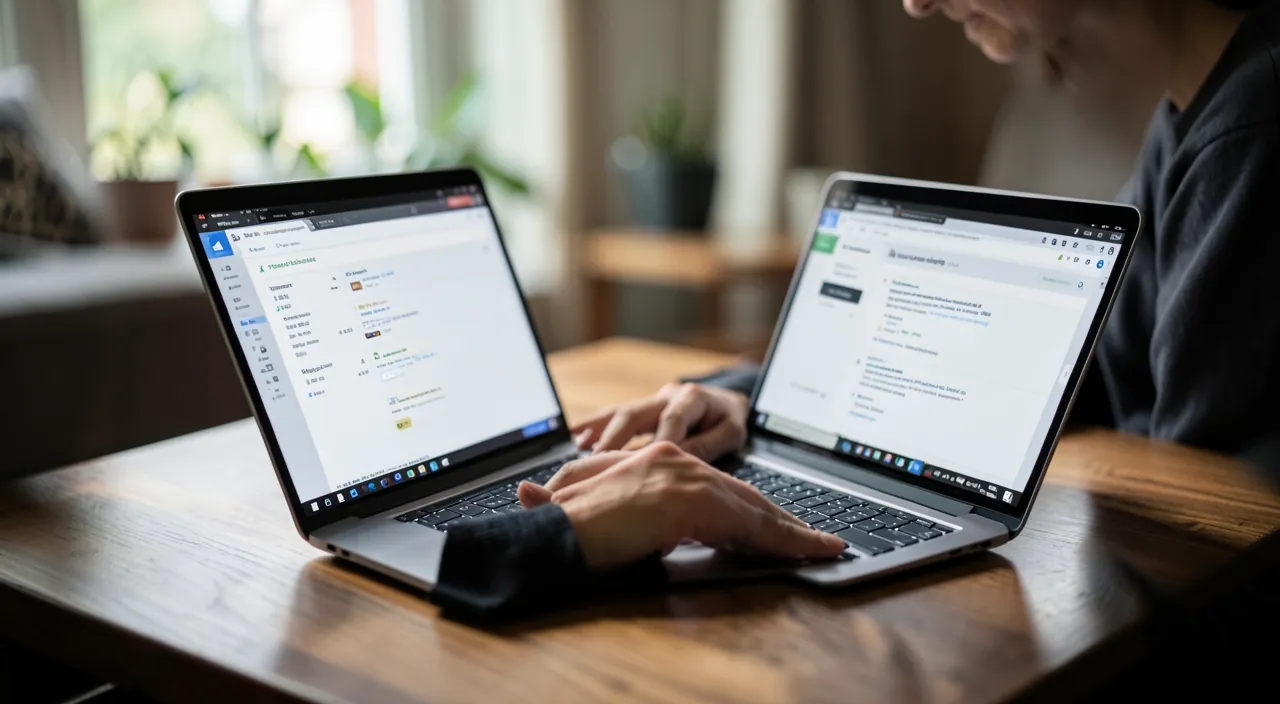
AI is like a smart assistant for your emails. It can write drafts, suggest replies, fix mistakes, and even translate. But it’s not perfect—you must always check its work, especially for important or sensitive emails. Never let it send anything without your review.
You receive a long email thread about a project deadline. Instead of reading all 20 messages, you ask AI to summarize the key points. It tells you the deadline is moved to Friday, and the client wants a progress report. Now you know exactly what to do without wasting time.
Using AI for your professional emails wisely
Here’s how to leverage AI for your emails while keeping control and caution. Have it draft DRAFTS—for an email to write, give it the essentials (“reply to accept the proposal but ask for an extension”); it suggests a draft, you adjust; faster than starting from scratch. Specify the TONE and context—formal, friendly, firm, diplomatic; to whom you’re writing; the AI adapts; very useful for a delicate message (realignment, refusal, complaint). REVIEW and keep YOUR voice—the AI suggests, you DECIDE: review, correct what doesn’t sound like you, verify that the message says what you want; never send without reviewing (see below). SUMMARIZE long threads—for a lengthy exchange, ask for a summary to quickly understand where the topic stands and what’s expected of you. Create TEMPLATES—for recurring emails (reminders, confirmations), have it help create reusable standard messages. CORRECT before sending—have an important email reviewed for spelling, clarity, tone. Some TIPS and CRUCIAL POINTS OF VIGILANCE for PRO use: CONFIDENTIALITY above all—do NOT entrust an AI with sensitive or confidential information (client data, trade secrets, personal information of others, elements subject to confidentiality) without being sure of the framework; what you input may be processed, and a professional email often contains data to protect; in a company, follow your organization’s RULES on AI usage (some regulate or prohibit it for internal data—our guides on AI and privacy, workplace security). ALWAYS REVIEW before sending: an email commits your responsibility and image; the AI may misunderstand, introduce an error, an inappropriate tone, or false information (our guides on AI hallucinations); you’re responsible for what you send. Keep JUDGMENT: what to reply, to whom, when, on a sensitive or strategic topic—this is up to YOU, not the AI. NEVER send automatically: the AI helps draft, but sending must remain a conscious human decision. Keep your VOICE: overly “smooth” emails sound impersonal; adjust to stay yourself. A PRACTICAL POINT: the AI excels at UNBLOCKING (when you don’t know how to phrase a delicate message) and ACCELERATING (routine, repetitive emails); focus its use there. In summary, to manage your professional emails well with AI: have it draft drafts (specifying tone and context), summarize long threads, create templates, correct before sending; but ALWAYS review, keep your voice and judgment, never send without validating, and especially, protect CONFIDENTIALITY (don’t entrust sensitive data, follow your organization’s rules). The AI accelerates and lightens; you keep control and responsibility.

The right reflex. Use AI for what it does best with emails: UNBLOCK (finding the right tone for a delicate message—realignment, refusal, complaint) and ACCELERATE (routine and repetitive emails). Have it draft DRAFTS from the essentials (“reply to accept but ask for an extension”), specifying the desired TONE (formal, friendly, firm, diplomatic) and context; it’s faster than starting from scratch. Have it SUMMARIZE long exchange threads to quickly understand where a topic stands. Create TEMPLATES for your recurring emails. But keep three golden rules, particularly important for PROFESSIONAL emails. One: ALWAYS REVIEW before sending—an email commits your responsibility and image; the AI may misunderstand, adopt an inappropriate tone, or introduce an error; never validate blindly, and keep YOUR VOICE (an overly smoothed email sounds impersonal). Two: keep JUDGMENT and CONTROL—what to reply, to whom, on a sensitive or strategic topic, is up to you; the AI helps draft, but sending remains a conscious human decision (never automatic). Three, and this is CRUCIAL: protect CONFIDENTIALITY. Professional emails often contain sensitive information (client data, trade secrets, others’ information)—do NOT entrust them to an AI without being sure of the framework, as what you input may be processed and exposed. In a company, follow your organization’s RULES on AI usage (many regulate or prohibit AI for internal data). In doubt, don’t paste confidential information; have it draft on neutral elements or anonymize. Unblock and accelerate with AI, while reviewing, keeping your judgment and voice, and rigorously protecting confidentiality: that’s how it truly lightens your professional inbox without exposing you to risk. The AI is an assistant that saves you time; you remain responsible for each message sent.

Saving time without losing control
The challenge of AI for professional emails is to LIGHTEN the load without losing control, responsibility, or confidentiality. Some guidelines. The REAL GAIN: drafting and responding faster, summarizing, sorting—the AI saves precious time and reduces the mental load of the inbox; a concrete daily pro benefit. The CONTROL kept: the AI suggests, you decide and validate; sending and judgment remain human; never delegate sending or sensitive decisions. RESPONSIBILITY: an email commits you; you’re responsible for its content, tone, and accuracy; review, verify; the AI doesn’t bear responsibility, you do. CONFIDENTIALITY, a major pro issue: professional emails are full of sensitive information; entrusting them to an AI without precautions may violate confidentiality, GDPR, or company rules; this is the top point of vigilance; follow your organization’s rules and common sense. The VOICE preserved: keep your style and tone; overly standardized emails lose authenticity and human connection. MEASURE: not every email deserves AI; for a quick word, write directly; reserve it for emails that take time, block you, or require care. AUTONOMY: using AI to learn to phrase better (not just delegate) strengthens your own communication skills. In summary, AI helps manage your professional inbox: drafting and responding faster, summarizing long exchanges, adjusting the tone, creating templates, correcting—to save time, reduce mental load, and polish your emails. To leverage it: have it draft drafts, summarize, create templates, but ALWAYS review, keep your voice and judgment, and never send without validating. Above all, protect CONFIDENTIALITY—don’t entrust sensitive data to AI, and follow your organization’s rules: this is the essential point of vigilance for professional emails. The AI is an assistant that ACCELERATES and LIGHTENS, not a secretary to whom you delegate everything blindly: saving time without losing control, responsibility, voice, or confidentiality is the art of using it for your emails. Thus, your inbox becomes less burdensome and your exchanges more polished, while remaining fully yours—under your control and in respect of the data you handle.
Warning: data confidentiality, mandatory review, and human judgment—professional emails commit you. Crucial points. CONFIDENTIALITY (top pro issue)—professional emails often contain SENSITIVE information: client data, trade secrets, others’ personal information, confidential elements; DO NOT entrust them to an AI without being certain of the framework, as what you input may be processed, stored, or even exposed; this is a risk for confidentiality, compliance (GDPR), and your company; FOLLOW your organization’s rules on AI usage (many regulate or prohibit it for internal data); in doubt, don’t paste anything confidential—have it draft on neutral or anonymized elements (our guides on AI and privacy, workplace security). REVIEW BEFORE SENDING—never validate an AI-generated email without reviewing it: the AI may misunderstand your intent, adopt an inappropriate tone (too familiar, too harsh), introduce false information (hallucination), or an unfortunate phrasing; an email commits your RESPONSIBILITY and image; you’re responsible for what you send, not the AI. HUMAN JUDGMENT—what to reply, to whom, when, how on a sensitive, delicate, or strategic topic: this is up to YOUR judgment, not the AI’s; don’t delegate decisions, and never send automatically (sending must remain a conscious human decision). Other points: keep your VOICE (overly smoothed emails sound impersonal and harm the relationship), beware of EXCESSIVE DEPENDENCE (knowing how to draft yourself remains essential), and keep MEASURE (not every email deserves AI). The AI is a great assistant to lighten your inbox—save time, unblock phrasing, polish your messages—but in a professional context, vigilance is maximal: protect confidentiality (the most critical point), always review, keep judgment and sending in your hands, and follow your organization’s rules. Save time, yes; but never at the expense of confidentiality, responsibility, or control. An email remains yours, under your responsibility: the AI helps you draft it, but doesn’t assume it for you.

Frequent questions
How can AI help me with my emails?
In several ways that save time and reduce the load. It can DRAFT an email draft from a few instructions, RESPOND faster to a received message (which you review and adjust), adjust the TONE (more formal, concise, diplomatic—useful for a delicate message), SUMMARIZE a long email or a lengthy thread (to quickly understand where a topic stands), create TEMPLATES for your recurring emails, CORRECT spelling and phrasing, help SORT and prioritize, and TRANSLATE. The benefits: time saved, less mental load, more polished emails, and help with difficult messages. It’s useful for anyone drowning in emails or struggling with drafting. BUT the AI remains an ASSISTANT: it must not send on your behalf or decide alone. You keep control (review, validate), judgment (what to reply, to whom), and, especially for professional emails, vigilance over CONFIDENTIALITY (don’t entrust sensitive data). The AI accelerates and lightens; you remain responsible for each message.
Is it risky to use AI for professional emails?
It can be if you neglect CONFIDENTIALITY—that’s the main risk. Professional emails often contain sensitive information: client data, trade secrets, others’ personal information, confidential elements. Yet what you input into an AI may be processed, stored, or even exposed. Entrusting such data to an AI without precautions may violate confidentiality, compliance (GDPR), and your company’s rules. Precautions: do NOT paste confidential information into an AI without being sure of the framework; follow your organization’s RULES on AI usage (many regulate or prohibit it for internal data); in doubt, have it draft on neutral or anonymized elements. Add to that: always review before sending (the AI may misjudge tone or information), keep your judgment (sensitive decisions are yours), and never send automatically. Used with these precautions—confidentiality protected, review, human judgment—the AI is a risk-free asset for professional emails. The risk doesn’t come from the tool, but from reckless use of sensitive data: that’s where you must be rigorous.

Can I let AI automatically reply to my emails?
No, it’s not recommended: sending must remain a conscious HUMAN decision. The AI can draft excellent response drafts, but letting it send automatically poses several issues. It may misunderstand the received message or your intent, adopt an inappropriate tone, introduce false information (hallucination), or misreply to an important nuance—and a sent email commits your RESPONSIBILITY and image, with no way back. Moreover, decisions (what to reply, to whom, how on a sensitive topic) are up to your JUDGMENT, not automation. The right use: let the AI SUGGEST a reply, but REVIEW it, adjust it to your voice and the situation, verify it says what you want, and SEND it yourself consciously. You thus keep the time-saving (not starting from scratch) without the risks of automation. Reserve automation, at best, for very simple and low-stakes replies (read receipts, absences), and even then, with caution. For everything else: the AI drafts, you validate and send. Human control over sending is an essential guarantee: don’t give it up.
What to remember
AI can lighten the load of the professional inbox: DRAFT drafts and RESPOND faster, adjust the TONE (useful for delicate messages), SUMMARIZE long exchange threads, create TEMPLATES for recurring emails, CORRECT, help SORT and prioritize, TRANSLATE. The benefits: time saved, less mental load, more polished emails, and help phrasing difficult messages. It’s an asset for anyone drowning in emails or struggling with drafting. BUT, in a professional context, three vigilances are essential. CONFIDENTIALITY (top issue): professional emails often contain SENSITIVE information (client data, trade secrets, others’ information); do NOT entrust them to an AI without being sure of the framework (what you input may be processed and exposed), follow your organization’s RULES on AI usage, and in doubt, have it draft on neutral or anonymized elements. REVIEW: always REVIEW before sending—the AI may misunderstand, adopt an inappropriate tone, or introduce an error, and an email commits your responsibility and image (you’re responsible, not the AI). JUDGMENT and CONTROL: what to reply, to whom, on a sensitive topic, is up to YOU; the AI helps draft, but sending remains a conscious human decision (never automatic). Also keep your VOICE (overly smoothed emails sound impersonal), MEASURE (not every email deserves AI: for a quick word, write directly), and your AUTONOMY (use AI to phrase better, not to unlearn writing). At its core, the AI is an assistant that ACCELERATES and LIGHTENS, not a secretary to whom you delegate everything blindly: it saves you time and polishes your exchanges, but you keep control, responsibility, your voice, and mastery of your data. Saving time without losing control, responsibility, or confidentiality: that’s the art of using AI for your professional emails. Thus, your inbox becomes less burdensome and your exchanges more effective and polished—while remaining fully yours, under your control and in respect of the sensitive data you handle daily.

Want to master AI and make it a true daily asset? Our training programs support you at your own pace.
Leave a Reply
You must be logged in to post a comment.