
The phone is often the last object we look at before bed and the first in the morning — at the expense of our **sleep**. A glowing screen before bedtime, night-time notifications that wake us, and the temptation to scroll in bed: our devices can **disrupt** our rest. Fortunately, the iPhone offers several settings designed to help you sleep better: a « Bedtime » mode, a softer screen in the evening, night mode, and a gentle alarm. Used properly, they help create a **healthier** sleep routine. Here’s how to configure your iPhone so it serves your sleep instead of disrupting it.
How the phone disrupts sleep and what Apple offers
Our devices can **harm** our sleep in several ways, and the iPhone provides settings to counteract each. Common disruptions: evening screen light (bright and cold light can interfere with sleep); night-time notifications (sounds, vibrations, screen lights that wake you or prevent sleep); the temptation to scroll in bed (delaying bedtime); and a harsh morning alarm. What Apple offers to address this: a « Bedtime » mode (Sleep): integrated with Health and Focus, it allows you to set sleep schedules, prepare for bedtime (reduce distractions in the evening), and set a regular alarm; Night Shift / Night mode: in the evening, the screen adopts warmer tones (less cold blue light), softer on the eyes and intended to be less disruptive to sleep; the « Do Not Disturb » mode / Sleep Focus: during the night, it silences notifications (silence, no screen lights), for uninterrupted sleep (you can allow important exceptions: emergencies, close contacts); a gentle alarm: a more gradual alarm and a calming alarm screen; sleep tracking (with the Health app and a connected watch): to observe your sleep schedules and duration, and become aware of your habits (our Health app guides). The main idea: the iPhone, often accused of harming sleep, actually offers tools to **protect** it — provided you activate them: a softer screen in the evening, night mode, a bedtime mode that structures your routine, and a gentle alarm. The goal is not for the phone to « manage » your sleep, but to stop disrupting it and become an ally in a healthier routine. These settings, simple to set up, change your relationship with the phone at night: less aggressive light, fewer interruptions, less temptation to scroll, a gentler alarm. The first step is simply knowing they exist — and activating them.
Your iPhone can mess up your sleep with bright screens, notifications, and scrolling. But it also has tools to fix that: a warmer screen at night, silence for notifications, and a bedtime routine. The goal is to make your phone help you sleep, not keep you awake.
Imagine you set Night Shift from 9 PM to 7 AM, Do Not Disturb from 11 PM to 7 AM, and a bedtime reminder at 10:30 PM. Your screen turns warm after 9 PM, no notifications wake you after 11 PM, and your phone reminds you to wind down at 10:30 PM. You wake up at 7 AM without interruptions, and your alarm still works.
Configure your iPhone for better sleep
Here are the settings to set up so your iPhone serves your sleep. Enable Night Shift (Night Mode) — set it to automatically adopt warmer tones in the evening (e.g., from sunset to sunrise, or on a fixed schedule) — the screen becomes softer and less harsh on the eyes before bed. Set up the Bedtime mode — in the Sleep settings (via Health or Focus): set your SLEEP SCHEDULES (bedtime, wake-up time); activate bedtime preparation (the iPhone can reduce distractions and remind you it’s time to prepare); and set a regular alarm. Enable Night Shift (Do Not Disturb mode) — during your sleep hours, silence notifications — no sounds, no vibrations, no screen lights — only allow important EXCEPTIONS (emergency calls, close contacts) to ensure you don’t miss anything critical while sleeping soundly (our guides on mastering notifications). Set a gentle alarm — choose a soothing alarm sound rather than an aggressive one — the alarm screen can remain simple. Reduce the temptation — sometimes the best setting is behavioral: the Bedtime mode can dim the screen and reduce distractions in the evening — but most importantly, get into the habit of PUTTING your phone down before bed (ideally out of reach of the bed, to avoid scrolling or checking it at night). Track your sleep if you wish — the Health app (with a connected watch) can track your sleep schedules and duration — useful for becoming aware of your habits and improving them, without making it an obsession. Some TIPS: adapt the settings to YOUR rhythm (bedtime/wake-up times that suit you); start simple (Night Shift and Night mode are the easiest and most useful), then add the Bedtime mode if you want a more structured routine; only allow essential exceptions during the night (otherwise Night mode loses its purpose); and remember that these tools HELP but do not replace good habits (putting the phone down, a sleep-friendly environment). A PRACTICAL POINT: if you use your phone as an alarm, Night mode still allows your alarm to sound (it does not turn off the Do Not Disturb mode) — you sleep soundly and still wake up on time. In summary, to sleep better with your iPhone: enable Night Shift (softer screen in the evening), the Bedtime mode (schedules and routine), and especially Night Shift (notifications silenced, limited exceptions) — set a gentle alarm, reduce the temptation to scroll, and track your sleep if it motivates you. These simple settings transform your phone into an ally for your rest.
- Enable Night Shift (Night Mode) — set it to automatically adopt warmer tones in the evening (e.g., from sunset to sunrise, or on a fixed schedule) — the screen becomes softer and less harsh on the eyes before bed.
- Set up the Bedtime mode — in the Sleep settings (via Health or Focus): set your SLEEP SCHEDULES (bedtime, wake-up time); activate bedtime preparation (the iPhone can reduce distractions and remind you it’s time to prepare); and set a regular alarm.
- Enable Night Shift (Do Not Disturb mode) — during your sleep hours, silence notifications — no sounds, no vibrations, no screen lights — only allow important EXCEPTIONS (emergency calls, close contacts) to ensure you don’t miss anything critical while sleeping soundly (our guides on mastering notifications).
- Set a gentle alarm — choose a soothing alarm sound rather than an aggressive one — the alarm screen can remain simple.
- Reduce the temptation — sometimes the best setting is behavioral: the Bedtime mode can dim the screen and reduce distractions in the evening — but most importantly, get into the habit of PUTTING your phone down before bed (ideally out of reach of the bed, to avoid scrolling or checking it at night).
- Track your sleep if you wish — the Health app (with a connected watch) can track your sleep schedules and duration — useful for becoming aware of your habits and improving them, without making it an obsession.
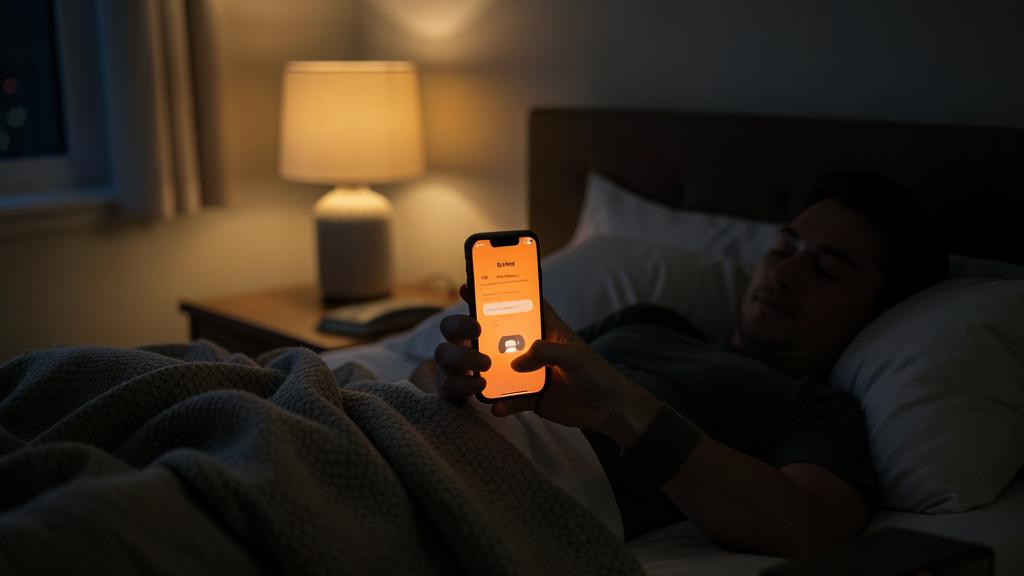
The right reflex. Start with the two easiest and most useful settings: Night Shift (Night Mode), which gives the screen warmer and softer tones in the evening (set it automatically from sunset to sunrise), and especially Night Shift (Do Not Disturb mode) during your sleep hours, which silences sounds, vibrations, and screen lights for uninterrupted sleep. For this night silence, only allow essential EXCEPTIONS (emergency calls, close contacts) — otherwise, it loses its purpose — and rest assured: your alarm still sounds (the Do Not Disturb mode does not turn it off), so you sleep soundly and wake up on time. If you want a more structured routine, set up the Bedtime mode (define your bedtime and wake-up times, activate bedtime preparation which reduces evening distractions and reminds you it’s time to prepare). Choose a soothing alarm sound rather than an aggressive one. But the most effective setting is often behavioral: get into the habit of PUTTING your phone down before bed, ideally out of reach of the bed — to avoid scrolling in the evening or checking it at night — these tools help, but do not replace good habits. If tracking your sleep motivates you (via the Health app and a connected watch), use it to become aware of your habits, without making it an obsession. Adapt all this to YOUR rhythm. The goal is not for the phone to « manage » your sleep, but to stop disrupting it: a softer screen, night silence, less temptation, a gentler alarm — some simple settings to make your iPhone serve your rest instead of stealing it.
A phone serving your rest
At the end of the day, the issue is not technical but the **RELATION** to your phone: these settings help put the device in its proper place — serving your rest, not hindering it. Some points. The phone as an **ALLY**, not a master: the iPhone’s sleep functions aim to reduce its nuisances (light, notifications, temptation) and support a healthy routine — they give you back **CONTROL** over your evening and night. SETTINGS AND HABITS: the functions help (softer screen, night silence), but habits count just as much — putting your phone down before bed, not scrolling in bed, keeping a sleep-friendly environment — technique supports discipline, it does not replace it. THE MEASURE: there is no need to over-optimize or obsess over sleep tracking — the essential is simple — less evening light, night silence, less temptation — tracking is a plus for those who like to observe their habits, not a constraint. PERSONALIZATION: adapt the settings to your rhythm and needs (schedules, allowed exceptions) — what matters is that they **HELP** you sleep better. The link with digital **SERENITY**: these sleep settings fit into a broader approach to mastering your phone (notifications, screen time, focus) — regaining control over your device, evening and day, improves well-being (our guides on mastering notifications, screen time). THE BENEFIT: better sleep, fewer nighttime interruptions, a calmer evening, a gentler alarm — concrete gains for your quality of life. In summary, the iPhone offers simple and effective tools to improve your sleep: Night Shift (softer screen in the evening), Night mode (notifications silenced, limited exceptions, but the alarm preserved), Bedtime mode (schedules and routine), a gentle alarm, and optional sleep tracking. Used properly, they transform your relationship with your phone at night: less aggressive light, fewer interruptions, less temptation to scroll. But the essential remains the relationship you maintain with the device: these settings are allies, to be complemented by good habits (putting the phone down, preserving your night). Use technique to serve your rest, with measure and according to your rhythm: your iPhone can stop being a thief of sleep and become a support for your well-being.
Caution: Settings help but are not enough, do not obsess over tracking, and keep your alarm functional. Some nuances. SETTINGS DO NOT DO EVERYTHING — activating Night Shift and Night mode really helps, but do not replace good habits: if you continue to scroll in bed for hours, no setting will protect your sleep: the most effective gesture is to PUT your phone down before bed (ideally out of reach of the bed) — technique supports discipline, it does not replace it. THE OBSESSION WITH TRACKING — sleep tracking can be useful to become aware of your habits, but it should not become a source of anxiety: scrutinizing each night’s « scores » of sleep, worrying about numbers, can paradoxically harm your rest: use tracking with measure, as an indication, not as a judge — and remember that these tools are not medical devices (in case of persistent sleep trouble, consult a healthcare professional). THE ALARM TURNED OFF BY MISTAKE — good news: the « Do Not Disturb » / Night mode does NOT turn off your alarm (it still sounds) — but check that your alarm is properly set and activated (sufficient volume, alarm on) if you rely on it for an important wake-up, as the mode does not turn it off, but it’s better to make sure it’s correctly configured. Other points: do not allow too many exceptions to night silence (otherwise it loses its purpose), adapt the schedules to YOUR rhythm (an unsuitable bedtime mode will be counterproductive), and do not overload your evenings with complicated settings (the essential is simple: softer screen, silence, phone put down). These tools are excellent allies for better sleep, provided you see them for what they are: a SUPPORT to good habits, not a magic solution or a reason to obsess. Set the useful ones, keep good habits, and let the technique serve your rest without complicating it.
Frequently asked questions
Which iPhone settings help you sleep better?
Several, to be activated according to your needs. Night Shift (Night Mode): in the evening, the screen adopts warmer and softer tones, less harsh on the eyes before bed (set it automatically). Night mode (Do Not Disturb mode): during your sleep hours, it silences sounds, vibrations, and screen lights, for uninterrupted sleep (you can allow some exceptions: emergency calls, close contacts; and your alarm still sounds). Bedtime mode: sets your sleep schedules, prepares the evening (reduces distractions), and structures a routine. A gentle alarm: a soothing alarm sound rather than an aggressive one. And optional sleep tracking (via the Health app and a connected watch) to observe your habits. Start simple: Night Shift and Night mode are the easiest and most useful; add the rest according to your preference. These settings transform your relationship with your phone at night: less aggressive light, fewer interruptions, less temptation to scroll.
Does the « Do Not Disturb » mode turn off my alarm?
No, don’t worry: the « Do Not Disturb » / Night mode does NOT turn off your alarm. You can therefore silence all notifications during the night (sounds, vibrations, screen lights) while keeping your alarm functional: your alarm will still sound at the scheduled time. This is precisely the advantage: sleeping without being disturbed by messages and notifications, but still waking up. You can also allow certain EXCEPTIONS (emergency calls from your close contacts) to ensure you don’t miss anything critical, while blocking the rest. Check your alarm just to be sure, as you rely on it for an important wake-up: the mode does not turn it off, but it’s better to make sure it’s correctly configured. You can therefore activate Night mode with complete peace of mind: your sleep is protected, and your alarm is preserved.
Are these settings enough to get a good night’s sleep?
They really help, but are not enough on their own: they are **SUPPORTS** to good habits, not a magic solution. The iPhone settings reduce the nuisances of the phone (evening screen light, night-time notifications, harsh morning alarm), which is already valuable. But the most effective gesture remains behavioral: putting your phone down before bed (ideally out of reach of the bed), not scrolling in bed, and preserving a sleep-friendly environment: no setting can compensate for hours spent on the screen in bed. Use these tools as allies (softer screen in the evening, night silence, bedtime routine), complemented by good habits. And keep the measure: there is no need to obsess over sleep tracking or over-optimize: the essential is simple. Finally, these tools are not medical: in case of persistent sleep trouble, consult a healthcare professional. Technique serves good habits, with measure: that’s how it really helps your rest.
What to remember
The phone, often accused of harming sleep (evening screen light, night-time notifications, temptation to scroll, harsh morning alarm), actually offers several settings on the iPhone to **PROTECT** your rest — provided you activate them. The most useful: Night Shift (Night Mode), which gives the screen warmer and softer tones in the evening; Night mode (Do Not Disturb mode), which silences sounds, vibrations, and screen lights during the night for uninterrupted sleep (with limited exceptions for essentials, and the alarm always preserved); Bedtime mode, which sets your schedules and structures a routine (evening preparation, regular alarm); a gentle alarm; and optional sleep tracking (via the Health app and a connected watch) to observe your habits. Start simple (Night Shift and Night mode, the easiest and most effective), then add the rest according to your preference, adapting everything to YOUR rhythm. But remember the essential: these settings are **ALLIES**, not a magic solution; the most effective gesture remains behavioral — putting your phone down before bed (ideally out of reach of the bed), not scrolling in bed, preserving your night. Technique supports good habits, it does not replace them. Also keep the measure: there is no need to obsess over sleep tracking (which is not a medical device; in case of real trouble, consult a healthcare professional). The core issue is your **RELATION** to the device: putting the phone in its proper place, serving your rest and not hindering it. A softer screen in the evening, night silence, less temptation, a gentle alarm, and good habits: some simple settings and a bit of discipline to make your iPhone stop being a thief of sleep and become a support for your well-being.
Want to fully exploit the potential of your iPhone, iPad, or Mac? Our Apple training courses will take you to the next level.
Leave a Reply
You must be logged in to post a comment.