
Gather the whole family for a virtual birthday celebration, chat with scattered friends, see grandparents and grandchildren at the same time: Group FaceTime allows you to bring multiple people together in a single video call, as if everyone were in the same room. It’s one of the simplest and warmest ways to stay connected when you have Apple devices. Here’s how to launch and succeed with a Group FaceTime call, how to include everyone (even those without an iPhone! ), and some tips to make these virtual reunions a pleasure.
What Group FaceTime allows
FaceTime is Apple’s audio and video calling service; in GROUP mode, it allows you to gather MORE THAN TWO people (far beyond two, up to a large number) in a single video call. Everyone appears on screen, you see and hear each other, like a remote meeting—familial, friendly, or otherwise. What’s it for? To STAY CONNECTED despite the distance: gather a scattered family for a moment together (a birthday, a party, updates); chat with multiple friends; allow grandparents to see their grandchildren at the same time; share a moment when you can’t be physically together. It’s particularly valuable for dispersed families, loved ones abroad, or simply for a casual get-together without traveling. The ADVANTAGES of FaceTime: SIMPLICITY (on Apple devices, it’s integrated, no need to install anything; a call launches easily); QUALITY (good image and good sound); and FREE (it’s an included service that goes through the Internet—no call costs, just your connection). A major good news: FaceTime is no longer RESERVED for Apple devices! Thanks to FaceTime links, you can now invite people on Android or Windows to join a call via a simple link (they participate from their web browser)—no one is excluded. What you need to enjoy it: a proper Internet connection (WiFi is ideal for group video), and the people you want to reach (via their Apple account, or a link for others). The main idea: Group FaceTime is a simple, free, and warm way to BRING several loved ones together in a single video call, despite the distance; integrated into Apple devices, it’s easy to launch, and thanks to FaceTime links, it can now include EVERYONE, even those without an Apple device. It’s one of the most beautiful uses of technology: maintaining the connection with those you love, wherever they are.
Launch and succeed with a Group FaceTime call
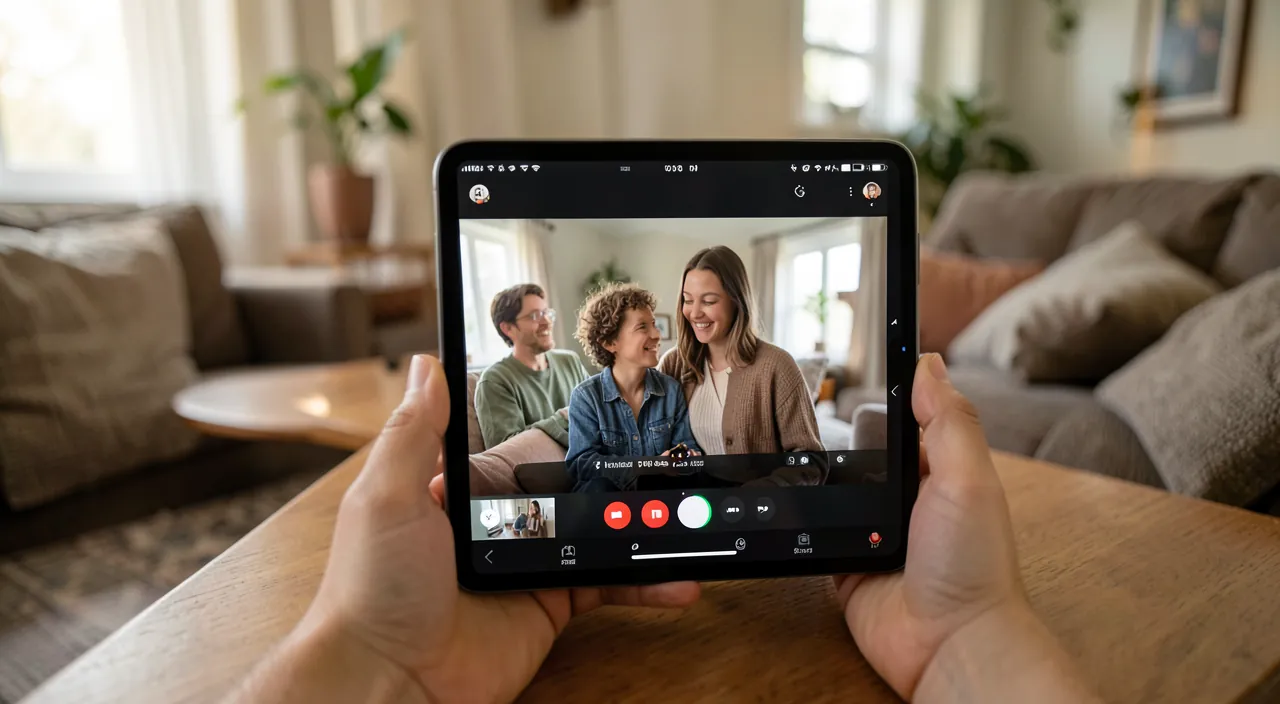
Organizing a Group FaceTime call is simple; here’s how to do it and some tips to make it go well. Launch a group call—from the FaceTime app: create a call and ADD multiple people (your contacts, by their number or Apple account) ; or start a two-way call and add other participants along the way ; everyone is invited to join. Include those who don’t have an iPhone (via a LINK)—create a FaceTime LINK and share it (by message, email) ; people on Android, Windows, or any device can join the call from their web browser by clicking on this link—no one is excluded. Plan in advance—the FaceTime link also allows you to SCHEDULE a call (a birthday, a family reunion) : share the link in advance with the time, and everyone connects at the desired moment. Take care of technical conditions—for a good group video call : a proper Internet connection (preferably WiFi for group video), a well-lit place (light in front of you, not behind you—otherwise you appear in silhouette), and a quiet environment—place or prop up your device (a stable video is better than a shaky phone). Manage multiple voices—with many people, sometimes people talk at the same time : each can turn off their microphone when they’re not speaking (to reduce background noise), especially in large groups—this is the key to a smooth group call. Enjoy the little extras—FaceTime offers friendly features—effects, filters, screen or content sharing (watch something together), and a layout that highlights the speaker—explore them to make the moment more engaging. Some TIPS for beautiful reunions—PREVENT participants in advance (especially those less comfortable with technology—explain how to join, send the link clearly) ; test your equipment before an important call (camera, microphone, connection) ; be PATIENT and kind to those who are new (help them connect, reassure them) ; and think about the FRAME (a proper background, attire, lighting) for an enjoyable call. A practical point for less connected loved ones—FaceTime links are often the simplest for them (one click, no account to create)—guide them step by step the first time, then it will be natural (our guides help loved ones with technology). In summary, to succeed with a Group FaceTime call—launch the call by adding your loved ones (or via a link to include everyone, even outside Apple), plan in advance if needed, take care of the conditions (WiFi, lighting, sound—microphone off when not speaking), and accompany the less comfortable with kindness. These virtual reunions then become a real pleasure.

The right move. To gather everyone without excluding anyone, use the FaceTime LINK—create a link and share it (by message or email) ; not only your Apple device family members can join, but also those on Android or Windows, directly from their web browser—no one is left out due to lack of an iPhone. The link also allows you to SCHEDULE a call (a birthday, a family reunion) : send it in advance with the time, and everyone connects at the desired moment. To make a group call pleasant, take care of the conditions—good connection (preferably WiFi for group video), a well-lit place (light in front of your face, not behind you—otherwise you appear in silhouette), a quiet environment, and a device placed or propped up (a stable video is better than a shaking phone). With many people, the key to a smooth call is to turn off your microphone when you’re not speaking—this avoids background noise and people talking at the same time, especially in large groups. Think especially about those less comfortable with technology—warn them in advance, send them the link clearly, and guide them step by step the first time (the FaceTime link is often the simplest for them—just one click, no account to create). Test your camera, microphone, and connection before an important call, and be patient and kind to those who are new—this attention is what makes the moment successful. Finally, explore the little extras (effects, content sharing to watch something together) to make the reunions more engaging. A link to include everyone, good technical conditions, and kindness to the less connected—this is the recipe for a warm and successful Group FaceTime call.
Staying connected simply
Beyond the technology, Group FaceTime touches on something essential: staying CONNECTED with those you love, despite the distance. Some reflections to fully enjoy it. TECHNOLOGY at the service of the connection: a group video call doesn’t replace a real meeting, but it brings people closer—seeing faces, hearing voices, sharing a moment live maintains relationships that distance might stretch—this is one of the most beautiful uses of digital technology. INCLUSION of all: thanks to FaceTime links, there’s no longer a need for everyone to have an iPhone—make sure to include everyone (the family member on Android, the less equipped person), so no one misses the appointment. ATTENTION to those less at ease: video calls can intimidate those who are new (grandparents, people unfamiliar with technology)—patience in guiding them (explaining how to join, reassuring them) is a gift that opens these moments of sharing (our guides help loved ones with technology). REGULARITY: a regular group call (a weekly or monthly family meeting) maintains the connection better than a single call—making it a habit creates a precious ritual. SIMPLICITY: don’t make it a complex affair—the essential is to see and talk to each other—the advanced features are a plus, not an obligation. RESPECT and FRAME: like any meeting, a group call goes better with a bit of decorum (let everyone speak, turn off your microphone when you’re not speaking, choose a time that works for everyone). In summary, Group FaceTime is a simple, free, and warm way to gather several loved ones in a single video call, despite the distance—it’s integrated into Apple devices, easy to launch, and—thanks to FaceTime links—open to ALL, even those without an Apple device. To succeed in these reunions—launch the call by including everyone (a link to exclude no one), take care of the technical conditions (WiFi, lighting, microphone off when not speaking), plan if needed, and especially accompany the less comfortable with kindness. But the heart of the matter is not technical—it’s the CONNECTION. Seeing the faces of those you love, sharing a moment live despite the miles, gathering a dispersed family—this is what this small function allows. Make it a regular and warm use: technology is never as beautiful as when it brings people closer.
Warning: don’t exclude anyone, don’t neglect technical conditions, and accompany those less at ease. Some points to ensure these reunions are successful. EXCLUDE THOSE WHO DON’T HAVE AN IPHONE—this was long a limit of FaceTime, but it’s no longer the case: thanks to FaceTime links, your Android or Windows family members can join the call from their web browser—don’t leave anyone out by thinking it requires an Apple device—send a link to everyone. TECHNICAL CONDITIONS—many group calls fail due to neglected conditions: weak connection (prefer WiFi for group video), poor lighting (silhouettes if the light is behind you), noise (everyone with their microphones open in a noisy place), or a shaking device—take care of these details (WiFi, light in front of you, microphone off when not speaking, device placed) for a pleasant call. LEAVE THE LESS AT EASE BEHIND—family members unfamiliar with technology (often the elderly) can be intimidated or struggle to join—don’t leave them to their difficulty: warn them in advance, send the link clearly, guide them step by step the first time, and be patient—they often have the most to gain from these moments of sharing. Other common sense points: choose a TIME that works for everyone (be mindful of time differences for family abroad), respect PRIVACY (don’t record or broadcast a call without the participants’ consent), and keep it SIMPLE (the essential is to see and talk to each other, not to master all advanced features). Group FaceTime is a beautiful tool for staying connected, provided you don’t exclude anyone, take care of the conditions, and accompany those who need it. The success of a group call depends less on the technology than on the attention paid to each person: this transforms a video call into a real moment of reunion.

Frequently asked questions
How many people can you gather on a Group FaceTime call?
Many: Group FaceTime allows you to gather a large number of participants in a single video call, far beyond two people—more than enough to gather an entire family or a group of friends. Everyone appears on screen, with a layout that highlights the speaker. For a call with many participants, some good practices make the experience pleasant: a good connection (WiFi is ideal for group video), and especially the discipline of turning off your microphone when you’re not speaking (to avoid the background noise, especially important as the group is large). You can add participants when launching the call (by selecting multiple contacts) or during the call, and include people outside Apple via a FaceTime link. Whether with a few or an entire large family, Group FaceTime adapts: the key is to take care of the conditions so that everyone can see and hear well.
Can you invite someone who doesn’t have an iPhone?
Yes! This is a major evolution: FaceTime is no longer reserved for Apple devices. Thanks to FaceTime links, you can invite people on Android, Windows, or any device: you just create a FaceTime link and share it (by message, email); they join the call directly from their web browser by clicking on the link, without needing an Apple account or installing anything. It’s often the simplest way for less equipped or less comfortable family members: just one click. You can also use the link to SCHEDULE a call in advance (by sending it with the time). So don’t exclude anyone from your video reunions under the pretext that they don’t have an iPhone: the FaceTime link includes everyone. Simply guide the less comfortable for their first call (how to click on the link, allow the camera and microphone), and then it will be natural.
How to help a family member who is less comfortable join the call?
With preparation and patience. BEFORE the call: warn them in advance, and send them the FACETIME link clearly (it’s the simplest for them: one click, no account to create); explain to them in a few words what they will have to do (click on the link, allow the camera and microphone when asked, possibly enter their name). DURING: be patient and reassuring if they struggle; guide them step by step (where to click, how to position themselves in front of the light); downplay small mishaps (it’s normal the first time). For a truly novice family member, you can do a trial call with two of you before the big group call, to build their confidence. AFTER the first time, it will be much easier: the obstacle is mainly the novelty. This kind and patient support is valuable: it opens up these moments of sharing to the less connected family members (often the elderly) who have the most to gain from these moments (our guides help family members with technology). A little help and patience, and everyone can participate in the reunions.
What to remember
Group FaceTime is a simple, free, and warm way to BRING several loved ones together in a single video call, despite the distance. Its advantages: SIMPLICITY (integrated into Apple devices, nothing to install, a call launches easily), QUALITY (good image and good sound), and FREE (an included service that goes through the Internet). A major evolution: Group FaceTime is no longer reserved for Apple devices—thanks to FaceTime links, you can invite people on Android or Windows to join from their web browser—no one is excluded due to lack of an iPhone. To succeed with a group call: launch it by adding your loved ones (or via a link to include everyone), plan in advance if needed (the link allows scheduling a call), and take care of the TECHNICAL conditions—a good connection (WiFi preferred for group video), a well-lit place (light in front of the face), a quiet environment, a device placed, and especially the microphone turned off when not speaking (the key to a smooth call with many people). Explore the little extras (effects, content sharing to watch together) to make the moment more engaging. But the essential is not technical—it’s the CONNECTION. Think about including everyone (the family member on Android, the less equipped person), and especially accompany the less comfortable with kindness (warn them, send the link clearly, guide them step by step the first time, be patient—these are often the ones who have the most to gain from these reunions). Make it a REGULAR use (a recurring family meeting creates a precious ritual), keep it simple, and respect everyone. Seeing the faces of those you love, sharing a moment live despite the miles, gathering a dispersed family—this is what this function allows. Technology is never as beautiful as when it brings people closer—Group FaceTime is one of its most beautiful examples.


Want to fully exploit the potential of your iPhone, iPad, or Mac? Our Apple training courses will take you to the next level.
Group FaceTime lets you video chat with multiple people at once, even if they don’t have Apple devices. The key is using a FaceTime link to include everyone. For the best experience, make sure you have good WiFi, light your face properly, and mute your mic when you’re not talking. The most important part is making sure everyone feels included, especially those who might struggle with technology.
Imagine you want to organize a birthday call for your family spread across three countries. You create a FaceTime link and share it with your parents (who have an iPhone), your sister (on Android), and your cousin (on Windows). Everyone joins by clicking the link. Your parents use the FaceTime app, while your sister and cousin join through their web browsers. You schedule the call for 7 PM your time (which works for everyone’s time zones). Before the call, you remind everyone to check their WiFi, sit in a well-lit room, and mute their mics when not speaking. When the call starts, you see all four faces on screen, and you celebrate together as if you were in the same room.
Leave a Reply
You must be logged in to post a comment.