
Your inbox is overflowing: unread newsletters, endless promotions, notifications from forgotten services, alerts of all kinds. You delete them mechanically every morning, one by one, without ever tackling the source. Result: an anxiety-inducing inbox where important messages drown, and daily wasted time. It’s time for a major cleanup—not by deleting emails, but by turning off the TAP: unsubscribe, filter, organize. Here’s the method to regain a breathable inbox and never let it overflow again.
Deleting is not enough: cut off the source
The mistake everyone makes: deleting unwanted emails one by one, every day, forever. It’s emptying a bathtub without turning off the tap: tomorrow, your inbox will be full again with the same senders. The real solution is to stop the SOURCE. Three levers, from most effective to most refined: UNSUBSCRIBE—every legitimate newsletter has, at the bottom, an « unsubscribe » link: one click, and you will NEVER receive their emails again (the most profitable gesture, often neglected out of laziness); FILTER—create rules that automatically sort or archive certain senders (emails from a category stored alone, without cluttering the main inbox); mark as spam the real spams (so the mail service learns to block them). A good unsubscribe session—thirty minutes once—eliminates DOZENS of recurring senders and permanently transforms your inbox. You will no longer delete, every day, emails that shouldn’t even arrive: that’s the whole gain. Turning off the tap once is better than bailing indefinitely.
Stopping unwanted emails isn’t about deleting them daily—it’s about cutting them off at the source. Unsubscribe from newsletters, filter what you want to keep, and mark real spam. This way, your inbox stays clean without constant effort.
Imagine you get 50 marketing emails weekly from 10 different stores. Instead of deleting 50 emails every week, you spend 30 minutes unsubscribing from all 10 stores. Now, you’ll never see those 50 emails again, saving you 50 minutes per week forever.

The big cleaning session, step by step
Dedicate a half-hour to it: 1. Identify the repeat offenders—browse your inbox and spot the senders who keep coming back WITHOUT you reading them (newsletters, promos, notifications). Tip: look for the word « unsubscribe » or sort by sender to see who is flooding you; 2. Unsubscribe in bulk—for each unwanted sender, open one of their emails, click « unsubscribe » at the bottom (some mail services even offer a direct unsubscribe button at the top of the email: even faster); 3. Create filters for what you want to KEEP but not see as a priority (emails from a service automatically filed in a dedicated folder—our organization guides); 4. Mark spams (the real unwanted emails) to train the filter; 5. Archive or delete in bulk the accumulated backlog (thousands of old emails: select and archive in one go—the archive keeps everything but clears the view). In one session, you go from an overwhelmed inbox to a controlled one. And you don’t have to do this every day: once the taps are closed, maintenance becomes minimal.
- 1. Identify the repeat offenders—browse your inbox and spot the senders who keep coming back WITHOUT you reading them (newsletters, promos, notifications). Tip: look for the word « unsubscribe » or sort by sender to see who is flooding you;
- 2. Unsubscribe in bulk—for each unwanted sender, open one of their emails, click « unsubscribe » at the bottom (some mail services even offer a direct unsubscribe button at the top of the email: even faster);
- 3. Create filters for what you want to KEEP but not see as a priority (emails from a service automatically filed in a dedicated folder—our organization guides);
- 4. Mark spams (the real unwanted emails) to train the filter;
- 5. Archive or delete in bulk the accumulated backlog (thousands of old emails: select and archive in one go—the archive keeps everything but clears the view).
**The right reflex.** Adopt the rule of IMMEDIATE unsubscription: from now on, every time an unwanted email arrives and you’re about to delete it, take three extra seconds to click « unsubscribe » BEFORE throwing it away. This micro-gesture, repeated, gradually dries up all sources without even thinking about it: instead of deleting the same sender a hundred times, you cut them off once and for all. In a few weeks of this reflex, your inbox cleans itself. The secret to a permanently clean inbox isn’t better deletion, it’s systematically turning off the tap as soon as an unwanted flow appears—the discipline of three seconds that saves you cumulative hours.

Keeping a healthy inbox in the long run
The cleaning done, maintain it effortlessly: the rule of thoughtful sign-up—before giving your address (for a promo code, a download, a service), ask yourself if you REALLY want to receive their emails; uncheck the pre-checked boxes « I wish to receive… »; the secondary address—a powerful trick: use a DEDICATED email address for sign-ups, newsletters, and purchases, keeping your main address for the important (real contacts, administration); thus, the noise flows elsewhere and your main inbox stays clean (our professional email guides); the folders and labels—a few categories (to handle, invoices, to read) to avoid mixing everything; the archiving rather than a full inbox—a processed email is archived (it remains retrievable via search: our second brain guides) instead of cluttering the view. And beware: the « unsubscribe » link in a SUSPECT email (pure spam, unknown and suspicious sender) may instead CONFIRM that your address is active: for those, mark as spam without clicking (our security guides). Unsubscription applies to LEGITIMATE newsletters; real spams are blocked, they are not « unsubscribed. » With these reflexes, your inbox remains a tool at the service of your exchanges, not a dump to clear every morning.
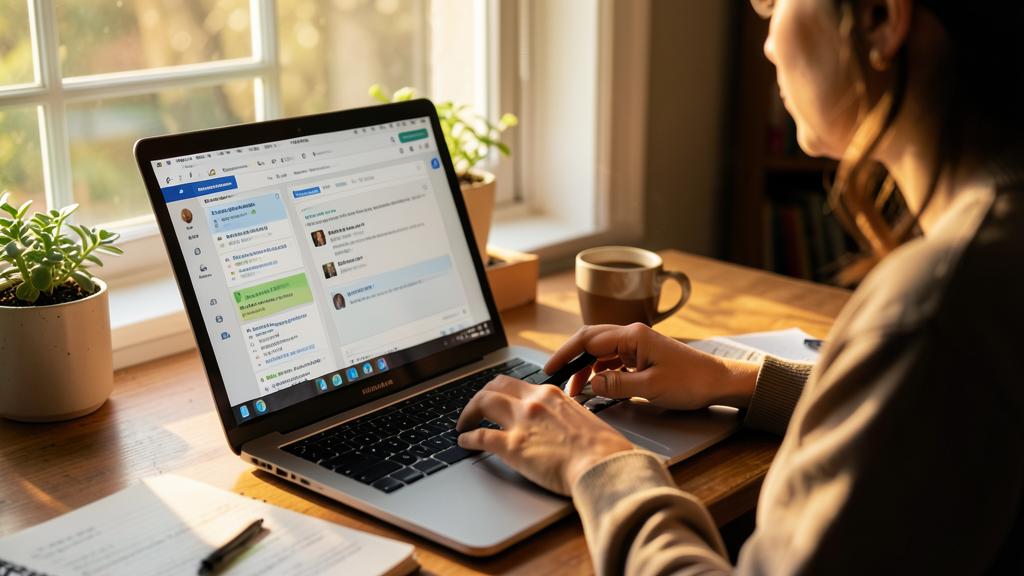
**Warning: do not click « unsubscribe » on a suspicious email.** Crucial nuance: unsubscription is perfect for LEGITIMATE newsletters (a known brand, a service you signed up for): the link works and frees you. But on a PURE SPAM email or from an unknown and suspicious sender, clicking « unsubscribe » can backfire: confirm to spammers that your address is READ and active (and thus resellable), or lead to a trap (our security guides, scams). For these emails, one gesture only: mark as UNSUBSCRIBED/spam, without ever clicking on their links. The simple rule: unsubscription for the legitimate that you recognize, reporting as spam for the suspicious and the unknown. Also be careful when giving your main address everywhere: every sign-up is a potential source of flow—that’s why a dedicated secondary address is useful to protect your main inbox from the deluge.

Frequently asked questions
Why does my inbox keep filling up despite my deletions?
Because deleting doesn’t cut off the SOURCE: the same senders come back the next day. As long as you don’t UNSUBSCRIBE (for legitimate newsletters) or report as spam (for unwanted emails), the tap stays open. The lasting solution is to dry up the sources: a proper unsubscribe session, then the reflex to immediately unsubscribe from any new unwanted flow. You will then stop emptying a bathtub with a running tap—your inbox will stay clean on its own.
Is unsubscribing really safe?
On LEGITIMATE newsletters (brands and services you recognize), yes: the link works and frees you properly. On PURE SPAM emails or from unknown and suspicious senders, no: clicking can confirm that your address is active (and thus resellable) or lead to a trap. For those, mark as unwanted without clicking on any link. The distinction is simple: unsubscription for the known and legitimate, reporting as spam for the suspicious and the unknown. If in doubt, consider the email as suspicious and don’t click anything.

How to avoid it happening again after the big cleanup?
Three habits: immediately unsubscribe from any new unwanted flow (the three-second reflex), think before giving your address (uncheck pre-checked boxes, only sign up for what you really want), and use a SECONDARY address dedicated to sign-ups and purchases to protect your main inbox. With these reflexes, the deluge flows elsewhere or never starts. Maintenance then becomes minimal: a clean inbox is maintained by good reflexes at the entrance, not by daily clearing at the exit.
What to remember
An overflowing inbox isn’t fixed by deleting faster, but by turning off the TAP: unsubscribing from legitimate newsletters (the link at the bottom of each email—the most profitable gesture), filtering what you keep without wanting to see, and reporting real unwanted emails as spam. A thirty-minute session eliminates dozens of recurring senders and permanently transforms the inbox. To make it last: the immediate unsubscription reflex (three seconds before throwing away), thoughtful sign-up (uncheck pre-checked boxes), and especially a SECONDARY address dedicated to sign-ups and purchases that protects the main inbox. An essential security nuance: you unsubscribe from the legitimate recognized, but you NEVER click « unsubscribe » on a spam or a suspicious unknown (you mark it as unwanted). By turning off the taps once, you stop bailing every morning—and the inbox becomes a serene tool where the important no longer drowns.


Want to gain more ease with your digital tools? Our personalized training adapts to your level.
Leave a Reply
You must be logged in to post a comment.