
The iPad has become the first screen for children — cartoons on Saturday, games, homework, video calls with grandma — and the first family battleground: the time that overflows, surprise purchases, dubious videos at the end of three recommendations. The difference between the iPad-problem and the iPad-tool lies in ONE hour of setup that almost no one does: the child account, native protections, chosen content, physical boundaries. The complete guide to setting up a well-adjusted family iPad — from the first power-on to the rules that grow with the child.
The foundation: a child account, not a shared iPad
The original mistake of most households: the iPad configured on a PARENT’S account, lent to the child — result: the child navigates as an adult (parent’s purchases with one tap, mixed history, no age filters, work emails in notifications): the correct foundation is the child account in family sharing (created with the child’s actual age — our guides for the first phone: the same logic): age-based restrictions activate in cascade (content filtered by default, purchases subject to YOUR approval — the « purchase request » notification on your phone: the central lever), « Screen Time » is remotely controlled FROM YOUR iPhone (settings and extensions granted without touching the iPad — the comfort that makes the boundary STAND), and the child grows in THEIR environment (their backups, progress, settings — transferable to their first phone when the time comes): on a shared iPad between siblings, Apple’s limit is known (no real multi-user sessions for the general public): the account of the YOUNGEST is the common rule — or guest access via the « Guided Access » mode for short loans (see below): and the parent’s iPad LOANED occasionally locks down on an app (Guided Access — triple-click: the child stays IN the cartoon, without wandering into your emails: the troubleshooting setting you must know).

The setup hour: the full tour of protections
The checklist, in order: Screen Time — the parent code (unknown to the child, different from the unlock), app limits by category (limited video, games on a budget — and « always allowed » apps: the e-reader, parental calls), evening shutdown time (the iPad turns off at 8 PM — the negotiation done ONCE in settings rather than every evening), and purchase and installation approvals; the content restrictions — age-based app and movie ratings, web filter (the « only allowed websites » mode for young ones — the whitelist that resolves the browser question), Siri and web results are contained; the content apps set one by one — the child profile in video apps (our TV guides: the youth catalog locked by code — and autoplay cut: the most effective anti-marathon setting for kids), public youth TV apps and their peers without ads or wild recommendations (the choice of apps MAKES the quality of the screen — see content); the communications — who can reach the child via video/messages (managed contacts — our guides); the location and privacy (family location sharing if desired, app permissions reviewed); and the hardware — the all-terrain case (children’s iPads are dangerously exposed), screen protector, and volume capped to the headphones (Settings → Sounds → Earphone Safety: children’s hearing is not pushed back — the public health setting forgotten by all).
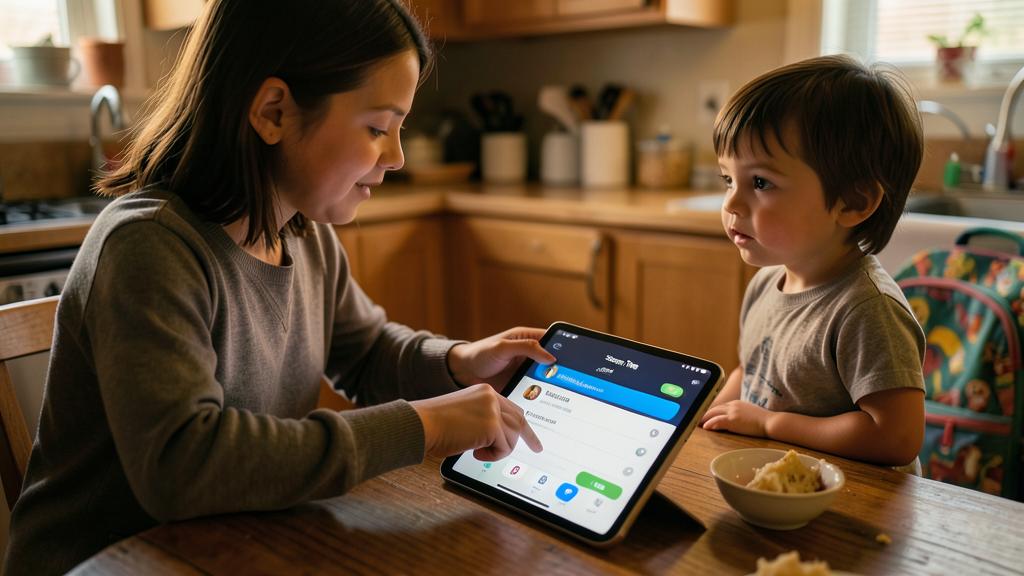
The iPad can be a great tool for kids, but it needs the right setup. Start with a child account to control what they can do, then add limits on time, content, and purchases. Finally, pick good apps together and set rules about when and where they can use it. This way, the iPad stays safe and useful.
A 7-year-old gets an iPad with a child account, Screen Time set to 1 hour of games per day, and only approved apps like PBS Kids and Duolingo. The iPad is used in the living room after homework, and the parent approves any new app requests. This keeps screen time balanced and content safe.
The right reflex. Populate the iPad WITH the child rather than leaving it to the app store: the selection is done together (apps requested pass through your approval — each request is a conversation: « What does it do? Let’s check the reviews — » the education in choice starts here), and the gems are actively sought: creation apps (drawing — our guides —, music, editing, playful programming), books and the Library app, games WITHOUT in-app purchases (the criterion that changes everything: « in-app purchases » on the app page — subscription catalogs like Arcade remove the question: no purchases, no ads, the family-friendly plan), and youth documentaries. The consumer iPad is the factory setting; the creator iPad is a content choice — and it shows in fifteen days what the child does with it.

The boundary that holds: time, place, rituals
Settings make up half the boundary — habits make up the other: the places — the iPad lives in common rooms (the living room, not the bedroom — the unique rule that prevents the most derailments: sleep, content, isolation — our screen and sleep guides: the iPad sleeps OUT of the bedroom, on the living room charger, like phones); the moments — predictable slots (Saturday morning, after-homework time) rather than constant negotiation: the child who KNOWS when whines less than the one who hopes always (and the automatic shutdown plays the villain for you — delegate the unpopularity to the setting); the shared screens — sometimes cartoons watched side by side, games commented on, creations shown (« Show me your drawing ») — co-presence transforms consumption into conversation (the constant recommendation of pediatricians — our guides), and family video calls are a social screen to encourage; the visible alternatives — the iPad put away (not in the middle of the coffee table), books and games within reach — the living room architecture does more than sermons; and the exemplary behavior, always: the parent who scrolls saying « put down your tablet »… — the family screen boundary is ONE boundary — yours included, at meals first. None of this is deprivation: it’s the difference between an enriching screen and a disruptive one — the child feels it very well.
Growing with: school, autonomy, passing the baton
The boundary evolves with age: the young ones (3-6 years) — little, short, supervised, no ads (chosen apps close the web: total white list — and the best often REMAINS no personal tablet: the family one, lent); the primary school age — regular slots, creation encouraged, first games (no in-app purchases), autonomous family video calls — and school comes in (digital homework, reading apps: the school iPad is similarly set — homework time outside the leisure limits, the function exists); the middle school — autonomy negotiated in stages (our first phone guides: the same logic of loosened boundaries — limits that gradually loosen, content conversations replacing filters), networks NOT on the iPad before age and discussion (the app age filter holds the line — it’s its job); and the passing of the baton — the child account becomes an adolescent and adult account (age thresholds automatically loosen certain rules — and YOU remove the rest when the time comes — the goal always: built autonomy, not eternal control — our guides). A well-managed family iPad was three things in succession: the regulated cartoon reader, the creative workshop, the work tool — the trajectory is decided in the first day’s setup hour, and in the thousand conversations after.
Watch out for workarounds — and what they mean. Children are the best testers of the world’s flaws: the parent code GUESSED (birth date… — choose a code that’s not deducible and change it if « they know »), the system time tampered with, apps uninstalled and reinstalled to clear counters, a backup browser in an innocuous app (integrated app browsers bypass the web filter — the restrictions cover them better and better: keep the system UP TO DATE), YouTube through the integrated reader of another app… Technical workarounds exist (the settings above, updated) — but the lesson from our guides holds here: systematic workaround is a signal to renegotiate the boundary, not just a flaw to plug — and the trust channel (« you can show me anything without panic confiscation ») remains the best invention ever. The setting borders; the relationship protects.
Frequently asked questions
Which iPad to buy for a child — and should it be new?
The entry-level model is sufficient (cartoons and youth apps don’t require much), and RECONDITIONED is the way to go (the iPad lives under sticky fingers — our guides: the model from two or three generations ago, guaranteed, at a low price — check that it still receives updates: the security of restrictions depends on it). A reinforced case is not an option — it’s half the cost.

The iPad for homework AND leisure: how to separate?
Category limits do the sorting (school apps in « always allowed, » games on a budget — homework time doesn’t cut into playtime, and vice versa), concentration modes help the older ones (the « Homework » mode that hides games — our guides), and the ritual does the rest: homework FIRST, in the common room, tablet flat on the table — the physical screen boundary works for young workers too.
Grandparents, alternating care: does the boundary follow the iPad?
Yes — that’s the beauty of the child account: settings live in the ACCOUNT (limits and filters apply the same way at grandma’s — and you approve remote requests). The human harmony remains: the boundary explained to other adults (a one-page document of the rules — our coparenting guides: separated households benefit from a COMMON boundary, the iPad often being the first ground of agreement).

What to remember
The child’s iPad is set up in an hour of foundation: the child account at the right age (cascade protections, remote control from your phone, purchases subject to approval), the protection checklist (solid Screen Time code, filtered content, autoplay cut, apps without in-app purchases, volume capped to headphones, all-terrain case), chosen content together (the creator iPad — drawing, music, books — against the distributor iPad), and the physical boundary that holds everything (common rooms, predictable slots, night in the living room charger, shared screens sometimes, exemplary behavior always). Then the boundary GROWS — loosened in stages, until full handover — and workarounds are read for what they are: updates to be made, and conversations to be had. The iPad is neither a danger nor a nanny: it’s the first digital territory for the child — and an hour of setup decides whether it will be a captive consumer or an accompanied explorer.

Want to fully exploit the potential of your iPhone, iPad, or Mac? Our Apple training courses will take you to the next level.
Leave a Reply
You must be logged in to post a comment.