
In a living room cluttered with remotes, promotional menus, and sluggish apps, the Apple TV stands out: a box that boots up quickly, displays no ads on its home screen, organizes all services in one place, and can be controlled from the iPhone when the remote is buried under a cushion. The complete guide to Apple’s box — how it revives aging TVs, the features its own owners overlook, and the settings for the perfect living room.
What the box really changes (and for whom)
The Apple TV justifies itself with three key benefits: the TV rejuvenation — the TV with a decent screen but sluggish « smart » features gains fluidity, up-to-date apps, and years of updates (our slow TV guides: the box outperforms a new TV — and the Apple TV is the top of the line: the higher price compared to streaming keys is traded for power, longevity, and no built-in ads); the living room ecosystem — native AirPlay (photos, videos, and screens from iPhones/Macs projected without setup — our projection guides: family slideshows in one gesture), iCloud photos as screensavers (the giant living room photo frame — the shared photo library that scrolls: our guides), music on the speakers, and the box as a connected home hub (see HomeKit — the hidden feature that matters); and the streamlined experience — ad-free home screen, profiles per household member, and the TV app that AGGREGATES (the « which platform is it on? » resolved: unified search across all catalogs, the « Up Next » list that tracks series regardless of where they live — our streaming guides). For whom? Apple households first (seamless integration pays off), aging TVs next, and anyone who wants a SIMPLE living room — the grandparents’ test: one remote, six buttons, zero traps (our TV setup guides: the configured Apple TV is the most shareable box on the market).
The Apple TV makes old TVs faster and smarter, connects all your Apple devices, and simplifies finding and watching shows. It’s best for Apple users, older TVs, and anyone who wants a hassle-free setup.
A 2015 Samsung 4K TV with slow apps gets a new life with an Apple TV 4K. AirPlay lets the family share vacation photos instantly, and the « Up Next » feature remembers where everyone left off in their shows.

The tamed remote (and its backups)
The small remote does it all — its secrets: the clickable touchpad (the circle clicks at four points AND can be swiped — thumb scrolling in lists; the circle’s edge acts as a scroll wheel to fast-forward/rewind in a movie: the underrated and delightful circular « jog »); the long press everywhere (on an app: rearrange/delete; on the TV button: profile selector or power off — depending on settings); Siri on the remote — the mic that changes usage: « movies with [actor], » « what did he say? » (20-second replay WITH temporary subtitles — the genius feature for mumbled dialogue), « play the next episode of [series], » voice search instead of arrow keys; the volume and TV power — the Apple remote controls the TV and soundbar (HDMI-CEC — our guides: ONE remote for everything, mission accomplished); and the backups — the lost remote in the couch can be LOCATED from the iPhone (depending on model) and especially REPLACED by it: the remote app integrated into the iPhone’s Control Center (the giant touchpad with keyboard — typing passwords on the phone instead of the arrow torture: the moment the whole family says thanks): the physical remote can disappear for a month, the living room survives.
The right reflex. Set up profiles and household controls: each member gets their own profile (separate recommendations and « Up Next » lists — long-press the TV button to switch), the kids’ profile is locked with restrictions (purchase codes, age-based content — our guides), and family sharing for purchases (once bought, the app or movie is available to the whole household). Then the household peace setting: « Reduce loud sounds » (at night: explosions muted, clear dialogue) and Siri-requested subtitles — the living room adjusted for ALL its inhabitants, from the youngest to the neighbor downstairs.

Features even owners overlook
The highlights: the iPhone as controller and keyboard (already mentioned — and as a GAME controller for Apple Arcade; console controllers also pair: our cloud gaming guides — the Apple TV is an underrated mini-console); the living room gym — guided sessions on-screen (fitness and yoga apps — our sports guides: TV workouts with Apple Watch ring overlays for those who have them); AirPods and private listening — movie audio without disturbing others (shared audio to TWO headsets: the couple watching loudly while baby sleeps — the lifesaving setting), and TV audio routed to HomePods as a real stereo setup; the karaoke-music (lyrics scrolling in large text — parties that go off the rails well); the screensavers (hypnotic aerial views — and YOUR photos: the family photo frame already mentioned, set to a shared album that updates itself); the TV moment capture — « Siri, what did he say? » again, and the « who is that actor? » question; the multi-room — the same Apple TV controlled from anywhere, and multiple boxes on one account (bedroom and living room sharing everything); and the living room video calls — FaceTime on the TV with the iPhone as a camera (our FaceTime guides: family calls on the big screen, everyone in frame — grandparents’ Sunday in cinematic format). The « streaming » box is actually the living room hub — most users only tap into a tenth of its potential.
Settings for the perfect living room (once and for all)
The half-hour setup that changes everything (our TV setup guides as a complement): the image — output matched to the TV (4K, dynamic range adapted — and the crucial setting: « Match Content » enabled for both refresh rate AND dynamic range: the movie played in ITS original format, no more soap-like images — the Apple TV equivalent of our « cinema mode » guides), and color calibration via iPhone (colors balanced by the phone — the gadget that works); the sound — output to the soundbar or speakers, « Reduce loud sounds » at night; the organized home screen — the first row for household apps (long-press to rearrange), unused apps removed; the standby and power — the box powers EVERYTHING on with one button (CEC), deep standby enabled; the network — Ethernet if possible (our guides: stable 4K streaming requires wiring); and the zero maintenance — automatic updates enabled, and that’s it: the box that asks for nothing for years is exactly what we bought. Final buying tip for the hesitant: choose the base model (extra storage only matters for hardcore gamers — the base model covers the living room), and the previous model refurbished is a great deal (our guides — the box ages very slowly).
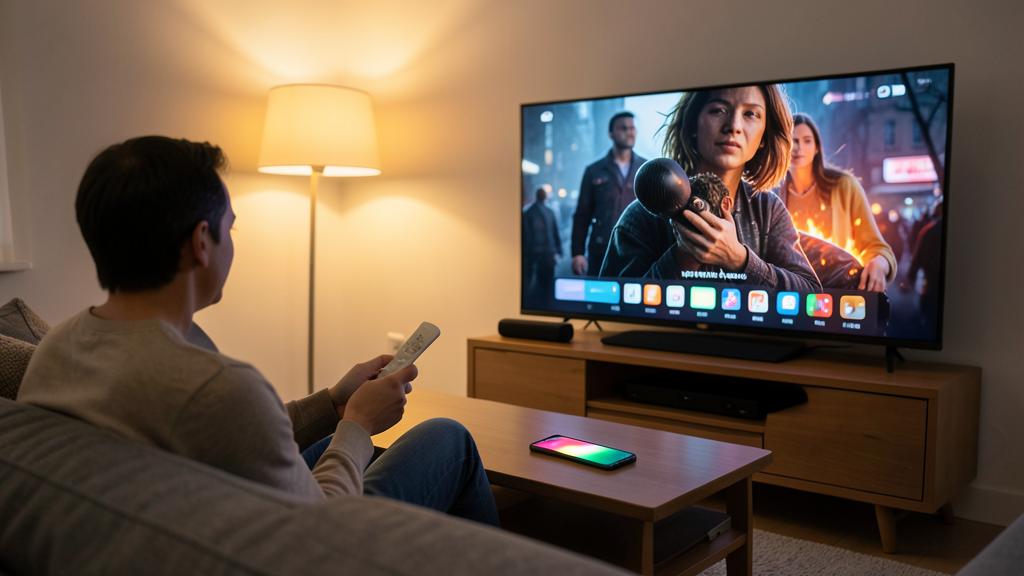

Watch out for living room purchases and subscriptions. The box that simplifies buying also simplifies SPENDING: TV subscriptions pile up discreetly (a channel added for a movie, an uncancelled trial — our subscription review is worth it for the living room: Settings → Users → Subscriptions, and the streaming rotation applies), one-off rentals add up (the Friday night 4.99€ movie: legitimate AND budget-worthy — the mandatory purchase code protects against kids and tired evenings), and trapped apps exist on the TV store too (our guides: fake premium apps — verify the publisher). The foundation setting: ALWAYS require a purchase code (Settings → Users → Require Password) — the living room spends better when it spends consciously.
Frequent questions
Apple TV or a 40€ streaming key?
The key works well for emergencies (our guides: reviving a slow TV on a budget); the Apple TV adds power (long-term fluidity, gaming), no home screen ads, native AirPlay, home hub, and family integration — the price difference is judged by usage: the Apple household living in their living room amortizes it; a bedroom setup can make do with a key. And both beat the « smart » features of a TV over five years old.

Can I watch regular TV (live channels) on it?
Yes — through the apps of channels and platforms (catch-up and live streams — our streaming guides: the free ecosystem of channels is rich), your TV operator’s app if applicable, and online bundles. The operator’s decoder can stay connected for those who prefer it — the HDMI input switches — but many households discover they no longer need it.
Does the Apple TV work without an Apple subscription?
Completely — it’s a universal player: your usual streaming apps, free catch-up, AirPlay, your photos. Apple services (TV+, Arcade, Fitness+) are options, not requirements — and the included free trial is judged then canceled like everything else (our rotation guides).

What to remember
The Apple TV is the box that makes the living room SIMPLE: the aging TV revived with no home screen ads, all services aggregated (unified search, cross-platform « Up Next »), the ecosystem projected in large (AirPlay, photo screensavers, FaceTime with iPhone camera), the minimalist remote doubled by the iPhone (phone keyboard instead of arrow torture — and Siri for « what did he say? »), and the discreet hub of the connected home. The half-hour setup (Match Content, reduced loud sounds, profiles and purchase codes, Ethernet, organized home screen) buys years of peace — maintenance is just automatic updates. In a living room market that thrives on your attention and data, the box that shows no ads and stays out of the way is almost a manifesto: living room tech in its place — under the TV, and out of sight.

Want to unlock the full potential of your iPhone, iPad, or Mac? Our Apple training courses take you to the next level.
Leave a Reply
You must be logged in to post a comment.