
A click. Sometimes, that’s all it takes to fall into a trap: a link received by email, SMS, or message, which seems harmless but leads to a fraudulent site designed to steal your passwords, bank details, or infect your device. Phishing links are one of scammers’ favorite weapons, as they exploit our reflex to click without thinking. The good news: with a few simple reflexes, you can learn to spot a suspicious link BEFORE clicking and protect yourself. It’s not about becoming an expert, but about acquiring the right safety habits. Let’s see how to recognize a phishing link, the warning signs, and the right actions to avoid getting caught.
What is a phishing link and why is it dangerous
Understanding the danger helps you be wary; let’s see what a phishing link is. The PRINCIPLE: a phishing link is a link (in an email, SMS, message, ad) that takes you to a FRAUDULENT site or triggers a malicious action; it seems harmless or legitimate but hides a trap; the click is the bait. What it SEEKS: to steal your credentials (passwords), bank details, personal data; or install malicious software on your device; or make you pay for a fake service; theft in various forms. PHISHING: the most common technique; a link leads to a FAKE site imitating a real one (bank, service, administration); you « enter » your credentials, which are stolen; the imitation traps; a widespread scam (we’ll come back to it). The PRETEXT: the link comes with a pretext to push you to click; « package to collect, » « account blocked, » « refund, » « win, » « invoice »; a credible or alarming scenario; the pretext manipulates. The MANIPULATIVE URGENCY: often, the message creates URGENCY (« act within 24 hours, » « your account will be closed »); urgency pushes you to click without thinking; it’s a warning sign (we’ll come back to it); haste is the enemy. Through WHICH CHANNELS: phishing links via EMAIL (phishing), SMS (smishing), messages on social networks/messenger apps, ads, fake search results, QR codes; everywhere there’s a link; multi-channel. Why it WORKS: it exploits our reflex to click, our trust, our fear (blocked account) or our desire (win, good deal); psychological manipulation; we click before thinking; hence the importance of reflexes. A click can BE ENOUGH: sometimes, clicking just leads to a fake site (danger if you enter info); sometimes, the click triggers a malicious download; the danger varies, but caution is essential before any click. It TARGETS EVERYONE: no one is safe; scammers send mass messages, imitate known services; even the cautious can be surprised; vigilance is for everyone; don’t think you’re immune. PREVENTION through recognition: the best protection is to RECOGNIZE a suspicious link BEFORE clicking; a few warning signs alert you; learning to spot them avoids the trap (we’ll come back to it); knowledge protects. What it SERVES to understand: knowing that a phishing link seeks to steal or infect, via a pretext and urgency, helps you stay wary and spot the signs; understanding fuels vigilance. The key idea: a phishing link is a link (received by email, SMS, message, or seen in an ad) that, under a harmless or legitimate appearance, takes you to a FRAUDULENT site or triggers a malicious action: stealing your passwords and bank details (most often via PHISHING—a fake site imitating a real one where you would enter your credentials), stealing your data, or infecting your device. These links come with a credible or alarming PRETEXT (« package to collect, » « account blocked, » « refund, » « win ») and often play on URGENCY to push you to click without thinking. They exploit our reflex to click, our trust, our fear, or our desire—and target everyone, through mass messages. The best protection is to know how to RECOGNIZE a suspicious link BEFORE clicking: a few simple reflexes are enough. Understanding the mechanism (pretext + urgency + theft) is the first step to avoid getting caught.
A phishing link is a fake link that looks real. It tries to trick you into clicking to steal your passwords, money, or infect your device. Scammers use urgent messages like “your account is blocked” to make you act fast without thinking. The best defense is to check where the link really goes before clicking and never enter sensitive info from a random link.
You receive an SMS saying “Your Amazon account is suspended. Click here to verify: bit.ly/amazon-verify”. Hovering shows the real link is “scammer-site.com/amazon-fake”. The scammer copied Amazon’s logo but the URL is completely different. A real Amazon message would come from “amazon.com” and never ask for verification via a random link.
The warning signs
Several signs help you spot a phishing link; learn to recognize them. URGENCY and PRESSURE: first sign; a message that creates urgency (« act immediately, » « within 24 hours, » « account blocked ») tries to make you click without thinking; pressure is suspicious; be wary of artificial urgency. A DUBIOUS SENDER: check the sender (email address, phone number); a strange address, an unknown number, a name that poorly imitates a real service; the sender often betrays the scam; look at who sent it. The SUSPECT LINK ADDRESS: the key sign; without clicking, examine the link’s address (URL); a strange address, with typos, an odd domain name, that is NOT the real official site; the address reveals the trap (we’ll come back to it). MISTAKES and a strange tone: typos, awkward phrasing, strange tone, dubious translation; scams often contain errors; a serious service writes correctly; mistakes alert you. An UNUSUAL REQUEST: a message asking you to « confirm your credentials, » « verify your bank details, » « click to unlock »; real services don’t ask for this via a link; the request is suspicious; be wary. An UNEXPECTED MESSAGE: a link received for no reason (a package you’re not expecting, an unplanned refund, a win in a game you didn’t play); the unexpected is suspicious; why would you receive this? question it. A TOO-GOOD-TO-BE-TRUE OFFER: « you’ve won, » « gift, » « exceptional offer, » « unexpected refund »; if it’s too good, it’s fake; the lure of gain is a classic trap; be wary of too-good offers. A SHORTENED or hidden link: a shortened link (which hides the real address) or a « click here » button without seeing where it leads; the hidden address prevents verification; be wary of what hides the destination. A GENERIC GREETING: « Dear customer, » « Hello » without your name; a real service often knows you; the impersonal can betray a mass fraudulent email; one clue among others. The OVERALL CONTEXT: cross-check the signs; an urgent message + dubious sender + strange address + request for credentials = almost certain scam; multiple signs together confirm it; look at the whole. In case of DOUBT: if something seems off (even if you don’t know why), trust that doubt; in doubt, don’t click; your intuition is a good safeguard; caution protects. In summary, the warning signs: URGENCY and pressure (« act within 24 hours, » « account blocked »), a DUBIOUS SENDER (strange address or number), a SUSPECT LINK ADDRESS (the key sign: not the real official site), mistakes and a strange tone, an UNUSUAL REQUEST (confirming credentials or bank details), an UNEXPECTED MESSAGE (unexpected package, unplayed win), a TOO-GOOD-TO-BE-TRUE offer, a SHORTENED link that hides its destination, a generic greeting. Cross-check these signs (multiple together confirm the scam), and above all, in case of DOUBT, don’t click. Knowing how to spot these signs before clicking is your best protection; urgency, a suspect address, and a request for credentials are the major alerts.
The key reflex: check the link’s address BEFORE clicking, and never give in to urgency. When faced with a link, two simple reflexes protect you from the vast majority of traps. The first, the most important: CHECK WHERE THE LINK LEADS before clicking. A link displays text (often « click here, » or the name of a service), but this text can hide a completely different destination: that’s the trap. Before clicking, get into the habit of looking at the REAL ADDRESS (URL) the link points to. How? On a computer, just hover your mouse over the link WITHOUT clicking: the real address appears (usually at the bottom of the screen or in a bubble). On a phone, you can press and HOLD the link (without releasing) to display a preview of the address, then cancel. Once the address is visible, examine it carefully: does it REALLY match the official site you expect? Be wary of addresses that: contain typos or strange characters; imitate a real name with a small difference (a changed letter, an added word, an unusual extension); are not the real official domain of the service (the real domain name is the main part of the address—learn to spot it); are shortened links that hide the true destination. If the address does not exactly match the official site you know, or if it seems strange, DO NOT CLICK. This simple address check foils a large part of phishing links, as scammers cannot use the REAL address of an official service (they use imitations). The second reflex: never GIVE IN to URGENCY. It’s scammers’ number one weapon: they create a sense of urgency and panic to short-circuit your thinking— »your account will be blocked, » « act within 24 hours, » « final warning, » « pending payment. » This sense of urgency pushes you to click QUICKLY, without taking the time to verify—that’s exactly what they want. The right reflex is the opposite: when a message pressures you to act immediately, consider this urgency itself as a WARNING SIGN, and take your time. Breathe, don’t click in haste. Real services generally don’t threaten you with immediate consequences via a link; artificial urgency is the mark of scams. And above all, apply the golden rule that follows: in case of doubt, DO NOT CLICK on the link. Instead, verify IT YOURSELF through another channel: if the message claims to come from your bank, operator, or service, don’t use the link; instead, open your browser yourself and type the official address of the service (or use its official app, or its official number), and verify directly if there’s actually a problem. Nine times out of ten, there won’t be: the message was a trap. By combining these two reflexes—checking the real address before clicking, and never giving in to urgency (verifying yourself through another channel in case of doubt)—you foil the vast majority of phishing links. These habits take only a few seconds, and they make all the difference between getting caught and staying safe.
The right actions to avoid getting caught
Beyond recognition, here are the right actions to protect yourself from phishing links. DO NOT click in doubt: the golden rule; at the slightest doubt, don’t click; an unclicked link can’t trap you; abstention is the safest protection; in doubt, abstain. VERIFY through ANOTHER CHANNEL: if a message claims to come from a service (bank, operator), don’t use its link; go to the official site yourself (type the address) or the official app, or call the official number; verify yourself; bypass the suspicious link. Never ENTER your credentials via a link: never enter your passwords or bank details on a site reached via a received link; access services through your own means; real services don’t ask for this via a link; protect your credentials. Be wary of ATTACHMENTS too: like links, unexpected attachments can be trapped; don’t open them without being sure; the same caution principle applies; be wary of received files. Use TWO-FACTOR AUTHENTICATION: enable two-factor authentication on your accounts; even if a password is stolen (via a link), the second factor protects; a security that limits damage; consult our guides on two-factor authentication. Keep your devices UPDATED: an up-to-date system and browser better block malicious sites; updates protect; software updates are a defense; keep them updated. Use ANTIVIRUS/protection: protection (antivirus, browser/messenger filters) can block some phishing links and sites; an extra layer of security; listen to its alerts; protection helps. REPORT and delete: report fraudulent messages (option « report » / spam) and delete them; you protect yourself and help fight; don’t keep the traps; report them. Talk ABOUT IT around you: warn your loved ones (especially the most vulnerable) about phishing links; share the reflexes; awareness protects the family; mutual aid against scams. React if you’ve CLICKED: if you’ve clicked or entered info; quickly change the affected passwords, monitor your accounts (especially bank accounts), contact your bank if needed; act quickly to limit damage (we’ll come back to it). In summary, the right actions: DO NOT CLICK in doubt (an unclicked link doesn’t bite), VERIFY through another channel (go to the official site/app yourself, call the official number—never via the received link), NEVER ENTER your credentials via a received link, be wary of attachments too, enable TWO-FACTOR AUTHENTICATION (it protects even if a password leaks), keep your devices UPDATED, use protection, REPORT and delete fraudulent messages, warn your loved ones, and if you’ve clicked, react quickly (change passwords, monitor accounts). These actions effectively protect you; abstention in doubt, verification through another channel, and two-factor authentication are the keys.
Warning: no real service asks for your credentials or bank details via a link—and if you’ve clicked and entered info, react quickly. Two essential points for your security. The first is a golden rule to engrave in your mind: REAL services (your bank, your operator, government agencies, major platforms) NEVER ask you to « confirm » or « verify » your credentials, passwords, or bank details by clicking on a link received by email or SMS. This is a fundamental principle: a serious service will never send you a link asking you to enter your password or card number to « unlock your account, » « avoid suspension, » or « validate a refund. » Any such request is, almost systematically, a SCAM (phishing). Scammers perfectly imitate the appearance of real services—the logo, colors, tone—and create fake sites identical to the real ones, to gain your trust and make you enter your information, which they immediately recover. The rule is therefore simple and without exception: NEVER enter your credentials or bank details on a site you accessed via a received link. If you think you really need to log in to a service or verify something, do it ALWAYS through your own means: open your browser yourself and type the official address of the service, or use its official app, or call its official number (the one on your official documents, not the one in the suspicious message). Thus, you’re sure to be on the real site, and not on an imitation. This single reflex—never entering sensitive information via a received link, always using the official channel you know—protects you from almost all phishing scams. The second point concerns the REACTION if the damage is done: you clicked on a phishing link, and worse, you entered information (credentials, bank details). Don’t panic, but ACT QUICKLY, as speed limits the damage. The actions to take immediately: CHANGE without delay the password of the affected account (via the REAL official site), and of any other account sharing that password (that’s why you should never reuse a password), by going through the real official site. If you provided BANK DETAILS, contact your bank IMMEDIATELY (official number) to report the situation and, if necessary, make a stop payment or monitor/block your card; monitor your statements closely in the following days, and report any suspicious transaction. Enable TWO-FACTOR AUTHENTICATION on your accounts if it wasn’t done (it prevents the use of a stolen password); a protection that limits damage; strengthen it. If you think you installed something malicious, have your device checked (antivirus scan, or professional help). REPORT the scam (to the competent authorities and the imitated service); you help fight and protect others; reporting is useful; participate. WARN your loved ones: if your account (email) may have been compromised, warn your contacts (the scam could spread in your name); transparency protects your entourage; alert them. Don’t BLAME YOURSELF: these scams are designed to deceive, they trap even the cautious; the important thing is to react quickly, not to blame yourself; learn from it for the future; mistakes happen, the reaction counts. In summary: remember that no real service asks for your credentials or bank details via a link (never enter them this way, always use the official channel you know), and if you’ve been caught, act quickly (change your passwords, contact your bank, monitor your accounts, report). Vigilance before clicking and reactivity after make all the difference.
Frequent questions
How to check where a link leads without clicking on it?
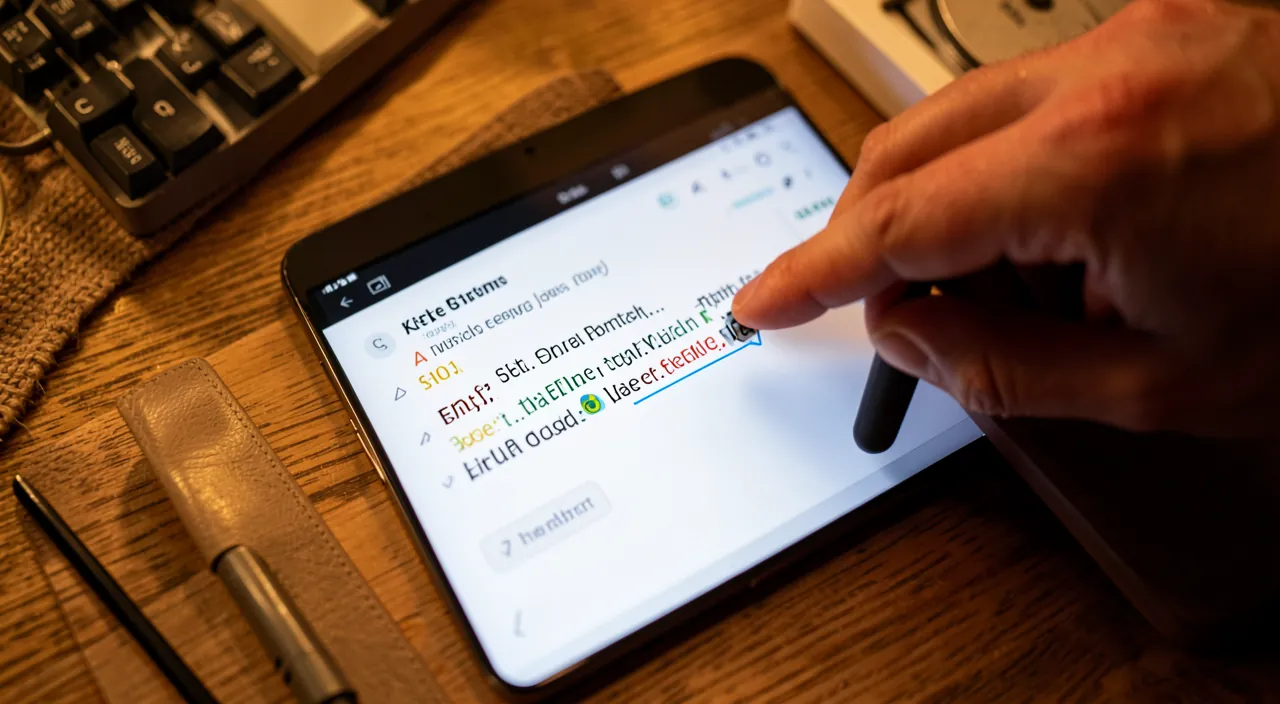
On a computer, hover over the link with your mouse (the real address appears); on a phone, press and hold it to see a preview; examine if the address really matches the expected official site. Let’s detail. On COMPUTER—hover: place the mouse cursor ON the link, WITHOUT clicking; the real address (URL) it points to appears (often at the bottom of the screen, or in a small bubble); you see the true destination; hovering reveals. On PHONE—long press: press and HOLD the link (keep pressing without releasing); a preview of the address (and often options) appears; look at the address, then cancel (don’t click « open »); the long press reveals without opening. EXAMINE the address: once the address is visible, look at it carefully; does it EXACTLY match the expected official site? is the real domain name there? are there typos, strange characters? the examination reveals the trap. Spotting the REAL DOMAIN: the domain name is the main part of the address (just before the extension like .fr, .com); it’s IT that counts; be wary if it’s not the real official site (imitation, added word, changed letter); learn to spot it. IMITATIONS: scammers imitate real addresses with small differences (a letter, an added word, an unusual extension, a misleading subdomain); look closely; an « almost » correct address is suspicious; the devil is in the details. SHORTENED links: a shortened link hides the true destination; you can’t easily see it; be wary of a shortened link received from a dubious source; the hidden address prevents verification. TEXT ≠ destination: beware; the displayed text of the link (e.g., « www.mabanque.fr ») can be DIFFERENT from the true destination; only hovering/long pressing reveals where it REALLY leads; don’t trust the displayed text. In case of DOUBT about the address: if the address seems strange, or doesn’t match the official site, DO NOT CLICK; instead, go to the official site yourself; a suspicious address is enough to abstain; in doubt, no. VERIFICATION tools: there are online tools to « unshorten » a shortened link or verify a link; for the most cautious; but the simplest remains: in doubt, don’t click and go to the official site yourself; abstention is key. The ADVICE: hover (computer) or press and hold (phone) on the link to see its real address without clicking; examine if it exactly matches the official site (beware of imitations); in doubt, don’t click and go to the site yourself. In summary, to check where a link leads without clicking: on COMPUTER, hover over the link with your mouse (without clicking)—the real address it points to appears (often at the bottom of the screen); on PHONE, press and HOLD the link (without releasing) to display a preview of the address, then cancel. Once the address is visible, examine it carefully: does it EXACTLY match the expected official site? Focus on the DOMAIN NAME (the main part of the address, just before the extension like .fr or .com), as it indicates the real site; be wary of IMITATIONS, which reproduce a real address with small differences (a changed letter, an added word, an unusual extension). Beware: the DISPLAYED TEXT of the link can be completely different from its true destination—that’s even a common trap—so never trust the text, only the real address revealed by hovering or long pressing. Also be wary of SHORTENED LINKS, which intentionally hide the destination. And if the address seems strange, doesn’t match the official site, or if you have the slightest doubt: DO NOT CLICK, and instead go to the official site yourself (by typing its address). This simple verification reflex, which takes only a few seconds, foils the vast majority of phishing links.
I clicked on a suspicious link, what should I do?
Don’t panic, but act quickly: if you entered information, change your passwords and contact your bank; otherwise, monitor your device and accounts. Speed limits the damage. Let’s see. Evaluate what you’ve DONE: did you only click (open the site), or also ENTER information (credentials, bank details)? the risk differs; entering info is more serious than just clicking; identify your situation. If you only CLICKED: if you only opened the site without entering or downloading anything, the risk is more limited; don’t enter anything, close the page; monitor your device (strange behavior); as a precaution, an antivirus scan; stay vigilant. If you ENTERED credentials: IMMEDIATELY change the password of the affected account (via the REAL official site), and of any account sharing that password; password theft is countered by a quick change; act without delay. If you gave BANK DETAILS: contact your bank IMMEDIATELY (official number); report, make a stop payment/monitor the card if needed; monitor your statements closely; the bank will guide you; speed is crucial. Enable TWO-FACTOR AUTHENTICATION: enable two-factor authentication on the affected accounts (if it wasn’t done); even with a stolen password, the second factor blocks; a protection that limits damage; strengthen it. If you DOWNLOADED something: if the click triggered a download, don’t open it, delete it; have your device analyzed (antivirus, or professional help); a malicious file is treated; clean it. MONITOR your accounts: in the following days, monitor your accounts (bank, online); watch for any suspicious activity (logins, transactions); react to any anomaly; post-incident vigilance. REPORT the scam: report the fraudulent message (to the competent authorities, the imitated service); you help fight and protect others; reporting is useful; participate. WARN your loved ones: if your account (email) may have been compromised, warn your contacts (the scam could spread in your name); transparency protects your entourage; alert them. Don’t BLAME YOURSELF: these scams trap even the cautious; the important thing is to react quickly, not to blame yourself; learn from it for the future; mistakes happen, the reaction counts. The ADVICE: act quickly; change passwords if you entered credentials, contact the bank if you gave bank details, monitor device and accounts, enable two-factor authentication, report, and warn your loved ones if needed. In summary, if you clicked on a suspicious link, don’t panic but ACT QUICKLY, as speed limits the damage. First, evaluate what you did: if you only CLICKED (opened the site) without entering or downloading anything, the risk is more limited—close the page, don’t enter anything, and as a precaution monitor your device and run an antivirus scan. If you ENTERED credentials, IMMEDIATELY change the password of the affected account (via the real official site), as well as any other account using the same password. If you provided BANK DETAILS, contact your bank IMMEDIATELY (via its official number) to report the situation, make a stop payment or monitor your card, and monitor your statements closely. Enable TWO-FACTOR AUTHENTICATION on the affected accounts (it blocks the use of a stolen password). If the click triggered a DOWNLOAD, don’t open it, delete it, and have your device analyzed. In all cases, MONITOR your accounts in the following days (suspicious activity), REPORT the scam, and WARN your loved ones if your account may have been compromised (the scam could spread in your name). Finally, don’t blame yourself: these traps are designed to deceive and catch even cautious people; the essential is to react quickly and learn for the future. A quick and methodical reaction turns a potentially serious incident into a scare without consequences.
Do phishing links only arrive by email?
No: they also arrive by SMS, messages on social networks and messengers, ads, fake search results, and even QR codes; vigilance is needed on all channels, not just email. Let’s see the channels. By EMAIL (the classic): email remains a major channel (classic phishing); fake emails from banks, services, government agencies with a phishing link; the historical channel; but not the only one. By SMS (smishing): phishing SMS are very common; « package pending, » « account blocked, » « fine to pay » with a link; SMS sometimes inspires more trust than email (wrongly); be wary of SMS with links. On SOCIAL NETWORKS and messengers: phishing messages on social networks, messengers (sometimes from a HACKED account of a loved one!); « look at this video, » « vote for me »; be wary even of a message from a contact if the link is strange. PHISHING ADS: some ads (on websites, apps) lead to fraudulent sites; be wary of too-good-to-be-true or alarming ads; don’t click on just any ad; ads can trap. FAKE search results: sometimes, a search result (or an ad at the top of search) leads to a fake site; verify that you’re on the real official site; even a search can lead to a trap; stay vigilant. QR CODES: a QR code (on a poster, a letter, a fake review) can lead to a phishing link; you can’t see where it leads before scanning; be wary of QR codes from dubious sources; a growing channel. A HACKED account of a loved one: beware; a phishing link can come from the HACKED account of a friend (the scammer sends in their name); even a message from a loved one deserves caution if the link is suspicious; trust is not enough. The SAME REFLEXES everywhere: whatever the channel, the reflexes are the same; check the address, be wary of urgency and requests for credentials, don’t click in doubt; vigilance is universal; apply it everywhere. Don’t LOWER your guard: don’t think you’re safe just because you monitor your emails; traps arrive through all channels; keep your guard up on SMS, social networks, ads, QR codes; the threat is multi-channel. The ADVICE: be wary of phishing links on ALL CHANNELS (email, SMS, social networks, messengers, ads, search, QR codes), not just email; apply the same reflexes everywhere (check the address, be wary of urgency, don’t click in doubt); even a message from a loved one can be trapped (hacked account). In summary, no, phishing links don’t only arrive by email—far from it. While they remain frequent by EMAIL (classic phishing), they arrive just as much by SMS (the « smishing »: « package pending, » « fine to pay »…—and SMS sometimes inspires more trust wrongly), by MESSAGES on social networks and messengers (sometimes sent from the HACKED account of a loved one, making them deceptive), by PHISHING ADS (on websites or apps), by FAKE SEARCH RESULTS (a link at the top of search leading to a fake site), and even by QR CODES (whose destination you can’t see before scanning). The threat is therefore multi-channel, and you shouldn’t lower your guard just because you monitor your emails. An important point: be wary even of a link received from a LOVED ONE, as their account may have been hacked and the scammer may be sending links in their name—the trust in the sender is not enough if the link is suspicious. The good news is that the REFLEXES are the same whatever the channel: check where the link really leads before clicking, be wary of urgency and requests for credentials, and don’t click in doubt (by verifying yourself through the official channel). Apply this vigilance everywhere—email, SMS, social networks, ads, QR codes—and you’ll be protected on all fronts.
What to remember
A phishing link is a link (received by email, SMS, message, or seen in an ad) that, under a harmless or legitimate appearance, takes you to a FRAUDULENT site or triggers a malicious action: stealing your passwords and bank details (most often via PHISHING—a fake site imitating a real one where you would enter your credentials), stealing your data, or infecting your device. These links come with a credible or alarming PRETEXT (« package to collect, » « account blocked, » « refund, » « win ») and play on URGENCY to make you click without thinking. They arrive through ALL CHANNELS (email, SMS, social networks, messengers, ads, fake search results, QR codes)—sometimes even from the hacked account of a loved one—and target everyone. The best protection is to know how to RECOGNIZE them before clicking, thanks to a few warning signs: URGENCY and pressure (« act within 24 hours, » « account blocked »), a DUBIOUS SENDER (strange address or number), a SUSPECT LINK ADDRESS (not the real official site), MISTAKES and a strange tone, a REQUEST for credentials or bank details, an UNEXPECTED MESSAGE, a TOO-GOOD-TO-BE-TRUE offer, a SHORTENED link that hides its destination. Cross-check these signs, and in case of doubt, abstain. The two key reflexes to adopt: first, CHECK THE REAL ADDRESS of the link BEFORE clicking (hover over it with your mouse on a computer, press and hold it on a phone)—the displayed text can hide a completely different destination, so examine if the address really matches the official site (beware of imitations with a changed letter or an added word). Then, never GIVE IN to URGENCY: consider it itself as a warning sign, take your time, and in case of doubt, DO NOT CLICK—instead, verify IT YOURSELF through the official channel (type the site’s address, use the official app, call the official number). The absolute golden rule: no real service ever asks for your credentials or bank details via a received link—never enter them this way, always use the official channel you know. Complete with good fundamental practices: enable TWO-FACTOR AUTHENTICATION (it protects even if a password leaks), keep your devices updated, use protection, report and delete fraudulent messages, and warn your loved ones (especially the most vulnerable). And if the damage is done—you clicked and entered information—don’t panic but REACT QUICKLY: immediately change the affected passwords (via the real site), contact your bank if you provided bank details, enable two-factor authentication, monitor your accounts, report the scam, and warn your loved ones if your account may have been compromised. Don’t blame yourself: these traps are designed to deceive even cautious people. In short, protecting yourself from phishing links doesn’t require being an expert, but acquiring a few safety habits: check the address before clicking, be wary of urgency, never enter sensitive information via a received link, and in case of doubt, always use the official channel. These simple reflexes, applied on all channels, protect you from almost all traps—a thoughtful click is worth a thousand regrets.
Doubts about your security, a device to check or clean? Our support service guides you step by step.
Leave a Reply
You must be logged in to post a comment.