
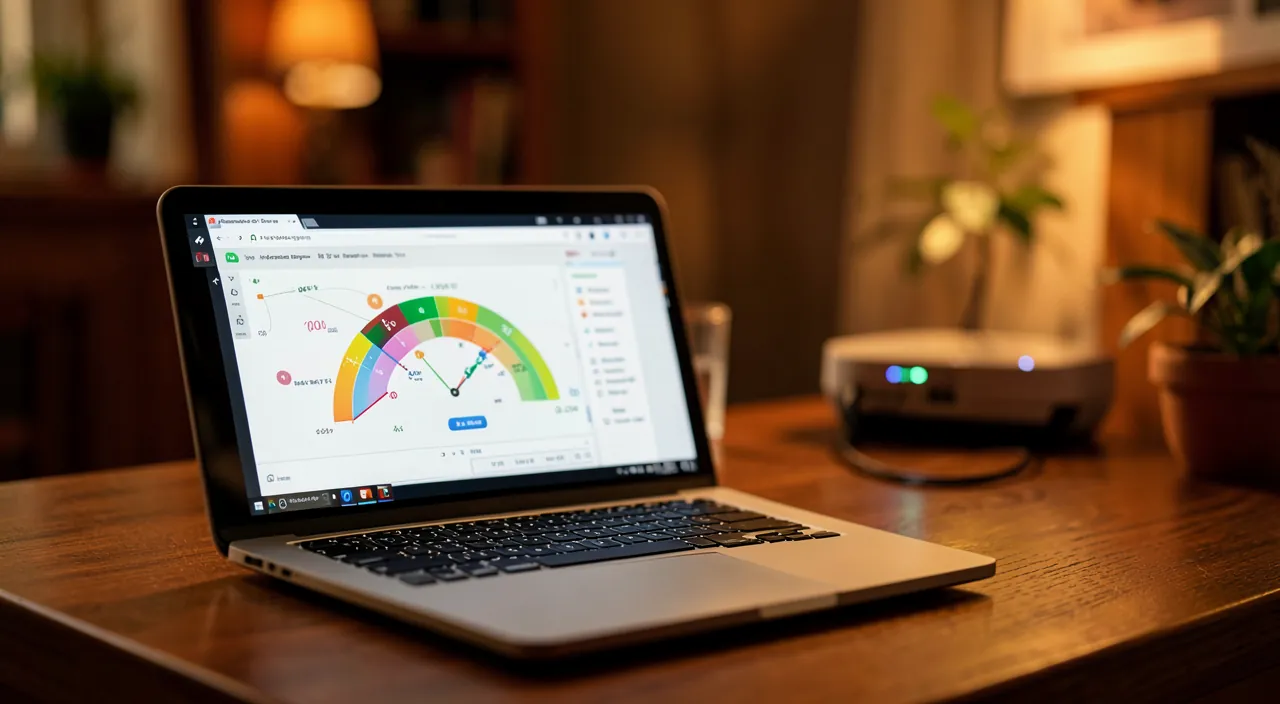
Is your internet connection slow? Videos buffer, pages take time to load, video calls drop? Before getting frustrated or calling your provider, it’s useful to TEST your connection speed: a simple and free measurement that tells you how fast your data actually flows. This test helps you determine if your connection is really slow (and if so, how much), check that you’re getting the promised speed, compare Wi-Fi and mobile networks, or identify a problem. It’s quick (a few seconds), free, and gives you concrete arguments. Let’s see what a speed test is, how to do it correctly, how to interpret the results, and what to do if your connection is slow.
What is a speed test and what is it for
Let’s understand what a speed test measures and its usefulness. What it MEASURES: the speed at which your data flows (download and upload speeds), and responsiveness; a concrete measurement of your connection; the principle. The DOWNLOAD speed: the download speed (receiving data: loading a page, a video); the most important for most uses; to monitor. The UPLOAD speed: the upload speed (sending data: email with attachment, video call, publishing); useful for video calls, sending; to know. The PING (latency): the reaction time of the connection; important for video calls, games (high latency = lag); to consider. Knowing if it’s REALLY slow: the test objectively tells you if your connection is slow or correct; getting out of the feeling; factual; useful. Checking the PROMISED speed: compare the result to what your plan promises; are you getting what you pay for? an argument; useful. Comparing WIFI and mobile: test on Wi-Fi then on mobile data; compare the two; diagnose; useful. Identifying a PROBLEM: an abnormally low speed may reveal an issue (box, Wi-Fi, line); a starting point for troubleshooting; diagnosis; useful. Concrete ARGUMENTS: when dealing with the provider, a numerical test supports your claim; concrete rather than feeling; effective; useful. Free and FAST: the test is free and takes a few seconds; accessible to everyone; no risk; simple. In summary, a speed test MEASURES the actual speed at which your data flows. It gives three indicators: the DOWNLOAD speed (download speed — receiving data, loading a page or video: the most important for most uses), the UPLOAD speed (upload speed — sending an email with an attachment, making a video call, publishing: useful for these uses), and the PING or latency (the reaction time of the connection: important for video calls and games; high latency creates lag). What is it for? To know OBJECTIVELY if your connection is really slow (getting out of the feeling), to check that you have the PROMISED speed from your plan (are you getting what you pay for?), to COMPARE Wi-Fi and mobile networks, to IDENTIFY a problem (an abnormally low speed often reveals an issue), and to have concrete, numerical ARGUMENTS when dealing with your provider. All of this for free and in a few seconds. A simple and valuable measurement to understand — and improve — your connection.
A speed test measures how fast your internet works in three ways: how quickly it downloads (like loading a video), how quickly it uploads (like sending a file), and how fast it responds (important for games and calls). It helps you check if your internet is as fast as your provider says, find out if the problem is your Wi-Fi or the connection itself, and gives you numbers to show your provider if there’s a problem.
Imagine you have a 100 Mbps plan but your speed test shows only 30 Mbps. If testing with a wired connection gives you 90 Mbps, the problem is your Wi-Fi setup. If both wired and Wi-Fi tests show 30 Mbps, your internet provider might have an issue with your line.
How to perform a speed test correctly
Here’s how to test your speed and get a reliable result. Use a TEST TOOL: search for « speed test » / « speed test » (free and recognized websites or apps); launch the test; simple; accessible. LAUNCH the test: a « Go » / « Start » button; the test measures download, upload, and ping in a few seconds; let it finish; quick. Choose a RECOGNIZED tool: prefer well-known and reliable speed tests; credible results; avoid dubious sites; cautious. Close other USAGE: before testing, close what consumes (downloads, videos, other devices); otherwise the result is skewed; test « idle »; important. Test in the right PLACE: Wi-Fi speed varies with distance from the box; test where you use it, and near the box to compare; locate; useful. Test WIFI and WIRED: if possible, test on Wi-Fi AND wired (cable); the wired test reveals the true line speed; compare; diagnose. Test at different TIMES: speed varies (peak hours in the evening); test at different times; an average view; representative. Compare WIFI/mobile: test Wi-Fi then mobile data; know which is better where you are; useful; diagnose. NOTE the results: keep a record (numbers, date, conditions); for comparison, arguing; useful; methodical. REDO to confirm: run 2-3 tests for a reliable average; a single test may be atypical; confirm; rigorous. In summary, to perform a speed test CORRECTLY: use a RECOGNIZED test tool (search for « speed test » or « speed test »: free and reliable websites or apps; avoid dubious sites), and LAUNCH the test (a « Go » button measures download, upload, and ping in a few seconds). For a RELIABLE result, a few precautions: CLOSE other uses before testing (downloads, videos, other devices that consume; otherwise the result is skewed — test « idle »), test in the RIGHT PLACE (Wi-Fi speed decreases with distance from the box; test where you use it, and near the box to compare), test if possible on WIFI AND WIRED (the cable reveals the true line speed), and at DIFFERENT times (speed varies, especially during peak hours in the evening). Compare WIFI and MOBILE (to know which is better where you are), NOTE the results (numbers, date, conditions: useful for comparison and arguing), and REDO 2-3 tests for a reliable average (a single test may be atypical). In a few minutes, you have a reliable measurement of your connection.
For a reliable test: close everything that consumes, test near the box (or wired), and retest at different times. A speed test is only valid if done under good conditions: a rushed test gives a misleading result that will mislead you. Here’s how to get a truly reliable and useful measurement. First point: TEST « IDLE, » closing everything that consumes the connection. This is the most common mistake: testing the speed while a download is running, a video is playing, or other devices in the house are using the internet — the result will be artificially LOW, as the connection is already occupied. Before launching the test, close: ongoing downloads, videos, resource-heavy applications, and ideally pause other connected devices (phones, tablets, TVs) that might be consuming in the background. You will thus measure the REALLY available speed, not what’s left after sharing. Second point: pay attention to the LOCATION and METHOD of the test. On Wi-Fi, the speed DEPENDS GREATLY on the distance to the box and obstacles: a test done at the other end of the house, behind several walls, will give a much lower speed than next to the box — without your internet connection being at fault (it’s the Wi-Fi that weakens). For a complete diagnosis, test in several places: where you usually use the internet (to see what you really have), AND right next to the box (to see the best possible Wi-Fi). Even better, if you can, do a test WIRED (with a cable connecting your computer to the box): this eliminates the Wi-Fi factor and reveals the TRUE speed of your internet line. If the wired test is good but the Wi-Fi is bad, the problem is the Wi-Fi (distance, interference), not your subscription. Third point: test at DIFFERENT TIMES of the day. Speed is not constant: it can drop during PEAK HOURS (typically in the evening, when everyone is connected), due to network saturation. A single test at a given moment is therefore not representative: retest at different times (morning, afternoon, evening) to get a fair view, and note if the speed drops at certain times (which explains the slowness felt in the evening). Fourth point: REDO the test 2 or 3 times in a row to get an AVERAGE. An isolated test may give an atypical result (temporary peak or dip); several tests in a row give a more reliable measurement. Fifth point: NOTE your results (the numbers, the date, the time, the conditions: Wi-Fi or wired, near or far from the box). This record will help you compare over time, compare Wi-Fi/mobile, and especially ARGUE with your provider with concrete numbers if the speed is insufficient. In summary, for a reliable test: CLOSE everything that consumes (downloads, videos, other devices: test the connection « idle »), pay attention to the LOCATION and METHOD (test near the box and where you use it; wired if possible, to isolate Wi-Fi from the true line speed), REDO the test at DIFFERENT TIMES (speed often drops during peak hours in the evening) and several times in a row (for an average), and NOTE your results (for comparison and arguing). A well-done test gives you a true picture of your connection; a rushed test misleads you. These few precautions turn a simple measurement into a real diagnosis.

Interpreting the results and acting if it’s slow
Once the test is done, here’s how to read the results and react. COMPARE to the PROMISED speed: compare your result to the speed advertised in your plan; significantly below? there’s an issue; the first reflex; useful. A CORRECT speed: if the speed is close to the promised and sufficient for your uses, everything is fine; the slowness may come from elsewhere (device, site); reassuring. A WEAK speed: well below the promised or objectively low; there’s a problem to investigate; we’ll see; diagnosis. WIFI or LINE: if the wired is good and the Wi-Fi is bad → Wi-Fi problem; if both are bad → line/plan issue; locate the cause; key. Improve the WIFI: move closer to the box, reduce obstacles, restart the box, consider a repeater; consult our Wi-Fi guides; solutions. RESTART the box: restarting the box often fixes slowness; the basic gesture; simple; effective. Check other DEVICES: a device that consumes (update, download) slows everything down; identify the resource-heavy ones; free up bandwidth; useful. CONTACT the provider: if the speed is durably insufficient (tests to back it up), contact your provider; your numbers argue; claim; effective. Consider a better PLAN: if your plan is inherently slow for your needs, consider a faster plan; adapt to your uses; solution; useful. The PROBLEM elsewhere: sometimes the slowness comes from the visited site, the device, not the connection; the test helps to distinguish; diagnosis; lucid. In summary, to interpret the results and act: FIRST compare your speed to the PROMISED speed in your plan. If the speed is CORRECT (close to the promised and sufficient for your uses), everything is fine on the connection side — the slowness you feel may come from elsewhere (the device, the visited site). If the speed is WEAK (well below the promised or objectively low), there’s a problem to investigate. To LOCATE the cause, compare Wi-Fi and wired: if the WIRED is good but the WIFI is bad, the problem is the Wi-Fi (distance, obstacles, interference) — move closer to the box, reduce obstacles, restart the box, or consider a Wi-Fi repeater; if BOTH are bad, the problem is the line or the plan itself. In all cases, RESTARTING the box often fixes slowness (the basic gesture), and check that no DEVICE is consuming everything (update, download). If the speed remains durably insufficient, CONTACT your provider (your numerical tests support your claim), or consider a FASTER plan if yours is inherently too slow for your needs. The test thus helps to distinguish and act effectively, rather than suffering from slowness without understanding.
Warning: a poorly done test misleads, the advertised speed is a theoretical maximum, and slowness does not always come from the connection. The speed test is useful, but a few precautions avoid misinterpretation. First point: a POORLY DONE test gives a MISLEADING result. If you test while the connection is already in use (downloads, videos, other devices), or on Wi-Fi far from the box, you will get an artificially LOW speed that does not reflect your true connection — and you might wrongly conclude that your subscription is bad. Before drawing conclusions, make sure the test was done under GOOD conditions: « idle » connection (nothing else consuming), near the box or wired, and confirmed by several tests. A bad result may simply come from a bad test. Second point, important: the speed ADVERTISED by your plan is generally a THEORETICAL MAXIMUM, not a guarantee. Internet plans are often presented with speeds « up to » so much — this is the maximum possible under ideal conditions, which you may not necessarily achieve in practice (distance to the equipment, line quality, Wi-Fi, time of day). A real speed slightly lower than the advertised maximum is therefore NORMAL. Do not worry about a small gap: it’s a speed much lower, or insufficient for your uses, that should alert you. Also find out about the real speed you are entitled to expect according to your type of connection. Third point: slowness does NOT ALWAYS come from your connection. One often blames « internet » for being slow, when the problem may be elsewhere: the SITE or service you are using may be slow or overloaded (on their side, not yours); your DEVICE may be at fault (old, saturated, too many tabs or applications open, in the middle of an update); the WIFI may weaken while the internet connection is good. The speed test helps to DISTINGUISH: if your measured speed is good but everything is slow, look for the problem on the device or site side, not the connection. Do not change your plan wrongly for a problem that does not concern it. Fourth point: beware of DOUBTFUL test tools. Use RECOGNIZED and reliable speed test tools; be wary of obscure sites that might give whimsical results, display misleading ads (« your connection is infected! »), or push you to install questionable software. A legitimate speed test is simple, free, and does not ask you for anything other than to launch the measurement. Fifth point: keep in mind that speed VARIES naturally (peak hours, number of connected devices): a variation is not necessarily a defect. Compare your results over several tests and times before concluding. In summary: a POORLY DONE test misleads (test idle, near the box or wired, several times: a bad result sometimes comes from a bad test), the ADVERTISED speed is a theoretical maximum « up to » (a small gap is normal; it’s a much lower speed that alerts), slowness does not always come from the connection (the site, the device, or the Wi-Fi may be at fault: the test helps to distinguish), use RECOGNIZED test tools (beware of dubious sites), and remember that speed VARIES naturally. With these references, you correctly interpret your tests and act on the true cause of the slowness.

Frequent questions
My real speed is lower than what my plan promises: is this normal?
A small gap is normal (the advertised speed is a theoretical maximum « up to »), but a speed significantly lower or insufficient is not normal: first check your test conditions (idle, wired), then contact your provider with your measurements. Let’s see. A SMALL gap, normal: the advertised speed is a theoretical maximum; a real speed slightly lower is normal; do not worry about a small gap; expected. « UP TO » so much: plans advertise « up to » a maximum speed (ideal conditions); we do not always reach it; it’s theoretical; to know. A LARGE gap, abnormal: a speed much lower than promised, or insufficient, is not normal; there, there’s an issue; react; diagnose. CHECK the test first: make sure you tested idle, near the box or wired; a bad test skews; eliminate this cause; cautious. WIFI or LINE: test wired; if the wired is good, the problem is the Wi-Fi (not the plan); locate before blaming; key. The FACTORS that play: distance to the equipment, line quality, time; real speed depends on conditions; nuance; context. What you SHOULD have: find out about the real speed expected for your type of connection; a realistic reference; inform yourself; useful. CONTACT the provider: if the gap is significant and confirmed, contact your provider with your tests; your numbers argue; claim; effective. Consider CHANGING: if the provider does not solve the issue or the plan is inherently slow, consider another plan; solution; useful. The ADVICE: a small gap is normal (the advertised speed is a theoretical maximum « up to »), but a speed significantly lower or insufficient is not normal; first check your test conditions (idle, wired to isolate Wi-Fi), then contact your provider with your measurements if there’s a real gap. In summary, it depends on the SIZE of the gap. A SMALL gap between your real speed and the advertised speed is perfectly NORMAL, and here’s why: the speed advertised by internet plans is generally a THEORETICAL MAXIMUM, presented with the mention « up to » so much — this is the speed achievable under IDEAL conditions, which we do not always obtain in practice. Real speed depends on many factors (distance to the equipment, quality of your line, time of day, Wi-Fi), and it is therefore common and expected that it is slightly lower than the theoretical maximum. Do not worry about a small gap. On the other hand, a speed SIGNIFICANTLY lower than promised, or simply INSUFFICIENT for your uses, is NOT normal and should make you react. But before blaming your plan, proceed step by step. First, CHECK your test conditions: did you test « idle » (nothing else consuming), near the box or WIRED? A poorly done test gives an artificially low speed. Then, test WIRED to distinguish: if the wired speed is good but the Wi-Fi is bad, your problem is the WIFI (distance, obstacles), NOT your plan — it is then useless to complain about the subscription. If the gap is SIGNIFICANT and CONFIRMED even wired, then contact your PROVIDER: present them with your numerical tests (which concretely support your claim), and ask them to check your line. Also find out about the real speed you should reasonably obtain with your type of connection, to have a reference. Finally, if the provider does not solve the issue or if your plan is inherently too slow for your needs, consider changing to a faster plan. In summary: a small gap, it’s normal (theoretical maximum); a large confirmed gap, it’s abnormal — first check your test conditions and the Wi-Fi, then complain to the provider with your measurements as proof.

How to know if the problem comes from my connection, my Wi-Fi, or my device?
Perform comparative tests: test wired (isolates the line from Wi-Fi), in different places (reveals a Wi-Fi issue), and on another device; by comparing, you locate the cause; the speed test is your best diagnostic tool. Let’s see. The test, a DIAGNOSTIC tool: comparing several tests helps to locate the cause (line, Wi-Fi, or device); the test isolates problems; methodical; powerful. Test WIRED: with a cable, you isolate Wi-Fi; if the wired is good, the line is fine (the issue is elsewhere); the key test; revealing. WIRED good, Wi-Fi bad: the problem is the WIFI (distance, obstacles, interference); not the line; act on the Wi-Fi; located. WIRED and Wi-Fi bad: the problem is the LINE or the plan; not the Wi-Fi; provider side; located. Test in different PLACES: if the Wi-Fi is good near the box, bad far away → Wi-Fi range issue; locate in space; diagnose. Test another DEVICE: if another device works well in the same place → the problem is your device (not the connection); isolate the device; useful. Check the DEVICE: old device, saturated, updates, too many tabs; may slow down despite a good connection; look into this; lucid. The SITE at fault: if only one site is slow, it’s the site (not you); test other sites; distinguish; diagnose. RESTART to test: restarting the box and device eliminates temporary causes; the basic gesture before digging deeper; simple; effective. The ADVICE: perform comparative tests; wired (isolates the line from Wi-Fi), in different places (reveals a Wi-Fi range issue), and on another device (isolates your device); by comparing the results, you locate if the cause is the line, the Wi-Fi, or the device. In summary, to know where the slowness comes from — from your internet connection itself, your Wi-Fi, or your device — the method is to perform COMPARATIVE TESTS that isolate each possible cause. The speed test is your best diagnostic tool here. First decisive test: test WIRED (with a cable connecting your computer to the box). This ELIMINATES the Wi-Fi factor and measures the true speed of your LINE. Two cases: if the WIRED speed is GOOD but your Wi-Fi is bad, the problem is the WIFI (distance to the box, obstacles, interference), and not your internet connection — act on the Wi-Fi (move closer, restart the box, repeater). If the speed is BAD even WIRED, then the problem is the LINE or the plan itself — it’s on the provider’s side that you need to look. Second test: test in DIFFERENT PLACES in your home. If the Wi-Fi is good near the box but drops at a distance, it’s a Wi-Fi RANGE issue (to be solved with a better placement of the box or a repeater). Third test: test on ANOTHER DEVICE, in the same place and at the same time. If the other device works well while yours is slow, the problem is YOUR DEVICE (perhaps old, saturated, with too many tabs or applications open, or in the middle of an update) — not the connection. Another clue: if ONLY one site or service is slow while the rest works fine, it’s that site that is at fault (overloaded on their side), not you — test other sites to verify. Finally, before digging deeper, the basic reflex: RESTART the box AND your device, which often eliminates temporary causes. By comparing the results (wired vs Wi-Fi, different places, different devices, different sites), you precisely locate the cause of the slowness — and you can act on the right element, instead of wrongly blaming your connection.
Are free speed tests reliable?
Yes, recognized speed tests are reliable and free; use well-known tools, test under good conditions (idle, several times), and beware of dubious sites that might display false results or misleading ads. Let’s see. YES, the RECOGNIZED ones are reliable: well-known and serious speed tests give reliable measurements; free and credible; use them; reassuring. FREE and simple: a real test is free, quick, does not ask for anything other than to launch the measurement; accessible; no traps; normal. Correct TEST conditions: reliability also depends on YOUR conditions (idle, good place, several tests); a good tool used poorly misleads; test well; important. Beware of DUBIOUS sites: some obscure sites give whimsical results, misleading ads (« infected connection! »), push you to install software; avoid them; cautious. DO NOT install anything dubious: a legitimate test does not ask you to install suspicious software; be wary of such requests; refuse; security. Choose a KNOWN tool: prefer reputable tests (including those offered by serious players); notoriety is a guarantee; choose well; safe. REDO to confirm: several tests confirm the measurement; repetition makes it more reliable; confirm; rigorous. Compare SEVERAL tools: testing with two recognized tools cross-checks the result; the agreement reassures; cross-check; methodical. The ADVICE: yes, recognized speed tests are reliable and free; use well-known tools, test under good conditions (idle, several times), and beware of dubious sites (false results, misleading ads, software to install). In summary, yes, free speed tests are reliable — provided you use RECOGNIZED tools and test under GOOD conditions. Serious and well-known speed tests (including some offered by reputable players in the field) give RELIABLE and CREDIBLE measurements, and they are entirely FREE: a real test is simple and quick, does not ask you for anything other than to click on « start » and wait a few seconds. Reliability, however, depends on TWO things. On the one hand, the CHOICE of the tool: prefer RECOGNIZED and reputable speed tests; BEWARE, however, of obscure and dubious sites, which may give whimsical results, display MISLEADING ADS (of the type « your connection is infected, click here! »: a classic scam), or push you to INSTALL suspicious software (which a legitimate test NEVER asks for: refuse any dubious installation). On the other hand, reliability depends on YOUR test conditions: even the best tool will give a misleading result if you test while the connection is busy, or on Wi-Fi far from the box. For a reliable result, test « IDLE » (nothing else consuming), in good conditions, and REDO the test several times (repetition confirms the measurement and avoids relying on an atypical result). Tip for more safety: you can COMPARE the results of TWO different recognized tools; if they agree, you can be confident in the measurement. In summary, trust recognized and free speed tests, use them under good conditions and several times, but keep your vigilance against dubious sites that exploit the pretext of the « connection test » to display scams or install software — a real speed test is simple, free, and without traps.
What to remember
Testing the speed of your internet connection is a simple, free, and quick measurement (a few seconds) that allows you to get out of the feeling and know OBJECTIVELY at what speed your data flows. The test gives three indicators: the DOWNLOAD speed (download — the most important for most uses), the UPLOAD speed (upload — useful for video calls and attachments), and the PING or latency (responsiveness — important for video calls and games). It helps you know if your connection is really slow, check that you have the PROMISED speed, compare Wi-Fi and mobile, identify a problem, and have concrete, numerical ARGUMENTS when dealing with your provider. For a RELIABLE test: use a RECOGNIZED tool (search for « speed test » or « speed test »; beware of dubious sites that display false alerts or push you to install software), and test under GOOD conditions — « IDLE » (close downloads, videos, and other devices that consume), near the box or WIRED (to isolate Wi-Fi and measure the true line speed), at DIFFERENT times (speed often drops during peak hours in the evening), and several times (for a reliable average). Note your results. To INTERPRET: compare to the promised speed, keeping in mind that the advertised speed is a THEORETICAL MAXIMUM « up to » — a small gap is normal, it’s a speed significantly lower or insufficient that should alert you. The test mainly helps to LOCATE the cause of slowness: test wired (if the wired is good but the Wi-Fi is bad, the problem is the WIFI, not the plan; if both are bad, it’s the LINE), in different places (for a Wi-Fi range issue), and on another device (to isolate your DEVICE). Because slowness does NOT always come from the connection: the visited site, your device (old, saturated, updating) or the Wi-Fi may be at fault — the test helps to distinguish and not wrongly blame your subscription. To act: restart the box (the basic gesture), improve the Wi-Fi if it’s the issue (moving closer, repeater), check that no device is consuming everything, and if the speed remains durably insufficient even wired, contact your provider (with your tests as proof) or consider a faster plan. In short, the speed test is a very useful small diagnostic tool: well done and well interpreted, it tells you if your connection is really at fault, where the problem lies, and gives you the arguments to solve it — instead of suffering from slowness without understanding.
Want to gain confidence with your digital tools? Our personalized training adapts to your level.
Leave a Reply
You must be logged in to post a comment.