
Installing an application has become a mundane task: a need, a search, an « install » button, and it’s done. However, not all applications are equal, and some hide unpleasant surprises: deceptive applications that mimic real ones, applications that are data-hungry, invasive ads, trap subscriptions, or even malicious software. Taking a few seconds to CHECK an application before installing it helps avoid these pitfalls and protects your device, your data, and your wallet. It’s not complicated: it’s just a matter of a few simple reflexes—checking who publishes it, the reviews, the requested permissions, and where it is downloaded from. Let’s see why this verification matters, how to do it concretely, and the warning signs to look for.
Why verify an application before installing it
Not all applications are reliable; let’s understand why verification is important. Not all are EQUAL: behind the « install » button, applications are very unequal; some are excellent and reliable, others deceptive, data-hungry, or outright malicious; appearance doesn’t tell everything; hence the verification. DECEPTIVE applications: some imitate known applications (same name, almost identical logo) to trick you; you think you’re installing the real one, but you’re installing a questionable copy; the imitation is a trap; check the publisher (we’ll come back to this). DATA collection: many applications collect your personal data (sometimes far more than necessary); some make a business out of it; checking permissions and the publisher helps choose; your data is at stake; consult our guides on app data. ADS and subscriptions: some applications are riddled with invasive ads, or trap you with costly subscriptions that are poorly signaled; reviews often reveal these flaws; the experience and your wallet are at stake; check. MALICIOUS software: more rarely (especially outside official stores), an application can be malicious (steal data, spy, harm); the risk is real; the source and verification protect; be wary. EXCESSIVE permissions: an application may request access to things unrelated to its function (a flashlight that wants your contacts?); these excessive permissions are a signal; check what it asks (we’ll come back to this). VARIABLE quality: beyond security, quality varies; applications that crash, don’t work, disappoint; reviews save you time; checking is also choosing the right app. Protecting the DEVICE and data: a bad application can harm your device (slowness, battery, security) and your data; verification protects both; a concrete issue; take the time. A QUICK action: verifying takes only a few seconds/minutes (publisher, reviews, permissions, source); a small effort to avoid big troubles; profitable; adopt the reflex. Not installing BLINDLY: the reflex to install without thinking is risky; a simple verification changes everything; don’t click « install » without a minimum of control; caution before installation. What it SERVES: to avoid deceptive, data-hungry, trapped, or malicious applications, and to choose reliable and quality applications; protect device, data, and wallet; the right choice from the start. The main idea: not all applications are equal—behind the « install » button, some are excellent, others DECEPTIVE (imitating real applications), data-hungry, filled with ADS or trap subscriptions, or even MALICIOUS (especially outside official stores). Some also request EXCESSIVE permissions unrelated to their function. Taking a few seconds to CHECK an application before installing it—looking at who publishes it, the reviews, the requested permissions, and where it is downloaded from—helps avoid these pitfalls and protects your device, your data, and your wallet, while choosing reliable and quality applications. It’s not complicated: it’s a quick and profitable reflex, far preferable to « blind » installation. Understanding that the « install » button is not trivial is the first step toward good choices.
Some apps look safe but can steal your data, show too many ads, or even damage your phone. Checking who made it, what others say, and what it wants to access helps you avoid these problems. It only takes a few minutes and keeps your phone and info safe.
Imagine you want to install a flashlight app. A real one only needs access to your camera. But a fake one might also ask for your contacts and location. If you see these extra requests, it’s a red flag – the app is probably trying to collect your data. Always check permissions before installing.
How to verify an application
Here are the simple reflexes to verify an application before installing it. DOWNLOAD from the OFFICIAL store: the basic rule; download your applications ONLY from the official app store of your device (App Store, Play Store); these stores verify the applications; avoid dubious external sources; the official source is the first protection (we’ll come back to this). Check the PUBLISHER: look at who publishes the application (the developer); is it the expected official publisher (for a known app), a serious publisher? An unknown or impersonating publisher is suspicious; the publisher reveals a lot (we’ll come back to this). READ the reviews and ratings: consult the user reviews and ratings; a good rating and numerous positive reviews are reassuring; negative reviews (bugs, scams, ads, data) alert; reviews are a goldmine of info (we’ll come back to this). Check the NUMBER of downloads: a highly downloaded application (especially if known) is generally more established; a very low number for an app that is supposed to be popular is suspicious; popularity is an indicator (to cross-check). Verify the PERMISSIONS requested: look at what the application wants to access (contacts, location, microphone, photos); are these permissions COHERENT with its function? Excessive permissions alert; an important signal (we’ll come back to this). Be wary of IMITATIONS: for a known application, verify that it’s the REAL one (good publisher, exact name, numerous reviews); be wary of copies with almost identical names; the imitation is exposed by the publisher and the reviews. Read the DESCRIPTION: is the description clear, serious, without errors or exaggerated promises? A dubious description (errors, too-good-to-be-true promises) alerts; seriousness shines through; read it. Verify the ECONOMIC model: is it free with ads? Paid? Subscription? In-app purchases? Reviews often reveal trap subscriptions; know what you’re getting into; avoid financial surprises. Verify the UPDATES: an application regularly updated is maintained (security, fixes); an abandoned app (never updated) is less secure; the last update date informs; check it. Look for EXTERNAL info: for an important application or one you doubt, a quick online search (external reviews, publisher’s reputation) sheds light; cross-check beyond the store; external info completes the picture. In summary, to verify an application before installing it: download ONLY from the OFFICIAL store (App Store, Play Store—first protection), verify the PUBLISHER (is it the real one, a serious developer?), read the REVIEWS and rating (numerous and positive? Complaints about bugs, scams, ads?), check the number of downloads, control the PERMISSIONS requested (coherent with the function?), be wary of IMITATIONS of known applications, read the DESCRIPTION (serious?), verify the economic model (trap subscriptions?), and check the updates (maintained?), and look for external info if in doubt. These quick reflexes avoid pitfalls; the official source, the publisher, the reviews, and the permissions are the key points to verify.
Essential checks: the official source, the publisher, the reviews, and the permissions. Verifying an application may seem tedious, but in reality, four simple checks are enough to avoid most pitfalls, and they take only a few moments. Here are these four reflexes, in order of importance. The first reflex, the most fundamental: download ONLY from the OFFICIAL STORE of your device (the App Store on iPhone, the Play Store on Android). This is the basic protection, and by far the most important. These official stores CHECK the applications before offering them (they filter out a large part of malicious applications), provide reviews, and allow reporting problems. On the other hand, downloading an application from a dubious external site, a received link, or an unofficial « alternative » source exposes you much more to trapped and malicious applications, which have undergone no control. The rule is therefore: always go through the official store, and be wary of any application that you are pushed to install from elsewhere. Second reflex: check the PUBLISHER (the developer who publishes the application). This is crucial, especially for known applications. Look at the displayed developer name: for an application from a known brand or service, is it the expected OFFICIAL PUBLISHER? Deceptive applications often imitate a popular application (with a name and logo almost identical), but the publisher, on the other hand, betrays the scam: an unknown developer, with a strange name, or different from the official publisher, should alert you. Checking the publisher allows you to distinguish the REAL application from its imitations. Third reflex: read the REVIEWS and rating. This is a goldmine of precious and honest information, as it is other users who testify to their real experience. Look at the overall rating (a correct rating with NUMEROUS reviews is more reliable than a perfect rating with three reviews), and above all, read some reviews, especially the NEGATIVE ones: they reveal the real problems—bugs, crashes, invasive ads, trap subscriptions, abusive data collection, or even scams. If the reviews massively report serious problems, move on. However, be wary of reviews that seem fake (too complimentary, generic, all posted at the same time), a possible sign of manipulation. Fourth reflex: check the PERMISSIONS requested (what the application wants to access: your contacts, your location, your microphone, your camera, your photos…). The question to ask yourself is simple: are these requests COHERENT with the application’s function? A photo editing app that asks for access to your photos is logical; but a simple flashlight, calculator, or game that demand access to your contacts, microphone, or location is SUSPICIOUS: these excessive permissions, unrelated to the function, often hide abusive data collection. Disproportionate permissions are a major warning signal. By combining these four checks—official source (the basis), publisher (against imitations), reviews (real experience of others), and permissions (against abusive collection)—you filter out most problematic applications in a few moments. This small ritual before each installation quickly becomes a natural reflex, and it saves you from many troubles: deceptive applications, sucked-up data, invasive ads, trap subscriptions. A moment of verification is better than a bad surprise after installation.
Warning signals and good reflexes
Certain signals betray a questionable application; here are which ones and how to react. An UNKNOWN or impersonating publisher: a developer with a strange name, or imitating a known publisher; for an app that is supposed to be official, a dubious publisher is a strong signal; always check who publishes; a suspicious publisher alerts. EXCESSIVE permissions: an application that requests access to things unrelated to its function (contacts, microphone, location for an app that doesn’t need them); a major signal of abusive collection; refuse or don’t install; disproportionate permissions alert. NEGATIVE or fake reviews: many reviews reporting bugs, scams, ads, trap subscriptions; or, on the contrary, overly complimentary and suspicious reviews (fake reviews); both alert; read the reviews with discernment. Few DOWNLOADS for a « known » app: if an application that is supposed to be popular has very few downloads, it may be an imitation or a fake; the inconsistency between popularity and downloads alerts; cross-check. A DOUBTFUL description: errors, exaggerated promises (« make money, » « miracle solution »), confusing text; a non-serious description betrays; the seriousness of an app shines through in its presentation; be wary. An EXTERNAL source: an application that you are pushed to install OUTSIDE the official store (via a link, a site); this is a major warning signal; go through the official store; installation outside the store is risky. A REQUEST to disable security: if an application/a site asks you to disable a protection to install it; this is a very bad sign (typical of malware); never do it; this request is an alarm signal. TRAP subscriptions: some apps offer a « free trial » that silently switches to a costly subscription; reviews often denounce them; read the terms; be wary of trials that ask for your payment upfront. The REFLEX in case of doubt: at the slightest doubt, don’t install; look for a reliable alternative, or gather more information; an uninstalled app can’t harm; when in doubt, abstain. MANAGE permissions after installation: even after installation, you can review and RESTRICT the granted permissions (in the settings); don’t let an app access what it doesn’t need; manage permissions; consult our guides on permissions. UNINSTALL a questionable app: if after installation an app turns out to be questionable (wild ads, strange behavior, abusive requests), uninstall it; nothing forces you to keep it; it’s possible to go back; remove the problem. In summary, the signals that should alert: an UNKNOWN or impersonating publisher, EXCESSIVE permissions (unrelated to the function), NEGATIVE (or fake and overly complimentary) reviews, few downloads for a « known » app, a DOUBTFUL description (errors, exaggerated promises), an EXTERNAL source outside the official store, a request to DISABLE security (major alarm signal), TRAP subscriptions. Good reflexes: in doubt, don’t install (look for a reliable alternative), manage and restrict permissions even after installation, and uninstall any application that turns out to be questionable. These signals and reflexes complement the verification; excessive permissions, an external source, and the request to disable security are the most serious alerts.
Warning: never download applications outside official stores without great caution, and never disable your security to install something. Two absolute security rules regarding the installation of applications deserve particular emphasis, as ignoring them exposes you to the most serious threats. The first: download your applications ONLY from the OFFICIAL STORES of your device (the App Store on iPhone, the Play Store on Android), and be extremely wary of any application offered outside. Why is this rule so important? Because official stores exercise CONTROL over the applications they offer: they verify them, filter out a large part of malicious applications, impose rules on developers, and allow reporting and removing problematic applications. This is not an absolute guarantee (dubious applications sometimes slip through), but it is a considerable security filter. On the other hand, an application downloaded from an external site, a received link, an unofficial « alternative » store, or any other channel outside official stores has undergone NO CONTROL: it is precisely through these channels that most malicious applications (which steal data, spy, scam) spread. A popular or legitimate application is ALWAYS available on the official store: if you are pushed to install an application from elsewhere, or if an application exists only on suspicious unofficial sources, this is in itself a major warning signal. The rule is therefore simple and without exception for most users: always go through the official store, and never give in to the temptation or pressure to install an application « by another means. » The second absolute rule, which often follows the first: never DISABLE a protection or security setting of your device to be able to install an application. This is a classic and serious trap. Some questionable applications (or the sites that offer them outside the store) ask you, to be installed, to disable a security measure, to authorize « unknown sources, » or to bypass a protection of your device. This request is a HUGE alarm signal: if an application needs you to lower your defenses to install, it is almost always malicious, and your security system has rightly detected it as such and seeks to protect you from it. By disabling the protection, you deliberately open the door to what your device was trying to protect you from. Never do it: no legitimate application will ask you to disable your security to install it (legitimate applications install normally from the official store, without bypassing anything). Faced with such a request, the only good answer is to give up the application. These two rules reinforce each other: staying within official stores AND never disabling your security protect you from the most dangerous applications. Two complementary precautions: first, be wary of applications that, once installed, demand EXCESSIVE PERMISSIONS (access to your contacts, microphone, location unrelated to their function)—refuse these permissions, or uninstall the application; you can also review and restrict permissions at any time in the settings. Then, be wary of TRAP SUBSCRIPTIONS: some applications offer a « free trial » that silently switches to a costly subscription—always read the terms and monitor your subscriptions. In summary: security when installing applications is based on two golden rules that are not negotiable—download only from official stores (which filter threats), and never DISABLE your security to install anything (such a request betrays a dangerous application). By respecting these two rules, complemented by vigilance on permissions and subscriptions, you protect yourself from the most harmful applications. Caution at installation is your first line of defense.
Frequent questions
Is it risky to download applications outside the App Store or Play Store?
Yes, much riskier: official stores verify applications, while external sources undergo no control and spread most malicious applications; stay on official stores. Let’s detail. The ROLE of official stores: the App Store and Play Store CHECK applications before offering them; they filter out a large part of malicious applications, impose rules, allow reporting and removing problems; an important security filter; they protect. EXTERNAL uncontrolled sources: an application downloaded outside the store (site, link, alternative store) has undergone NO CONTROL; it is through these channels that most malicious applications spread; the risk is much higher; maximum caution. What EXTERNAL apps risk: stealing your data, spying on you, scamming you, harming your device; without the store’s filter, these threats pass; the danger is real; don’t take this risk. Not an ABSOLUTE guarantee, but a filter: official stores are not perfect (dubious apps sometimes slip through), but their control greatly reduces the risk compared to external sources; it’s better than nothing; prioritize them. A legitimate app is ON the store: a popular and legitimate application is always available on the official store; if you are pushed to install it elsewhere, it’s suspicious; the absence of the official store is a signal; question it. The WARNING signal: if an application exists ONLY on dubious unofficial sources, or if you are PRESSED to install it outside the store, this is in itself a major warning signal; be wary of this insistence; give up. Don’t DISABLE security: installing outside the store often requires disabling a protection (« unknown sources »); never do it; this deactivation opens the door to threats; an alarm signal (see above); refuse. The case of PROFESSIONALS aware: some advanced or professional uses install outside the store knowingly (with precautions); but for the average user, the rule is to stay on official stores; don’t venture without knowing. The SIMPLE rule: for almost all users, download ONLY from official stores; this is the most effective basic protection; don’t deviate from this rule without a very good reason. The ADVICE: yes, it is much riskier to download outside official stores (no control, most malware circulates there); stay on the App Store/Play Store, be wary of any pressure to install elsewhere, and never disable your security to install. In summary, yes, it is much riskier to download applications outside official stores (App Store, Play Store), and it should be avoided for almost all uses. The reason is simple: official stores CHECK applications before offering them—they filter out a large part of malicious applications, impose rules on developers, and allow reporting and removing problematic applications. This is a considerable security filter (not an absolute guarantee—dubious applications sometimes slip through—but much better than nothing). On the other hand, an application downloaded from an external site, a received link, or an « alternative » store has undergone NO CONTROL: it is precisely through these channels that most malicious applications spread, which can steal your data, spy on you, scam you, or harm your device. Remember that a legitimate and popular application is ALWAYS available on the official store: if you are pushed to install one from elsewhere, or if an application exists only on suspicious unofficial sources, this is in itself a major warning signal. Be particularly wary of applications or sites that ask you to DISABLE a protection to allow installation outside the store: never do it, this is the typical behavior of malicious software. Some advanced professional uses install outside the store knowingly and with precautions, but for the average user, the rule is clear and without exception: stay on official stores. This is the simplest and most effective basic protection against dangerous applications.
Why does an application request so many permissions?
Some permissions are legitimate (necessary for the function), but EXCESSIVE requests (unrelated to the function) often betray abusive data collection: check the coherence, and refuse the superfluous. Let’s analyze. LEGITIMATE permissions: some permissions are normal and necessary; a photo app needs the camera, a navigation app needs the location; these requests coherent with the function are legitimate; don’t worry about them. EXCESSIVE permissions: the problem is permissions UNRELATED to the function; a flashlight, a calculator, a simple game that want your contacts, your microphone, your location; these disproportionate requests are suspicious; a warning signal. DATA collection: often, these excessive permissions are used to COLLECT your personal data (contacts, location, habits) to exploit or resell them; the real « price » of the « free » app; your data is the merchandise; be wary. The QUESTION to ask yourself: for each requested permission, ask yourself: « does this app REALLY need this to function? »; if not, it’s excessive; the coherence between function and permission is the test; ask yourself. REFUSE the superfluous: you can REFUSE unnecessary permissions (the app often works anyway, or you give up on it); only grant what’s necessary; refusal protects your data; be selective. MANAGE after installation: even after installing, you can review and RESTRICT permissions in the device settings; remove from an app the access it doesn’t need; manage regularly; consult our guides on permissions. Permissions « when needed »: modern devices allow granting a permission « only during use » or « once »; prefer these limited options to permanent access; limit in time; a good compromise. A WARNING before installation: excessive permissions are a signal to verify BEFORE installing; if an app clearly asks for too much, be wary and look for a more respectful alternative; permissions help choose; check them. Not all FREE apps are equal: some free apps « pay » themselves with your data (excessive permissions); others are respectful; permissions and the publisher help distinguish; « free » sometimes has a hidden cost. The ADVICE: distinguish legitimate permissions (coherent with the function) from excessive ones (unrelated, sign of abusive collection); ask yourself the question of coherence, refuse the superfluous, manage permissions after installation, and be wary of apps that clearly ask for too much. In summary, an application requests permissions to access certain functions of your device (camera, contacts, location, microphone, photos); the key is to distinguish LEGITIMATE permissions from EXCESSIVE ones. Some requests are normal and necessary: a photo editing application logically needs access to your photos, a navigation application to your location—these permissions coherent with the function do not pose a problem. On the other hand, be wary of permissions UNRELATED to the application’s function: a simple flashlight, calculator, or game that demand access to your contacts, microphone, or location, is SUSPICIOUS. These disproportionate permissions often serve to COLLECT your personal data to exploit or resell—this is frequently the real « price » of an application supposedly « free. » The good reflex is to ask yourself, for each permission, the question of COHERENCE: « does this application really need this to function? ». If the answer is no, it’s excessive: REFUSE these permissions (the application often works anyway), or give up on the application. You can also review and RESTRICT permissions at any time in your device settings, and prefer limited options (« only during use, » « one time ») rather than permanent access. Excessive permissions are also a signal to verify BEFORE installing, which should guide you towards a more respectful alternative. By managing your permissions with this vigilance, you protect your personal data while enjoying the applications you need.
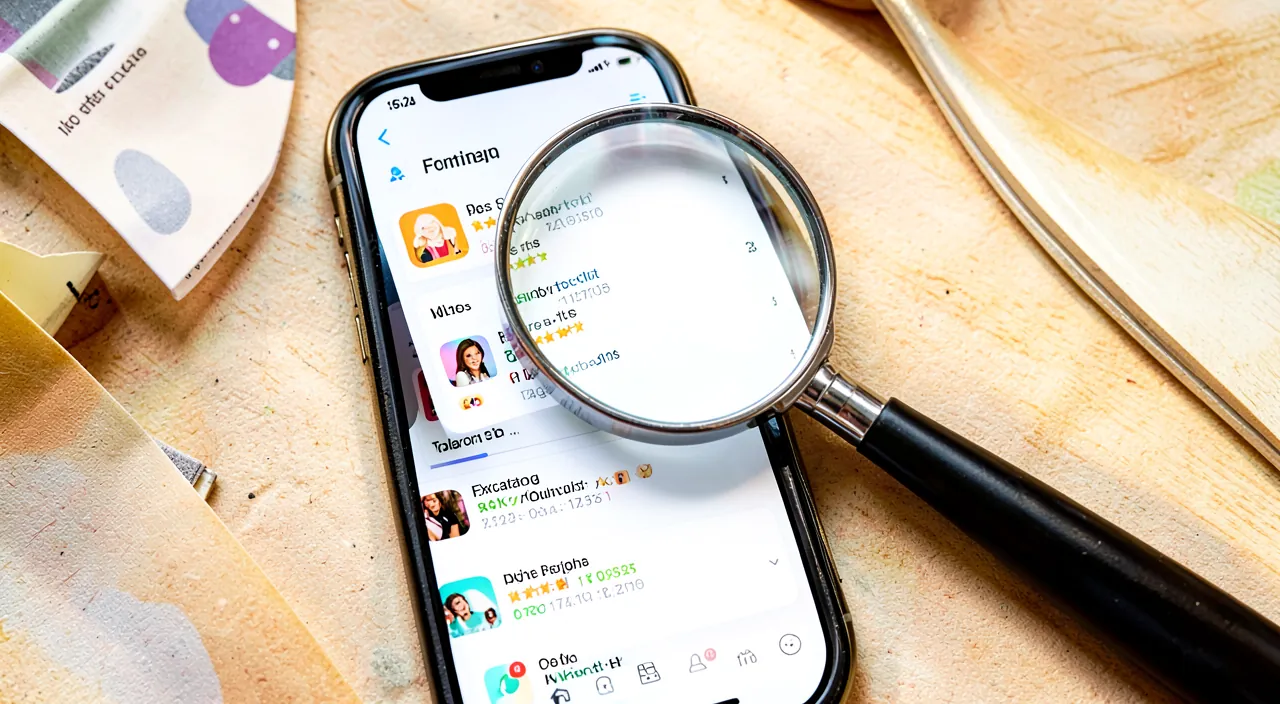
How to spot a fake application that imitates a real one?
Check the publisher (is it the official developer?), the number of downloads and reviews (a real known app has many), and the exact name: imitations often betray themselves with a dubious publisher or few downloads. Let’s see. The problem of IMITATIONS: some fake applications imitate a known application (similar name, similar logo) to trick you; you think you’re installing the real one, but you’re installing a questionable copy (ads, data, scam); the imitation is a trap; know how to unmask it. Verify the PUBLISHER (key): the best revealer; look at the DEVELOPER/publisher name; for a known app, is it the expected OFFICIAL PUBLISHER? An unknown or strange-named publisher betrays the imitation; the real app has the real publisher; check it first. The NUMBER of downloads: a real known application generally has MANY downloads; an imitation often has few; a low number for an app that is supposed to be popular is suspicious; the inconsistency betrays. NUMEROUS reviews: a real known app has many reviews (over time); an imitation has few, or recent and suspicious reviews; look at the quantity and nature of the reviews; reviews distinguish. The EXACT name: compare the exact name; imitations often have an almost identical name (added word, slightly different spelling, « pro »/ »free » in excess); the detail betrays; read the name carefully. The LOGO and presentation: an imitation copies the logo but sometimes with differences (quality, details); a sloppy presentation, errors in the description; the lack of care betrays the copy; observe the details. The PUBLICATION date: an imitation is often recent (published long after the real known app); an app « known » but published recently is suspicious; cross-check with the expected age. GO through the right link: to be sure, access the application via the OFFICIAL SITE of the publisher (which redirects to the real app), or search precisely for the official publisher in the store; the official link leads to the real one; secure the path. In DOUBT: if you doubt that an app is the real one, don’t install it; verify via the official site of the publisher, or gather more information; it’s better to verify than to install a copy; caution comes first. CROSS-CHECK the clues: dubious publisher + few downloads + few reviews + almost identical name + recent = almost certain imitation; cross-check these clues; together, they unmask; look at the whole. The ADVICE: to spot a fake app, check especially the PUBLISHER (is it the official one?), the number of downloads and reviews (a real known app has many), the exact name and the date; in doubt, go through the official site of the publisher or don’t install. In summary, to spot a fake application that imitates a real one, the best revealer is to CHECK THE PUBLISHER (the developer who publishes the application): for a known application, make sure it is the expected OFFICIAL PUBLISHER; an unknown developer, with a strange name, or different from the official publisher, betrays the imitation (the real application bears the name of its real publisher). Cross-check with other clues that distinguish the real from the fake: the NUMBER OF DOWNLOADS (a real known application generally has many, an imitation often few—a low popularity for an app that is supposed to be known is suspicious), the REVIEWS (numerous and old for a real app, rare or recent and suspicious for an imitation), the EXACT NAME (imitations often have an almost identical name, with an added word, a slightly modified spelling, or an extra « pro »/ »free »—read carefully), the LOGO and presentation (sometimes of lower quality, with errors in the description), and the PUBLICATION DATE (an imitation is often much more recent than the real application). To be really sure, the most reliable method is to access the application via the OFFICIAL SITE of the publisher (which redirects to the real one), or to search precisely for the official publisher in the store. And in doubt, don’t install it: verify first. By cross-checking these clues—especially the publisher, but also the downloads, reviews, name, and date—you easily unmask the imitations and ensure you install the real application, the one from the official publisher.
What to remember
Installing an application is not a trivial gesture: not all are equal, and some hide unpleasant surprises—DECEPTIVE applications (imitating real applications), data-hungry, filled with ADS or TRAP SUBSCRIPTIONS, with EXCESSIVE PERMISSIONS, or even MALICIOUS. Taking a few seconds to verify an application before installing it protects your device, your data, and your wallet, while helping you choose reliable and quality applications. Four essential checks are enough to avoid most pitfalls. The first, the most fundamental: download ONLY from OFFICIAL STORES (App Store, Play Store), which verify applications and filter out most threats; be extremely wary of any application offered outside these stores (no control, this is where most malicious applications spread). The second: verify the PUBLISHER (is it the expected official developer?); this is the best way to unmask imitations of known applications. The third: read the REVIEWS and rating (numerous and positive? Or complaints about bugs, scams, ads, trap subscriptions?); a goldmine of honest information, but be wary of overly complimentary fake reviews. The fourth: verify the PERMISSIONS requested and their COHERENCE with the application’s function—excessive and unrelated permissions (a flashlight that wants your contacts) often betray abusive data collection; refuse the superfluous, and manage/restrict permissions even after installation. Complete with other reflexes: check the number of downloads (coherent with the expected popularity?), read the description (serious, without exaggerated promises?), verify the economic model (beware of « free trials » that switch to costly subscriptions) and updates (maintained application?), and look for external info if in doubt. Two security rules are ABSOLUTE: never download outside official stores without great caution (a legitimate application is always available there; if you are pushed to install elsewhere, it’s suspicious), and never DISABLE a protection of your device to install something (this request is the typical sign of a malicious application that your security was trying to block). Finally, at the slightest doubt, don’t install (look for a reliable alternative), and uninstall any application that turns out to be questionable after the fact (wild ads, strange behavior, abusive requests). In short, verifying an application before installing it is a quick and profitable reflex, far preferable to « blind » installation: go through the official store, check the publisher, reviews, and permissions, and be wary of external sources and requests to disable your security. This small caution ritual, which quickly becomes natural, saves you from deceptive applications, sucked-up data, invasive ads, and trap subscriptions—and allows you to enjoy the many useful and reliable applications that exist.
Doubts about your security, a device to check or clean up? Our support service accompanies you step by step.
Leave a Reply
You must be logged in to post a comment.