
« I need to remember to call the doctor, pay this bill, buy a gift, call so-and-so… » Our mind is cluttered with a multitude of things to do, and relying solely on memory is the best way to forget, live with a vague feeling of being overwhelmed, and let the important things slip away. Task management apps — these « to-do lists » in digital form — are here to relieve you: they gather everything you have to do in one place, remind you of deadlines, and free up your mind. Simple or elaborate, they transform mental chaos into clear and serene organization. Let’s see how they work, why they truly soothe, and how to use them effectively.
What a task app brings to your daily life
These apps do much more than a simple list; here’s what they offer. GATHER everything in one place: the founding principle; instead of keeping your tasks scattered in your head, on scraps of paper, in messages, you note them all in the app; one reliable place where everything is recorded. NEVER FORGET: once noted, a task no longer risks being forgotten; this is the most immediate and precious benefit. REMINDERS at the right time: the app reminds you of a task on the desired date and time (pay a bill before the deadline, an appointment, a birthday); it thinks for you. ORGANIZE and PRIORITIZE: classify tasks by lists (home, work, shopping), by project, by priority, by date; you visualize what is urgent, important, and what can wait. RECURRENT tasks: for what comes back regularly (take out the trash every week, a treatment, a monthly bill), the app automatically repeats the task; you don’t have to re-enter it. The satisfaction of CHECKING OFF: crossing out a completed task provides a real sense of satisfaction and progress; you see what you’ve done. SHARING: some apps allow you to share a list (groceries with your partner, a project with colleagues); everyone sees and adds. AVAILABILITY everywhere: your lists follow you on your phone, tablet, computer, always up to date; you add a task wherever you are, as soon as it comes to mind. WHAT IT SERVES, and WHY IT SOOTHES: keeping everything in your head is exhausting and anxiety-inducing (fear of forgetting, feeling of overload); noting your tasks in a reliable system FREES the mind: you no longer have to « remember », the app takes care of it and will remind you when the time comes; this simple transfer from memory to a trusted tool significantly reduces mental load and stress. The key idea: a task management app gathers everything you have to do in one place, reminds you of deadlines, and allows you to organize and prioritize; it prevents you from forgetting and, above all, it FREES your mind. By entrusting your tasks to a reliable system rather than your memory, you lighten your mental load and gain in serenity and efficiency. It’s not just a list: it’s a way to empty your mind of the « I need to remember to… » to focus, soothed, on what matters in the moment.
These apps help you stop forgetting things and feeling overwhelmed. They collect all your tasks in one place, remind you when things are due, and let you organize what’s important. The real magic is that they free up mental space – your brain stops worrying about remembering everything, so you can focus on what’s actually happening right now.
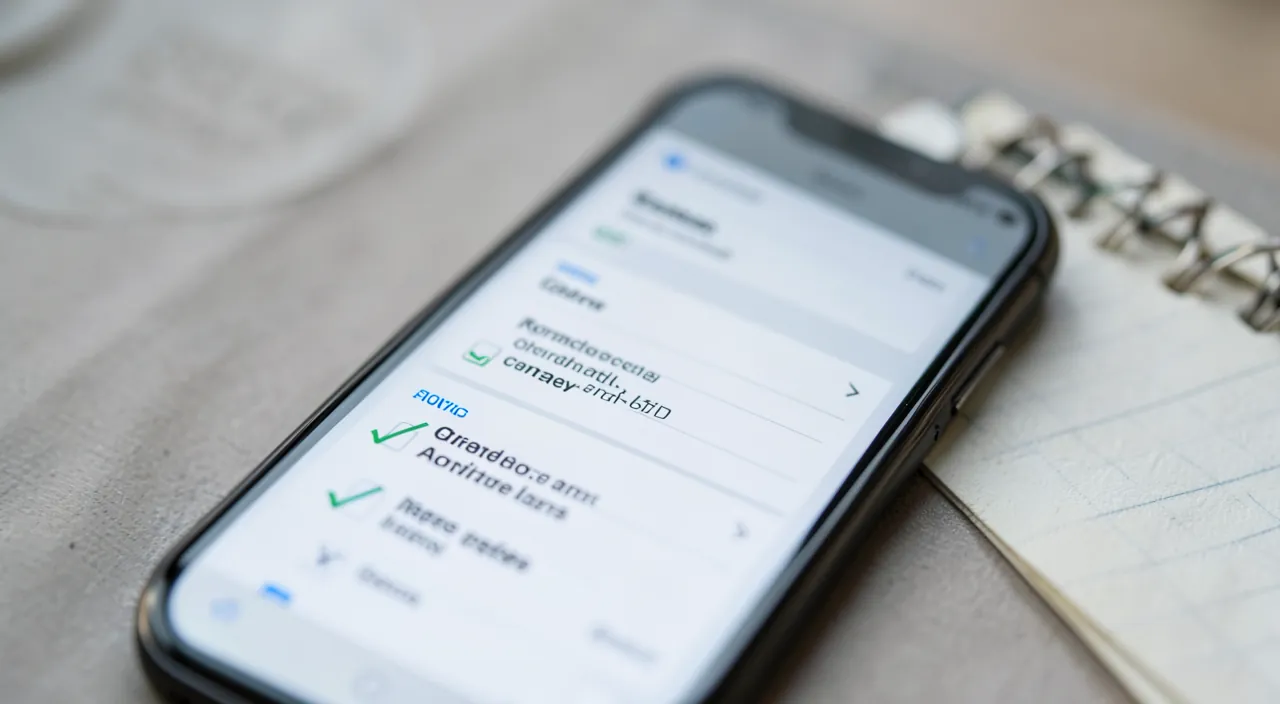
Imagine you have to: 1) Pay your electricity bill by Friday, 2) Buy groceries for the week, 3) Call your dentist to reschedule, and 4) Pick up your dry cleaning. Instead of trying to remember all these, you add them to your app with reminders. The app will notify you when each task is due, so you don’t have to keep track in your head. When Friday comes, your phone reminds you about the bill – no more last-minute panic!
How to organize your tasks effectively
An app is only useful if you use it well; here are the principles of effective and lasting organization. CHOOSE an app that suits you — there are very simple ones (a list, reminders) and very elaborate ones (projects, priorities, collaboration); start with a SIMPLE app if you’re a beginner; the best one is the one you’ll actually use (our guides on how to install an app safely). NOTE everything, right away — the golden rule: as soon as a task comes to mind, note it immediately in the app; don’t rely on your memory; this reflex empties the mind and makes the system reliable. An EASY CAPTURE — for this reflex to hold, adding must be ultra-fast (ideally by voice, or in two gestures); if it’s complicated, you won’t do it. ORGANIZE without excess — a few lists (home, work, shopping) are enough to start; don’t spend more time organizing your tasks than doing them; simplicity is key. Add DEADLINES and reminders — for dated tasks (bills, appointments), set a date and a reminder; the app will notify you at the right time; that’s where its value lies. PRIORITIZE the important — every day, identify the few truly important tasks; a long list can be discouraging; focus on the day’s essentials. Use RECURRENT tasks — for everything that comes back (cleaning, treatments, regular bills), create a recurrent task; it will reappear automatically. SHARE what needs to be — the shopping list with the family, a shared project; sharing avoids forgetting and duplicates. REVIEW regularly — glance at your lists every day (for example, in the morning) to know what’s coming; a list that’s never consulted is useless. Do some CLEANING — delete or archive what’s done or no longer useful; a list that grows endlessly is discouraging; keep it alive and up to date. Stay REALISTIC — don’t overload your day with twenty tasks; it’s better to accomplish five planned things than to postpone fifteen; organization should motivate, not overwhelm. In summary: choose a simple app, note everything immediately (the key reflex), organize without excess, add deadlines and reminders, prioritize the day’s important tasks, automate the recurrent, share what needs to be, consult and clean your lists regularly, and stay realistic. That’s how a task app becomes a reliable ally that frees your mind, rather than another constraint.
The secret: note everything, right away, to free your mind. If there’s one habit that makes all the difference between a task app that changes your life and one that ends up forgotten, it’s this one: note EVERY task the moment it comes to mind, immediately, without exception. This reflex is based on a deep and liberating idea: your brain is made to HAVE ideas and to THINK, not to STORE lists of things to do. As long as you keep in mind « I need to remember to call the doctor, pay this bill, buy bread », part of your mind remains mobilized in the background, constantly repeating these reminders for fear of forgetting; it’s exhausting, anxiety-inducing, and prevents you from being fully present and focused on what you’re doing in the moment. This is called « mental load »: that constant background of concerns that keeps looping. The act of noting everything in a RELIABLE system — an app that you consult and trust — works a little magic: it transfers this load from your head to the tool. Once the task is noted, your brain can « let go » in complete serenity, knowing it won’t be forgotten: the app will keep it and remind you at the right time. This simple transfer produces an immediate and almost physical relief: the mind lightens, calms, and frees itself to focus on the essentials of the present. But — and this is the absolute condition — this magic only works if the system is TOTALLY reliable, that is, if you REALLY note EVERYTHING: if you continue to keep some tasks « just in your head », your brain will never be able to let go, because it won’t know what’s noted and what isn’t, and it will keep monitoring everything as a precaution. The benefit is therefore all or nothing: it’s completeness that creates trust, and trust that frees the mind. For this reflex to hold, one practical requirement: adding a task must be ULTRA-FAST and frictionless — ideally by voice, or in one or two gestures — because if noting is complicated, you won’t do it in the heat of the moment, and the system will crack. So choose an app where capturing a task is instantaneous, get into the habit of dumping everything into it without thinking, and you’ll discover the precious feeling of a mind emptied of its « I need to remember to… », free and soothed. Empty your head into the app: that’s the real gift these tools offer.
Pitfalls to avoid for it to really work
Many people adopt a task app and then abandon it; here are the pitfalls that make it fail, and how to avoid them. OVER-ORGANIZATION: the most common pitfall; spending endless time setting up categories, labels, elaborate projects… instead of simply doing your tasks; the tool becomes a game that replaces action; stay SIMPLE, organization should serve efficiency, not replace it. The APP too complex: choosing an ultra-rich app when you have simple needs is discouraging; you get lost in the features; a simple app that you use is better than an abandoned gas plant. The list that GROWS endlessly: if tasks pile up without ever being done or cleaned up, the list becomes a discouraging mountain that you end up ignoring; do regular cleaning, be realistic about what you add. Not CONSULTING the app: a list that you never look at is useless; get into the habit of consulting it (for example, in the morning); otherwise, the whole system collapses. Noting HALF-WAY: if you only note some tasks and keep the rest in your head, the system isn’t reliable and doesn’t free your mind; it’s all or nothing; note EVERYTHING. OVERLOAD that makes you feel guilty: setting too many tasks for the day leads to constant postponement and discouragement; be realistic, the app should motivate, not overwhelm. Too many REMINDERS: being overwhelmed by notifications makes them ineffective (you ignore them); reserve reminders for tasks that really need them. DEPENDENCE on a single app: if your entire organization relies on one app, what happens if the service shuts down or changes? Prefer recognized and lasting apps, and know how to recover your data if needed. PERSONAL DATA: your tasks say a lot about your life; prefer recognized apps and read the privacy policy (our guides on protecting your privacy). THE COST: many apps have a free version that’s sufficient and a paid version (by subscription) for advanced features; start with the free version; only pay if a real need justifies it (our guides on managing subscriptions). Constantly changing apps: by constantly looking for the « perfect » app, you never settle into any; choose one that’s correct and STICK with it; regularity is better than tool perfection. In summary, the pitfalls: over-organization and overly complex apps, lists that grow without being cleaned or consulted, half-noting (which breaks reliability), guilt-inducing overload, excessive reminders, and constantly switching apps. The key to success lies in one word: SIMPLICITY, served by regularity. A simple app, where you note everything, that you consult every day and keep up to date, is infinitely better than a sophisticated system that you abandon. The tool should serve you, not enslave you.
Warning: the real danger isn’t organizing poorly, but spending more time organizing than acting — stay simple, or the tool will become an escape. This is the paradox of task apps, and the trap many enthusiastic people fall into: in their quest for the perfect organization system, they spend their days fine-tuning their tool instead of accomplishing their tasks. This is sometimes called « productive procrastination »: the pleasant illusion of being effective because you’re organizing, categorizing, creating colorful labels, elaborate projects, testing a promising new app… when in reality, you’re AVOIDING concrete work. Creating a beautiful to-do list provides immediate and effortless satisfaction; ACTUALLY doing those things requires much greater effort; the risk is therefore to take refuge in the first to avoid the second, and to confuse organizational bustle with real action. The richest apps, with their countless features, worsen this temptation: the more the tool offers customization options, the more you can lose yourself in it pleasantly instead of acting. So always keep in mind the purpose: a task app is USELESS in itself; it’s only worth it for the tasks it helps you actually accomplish. The rule of wisdom is RADICAL SIMPLICITY: choose a simple app, suited to your real needs (not the most impressive one); limit yourself to a few lists and minimal organization; and devote your energy to DOING, not organizing. If you catch yourself spending more time fine-tuning your system than making progress on your tasks, or constantly changing apps in search of the ideal tool, it’s a warning sign: stop, go back to simplicity, and focus on action. A second point of vigilance, more subtle: GUILT-INDUCING OVERLOAD. Unlike over-organization, some people accumulate in their app an endless and unrealistic list of tasks, which becomes a crushing mountain; every day, they postpone the essentials, feel guilty, and end up fleeing an app that has become synonymous with reproach and stress. Yet the tool is supposed to FREE your mind, not overwhelm it. So be realistic about what you can do, regularly clean up your lists, prioritize a few important tasks per day rather than aiming for twenty, and see your app as a helpful aid, never as a judge. Finally, stay attentive to your PERSONAL DATA (your tasks reveal a lot about your private life: choose a recognized app), and avoid relying your entire organization on a service from which you couldn’t recover your data. The task app is a fantastic tool for serenity and efficiency — provided you never forget that it’s a means, not an end: simple, realistic, at the service of action. Organize just enough, then act.
Frequent questions
Which task app to choose when you’re a beginner?
When you’re a beginner, the best choice is a SIMPLE app, not the richest or most popular one: the important thing is to start with an easy tool that you’ll actually use. Here’s how to choose. The right criterion: SIMPLICITY first; an ideal task app for beginners should allow, without effort or learning, to quickly note a task, set a deadline and a reminder, check off what’s done, and optionally create a few lists; that’s more than enough for the vast majority of needs, and it prevents you from drowning in complex features you’ll never use. Possible options: you don’t necessarily need to install a specialized app to start; your phone often already includes a REMINDERS or NOTES app that does the basic job very well (reminders with dates, simple lists); start by exploring what you already have, it’s free, safe, and requires no installation. If you want more, there are many task apps, from the simplest to the most elaborate; to start, opt for an app known for its SIMPLICITY and ease of use, rather than « professional » ultra-complete tools (perfect for managing team projects, but oversized and discouraging for simple personal tasks). The pitfall to avoid: choosing an app that’s too complex « to have all the possibilities »; you risk being discouraged by its complexity and abandoning it; it’s better to have a simple app that you use faithfully than an abandoned gas plant. Another pitfall: spending hours comparing and switching apps without ever settling anywhere; choose one that’s correct and STICK with it long enough to form a habit. My concrete recommendation: start with the reminders/notes app already present on your phone (or a task app known for being simple); use it faithfully for a few weeks; you’ll then see, in practice, if it’s enough for you (often yes!) or if you feel the need for additional features — in which case you’ll know exactly which ones to look for. In summary, to start, choose SIMPLICITY: the reminders app on your phone or a task app known for being easy are perfectly sufficient; avoid overly complex tools, don’t constantly switch apps, and focus on the habit of using a simple tool faithfully. The best app is the one you’ll actually use, day after day.
Is an app really better than a paper list?
Not necessarily « better »: each has its advantages, and the best choice depends on you; the app excels in some areas, paper in others. Let’s compare honestly. The advantages of the APP: automatic REMINDERS (the app warns you at the right time — a real advantage that paper doesn’t have); RECURRENT tasks (which repeat automatically); AVAILABILITY everywhere and always up to date (on phone, tablet, computer); the ease of REORGANIZING (moving, reclassifying without crossing out); SHARING lists with others; and the ability to manage a large volume of tasks without getting dirty. For rich organization, with deadlines and reminders, the app is clearly superior. The advantages of PAPER: absolute SIMPLICITY (nothing to install, configure, or update); the absence of SCREEN and distraction (no notifications that pull you away from something else); the PHYSICAL act of writing and crossing out, which many find more satisfying and more memorable; total reliability (no battery, no breakdown, no personal data at stake); and a certain serenity (a paper list doesn’t « grow » indefinitely like an app). For a small daily list, paper is perfect and perhaps even more soothing. How to CHOOSE? According to your temperament and needs: if you have many tasks, deadlines not to miss, need reminders and sharing, the app is essential; if you prefer simplicity, avoid screens, or only have a few daily tasks, paper will suit you very well. Many people adopt a MIXED approach, often the wisest one: an app for the background system (all tasks, deadlines, reminders, recurrent), completed by a small paper list for the day (the 3 to 5 things to do today, in sight, without a screen); you thus combine the power of one and the serenity of the other. My advice: don’t give in to the idea that digital is necessarily superior; paper remains an excellent organization tool, and the best system is the one you’ll actually keep. In summary, the app isn’t « better » in the absolute: it’s superior for reminders, recurrent tasks, volume, sharing, and availability; paper wins for simplicity, absence of distraction, and the satisfaction of the gesture. Choose according to you — or combine the two: the essential thing is to note your tasks somewhere reliable, whatever the medium.
Are these apps free?
Many offer a free version that’s quite sufficient for everyday use; the paid features mainly concern advanced needs that most people don’t need. Let’s take a look. The good news: to manage your personal tasks, you generally DON’T need to pay. First, your phone often already includes, for free, a reminders or notes app that covers the basics (noting tasks, setting reminders, making lists); it’s free, no installation required, and sufficient for many. Then, most dedicated task apps offer a FREE VERSION that allows you to note, organize, date, and check off your tasks; for everyday personal use, this free version is sufficient in the vast majority of cases. What is often PAID (by subscription): ADVANCED features — advanced team collaboration, complex projects, a very large number of lists, customizations, sophisticated reminders, integrations with other tools, extended history; these features are mainly for professional or intensive uses, which a private individual rarely needs. The usual model is therefore « freemium »: free for the essentials, paid for the sophisticated. My advice: always start with the FREE version (the app on your phone or the free version of a dedicated app); use it for a while; it will probably be enough for you; only switch to a paid version if you hit a specific and real need that the free version doesn’t cover — and not out of principle or attraction to features you won’t use. If you decide to pay, check what the subscription actually brings, and monitor automatic renewals (our guides on managing subscriptions). Also be careful not to choose an app just because it’s « free » without looking at how it’s financed: prefer recognized and data-respectful apps (your tasks are personal), rather than obscure apps that could exploit your information. In summary, yes, you can perfectly manage your tasks for free: the reminders app on your phone or the free version of a dedicated app cover everyday needs; only advanced features (mainly professional) are paid, and most people don’t need them. Start with the free version, and only pay for a real need.
What to remember
A task management app gathers everything you have to do in one place, reminds you of deadlines, and allows you to organize and prioritize; it prevents you from forgetting and, above all, it FREES your mind. That’s its deepest benefit: our brain is made to think, not to store lists; as long as we keep our « I need to remember to… » in our heads, part of the mind remains mobilized to ruminate over them, which is exhausting and anxiety-inducing (that’s the « mental load »). By entrusting your tasks to a reliable system, you can finally « let go » of them, your mind lightens and focuses, soothed, on the present. Hence the number one secret: note EVERYTHING, right away, as soon as a task comes to mind — but really everything, because it’s completeness that creates trust, and trust that frees the mind (half-noting doesn’t relieve). For this reflex to hold, adding must be ultra-fast; choose an app where capturing a task is instantaneous. Beyond that, a few principles guarantee success: organize without excess (a few lists are enough), add deadlines and reminders for dated tasks, prioritize the day’s important tasks, automate the recurrent, consult your lists every day and clean them regularly, and stay realistic about what you can do. But keep in mind the major pitfall: the real danger isn’t organizing poorly, it’s spending more time ORGANIZING than ACTING. The app is only worth it for the tasks it actually helps you accomplish; avoid over-organization (this « productive procrastination » where you fine-tune your system to avoid acting), overly complex apps, and constantly switching tools. The key to success lies in one word: SIMPLICITY, served by regularity — a simple app, where you note everything, that you consult every day and keep up to date, is infinitely better than a sophisticated abandoned system. You don’t even need to pay: the reminders app on your phone or a free version are often sufficient; and good old paper remains, for many, an excellent choice, alone or as a complement. Stay attentive to your data (your tasks reveal your private life: choose a recognized app), and always see the app as a helpful aid that frees your mind, never as a judge that overwhelms you. Empty your head into a reliable and simple tool, then act, soothed: that’s the real gift of these apps.
Want to go further with your phone and apps? Our practical training courses are made for you.
Leave a Reply
You must be logged in to post a comment.