
An unusual connection, an email you didn’t send, a password that no longer works, an alert from your service: how do you know if one of your online accounts has been hacked? Faced with this worrying doubt, there are signs to spot, tools to check if your data has leaked, and above all, precise actions to take back control and limit the damage. Acting quickly makes all the difference. Here’s how to check if an account has been compromised, recognize the signs of a hack, and react effectively to protect your accounts and data.
Signs that an account has been hacked
Several clues can reveal that one of your accounts has been compromised; knowing how to spot them allows you to act quickly. The DIRECT signs: you can no longer LOG IN (your password no longer works, even though you haven’t changed it); this is a strong sign that someone has taken control and changed the password. Unusual ACTIVITY: messages or emails sent in your name, posts, purchases, or settings changes that you didn’t make. ALERTS from the service: a notification of “connection from a new device” or “from an unusual location” that you don’t recognize; an email informing you of a password change or information you didn’t request. CONTACTS reporting: loved ones tell you they’ve received strange messages “from you” (money requests, suspicious links); this is a classic sign of a hacked account. CHANGES in SETTINGS: recovery email address modified, number changed, filters added to your inbox (to hide activities). INDIRECT signs: your device is behaving strangely; passwords that “no longer work” on multiple accounts. How to CHECK yourself: consult the CONNECTION HISTORY: many services allow you to see recent devices and connection locations; an unknown connection is a warning (our guides check connected devices to your accounts). Check if your address has LEAKED: tools can tell you if your email address appears in a known data leak (our guides know if your email has leaked). Monitor your STATEMENTS (for financial accounts). What’s the point of understanding? To DETECT a hack quickly (time is of the essence); to not confuse a minor issue with a hack; and to know what to check. The key idea: multiple signs betray a hacked account: inability to log in, activity you didn’t perform, alerts of unusual connections, loved ones receiving strange messages “from you,” modified settings. You can also ACTIVELY check: consult the connection history of your accounts, and verify if your email has leaked in a known database. Spotting a hack quickly is crucial, as the faster you act, the more you limit the damage. As soon as a serious doubt arises, you must react—we’ll see how to regain control.
A hacked account often shows clear signs: you can’t log in, strange messages are sent from it, or your settings are changed. Check your connection history and if your email is in a data leak. The faster you act, the less damage the hacker can do.
You receive an alert from your email provider saying your account was accessed from a device in a country you’ve never visited. Later, your friends report getting strange messages asking for money. These are clear signs of a hack. You should immediately change your password, enable two-factor authentication, and check your account settings.
How to check and regain control
Here’s how to check an account and, in case of a hack, react. Consult the CONNECTION HISTORY—many services (email, social networks, important accounts) offer, in the security settings, the ability to see recent DEVICES and LOCATIONS of connection; check if there’s a connection you don’t recognize; this is a good way to verify. Check if your address has LEAKED—reliable online tools allow you to enter your email address and see if it appears in known data leaks; if so, change the affected passwords. If you suspect a hack, CHANGE the password IMMEDIATELY—the first step: change the password of the affected account (if you still have access), with a strong and UNIQUE password; this cuts off the hacker’s access. Also change REUSED accounts—if you had used the same password elsewhere, change it everywhere; the hacker could use it on other accounts (that’s why you should never reuse a password). Enable TWO-FACTOR AUTHENTICATION—add this protection to the account: even if the hacker has your password, they won’t be able to log in without the second factor (our guides enable two-factor authentication). DISCONNECT other devices—many services allow you to “disconnect all sessions” or remove connected devices; do this to eject the hacker. Check MODIFIED SETTINGS—ensure the hacker hasn’t changed your recovery address, your number, or added filters/redirections in your inbox (to intercept your messages); put everything back in order. If you no longer have ACCESS to the account—use the service’s RECOVERY procedure (forgotten password, account recovery); contact the service’s support if needed; act quickly. Protect your MESSAGING first—if your email is hacked, it’s very serious (it allows resetting all your other accounts); secure it urgently. WARN your contacts—if messages were sent in your name, warn your loved ones not to respond or click. For a FINANCIAL account—contact your bank, monitor your accounts, and block transactions if necessary. A few TIPS: act QUICKLY (time is of the essence); change the password and enable two-factor authentication; and protect your messaging first. In summary: check the connection history and any potential leak of your address; in case of a hack, immediately change the password (and those reused), enable two-factor authentication, disconnect other devices, check modified settings, recover the account if you no longer have access, protect your messaging, and warn your contacts. Acting quickly regains control and limits the damage.
The right reflex. Faced with a doubt about a hacked account, the key is to act QUICKLY, as every minute counts to limit the damage; but before panicking, you can first VERIFY. The first tool: the CONNECTION HISTORY. Most important services (your email, your networks, your sensitive accounts) offer, in their security settings, the ability to see the list of devices and locations from which your account has recently connected; consult it: a connection from a device or place you don’t recognize is a clear sign of compromise. Second useful tool: check if your email address has LEAKED in a known database, thanks to reliable online services designed for this; if your address appears in a leak, it’s time to change the affected passwords. If your checks confirm a hack—or if the signs are clear (you can no longer log in, messages have been sent “from you,” activity you didn’t perform appears)—chain the steps to regain control without delay. The first, essential step: CHANGE the account’s password immediately (if you still have access), with a strong and UNIQUE password; this cuts off the hacker’s access. Also change this same password everywhere you may have reused it (another reason never to reuse a password). Then ENABLE two-factor authentication: even if the hacker knows your password, they won’t be able to log in without the second factor—this is a decisive lock. Then DISCONNECT all other sessions and devices (most services allow this) to eject the intruder, and CHECK that they haven’t quietly modified your settings (recovery address, number, inbox filters that would divert your messages). Absolute priority: if it’s your MESSAGING that’s affected, treat it as an emergency, as it allows resetting all your other accounts. And warn your loved ones if messages were sent in your name. Verify (history, leak), then act quickly (change the password, two-factor authentication, disconnect sessions), protecting your messaging first: with these reflexes, you regain control and significantly limit the damage of a hack.
After the hack: limiting the damage and protecting yourself
Once the account is back under your control, you still need to limit the consequences and protect yourself for the future. Assess the DAMAGE: what could the hacker have done? Accessed information, sent messages, made purchases, changed settings? Check and correct what was modified. The case of MESSAGING: if your email was hacked, it’s the most serious, as it gives access to all your other accounts (via password resets); after securing it, check that other accounts weren’t compromised from it, and change their passwords as a precaution. FINANCIAL accounts: if an account linked to money is affected (bank, purchases), closely monitor your statements, report any fraud, contact your bank, and block transactions if necessary. EXPOSED data: if personal information has leaked, be vigilant about potential targeted scams (phishing using your data) in the following days. REPORT: depending on the severity, report the hack (to the affected service, authorities for serious cases, your bank for financial accounts). WARN your contacts: if fraudulent messages were sent in your name, warn your loved ones not to respond. PROTECT yourself for the future: this misfortune reminds you of the basics; adopt STRONG and UNIQUE passwords (a manager helps—our guides adopt a password manager); enable TWO-FACTOR AUTHENTICATION everywhere possible (the best protection); prioritize protecting your messaging; beware of phishing (often the entry point for a hack); and keep your devices up to date. Understanding HOW it happened: often, a hack comes from a weak or reused password (recovered in a leak), phishing (you entered your credentials on a fake site), or malware; identifying the cause helps avoid repeating it. Don’t BLAME yourself: hacks happen; the important thing is to react quickly and strengthen your security. In summary: assess and correct the damage; prioritize your messaging and financial accounts; stay vigilant about scams using your leaked data; report and warn your contacts; and above all, strengthen your security for the future (strong and unique passwords, two-factor authentication, caution with phishing). A well-managed hack followed by good protections becomes a lesson rather than a disaster.
Warning: a hack of your MESSAGING is the most serious—it gives access to all your other accounts. Among all the accounts that can be hacked, there’s one whose compromise is far more serious than the others: your email inbox. Understand why it’s critical: your messaging is the pivot of your entire digital life, as it’s through it that you RESET the passwords of almost all your other accounts (bank, networks, purchases, services). A hacker who accesses your email inbox can therefore, step by step, take control of all your accounts: they request a password reset on another service, receive the link in YOUR inbox that they control, and take over the account; and so on. It’s the domino effect. If you suspect your messaging has been hacked, treat it as an ABSOLUTE EMERGENCY and prioritize it over everything else: immediately change its password (strong and unique), enable two-factor authentication, disconnect all sessions, and—often forgotten—check that the hacker hasn’t added FILTERS or REDIRECTIONS in your inbox (hidden rules that would transfer your messages to them, or hide security alerts), or changed your recovery address. Then, check that your OTHER accounts haven’t been compromised from your messaging, and change their passwords as a precaution. Two other points of vigilance after any hack. First, act QUICKLY in general: the longer you wait, the more damage the hacker can do; as soon as there’s serious doubt, change the passwords. Second, NEVER reuse the same password on multiple accounts: this is one of the main causes of cascading hacks, as a leak on one site then gives the hacker the key to all your accounts; if you discover that a reused password has leaked, change it everywhere. Finally, stay vigilant in the following days: if your data has leaked, expect targeted scam attempts (phishing using your information to appear credible), and don’t fall for them. The priority in case of a hack: first save and secure your messaging, enable two-factor authentication everywhere, and never reuse a password. Your email inbox is the keystone: protect it as such, and you protect everything else.
Frequently asked questions
How do I know if my account has been hacked?
Several signs should alert you, and you can also verify actively. The most TELLING signs: you can no longer LOG IN to your account even though you haven’t changed your password (the hacker may have changed it); you notice ACTIVITY you didn’t perform (messages or emails sent in your name, posts, purchases, modified settings); your LOVED ONES report receiving strange messages “from you” (money requests, suspicious links), a very classic sign; you receive an ALERT from the service (connection from a new device or an unusual location, password change you didn’t request). To VERIFY yourself, without waiting for an obvious sign: consult the CONNECTION HISTORY of your account (many services, in their security settings, display recent devices and connection locations); a connection you don’t recognize is a strong signal. You can also check if your email address appears in a DATA LEAK known to reliable online tools: if so, your credentials on the affected sites may have been exposed, and you must change the corresponding passwords. Also check that your settings haven’t been modified (recovery address, number, email filters). Be careful not to confuse a hack with a minor issue: a forgotten password, a connection bug, an app that logs you out are not necessarily hacks. But in case of serious doubt, it’s better to act as a precaution. If several signs match (unknown connection in the history, activity you didn’t perform, loved ones alerted), it’s very likely that your account is compromised: in this case, react quickly—change the password, enable two-factor authentication, disconnect other sessions. In summary, to know if an account is hacked: watch for signs (impossible connection, unknown activity, loved ones reporting, service alerts), and verify actively (connection history, leak of your address); at the slightest serious doubt, act without delay.
What should I do first if I discover a hack?
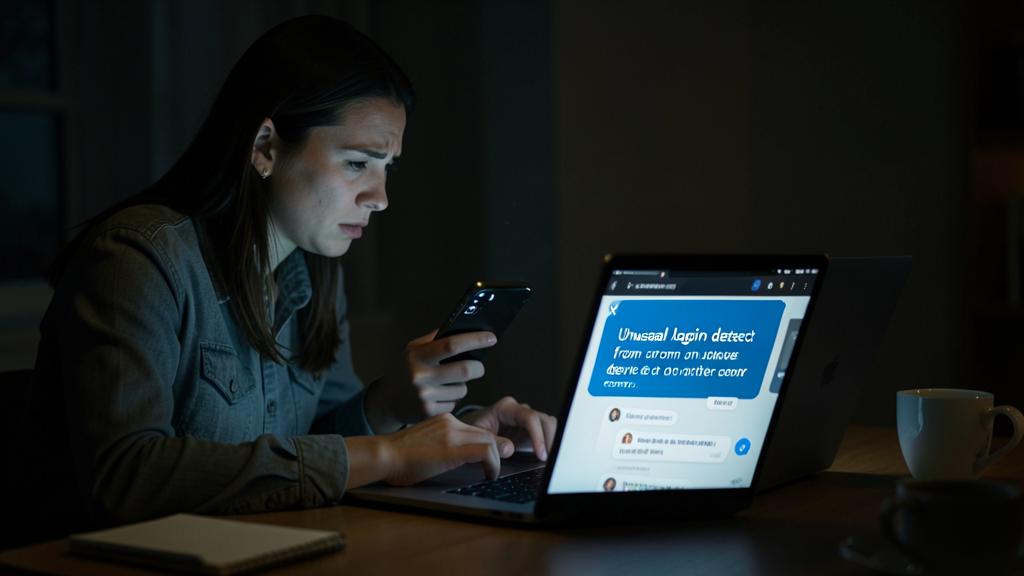
The absolute priority: immediately change the password of the affected account, then chain a few key steps to regain control and cut off the hacker’s access. Time is of the essence, so act quickly and in the right order. First step: if you still have access to the account, CHANGE its password right away, with a strong and UNIQUE password; this logs out the hacker who was using the old one. If you no longer have ACCESS (the hacker changed the password), use the service’s RECOVERY procedure (“forgotten password,” account recovery) and contact their support if necessary; act quickly before the hacker further locks the account. Second step: ENABLE two-factor authentication; thus, even if they have your password, the hacker won’t be able to log in without the second factor. Third: DISCONNECT all other sessions and devices (most services offer an option to “log out everywhere” or remove connected devices); this ejects the hacker even if they were logged in. Fourth: CHECK the settings they may have modified—recovery email or number, filters or redirections in your inbox (to intercept your messages)—and put everything back in order. Fifth, crucial: if you had REUSED the same password on other accounts, change it everywhere; the hacker could use it elsewhere. And if it’s your MESSAGING that’s affected, treat it as an absolute priority, as it gives access to all your other accounts. Finally, WARN your contacts if fraudulent messages were sent in your name, and for a financial account, contact your bank and monitor your statements. Don’t waste time blaming yourself or trying to understand exactly how it happened (you’ll do that later): the urgency is to regain control. In summary, upon discovering a hack: change the password (or recover the account), enable two-factor authentication, disconnect other sessions, check the settings, change reused passwords, and protect your messaging first. These quick and orderly steps regain control and limit the damage.
How can I avoid being hacked in the future?
A few good practices significantly reduce the risk of being hacked; adopting them after a mishap (or beforehand) is the best security investment. The most important measure: enable TWO-FACTOR AUTHENTICATION everywhere possible, especially on your sensitive accounts (email, bank, important accounts); it’s the most effective protection: even if your password is stolen, the hacker can’t log in without the second factor. Second measure: use STRONG and especially UNIQUE passwords for each account; never reuse the same one, as a leak on one site would then give the hacker the key to all your accounts; since it’s impossible to remember dozens of unique passwords, adopt a PASSWORD MANAGER, which creates, remembers, and fills them in for you (our guides adopt a password manager). Third: prioritize protecting your MESSAGING (very strong password, two-factor authentication), as it’s the most critical account—it allows resetting all the others. Fourth: beware of PHISHING, which is the entry point for many hacks; don’t click on suspicious links, don’t enter your credentials on a site reached via a received link, always verify (our guides recognize a phishing email); many hacks come from a victim who entered their password on a fake site. Fifth: keep your DEVICES and software UP TO DATE (updates fix vulnerabilities), and your devices well protected (lock, security). Sixth: periodically check if your addresses have been affected by a data leak, and change the exposed passwords. Additionally: beware of public WiFi for sensitive operations, and stay vigilant in general. These steps don’t require being an expert; they’re accessible reflexes for everyone. In summary, to avoid being hacked: enable two-factor authentication (the queen of protection), use strong and unique passwords with a manager, prioritize protecting your messaging, beware of phishing, and keep your devices up to date. These good practices protect you from the vast majority of hacks.
What to remember
Knowing if an account has been hacked and reacting quickly makes all the difference. The SIGNS of a hack: inability to log in (password changed without your knowledge), activity you didn’t perform (messages, purchases, modified settings), alerts of unusual connections from the service, and loved ones receiving strange messages “from you.” You can also ACTIVELY verify: consult the connection history of your accounts (an unknown connection is a signal), and check if your email has leaked in a known database. At the slightest serious doubt, ACT QUICKLY, as every minute counts. The steps to regain control, in order: IMMEDIATELY change the account’s password (strong and unique)—or recover the account if you no longer have access; ENABLE two-factor authentication (decisive lock: even with your password, the hacker can’t log in); DISCONNECT all other sessions and devices; CHECK modified settings (recovery address, email filters); change passwords REUSED elsewhere; and warn your contacts. Remember the absolute priority: if it’s your MESSAGING that’s hacked, it’s the most serious, as it gives access to all your other accounts (it allows resetting their passwords); treat it as an emergency and check that no other account has been compromised from it. For a financial account, contact your bank and monitor your statements. After a hack, stay vigilant about scams using any leaked data, report depending on the severity, and don’t blame yourself: hacks happen, the important thing is to react well. Above all, learn from it for the FUTURE by adopting good practices: enable two-factor authentication everywhere (the best protection), use strong and unique passwords (with a manager, never reuse), prioritize protecting your messaging, beware of phishing (frequent entry point), and keep your devices up to date. Spot quickly, react quickly by protecting your messaging, and durably strengthen your security: this is how a hack becomes a managed alert rather than a disaster, and how you durably protect your accounts and data.
Doubts about your security, a device to check or clean? Our support service guides you step by step.
Leave a Reply
You must be logged in to post a comment.