
AI meetings have a bad reputation: too many, too long, poorly prepared, and often unproductive. Yet, a well-led meeting can move things forward. The key lies largely in PREPARATION: a clear agenda, precise objectives, and a useful minutes afterwards. AI can save you precious time on these tasks: structuring the agenda, preparing the points to be discussed, synthesizing your notes into minutes, formulating clear invitations. An organizational assistant that lets you focus on the essentials: exchanges and decisions. Here’s how to use it to prepare and lead truly effective meetings.
Where AI helps, before, during, and after
AI (generative AI tools — our guides understand generative AI) intervenes usefully at every stage of a meeting’s life. BEFORE — prepare the AGENDA: from your topic and objective, it structures the points to be addressed, in a logical order, with an indicative duration for each; it also helps you formulate a CLEAR INVITATION (subject, objective, what each should prepare). FRAME the OBJECTIVE: a good meeting has a precise goal (decide, inform, resolve, advance a project); AI helps clarify it and ask if a meeting is really necessary. ANTICIPATE: it can help you prepare your arguments, anticipate questions or objections, gather the points to present. DURING — although we don’t delegate the moderation to AI, it can provide a FRAMEWORK to follow, a list of questions to ask, a template to avoid forgetting anything. AFTER — write the MINUTES: give it your notes (even messy ones), it structures them into a clear minutes (decisions made, actions to take, who does what, by when); a huge time-saver. FOLLOW up on the ACTIONS: it can help you transform decisions into a to-do list, formulate a follow-up email. What’s the point? To SAVE time on preparation and minutes (often the most tedious tasks); to STRUCTURE (meetings with an agenda and an objective); to NOT FORGET anything (a framework, a list of points); and to ENSURE follow-up (decisions leading to concrete actions). The main idea: AI takes care of the organizational and writing work around a meeting, freeing you to focus on what really matters — listening, exchanging, deciding, engaging participants. It doesn’t replace the moderation or human interaction, the heart of a successful meeting; but it transforms time-consuming tasks (agenda, minutes, follow-up) into a few minutes. Result: better-prepared, better-led, and especially better-followed meetings.
AI helps with the boring parts of meetings: making the agenda, writing invitations, and creating minutes. It doesn’t replace your role in actually running the meeting or making decisions. Think of it like a smart assistant that handles the paperwork so you can focus on the real discussion.
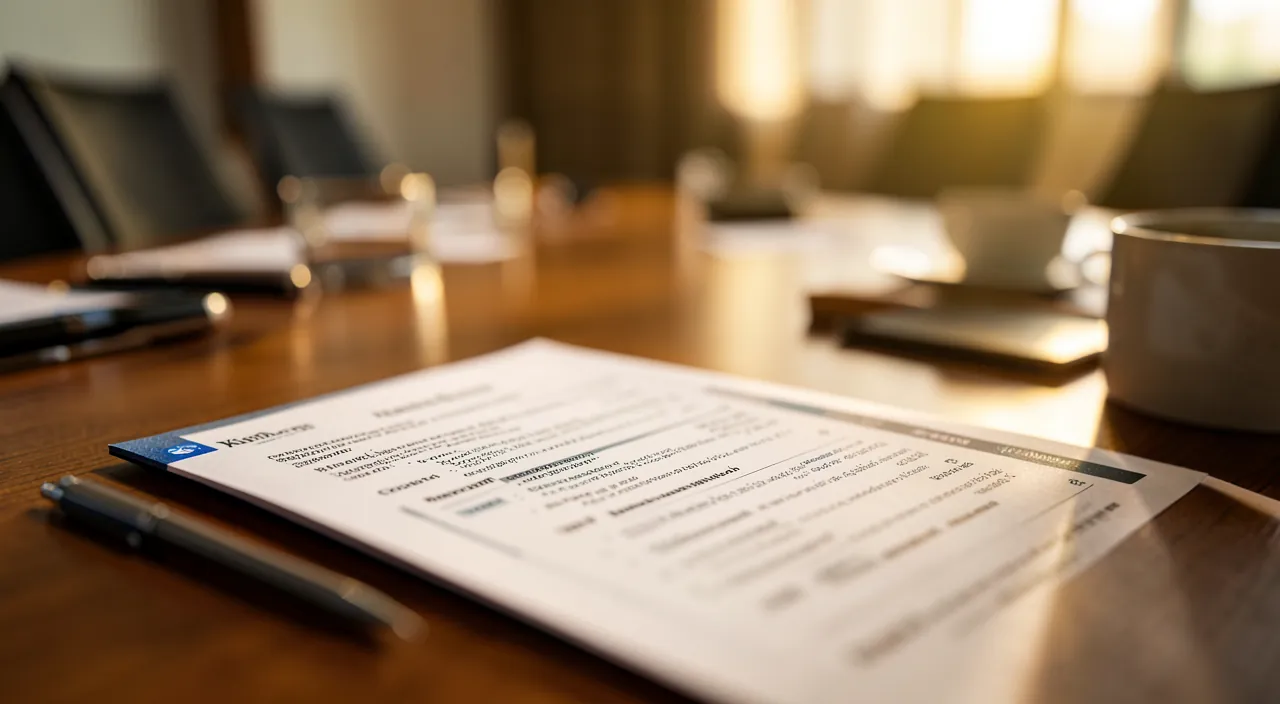
For a 60-minute project review meeting with 5 participants, AI could: 1) Create an agenda in 2 minutes with 4 key discussion points (each 12 minutes); 2) Draft an invitation email in 1 minute specifying each attendee should review the latest report; 3) After the meeting, transform 10 handwritten notes into a structured minutes document in 3 minutes listing 3 decisions and 5 action items with owners and deadlines.
How to prepare and moderate with AI
Here’s a concrete, step-by-step approach. Question whether the meeting is NECESSARY — the first efficiency reflex: does a meeting justify itself, or would a simple message suffice? AI can help you decide by clarifying the objective. Clarify the OBJECTIVE and participants — what do you want to achieve at the end? Who should really be there? A useful meeting has a clear goal and the right people (neither too many, nor too few). Build the AGENDA — give the subject, the objective, the duration, and the points to be treated — ask AI for a structured agenda, with an indicative time for each point — adjust according to your priorities. Prepare the INVITATION — ask it to formulate a clear message: subject, objective, agenda, duration, and especially what each participant should PREPARE in advance (a meeting where everyone comes prepared is much more effective). Prepare YOUR points — for the subjects you carry, get help to structure your arguments, anticipate questions, gather the essentials. During the meeting, KEEP the framework — follow the agenda, keep an eye on time, refocus if it overflows, and note decisions and actions as they come — you moderate, AI just gave you the framework. Write the MINUTES quickly — right after, give your notes to AI and ask for a structured minutes: reminder of the objective, decisions made, actions (who, what, by when), open points. Reread, correct, complete, and distribute quickly (a late minutes loses its value). Ensure the FOLLOW-UP — transform actions into tracked tasks — AI can help you formulate a follow-up email or progress point. Some TIPS: be BRIEF (a short and well-structured meeting is better than a long one that wanders off topic); always conclude with a reminder of the decisions and next steps; and distribute the minutes on the spot. In summary: question the necessity, clarify the objective and participants, build the agenda and invitation, prepare your points, keep the framework during, write the minutes quickly, and ensure the follow-up. AI prepares and synthesizes; you moderate and decide.
The good reflex. The two moments where AI saves you the most time are BEFORE and AFTER — precisely the tasks that everyone procrastinates or postpones. Before the meeting, never start without an agenda: give AI the subject, the objective, and the duration, and ask for a structured list of points with an indicative time for each. Right away, make it draft the invitation, emphasizing an element often forgotten: what each participant should PREPARE in advance. A meeting where everyone comes prepared is twice as effective. After the meeting, the winning reflex: write the minutes IMMEDIATELY, while everything is fresh. Throw your messy notes to AI — even disorganized — and ask it to structure them into a clear minutes, centered around three essential elements: decisions made, actions (who does what, by when), and open points. Reread, correct what AI misunderstood, and distribute quickly: a minutes a week later is useless. And remember that AI only prepares and synthesizes: the moderation, listening, ability to engage people and decide remain your role. A clear agenda, a quick minutes, and assigned actions: that’s what distinguishes a useful meeting from a lost one.

Limits and precautions
AI helps a lot, but the effectiveness of a meeting depends mainly on human factors it doesn’t control. MEETING MODERATION cannot be delegated: keeping the framework, listening, engaging participants, managing tensions, deciding: that’s the heart of a meeting, and it’s yours; AI prepares the framework, but doesn’t lead the exchanges. CONFIDENTIALITY: be careful about what you entrust to an online tool; meeting topics can contain sensitive professional information (financial data, strategy, personal information); check your organization’s rules and avoid entering confidential data in a public tool (our guides on AI and privacy). ERRORS in the minutes: AI structures your notes, but it can misinterpret, forget a nuance, or attribute a decision to the wrong person; always REREAD carefully before distributing, because a minutes stands for something. The minutes are NOT a verbatim: except dedicated tools, AI doesn’t transcribe the meeting in real time; it works from your notes; their quality conditions the result. AUTOMATIC TRANSCRIPTION tools: some services record and transcribe meetings; they are practical, but raise questions of consent (inform participants) and confidentiality; use them with caution and transparency. THE RISK of over-meeting: AI facilitates preparation, but it shouldn’t multiply unnecessary meetings; the best meeting is sometimes the one not held. DEPENDENCY: keep the ability to structure and synthesize on your own; AI assists, it shouldn’t atrophy your organizational skills. In summary: moderation and human interaction remain your responsibility; protect confidential information; always re-read the minutes (AI can make mistakes); be transparent if you record; and don’t multiply meetings just because they’re easier to prepare. AI serves efficiency; it’s up to you to keep the sense and measure.

Attention: confidentiality and review of the minutes. Two points of vigilance deserve your full attention. First, CONFIDENTIALITY. Professional meetings often handle sensitive information: internal numbers, strategy, unannounced projects, personal data (evaluations, individual situations). Everything you enter in an online AI tool — agenda, notes, minutes — can be processed and stored on remote servers. Do not entrust confidential data to a public tool without permission, and check your organization’s rules and authorized tools. Be particularly careful with automatic transcription services that record meetings: always inform participants (it’s a matter of consent and often an obligation), and check what happens to the recording. Then, the REVIEW of the minutes. AI structures your notes, but it can misinterpret them: attribute a decision to the wrong person, distort a nuance, forget an important point, or invent a detail. But a minutes STANDS FOR something: it serves as a reference on who committed to what. So always re-read it carefully, correct errors, verify each decision and each assigned action, before distributing. Never distribute a generated minutes without verifying it: an uncorrected error can create misunderstandings, or even conflicts. AI saves you precious time; but the responsibility for what is written, shared, and committed remains entirely yours.
Frequently asked questions
Can AI write the minutes of a meeting for me?
It can STRUCTURE them from your notes, which saves a lot of time, but it cannot « assist » in your place. Practically: take notes during the meeting (the points discussed, decisions, actions), even messy ones; give them to AI afterward, asking for a clear and organized minutes (objective, decisions, actions with responsible parties and deadlines, open points). It will transform your messy notes into a readable document in a few moments. Two important caveats: first, the quality of the minutes depends on the quality of your NOTES — AI cannot guess what you didn’t note; second, you must REREAD and correct, because it can misinterpret or attribute a decision to the wrong person. There are also transcription tools that record and automatically transcribe the meeting, then produce a summary: practical, but use them with transparency (inform participants) and caution (privacy). In summary, AI is a great writing assistant for minutes, provided you provide good notes and always verify the result before distributing.
How to build a really useful agenda?
A good agenda starts with a CLEAR objective: what do you want to achieve at the end of the meeting (a decision, a resolution, information sharing, progress)? Once the objective is set, list the points to address to achieve it, in a logical order, and assign an indicative DURATION to each — this avoids meetings that drag on. Give these elements to AI and ask it to structure them: it will propose a balanced agenda that you adjust according to your priorities (most important first, while attention is high). Specify what is expected for each point: is it to inform, discuss, or decide? Add what participants should PREPARE in advance: a meeting where everyone comes prepared is much more effective. Finally, distribute the agenda BEFORE the meeting, not at the last minute. A clear, timed, shared agenda in advance and focused on an objective: that’s already half a successful meeting. AI helps you build it quickly and well; it’s up to you to lead it on the day.
Can I use a tool that records and transcribes my meetings?
Yes, such tools exist and are practical, but they require transparency and caution. Their advantage: they record the meeting, automatically transcribe it, and often produce a summary with key points and actions; you no longer have to take notes and can focus on the exchanges. But be careful about several points. First, CONSENT: recording people without their knowledge is unacceptable, and often against the rules; always clearly announce that the meeting is recorded, and ensure everyone agrees. Then, CONFIDENTIALITY: these tools send the audio and transcription to remote servers; for sensitive meetings, check what happens to the recording, where it’s stored, who has access, and if your organization allows it. Finally, FIABILITÉ: the transcription and summary can contain errors; always re-read before relying on them. In summary, these tools save time, but touch on participants’ privacy and meeting confidentiality: use them with transparency (always inform participants), respect your organization’s rules, and critically evaluate what they produce (our guides limit the data we deliver online).
What to remember
A successful meeting largely depends on its PREPARATION and FOLLOW-UP; that’s precisely where AI saves the most time. BEFORE, it builds a structured and timed agenda, formulates a clear invitation (with what each should prepare), and helps you organize your points. AFTER, it transforms your messy notes into a clear minutes — decisions, actions (who, what, when), open points — and facilitates follow-up. These are the tasks we procrastinate or postpone; delegating them to AI changes everything. The right approach: question the NECESSITY of the meeting first, clarify the objective and participants, build the agenda and invitation, prepare your points, keep the framework during (you moderate), write the minutes IMMEDIATELY, and ensure the follow-up of actions. But keep the limits in mind: MEETING MODERATION, listening, and decision-making cannot be delegated — they are the heart of a meeting and remain your role; protect CONFIDENTIALITY (don’t entrust sensitive data to a public tool, respect your organization’s rules); be transparent and cautious with transcription tools (always inform participants); and finally, always REREAD the minutes before distributing, because AI can misinterpret or attribute a decision to the wrong person, and a minutes stands for something. Finally, be careful not to multiply meetings just because they’re easier to prepare: the best is sometimes the one not held. Well used — AI for preparation and synthesis, you for moderation and decision-making — it makes meetings shorter, better structured, and especially better followed. The time saved on logistics, you return to the essentials: exchanges and decisions.



Want to master AI and make it a real asset in your daily life? Our training programs will accompany you at your own pace.
Leave a Reply
You must be logged in to post a comment.