
Welcome chat bubbles appearing at the bottom right of websites — « Bonjour! Comment puis-je vous aider? » — have multiplied. Should you also add an entry chatbot to your site? The promise is tempting: 24/7 response, capturing contacts, automating support. But a poorly thought-out chatbot can irritate more than help. The real question is not « is it trendy? » but « is it useful FOR MY site and VISITORS? » Here’s how to decide, with knowledge, if an entry chatbot makes sense for you.
What is an entry chatbot?
Clarify what we’re talking about, as the term « chatbot » covers very different realities. An ENTRY CHATBOT is a small DISCUSSION module integrated into your site (often a bubble at the bottom right) that interacts with your visitors: it welcomes them, answers questions, guides them, or collects their contact information. There are SEVERAL types, do not confuse them: the SCENARIO-BASED chatbot (the simplest): it follows predefined rules; it offers pre-made buttons or answers (« See our prices », « Make an appointment », « Contact us »); it does not « understand » really, it guides the visitor through a menu; simple, predictable, no surprises. The ARTIFICIAL INTELLIGENCE chatbot: it uses AI to understand freely formulated questions and answer them; more flexible, more « conversational, » but more complex to set up and stabilize (it can make mistakes, invent — our limits of AI to know). The LIVE CHAT: it’s not really a « bot »: it’s a messaging system where a REAL person (you, your team) responds in real-time when they are available; often, a mixed system: the bot handles off-peak hours or simple questions, a human takes over. WHAT does it serve? Answering FREQUENT questions without human intervention; GUIDING the visitor (to the right page, the right info); being available 24/7 (the bot doesn’t sleep); CAPTURING contacts (collecting an email, a request); RASSURING by offering an immediate contact channel; sometimes, reducing support load. What you need to understand from the start: a chatbot is neither magical nor universally useful; its usefulness depends ENORMOUSLY on the type of site, the volume of visitors, your resources, and the quality of its design; a good chatbot helps, a bad one irritates; and for many small sites, it is not essential. Before you decide, weigh the pros and cons — this is the subject of the next section.
A chatbot is a tool that can answer basic questions, guide visitors, or collect contact info. It comes in different types: simple ones with pre-set answers, smarter ones that use AI (but can make mistakes), or live chat where a real person responds. It’s only useful if your site gets enough traffic and you can maintain it properly.
A small e-commerce site selling handmade jewelry gets 500 visitors/month. Most questions are about shipping times and return policies. A simple scenario-based chatbot could answer these instantly, reducing support emails by 30%. But if the site owner can’t check messages daily, live chat would frustrate visitors more than help.
Advantages… and disadvantages
Honestly weigh the pros and cons of an entry chatbot. POTENTIAL advantages: AVAILABILITY — it responds at any time, even when you’re not there; REACTIVITY — the visitor gets an immediate answer to a simple question without searching the site; CONTACT CAPTURE — it can collect a request or an email from a visitor who wouldn’t have filled out a form; SUPPORT LIGHTENING — it handles recurring questions, freeing up your time; GUIDANCE — it guides to the right information; reassuring effect — the presence of an immediate contact channel can inspire confidence and engage the conversation. Disadvantages and risks: AGITATION — an intrusive chatbot (that appears aggressively, with sounds, repeated messages, masking the content) irritates visitors; FRUSTRATION — a bot that doesn’t understand questions, goes in circles, or only responds « I didn’t understand » is worse than no bot at all; FALSE EXPECTATIONS — the visitor thinks they’re talking to someone who will help, and ends up blocked; MANAGEMENT BURDEN — a chatbot (especially live chat) requires FEEDING, maintenance, monitoring; if no one responds to messages, the effect is catastrophic (a visitor who writes and never gets a response is disappointed); COST — many solutions are paid (especially the good ones); privacy concerns — a chatbot collects data (conversations, contact info), with compliance implications (our guides on managing cookie banners); PERFORMANCE — some modules can slow down the site. The CONCLUSION: a chatbot is beneficial only if it is WELL DESIGNED, USEFUL, and MAINTAINED; a poorly designed, unattended, or unresponsive chatbot degrades the experience instead of improving it. The quality of implementation counts more than the mere presence of the chatbot. That’s why the decision must be thought through: the pros outweigh for some sites, the cons for others.
Questions to ask BEFORE adding a chatbot. Rather than following the trend, decide based on YOUR situation. Honestly ask yourself these questions. Do my visitors often have THE SAME questions? If yes, a chatbot (or even a good FAQ page) can automatically answer them; if your visitors mainly need information that your site clearly provides, a chatbot is less useful. Do I have a SUFFICIENT volume of visitors? A chatbot makes sense if you receive enough traffic and requests; on a small site with few visitors, it often becomes a gimmick. Do I have the RESOURCES to maintain it? A chatbot (especially live chat) requires REPLYING to messages, updating responses, monitoring; if no one attends to it, a visitor who writes without ever getting a response will have a VERY bad impression — worse than no chat at all; only add live chat if you can ensure follow-up. What does it ADD beyond my current site? If your information, your contact form, and your FAQ already well meet the needs, a chatbot adds little; if it fills a real gap (immediate responses, 24/7 availability, contact capture), it justifies itself. Would a SIMPLER alternative suffice? Often, a clear FAQ page (our guides), an effective contact form, or a well-visible contact button provide the same service without its drawbacks; start by refining these basics before adding a bot. If, after these questions, a chatbot seems to add real value AND you can maintain it: go for it, but well (see below). Otherwise, abstain: a chatbot is NOT a requirement, and a clear site without a chatbot is better than a site with an unnecessary or neglected chatbot. The right decision comes from your actual use, not the trend.
If you add one: best practices
You’ve decided that an entry chatbot makes sense for you? Here’s how to do it well. Be NON INTRUSIVE: the chatbot should not harass the visitor; no immediate and noisy appearance that masks the content; let it be discreet (a bubble that can be opened if wanted), possibly with a gentle invitation after a few seconds; the visitor should be able to IGNORE and CLOSE it easily. Be CLEAR about its nature: indicate if it’s an automatic bot or a person; don’t make the visitor believe a human responds if it’s a robot (they will discover it and be disappointed); honesty avoids false expectations. Make it UTILE: offer answers or options that really help (frequent questions, guidance, contact); test that it correctly responds to common requests; a chatbot should solve, not go in circles. Provide the EXIT to a human: the bot should be able to say « I’m forwarding your request » and collect a way to contact you when it can’t answer; never leave the visitor in a dead end. ASSURE the follow-up: if the chatbot collects messages or does live chat, REPLY (quickly); a message without a response is worse than no chat; define who handles it and at what pace. Refine the TONE: welcoming, polite, consistent with your brand; but without forced familiarity. Respect PRIVACY: inform on the data collected, respect regulations (the chatbot may fall under consent, like cookies — our guides on managing cookie banners); collect only what’s necessary. Check the PERFORMANCE: ensure the module doesn’t slow down your site too much; test on mobile. MAINTAIN it: update responses according to real visitor questions, fix what doesn’t work; a chatbot lives and improves. If you use an AI chatbot: be particularly vigilant, as it can give wrong or invented answers; monitor and test it, and don’t let it say anything about your activity that could mislead visitors (our limits of AI to know). In summary: discreet, honest about its nature, useful, with an exit to a human, assiduous follow-up, respectful of privacy and maintained; a chatbot thus designed genuinely helps your visitors; poorly done, it’s better not to have it.
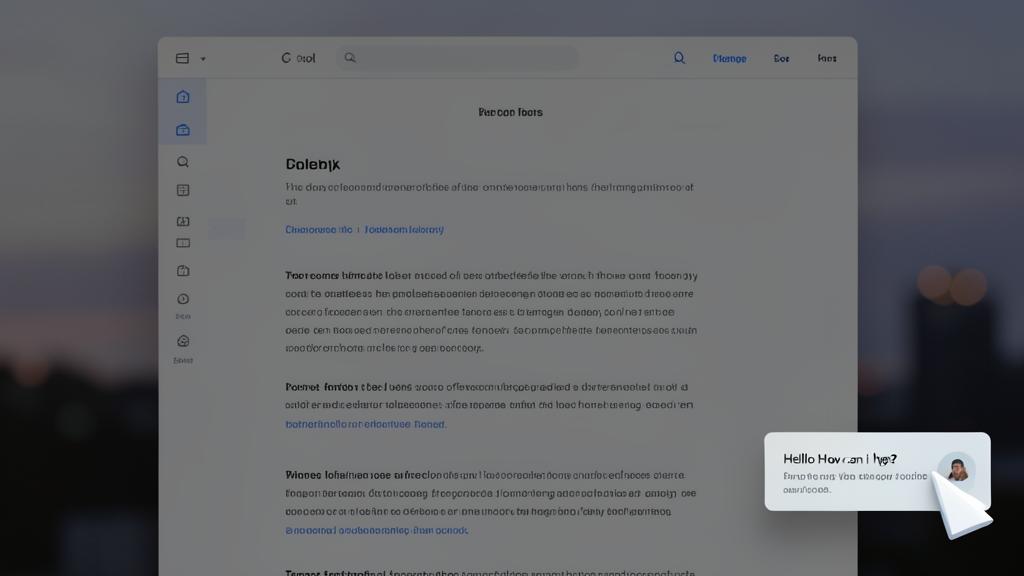
Warning: a poorly designed or neglected chatbot does more harm than good. Before succumbing to the chatbot trend, keep in mind the pitfalls that can harm your site. The worst of all: the ABANDONED chatbot — if you install a live chat where visitors can write, but NO ONE responds (because you don’t have the time, or you’ve forgotten), the effect is disastrous: a visitor who asks a question and never gets a response leaves with a much worse impression than if there had been no chat at all — activate a communication channel only if you can ensure the follow-up. The INTRUSIVE chatbot: that which appears immediately, with a sound, masking the content, constantly relaunching, preventing the bubble from being closed; it irritates and drives away; a chatbot should be discreet and easy to ignore. The INUTILE chatbot: that which doesn’t understand, responds incorrectly, goes in circles, only says « I didn’t understand your request »; it frustrates; if it doesn’t really help, it hinders. FALSE EXPECTATIONS: letting visitors believe a human responds when it’s a robot, or promising help that the bot can’t provide; be honest about its nature and capabilities. The AI trap: an unmonitored AI chatbot can give false or invented information about your activity, prices, conditions; this can mislead your visitors and engage you; rigorously test and monitor its responses, beware of « hallucinations » (our limits of AI to know). Privacy issues: a chatbot collects conversation data and contact information; it may fall under consent (like cookies) and data protection regulations; inform your visitors and respect the rules (our guides on managing cookie banners). The burden on PERFORMANCE: some modules can slow down the site; check the impact. Finally, the GADGET trap: adding a chatbot « because everyone has one » on a small site that doesn’t need it is superfluous and complicates without adding value; often, a good FAQ and a clear contact form provide the same service, better. The rule: a chatbot has value only if well designed, useful, honest, followed up, and maintained; in doubt, or if you can’t ensure all this, it’s better not to have it: a clear site without a chatbot is preferable to a site with a neglected chatbot.
Frequently asked questions
Is a chatbot essential for a website today?
No, absolutely not: despite their multiplication, chatbots are NOT essential, especially for small sites. Many excellent and effective sites have none; their clarity, good organization, a well-thought-out FAQ page, and an accessible contact form are sufficient to meet visitor needs. A chatbot has value only if it brings REAL value in YOUR case: for example, if you have a lot of traffic, recurring questions it can handle automatically, a need for 24/7 availability, or a desire to capture contacts interactively; and provided you can maintain and follow up on it. For a small storefront site, a local business, or a site with low traffic, a chatbot often becomes a gimmick, or even a detriment. The question is not « is it trendy? » but « is it useful for MY visitors and do I have the means to manage it well? » In many cases, the answer is no, and that’s fine: a clear site with a good FAQ and easy contact is better than a cluttered site with a superfluous chatbot. Don’t feel obligated to add one: focus first on the clarity of your site and the ease of contacting you; it’s often more effective than a bot.
Automatic chatbot or chat with a real person: which to choose?
It depends on your resources and needs; each has its advantages. The AUTOMATIC CHATBOT (scenario-based or AI) works 24/7 without your intervention: it answers frequent questions, guides, collects requests, even when you’re asleep; advantage: permanent availability, no real-time response burden; disadvantage: it is limited to what has been planned (scenarios) or can make mistakes (AI), and does not replace a real human conversation for complex cases. The LIVE CHAT with a real person offers a true exchange, personalized and relevant; advantage: quality of the relationship, ability to handle anything; major disadvantage: you must be AVAILABLE to respond; if no one responds, it’s catastrophic; it requires time and organization. The ideal solution often is a MIXED system — a bot handles simple questions and off-peak hours (collecting requests for you to follow up), and you (or your team) take over in real-time for exchanges that warrant it. To choose: if you don’t have the time to respond in real-time, an automatic bot (well-designed) or even no chat at all is better than a neglected live chat; if you can ensure presence, the human chat (or mixed) offers the best experience. The absolute rule: offer live chat only if you can REPLY; a human channel without anyone at the other end is the worst choice.
Is an AI chatbot reliable for my site?
Handle with care: an AI chatbot is powerful but presents real risks that must be known. Its ADVANTAGES: it understands questions formulated freely (not just predefined buttons) and can respond flexibly and conversationally; it’s more natural than a rigid scenario-based bot. Its RISKS: AI can make MISTAKES or INVENT responses (the phenomenon of « hallucinations »); on your site, this means it could provide FALSE information about your prices, services, conditions, schedules; these errors can mislead your visitors, create misunderstandings, or engage you in false promises; it’s a serious risk (our limits of AI to know, AI hallucinations). To use it reliably: STRONGLY ENCOURAGE it — limit it to a verified scope of knowledge about your activity, rather than letting it answer everything; RIGOROUSLY TEST it with real questions before going live, and verify its responses; plan for it to ORIENT towards a human contact for what it doesn’t master, rather than inventing; MONITOR its conversations to spot and correct errors; don’t let it make binding statements (firm prices, promises) without control. In summary: an AI chatbot can be useful but is NOT reliable « on its own »; it requires monitoring, testing, and supervision; for many small sites, a simple scenario-based bot (predictable, no risk of invention) or a good FAQ are safer. If you opt for AI, do so with knowledge and keep control over what it says about your activity.
What to remember
Should an entry chatbot be on your site? The answer is not « yes because it’s trendy » but « it depends on YOUR site and VISITORS. » A chatbot is a discussion module that welcomes, answers, guides, or captures contacts; there are several types: SCENARIO-BASED (predefined buttons, simple and predictable), AI (understands freely formulated questions but can make mistakes and invent), and LIVE CHAT (a real person responds in real-time when available). Its ADVANTAGES: 24/7 availability, reactivity, contact capture, support lightening, guidance. Its DISADVANTAGES: irritation (if it’s intrusive), frustration (if it doesn’t understand), false expectations, maintenance burden, cost, privacy concerns. The central CONCLUSION: a chatbot is beneficial only if it is WELL DESIGNED, USEFUL, and MAINTAINED; poorly designed or neglected, it does more harm than good — the worst being a live chat where no one responds. BEFORE adding one, ask yourself: do my visitors often have the same questions? do I have enough traffic? do I have the resources to maintain and respond? what does it add beyond my current site? would a good FAQ and easy contact suffice? A chatbot is NOT essential: for many small sites, a clear FAQ page and easy contact provide the same service, better. IF you add one: make it discreet (non-intrusive, easy to close), honest about its nature (bot or human), really useful, with an exit to a human when it doesn’t know, assiduous follow-up (reply to messages! ), respectful of privacy, and maintained; and if it’s an AI chatbot, monitor and test it rigorously (risk of false responses). The right decision comes from your actual use, not the trend: a clear site without a chatbot is better than a site with an unnecessary or abandoned chatbot.
Your business deserves a real online presence: website, store, SEO — we create the site that matches you.
Leave a Reply
You must be logged in to post a comment.