
You’re creating a website, an article, a publication, a presentation, and you need IMAGES to illustrate it? Warning: you can’t just take any image found on the internet! Most are protected by copyright, and using them without permission can get you into trouble. Fortunately, there are « royalty-free » images, usable for free and legally. You just need to know where to find them, understand the licenses, and follow a few rules. Here’s how to illustrate your projects with beautiful images, completely legally.
Why you can’t take any image
This is a poorly understood but ESSENTIAL point: most images on the internet are NOT free to use. The PRINCIPLE of copyright: as soon as someone creates an image (photo, illustration, drawing), they hold the RIGHTS to it; no one can reuse it without their permission; it’s automatic, even without an explicit copyright notice. In other words: BY DEFAULT, an image found on the internet is PROTECTED; the fact that it is accessible, downloadable, or appears in an image search does NOT mean you have the right to use it. This is a very common mistake: « It’s on the internet, so it’s free and free to use » — FALSE. The RISKS of using a protected image without permission: you are in violation; the rights holder can demand removal, claim financial compensation (sometimes high), or even take legal action; companies actively monitor unauthorized use of their images and send payment requests; the risk is real, especially for public use (website, social media, commercial communication). The good news: there are plenty of images you CAN use legally — « royalty-free » images or under permissive licenses. What you need to REMEMBER: never take an image at random from the internet to use on your site or materials; always start with explicitly authorized image sources; check the license; follow the conditions. This caution is not an insurmountable constraint: as we’ll see, free and legal image sources are numerous and of good quality; you just need to use them instead of picking randomly. Understanding this avoids a very real legal risk while giving you access to thousands of perfectly usable images.
By default, any image you find online is protected by copyright. You can’t just use it without permission, even if it’s easy to download. But there are legal ways to use images for free, as long as you follow the rules.
A small business owner downloads a stock photo of a happy office team from Google Images to use on their website. The image is actually protected, and the photographer’s agency sends a $500 invoice for unauthorized use. The business owner could have avoided this by using a verified free image bank like Unsplash or Pexels.

Understanding image licenses
« Royalty-free » covers several REALITIES: let’s understand the main licenses to choose KNOWINGLY. The PUBLIC DOMAIN / CC0: the most free images; usable by everyone, for any use (including commercial), without permission, without attribution, for free; either because the rights have expired, or because the author has waived them (CC0 license); this is the simplest and safest case. CREATIVE COMMONS (CC) licenses: a system where the author allows use under certain CONDITIONS, indicated by symbols: « BY » (attribution: you must CITE the author), « NC » (non-commercial: commercial use prohibited), « ND » (no modification), « SA » (share under the same conditions); for example, « CC BY » = usable freely as long as you cite the author; « CC BY-NC » = same but only for non-commercial use; READ the conditions carefully: they determine what you are allowed to do. The licenses of FREE image banks: many sites (see below) offer images under their own free license, generally very permissive (free use, including commercial, often without mandatory attribution but appreciated); always check the site’s conditions. Images under PAID licenses: commercial image banks sell usage licenses; you pay for the right to use the image under specific conditions; to consider for specific professional needs. Points to CHECK for each image: whether COMMERCIAL use is allowed or not (crucial if your site sells something); whether ATTRIBUTION is required or not (do you have to cite the author?); whether MODIFICATION is allowed or not; and the special case of images showing PEOPLE or BRANDS (see the warning). The REFLEX: before using an image, identify its LICENSE and RESPECT its conditions; in case of doubt, choose a public domain/CC0 image (the simplest) or move on. Understanding licenses may seem technical, but in practice, sticking to reputable free image sources and reading their conditions (often clear and permissive) is sufficient in the vast majority of cases.
Where to find beautiful free and legal images. Good news: there are excellent FREE image banks where you can legally draw from, without picking randomly on the internet. The principle of these sites: photographers and creators share their images under permissive licenses (often usable for free, including for commercial use, with or without attribution depending on the site). You will find PHOTOS of high quality on almost any subject, but also ILLUSTRATIONS, icons, sometimes videos. How to proceed: go to a reputable free image bank, use the SEARCH by keyword (in English, you often get more results: « office, » « nature, » « food »…), download the chosen image, and CHECK each time the usage conditions displayed (generally clear: free use, attribution appreciated or required, etc.). A few tips for good images: choose images of good RESOLUTION (large enough for your use without being blurry); prefer COHERENT visuals (same atmosphere, same style) for a harmonious look on your site; avoid overly « stock image » clichés (fake happy office scenes) that make it impersonal; look for authentic and relevant images. Also think about ICONS (libraries of free icons exist) to illustrate without photos. Another option: your OWN photos! Taking your own images (products, location, achievements) guarantees they are royalty-free, authentic, and unique — often the best choice for a business. And for custom visuals, generative AI can create images (checking usage rights — our guides on understanding generative AI). By sourcing from these dedicated sites rather than picking randomly, you illustrate your projects with beautiful images, for free and without any legal risk: it’s that simple, and infinitely safer.

Using images well on your site
Finding free images is good; using them well is BETTER: a few best practices. RESPECT the license: if attribution is required, CITE the author as requested (often a simple mention with a link); if commercial use is excluded, don’t use it on a merchant site; follow the conditions to the letter. OPTIMIZE the WEIGHT of the images: downloaded images are often very heavy; a heavy image slows down your site; resize it to the size actually needed and compress it (free tools do this) before uploading it; this is essential for site speed (our guides on speeding up a slow site). CHOOSE the right FORMAT: JPG for photos, PNG for images with transparency or clean text, and modern web formats (WebP) for a good quality/weight compromise (our guides on converting files). Fill in the ALTERNATIVE TEXT (alt attribute): a description of the image, important for accessibility (visually impaired people, via screen readers) and for SEO (our guides on making your site accessible to everyone); briefly describe what the image shows. Ensure VISUAL COHERENCE: images of the same style/atmosphere give a professional look; a patchwork of mismatched images looks messy. Make sure the images are RELEVANT: they should serve the purpose, not just « look pretty »; a well-chosen image reinforces the message. ORGANIZE your images: keep track of the SOURCE and LICENSE of each image used (useful if you are questioned, and to know what you are allowed to do with them). ADAPT to responsive design: your images should display well on mobile and desktop (modern site systems often handle this automatically). In summary: respect licenses, lighten and optimize images (weight, format), take care of alternative text, aim for coherence and relevance, and keep track of sources. Thus, your images are not only legal: they effectively serve your site, without slowing it down or harming its accessibility. Well-used beautiful images make a real difference in the perceived quality of a site.
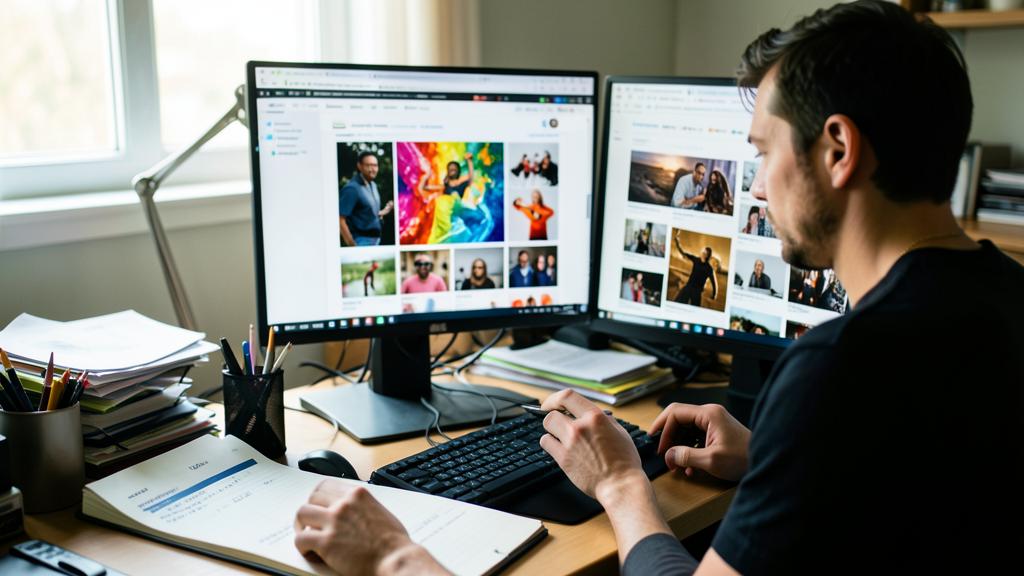
Warning: « found on Google Images » does NOT mean « free to use » — and beware of people and brands. Several pitfalls can expose you legally: be VIGILANT. The NUMBER ONE pitfall: believing that an image found via an image search (Google Images or others) is free to use; this is FALSE; an image search displays images from all over the web, the vast majority of which are PROTECTED by copyright; using them without permission is an infringement that can cost you dearly (removal requests, financial claims, lawsuits); NEVER take an image this way to use on your site or materials; go through explicitly free image banks. Second pitfall, the LICENSE conditions: even on « free » image sites, read the conditions: some images require ATTRIBUTING the author, others prohibit COMMERCIAL use, others MODIFICATION; using an image outside its license is an infringement; strictly follow what is requested. Third pitfall, often overlooked: PEOPLE and BRANDS visible in the image; an image may be « royalty-free » from the photographer’s perspective, but if it shows a RECOGNIZABLE PERSON, their RIGHT TO IMAGE may apply (especially for commercial use or potentially harmful use); similarly, a LOGO, a trademark, a protected work of art, or an iconic building visible may cause problems; serious image banks specify when an image is « editorial only » (usable to illustrate a news topic, not to promote a product) or has the necessary authorizations (« model release »); be attentive to this aspect. Fourth point, AI: images generated by AI raise questions about rights and usage that are still evolving; check the conditions of the tool used before commercially using a generated image (our guides on understanding generative AI). In case of DOUBT about an image: don’t use it; choose one clearly free (public domain/CC0), or use your own photos (the safest way to have 100% free and authentic images). The golden rule: by default, an image is protected; only use what you are SURE you have the right to use, respecting the conditions; this rigor keeps you safe from a very real and unfortunately frequent legal risk.

Frequently asked questions
Can I use an image found on Google Images?
No, not freely: this is one of the most common and RISKIEST mistakes. A search on Google Images (or any other engine) displays images from ALL over the web; their appearance in the results DOES NOT mean they are free to use; the vast majority are PROTECTED by copyright, belonging to their creators. Downloading and using them on your site, social media, or materials WITHOUT PERMISSION is an infringement, which can lead to removal requests, sometimes costly financial claims, or even lawsuits; specialized companies actively track these unauthorized uses. The fact that an image is easy to download gives no rights to it. What to do instead? Use BANKS of explicitly free and legal images, where creators share their images under permissive licenses; you will find excellent photos and illustrations usable legally. Note: Google Images offers a filter to restrict to images based on their usage rights (in the search tools); this is a starting point, but always CHECK the actual license on the original site, as this filter is not infallible. The simple rule: never take an image « because it’s on Google »; start with free image sources, or use your own photos. It’s just as easy, and it avoids a real risk.
What does « royalty-free » mean exactly?
The term is confusing, so let’s clarify. « Royalty-free » does NOT mean « no rules » or « you can do whatever you want »; it means the image can be used WITHOUT PAYING a fee for each use, BUT generally under certain CONDITIONS. There are several levels: images in the PUBLIC DOMAIN or under CC0 license are the most free: usable by everyone, for any use (including commercial), without permission or attribution; this is the simplest case. Images under CREATIVE COMMONS licenses are free UNDER CONDITIONS: for example, « CC BY » allows you to use it as long as you CITE the author; « CC BY-NC » adds the prohibition of commercial use; you must read these conditions. « Free » image banks have their own license, often permissive but with specific rules (to check). So, before using an image said to be « free, » always check: can I use it for COMMERCIAL purposes? Do I have to CITE the author (attribution)? Can I MODIFY it? Are there restrictions related to people or brands visible? « Royalty-free » is therefore a shortcut: the reality is a set of licenses with varying conditions. The safest option: prefer the public domain/CC0 (no conditions), and otherwise read and strictly follow the conditions of each image’s license.

Do I always have to cite the author of an image?
It depends on the image’s license: sometimes yes, sometimes no. For images in the PUBLIC DOMAIN or under CC0 license: attribution is NOT REQUIRED (the author has waived it); you can use them without citing anyone (even if a thank you is courteous). For images under CREATIVE COMMONS licenses with the « BY » mention (like CC BY, CC BY-NC, etc.): attribution is MANDATORY; you MUST cite the author as indicated (usually their name, the title of the work, the license, and often a link); not doing so puts you in violation. For free image banks: it varies; some do not require attribution (but appreciate it), others do; check their conditions. The rule: READ the license of each image to know if attribution is required, and if so, do it correctly (as requested). In case of doubt, CITING the author never hurts (it’s correct and respectful), while NOT doing so when required can cause problems. Where to put the attribution? Depending on the context: near the image, in a caption, or in a « credits » page of your site. General good practice: keep a TRACE of the source, author, and license of each image you use; this way, you can always attribute correctly and prove your good faith. In summary: attribution depends on the license — mandatory for CC « BY, » optional for public domain/CC0 — so check each time.
What to remember
You CANNOT use any image found on the internet: by default, every image is PROTECTED by copyright, and using it without permission can lead to removal requests, financial claims, or even lawsuits — a very real risk. The number one pitfall: believing that an image found on Google Images is « free »; this is false. The solution: use « royalty-free » images, available on REPUTABLE FREE IMAGE BANKS, where creators share their visuals under permissive licenses; you will find beautiful photos and illustrations usable legally. UNDERSTAND licenses: the public domain / CC0 is the most free (any use, no attribution); Creative Commons licenses allow use under conditions (BY = cite the author, NC = no commercial use, ND = no modification); always check: is commercial use allowed? is attribution required? is modification permitted? Also beware of PEOPLE and BRANDS visible (right to image, trademarks), which can cause problems even on a « free » image. To USE your images well: strictly follow the license (cite the author if required), OPTIMIZE the weight and format (a heavy image slows down the site), fill in the ALTERNATIVE TEXT (accessibility and SEO), aim for coherence and relevance, and keep track of each source. The SAFEST ways to have 100% free images: your OWN photos (authentic and unique), and the public domain/CC0. In case of doubt about an image: don’t use it. This rigor — starting with explicitly free sources, reading licenses, respecting conditions — is not an insurmountable constraint: free and legal images are numerous and of quality; it simply keeps you safe from a frequent legal risk while giving you access to what you need to beautifully illustrate your projects, completely legally.



Your business deserves a real online presence: showcase site, store, SEO — we create the site that reflects you.
Leave a Reply
You must be logged in to post a comment.