
You’re selling your old phone, giving away a computer, or throwing away a hard drive: do you think deleting your files or « resetting » the device is enough to erase your data? Not always. A simple deletion often leaves recoverable traces, and a poorly erased device may expose your photos, documents, passwords, and personal data to its next owner. Knowing how to **REALLY** delete your data before parting with a device is an essential security measure. Here’s how to permanently erase your data, depending on the device, to leave nothing behind.
Why « deleting » isn’t always enough
When you « delete » a file or empty the trash, the data isn’t necessarily **ERASED** immediately from the device: often, only the file’s « reference » disappears (the device marks the space as reusable), but the data itself may persist until it’s overwritten—and thus be potentially **RECOVERABLE** with the right tools. That’s why a simple deletion doesn’t guarantee your data is gone. Why is this an **ISSUE**? Because when you **DISPOSE** of a device (resale, donation, recycling, repair, or disposal), it may contain a wealth of **PERSONAL DATA**: private photos and videos, documents, emails, messages, saved passwords, banking data, connected accounts, browsing history… If these data aren’t **REALLY** erased, the next owner (or someone who recovers the device) could access them: a serious risk to your **PRIVACY** and **SECURITY** (identity theft, access to your accounts, exposure of intimate data). The **SITUATIONS** involved: selling or donating a phone, computer, or tablet; disposing of an old hard drive, USB key, or memory card; recycling or throwing away hardware; sending a device for repair. What you need to understand: parting with a device without **REALLY** erasing its data is like giving away a file cabinet while believing you’ve emptied it, only to leave documents inside. You need **ACTUAL** erasure, not just deletion. The good news: modern devices offer ways to truly erase data (secure reset, especially when data is encrypted), provided you know how to use them. The key idea: « deleting » a file or emptying the trash doesn’t always erase your data, which may remain recoverable. Before parting with a device (resale, donation, recycling, repair), you must **REALLY** erase your personal data (photos, documents, passwords, accounts), or they may end up in other hands. This often-overlooked security measure is essential: knowing how to permanently delete your data protects your privacy when your devices change owners.
When you delete a file, your device just marks the space as empty but doesn’t actually erase the data. Someone with the right tools can often recover that data until it gets overwritten. To truly erase data, you need to overwrite it completely or use a factory reset on encrypted devices. This is especially important when giving away or selling your devices.
Imagine you’re selling an old iPhone 12. If you just delete your photos and reset it normally, someone with data recovery software could still access your deleted files. But if you perform a factory reset (which encrypts the data first on modern iPhones), that data becomes unrecoverable. The same goes for computers with encrypted drives.

How to truly erase your data by device
Here’s how to actually delete your data before parting with a device. The **GENERAL PRINCIPLE**: use the device’s **FACTORY RESET** function (which erases everything and restores it to its original state), after backing up what you want to keep and disconnecting your accounts. Depending on the **DEVICE**:
For a PHONE or TABLET — first, **BACK UP** your data (photos, contacts—see our guides on backing up your phone); **DISCONNECT** your accounts (main account, email—important, as some devices remain linked to your account otherwise—the « activation lock »); remove the SIM card and memory card; then initiate the **FACTORY RESET** (in settings: « erase all content and settings »); on modern devices, where data is encrypted, this reset makes it unreadable—a reliable erasure.
For a COMPUTER — back up your data; disconnect your accounts and deauthorize any software linked to the device if needed; then use the **RESET/REINSTALL** function, which erases the disk and restores the system to new. On recent computers with encrypted disks, erasure is reliable; for older disks, secure erasure options exist.
For a HARD DRIVE, USB KEY, or MEMORY CARD — a quick format isn’t always enough; use secure erasure (tools exist to actually overwrite the data), or for a disk containing highly sensitive data you’re disposing of, **PHYSICAL DESTRUCTION** is the ultimate guarantee.
Special case: ENCRYPTION makes erasure safer — if a device is encrypted (the case for modern devices), deleting the « key » during reset instantly makes all data unreadable; that’s why factory resetting an encrypted device is reliable.
A few **TIPS** and **PRECAUTIONS**: always **BACK UP** before erasing (reset is irreversible—recover photos, contacts, documents—see our guides on regular backups); **DISCONNECT** your accounts beforehand (otherwise, the device may remain linked to you, or the new owner may be blocked); **CHECK** after reset that the device is truly clean; and don’t forget **AUXILIARY MEDIA** (remove SIM and memory cards). An **IMPORTANT** point for **REPAIRS**: if you hand over a device for repair without being able to erase it (it won’t turn on), be aware that your data may be accessible; prefer a trusted repairer, and know this is another reason to encrypt your devices and secure them with a password (see our guides on securing your devices). In short, to truly erase your data: back up what you’re keeping, disconnect your accounts, remove the cards, then perform the device’s **FULL RESET** (reliable on modern encrypted devices); for disks and keys, use secure erasure, or for highly sensitive data, physical destruction. Actual erasure, not just deletion: that’s what protects your data when the device changes hands.
- For a PHONE or TABLET: (1) back up your data (photos, contacts); (2) DISCONNECT your accounts (main account, email); (3) remove the SIM and memory cards; (4) initiate the factory reset in settings (« erase all content and settings »).
- For a COMPUTER: back up, disconnect your accounts and deauthorize linked software, then use the reset/reinstall function that erases the disk.
- For a HARD DRIVE, USB KEY, or MEMORY CARD: use secure erasure (which actually overwrites the data), or for highly sensitive data, physical destruction.

The right reflex. Before parting with a device (resale, donation, recycling, repair), don’t just **DELETE** your files or empty the trash: a simple deletion may leave your data recoverable. Use the device’s **FULL RESET** (which erases it and restores it to its original state), following the correct order. For a **PHONE** or **TABLET**: (1) back up your data (photos, contacts); (2) **DISCONNECT** your accounts (main account, email)—a crucial step, as otherwise the device may remain linked to you (the « activation lock » would block the new owner); (3) remove the SIM and memory cards; (4) initiate the factory reset in settings (« erase all content and settings »). For a **COMPUTER**: back up, disconnect your accounts and deauthorize linked software, then use the reset/reinstall function that erases the disk. Good news: on **MODERN** devices, data is encrypted, so the reset makes it unreadable—reliable erasure. For a **HARD DRIVE**, **USB KEY**, or **MEMORY CARD**, a quick format isn’t always enough: use secure erasure (which actually overwrites the data), and for media containing highly sensitive data you’re permanently disposing of, physical destruction is the ultimate guarantee. Three precautions: always **BACK UP** first (reset is irreversible—recover what you want to keep), **DISCONNECT** your accounts before erasing, and **CHECK** afterward that the device is truly clean (don’t forget to remove SIM and memory cards). Tricky case: a device handed in for repair without being able to erase it (it won’t turn on) may expose your data—hence the importance of encrypting and password-protecting your devices in advance, and choosing a trusted repairer. **ACTUAL** erasure (full reset), not just deletion: that’s what ensures your photos, documents, passwords, and personal data won’t fall into the next owner’s hands.
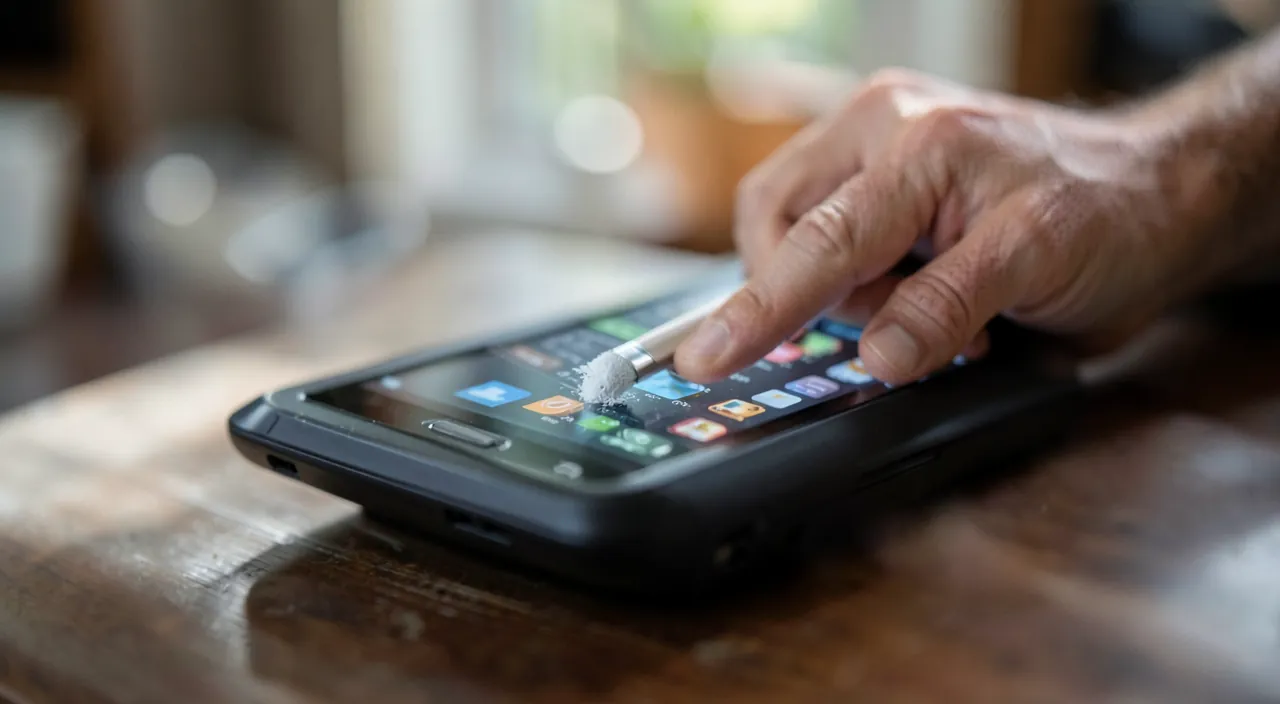
Protecting your privacy when a device changes hands
Truly erasing your data is part of a privacy protection approach throughout your devices’ lifecycle. A few lasting principles. **ANTICIPATION**: think about erasure **BEFORE** parting with a device; that’s the critical moment when your data may leak; don’t rush this step in the haste of a sale. **ENCRYPTION** in advance: keeping your devices encrypted (the default for modern devices) and password-protected is a double security measure: it protects your data in case of loss or theft, **AND** makes erasure reliable (resetting deletes the key, making everything unreadable); enable encryption if it’s not already active (see our guides on securing your devices). **BACK UP** first: never erase without backing up what you want to keep; erasure is irreversible; recover photos, contacts, documents first (see our guides on regular backups). **DISCONNECT** your accounts: unlink your accounts from the device before handing it over (for your security and to avoid blocking the new owner). **LEVEL** appropriate to the media: factory reset for modern phones/computers (reliable because encrypted), secure erasure for disks and keys, physical destruction for highly sensitive data you’re disposing of. **VIGILANCE** in repairs: a device handed in for repair may expose your data; choose a trusted repairer, and encryption + password limit the risk. **RESPONSIBLE RECYCLING**: erasing your data before recycling or throwing away a device is also a security issue (a discarded device may be recovered by anyone). In short, « deleting » doesn’t always erase your data: before parting with a device (resale, donation, recycling, repair), you must **REALLY** erase it, or it may end up in other hands. The method: back up what you’re keeping, disconnect your accounts, remove the cards, then perform the **FULL RESET** (reliable on modern encrypted devices); secure erasure for disks and keys, physical destruction for highly sensitive data. Anticipate this step, keep your devices encrypted and protected in advance (double security), back up before erasing, and check afterward. Protecting your privacy doesn’t end when you use a device: it also—and especially—applies when it changes hands. A properly erased device is the guarantee of leaving nothing behind: no intimate photos, no documents, no passwords, no access to your accounts. This simple but essential gesture, often overlooked, is the last line of defense for your privacy in your devices’ lifecycle.
Warning: a simple deletion isn’t enough, back up and disconnect your accounts before erasing, and don’t forget anything. Key points. « DELETE » DOESN’T **REALLY** ERASE — don’t assume that deleting your files, emptying the trash, or performing a quick format actually erases your data: they may remain **RECOVERABLE** until overwritten; before handing over a device, use a **TRUE** **FULL RESET** (reliable on modern encrypted devices), secure erasure for disks and keys, or physical destruction for highly sensitive data; don’t rely on ordinary deletion for data you don’t want to fall into other hands. **BACK UP BEFORE ERASING** — reset is **IRREVERSIBLE**: it erases everything, with no way back; **IMPERATIVELY** recover first what you want to keep (photos, contacts, documents); erasing without backing up means losing your memories and data forever. **DISCONNECT YOUR ACCOUNTS FIRST** — disconnect your accounts (main account, email) from the device before erasing and handing it over: otherwise, the device may remain **LINKED** to you (the « activation lock » would make it unusable for the new owner), and your accounts would remain associated with a device that’s no longer yours. Other common oversights: leaving the SIM and **MEMORY** cards in the device (remove them—they contain data), **NOT CHECKING** after reset that the device is truly clean, **RUSHING** the erasure in the haste of a sale, and **FORGETTING** that old hard drives, USB keys, and memory cards you’re disposing of also contain data to erase. Tricky case: a device handed in for **REPAIR** (that won’t turn on, impossible to erase) may expose your data; choose a trusted repairer, and keep your devices **ENCRYPTED** and password-protected in advance (which limits the risk and makes future erasure reliable). Parting with a device without truly erasing its data risks exposing your privacy (photos, documents, passwords, accounts) to its next owner. A true reset, preceded by a backup and account disconnection, without forgetting the cards: that’s what guarantees leaving nothing behind. Never skip this final step: it’s the ultimate protection for your data when your devices change hands.
Frequently asked questions
Is deleting my files enough before selling my device?
No, not always: that’s the trap. When you delete a file or empty the trash, the data isn’t necessarily erased immediately; often, only their reference disappears, but the data may persist and be **RECOVERABLE** with the right tools until overwritten. A simple deletion (or quick format) doesn’t guarantee your data is gone. Before selling or donating a device, use a **TRUE** **FULL RESET**: for a modern phone or computer (where data is encrypted), the factory reset makes it unreadable—a reliable erasure. First, back up what you want to keep (erasure is irreversible) and disconnect your accounts from the device. For a hard drive or USB key, secure erasure (which actually overwrites the data) is necessary, or even physical destruction for highly sensitive data. Don’t rely on simple deletion: only actual erasure protects your data when the device changes hands.
How to truly erase a phone before giving it away?
Follow these steps in order. (1) **BACK UP** your data (photos, contacts)—reset is irreversible. (2) **DISCONNECT** your accounts from the device (main account, email): a crucial step, as otherwise the device may remain linked to you (the « activation lock » would block the new owner). (3) Remove the SIM and memory cards (they contain data). (4) Initiate the **FACTORY RESET** in settings (« erase all content and settings »). On modern phones, where data is encrypted, this reset makes it unreadable: reliable erasure. (5) Check afterward that the device is truly clean (it restarts as new, on the initial setup screen). Don’t just delete your files one by one: only the full reset truly erases. By following these steps—back up, disconnect accounts, remove cards, reset, check—you hand over your phone without leaving behind your photos, messages, passwords, and personal data.

And for an old hard drive or USB key?
For these media, be especially vigilant, as a quick format doesn’t always erase data (they may remain recoverable). Two approaches depending on sensitivity. For everyday use: use **SECURE ERASURE**—tools exist to actually overwrite the disk or key’s data (sometimes called « complete » or « secure » erasure, as opposed to quick format), making recovery very difficult. For **HIGHLY SENSITIVE** data you’re permanently disposing of: **PHYSICAL DESTRUCTION** of the media is the ultimate guarantee (a destroyed disk will never reveal its data). If the media was **ENCRYPTED**, deleting the encryption key also makes the data unreadable. As always, first recover what you want to keep (erasure is irreversible). Don’t forget these auxiliary media in your process: old hard drives, USB keys, and memory cards often contain as much personal data as a device, and are easily overlooked when sorting or discarding hardware. Truly erasing a disk or destroying it prevents it from revealing your data to whoever recovers it.
What to remember
« Deleting » a file, emptying the trash, or performing a quick format doesn’t **ALWAYS** erase your data: they may remain **RECOVERABLE** until overwritten. Before parting with a device (resale, donation, recycling, repair, disposal), you must **REALLY** erase your personal data (photos, documents, emails, passwords, connected accounts), or they may end up in the next owner’s hands—a serious risk to your privacy and security. The method: use the device’s **FULL RESET**, in the correct order—(1) back up what you want to keep (erasure is irreversible), (2) **DISCONNECT** your accounts from the device (crucial, or it may remain linked to you and block the new owner), (3) remove the SIM and memory cards, (4) initiate the factory reset, (5) check that the device is truly clean. Good news: on **MODERN** devices (phones, computers), data is encrypted, so the reset makes it unreadable—a reliable erasure. For **HARD DRIVES**, **USB KEYS**, and **MEMORY CARDS**, a quick format isn’t enough: use secure erasure (which actually overwrites), or for highly sensitive data, physical destruction (ultimate guarantee). In advance, keep your devices **ENCRYPTED** and password-protected: this protects in case of loss or theft, **AND** makes future erasure reliable. Beware of tricky cases: a device handed in for repair without being able to erase it may expose your data (choose a trusted repairer), and don’t forget auxiliary media often overlooked (old disks, keys, cards). **ACTUAL** erasure—full reset, preceded by a backup and account disconnection, without forgetting the cards—not just deletion: that’s the guarantee of leaving nothing behind (no intimate photos, no documents, no passwords, no account access). This simple but essential gesture, often overlooked, is the last line of defense for your privacy when your devices change hands. Never rush it: protecting your data also—and especially—applies when you’re parting with them.
Concerned about your security, or need to check or clean a device? Our support service guides you step by step.
Leave a Reply
You must be logged in to post a comment.