
You see VPN ads everywhere: « protect your privacy, » « browse anonymously, » « secure your connection. » But what is a VPN exactly, what does it really do, and do you need one? Between exaggerated marketing promises and real uses, it’s easy to get lost. Here’s a simple and honest explanation of VPNs: what they are, what they do (and don’t do), when they’re useful, and how to avoid misleading sales arguments.
What is a VPN, explained simply
A VPN (virtual private network) is a tool that routes your internet connection through an « ENCRYPTED TUNNEL » to an intermediary server before reaching the sites you visit. In concrete terms, this has two main effects. First, your connection is ENCRYPTED between your device and the VPN server: what you do is not readable by those who might « listen » to your local connection (e.g., on a public WiFi). Second, the sites you visit see the address of the VPN SERVER, not yours: your real location and address are masked, replaced by those of the server (which may be in another country). What this allows, concretely: SECURING your connection on an unreliable network (public WiFi in a café, hotel) — encryption protects your exchanges from prying eyes on that network; MASKING your address and location from visited sites (a form of privacy vis-à-vis the sites and your internet provider); BYPASSING certain geographical restrictions (accessing content only available in certain countries, appearing to be from there). But you must be HONEST about what a VPN DOES NOT DO: it does not make you ANONYMOUS or « invisible » (sites where you log in with your accounts still identify you; other tracking techniques exist); it does not protect you from VIRUSES, phishing, or fake sites (it’s not an antivirus; you can still be tricked); it does not magically secure everything (weak passwords, poorly protected accounts remain vulnerable); and it SHIFTS trust: your data passes through the VPN provider, whom you must therefore trust (a shady or free VPN may itself collect your data!). The key idea: a VPN encrypts your local connection and masks your address to sites; it’s useful in SPECIFIC cases (public WiFi, privacy vis-à-vis sites and your internet provider, geographical bypass), but it’s NOT the magical security and anonymity tool that marketing claims. Understanding what a VPN REALLY does — and doesn’t do — helps you decide if it’s useful to you and avoid misleading promises.
A VPN creates a secure tunnel for your internet traffic and hides your real location. It helps if you use public WiFi or want to access content from another country, but it doesn’t make you invisible online or protect you from scams.
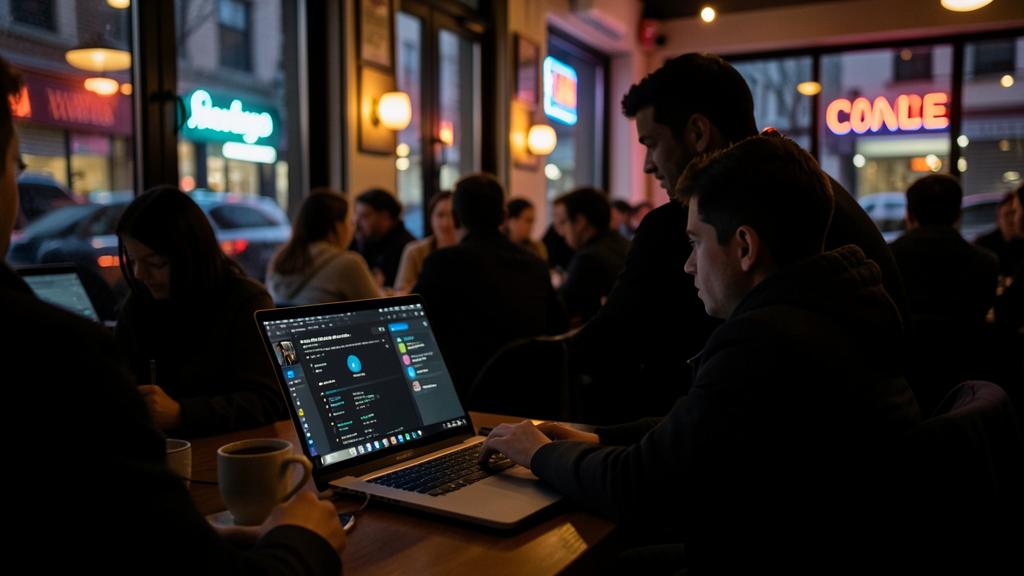
Imagine you’re in a café using their WiFi to check your bank account. Without a VPN, hackers on the same network could spy on your activity. With a VPN, your data is encrypted, so even if they try, they can’t read it. But if you log in to your bank, they’ll still know it’s you.
Useful or not? Real use cases
Do you need a VPN? It depends on YOUR usage. Here are the cases where it’s really USEFUL, and those where it’s not. A VPN is USEFUL if: you often use PUBLIC WiFi (cafés, hotels, airports) — encryption then protects your exchanges from prying eyes on these unreliable networks; this is one of the most concrete uses. You want to hide your activity from your INTERNET PROVIDER or from sites (a form of privacy: your provider sees that you’re using a VPN, but not the sites you visit). You want to access GEOGRAPHICALLY RESTRICTED CONTENT (appearing to be from another country); however, be mindful of the terms of use of the services concerned. You are in a context of CENSORSHIP or surveillance (certain countries); the VPN helps bypass blocks (a serious use that requires a truly reliable VPN). A VPN is LESS useful, or even useless, if: you mostly browse at home on your personal connection (your home WiFi is already reasonably secure; the VPN adds little for everyday use). You’re looking to protect yourself from viruses, phishing, or fake sites — this is NOT the role of a VPN (you need other protections: vigilance, updates, common sense — our guides on recognizing phishing). You believe it will make you ANONYMOUS — it doesn’t; for most people, total anonymity is neither achieved by a VPN nor the real need. How to CHOOSE if you want one: TRUST in the provider is crucial (your data passes through them) — avoid DUBIOUS free VPNs (many make money by collecting and selling your data, the opposite of the intended goal!); prefer a SERIOUS and recognized provider, transparent about its policy (especially whether it keeps or not logs of your activity). Check what you need (covered devices, ease of use). A few TIPS: don’t get a VPN out of marketing reflex, but because a SPECIFIC use justifies it (frequent public WiFi, privacy, bypassing); be wary of exaggerated promises (« total security, » « perfect anonymity »); and remember that security basics (strong and unique passwords, two-factor authentication, updates, vigilance against scams) are far more important than a VPN for most people (our guides on two-factor authentication, managing passwords well). In short, a VPN is useful for specific cases (public WiFi, privacy vis-à-vis sites and your internet provider, geographical or censorship bypass), but unnecessary or marginal for everyday domestic use, and powerless against viruses, phishing, and fake sites. If you get one, choose a TRUSTWORTHY provider (never a dubious free one). Decide based on YOUR actual uses, not on advertising.
The right reflex. Before getting a VPN, ask yourself if it meets a SPECIFIC need for you — not whether advertising pushes you to get one. A VPN is really useful in a few cases: if you often use PUBLIC WiFi (cafés, hotels, airports), where its encryption protects your exchanges from prying eyes on these unreliable networks (the most concrete use); if you want to hide your activity from your internet provider or from sites (privacy); or to access geographically restricted content. On the other hand, if you mostly browse at home on your personal connection, a VPN adds little; and above all, it does NOT protect you from viruses, phishing, or fake sites (it’s not an antivirus — you can still be tricked), and it does NOT make you anonymous (sites where you log in with your accounts still identify you). So don’t believe promises of « total security » or « perfect anonymity »: they’re exaggerated. CRUCIAL point if you get one: TRUST in the provider, because all your data passes through them. Absolutely avoid DUBIOUS free VPNs: many make money by collecting and selling your data — exactly the opposite of the intended goal! Prefer a serious, recognized provider, transparent about its policy (especially whether it keeps or not logs of your activity). Finally, keep your priorities straight: for most people, SECURITY basics — strong and unique passwords, two-factor authentication, updates, vigilance against phishing — protect far more than a VPN. A VPN can be a useful tool for specific uses, provided you choose it carefully (never a dubious free one) and know what it really does; but it doesn’t replace good security habits or common sense against scams. Decide based on your actual uses, not on marketing.

Avoid being fooled by marketing
The VPN market is saturated with ads making often EXAGGERATED promises; keeping a clear mind helps you decide calmly. A few guidelines. EXAGGERATED promises: « total security, » « perfect anonymity, » « protection against hackers »… VPN marketing often oversells; a VPN does specific things (encrypt the local connection, mask the address), not everything; be wary of arguments promising universal protection. The REAL need: ask yourself what YOU really want (protect your public WiFi? privacy? bypass a restriction?); if no specific use stands out, you probably don’t need a VPN. MISPLACED trust: a VPN doesn’t eliminate the need for trust, it SHIFTS it to the VPN provider; hence the importance of choosing a serious provider, and AVOIDING dubious free ones (which monetize your data). LIMITS to know: no protection against viruses, phishing, fake sites; no real anonymity; no magical security of your accounts; other TOOLS and habits cover these needs. SECURITY priorities: for most people, the basics (strong and unique passwords, two-factor authentication, updates, vigilance against scams, backups) provide far more security than a VPN; don’t neglect these fundamentals in favor of a VPN sold as a panacea (our guides on securing your accounts, two-factor authentication). INFORMED choice: if a specific use justifies a VPN, get a trustworthy one knowingly; otherwise, don’t let yourself be convinced by fear or promises. In short, the VPN is a useful tool for SPECIFIC cases — securing your connection on public WiFi, masking your address to sites and your internet provider, bypassing geographical or censorship restrictions — but it’s NOT the magical security and anonymity tool that marketing claims. It doesn’t protect against viruses, phishing, or fake sites, doesn’t make you anonymous, and shifts trust to its provider (hence the importance of choosing a serious one, never a dubious free one). For everyday domestic use, it’s often not very useful. Decide based on YOUR actual uses, not on advertising: if a specific need justifies it (frequent public WiFi, privacy, bypassing), a trustworthy VPN is a good tool; otherwise, focus on real security priorities (passwords, two-factor authentication, vigilance), which protect far more. Honestly understanding what a VPN does and doesn’t do is the way to choose wisely — and not be fooled by marketing that promises the moon.
Warning: beware of free VPNs, exaggerated promises, and don’t neglect real security priorities. Important points. DUBIOUS free VPNs — this is the major trap: a VPN routes ALL your data through its provider’s server; a free VPN must make money somehow, and many do so by COLLECTING and SELLING your browsing data — exactly the opposite of the privacy you’re seeking; don’t entrust your connection to a dubious free VPN; if you want a VPN, choose a serious, recognized, and transparent provider (a reliable paid service is better than a free one that exploits you). EXAGGERATED promises — « total security, » « perfect anonymity, » « protection against everything »: VPN marketing massively oversells; a VPN does NOT make you anonymous (sites where you log in identify you), does NOT protect you from viruses, phishing, or fake sites, and does NOT magically secure your accounts; don’t take these promises literally. NEGLECTING real priorities — the worst would be to get a VPN thinking you’re protected, while neglecting the fundamentals: strong and unique passwords, two-factor authentication, updates, vigilance against phishing, backups; THESE are what protect the most, far more than a VPN; a VPN never replaces these basics. Other points: don’t get a VPN out of simple marketing reflex or fear (ask yourself if it meets a SPECIFIC need for you), don’t believe it allows you to do anything recklessly (respect the law and the terms of services), and don’t forget that trust is simply SHIFTED to the provider (choose it well). A VPN is a useful tool for specific cases (public WiFi, privacy, bypassing), provided you choose it carefully and understand its limits; it’s neither a magic security wand nor an invisibility cloak. Decide based on your actual uses, avoid dubious free ones and too-good-to-be-true promises, and keep your priorities: good security habits matter more than a VPN for your daily protection.

Frequent questions
What does a VPN really do?
A VPN routes your connection through an « encrypted tunnel » to an intermediary server, with two effects: your local connection is ENCRYPTED (what you do is not readable by those who might listen to your network, e.g., a public WiFi), and the sites you visit see the address of the VPN SERVER, not yours (your real address and location are masked). This concretely serves to: secure your connection on an unreliable public WiFi (café, hotel), mask your activity to sites and your internet provider (privacy), and bypass geographical restrictions (appearing to be from another country). But be realistic about what it DOES NOT DO: it does not make you anonymous (sites where you log in identify you), does not protect against viruses, phishing, or fake sites, and does not magically secure your accounts. A VPN is a useful tool for specific cases, not the magical security and anonymity tool that marketing claims. Understanding what it really does helps you decide if it’s useful to you.
Do I need a VPN?
It depends on your usage. A VPN is USEFUL if you often use PUBLIC WiFi (its encryption protects your exchanges from prying eyes on these networks), if you want more privacy vis-à-vis sites and your internet provider, or to bypass geographical (or censorship) restrictions. It is LESS useful if you mostly browse at home on your personal connection (already reasonably secure), and it does NOT serve to protect you from viruses, phishing, or fake sites (that’s not its role). For most people in everyday domestic use, a VPN is not essential; SECURITY basics (strong and unique passwords, two-factor authentication, updates, vigilance against scams) protect far more. So: don’t get a VPN out of marketing reflex or fear, but if a SPECIFIC use justifies it (frequent public WiFi, sought-after privacy, bypassing). And if you get one, choose a trustworthy provider — never a dubious free one that monetizes your data. Decide based on your real needs.
Are free VPNs a good idea?
Generally no, beware of them. A VPN routes ALL your data through its provider’s server: you must therefore trust them. But a free VPN must make money somehow, and many do so by COLLECTING and SELLING your browsing data — exactly the opposite of the privacy you’re seeking by using a VPN! Some free VPNs are also poorly performing, full of ads, or downright shady in terms of security. Entrusting your connection to such a service can therefore expose you more rather than protect you. If you have a real need for a VPN, it’s better to choose a SERIOUS and recognized provider (often paid), transparent about its policy — especially whether it keeps or not logs of your activity. A reliable paid service is better than a free one that exploits you. And remember: for many people, no VPN is necessary on a daily basis; security basics (passwords, two-factor authentication, vigilance) are the real priority. Only get a VPN, free or paid, if a specific use justifies it — and in that case, avoid dubious free ones.
What to remember
A VPN (virtual private network) routes your connection through an ENCRYPTED TUNNEL to an intermediary server: this encrypts your local connection (protecting your exchanges from prying eyes on an unreliable network) and masks your real address to visited sites (which see the server’s address). It’s useful in SPECIFIC cases: securing your connection on PUBLIC WiFi (café, hotel — the most concrete use), masking your activity to sites and your internet provider (privacy), and bypassing geographical or censorship restrictions. But be LUCID about its limits: a VPN does NOT make you ANONYMOUS (sites where you log in identify you), does NOT protect you from VIRUSES, phishing, or fake sites (it’s not an antivirus), does NOT magically secure your accounts, and SHIFTS trust to its provider (all your data passes through them). It is therefore NOT the magical security and anonymity tool that marketing claims: beware of exaggerated promises (« total security, » « perfect anonymity »). For everyday domestic use, a VPN is often not very useful. If you get one, the CRUCIAL point is trust in the provider: AVOID dubious free VPNs (many make money by collecting and selling your data — the opposite of the intended goal) and prefer a serious, recognized, and transparent service. Finally, keep your PRIORITIES straight: for most people, security basics — strong and unique passwords, two-factor authentication, updates, vigilance against scams, backups — protect far more than a VPN, and it never replaces them. Decide based on YOUR actual uses, not on advertising: if a specific need justifies it (frequent public WiFi, privacy, bypassing), a trustworthy VPN is a good tool; otherwise, focus on real security priorities. Honestly understanding what a VPN does and doesn’t do is the way to choose wisely — and not be fooled by marketing that oversells.

Doubts about your security, a device to check or clean? Our support service guides you step by step.
Leave a Reply
You must be logged in to post a comment.