
The site impossible to navigate with the keyboard, the app unreadable for the visually impaired, the video without subtitles, the form that the screen reader doesn’t understand: for millions of people with disabilities—and for many others we don’t imagine—digital remains an obstacle course. But something is changing: accessibility is moving from the “optional bonus” to LEGAL OBLIGATION, technologies are advancing by leaps and bounds, and we’re rediscovering a forgotten truth—what helps people with disabilities improves the experience for EVERYONE. Where is accessible digital at, what the law requires, and why it’s everyone’s business.
Digital disability: much broader than we think
First, break the reductive image: accessibility concerns an ENORMOUS and diverse audience—the visual impairments (from total blindness—the screen readers, Braille—to low vision and color blindness—the contrast, size: our iPhone accessibility guides), auditory (subtitles, transcription—our guides: the revolution of live subtitles), motor (navigation without a mouse—via keyboard, voice, switches: a site unusable with just the keyboard excludes), cognitive and dys (clarity, simplicity, facilitated reading—the largest and most forgotten audience: our guides), and TEMPORARY or situational disabilities (a cast, a migraine, a screen in the sun, a noisy environment, aging—our senior guides: everyone is “digitally disabled” at some point); the scale—a very significant portion of the population is directly affected, the vast majority indirectly (a loved one, yourself one day—the aging population makes accessibility everyone’s business in the long run); and the foundational principle—UNIVERSAL design: what is designed for disabilities serves EVERYONE (subtitles created for the deaf serve in the subway and for learning languages, voice control created for motor disabilities equips all kitchens, contrasts created for low vision rest all eyes: our guides—accessibility is not a constraint for a minority, it’s a quality for the majority: the reversal that changes everything).
Accessibility isn’t just for people with disabilities—it helps everyone, from those with temporary issues to older adults. Good design benefits all, like subtitles for language learning or voice control for convenience.
A website with proper contrast and keyboard navigation helps not only someone with low vision but also a user browsing on a bright screen or with a broken mouse.

The law that changes the game (accessibility becomes mandatory)
The regulatory turning point: the expanding obligation—long limited to the public sector (government websites required to be accessible—the official framework), it now extends to the PRIVATE sector: European regulations impose accessibility on a wide range of digital products and services (banks, e-commerce, transportation, telecoms, e-books—the deadline forcing companies: the “European Accessibility Act” transposed): accessibility is no longer an optional good deed, it’s compliance with penalties; the standards—international rules (WCAG—technical criteria: contrast, keyboard navigation, text alternatives, structure) that provide an objective framework (a compliant site can be measured—our guides), and mandatory accessibility statements (the displayed compliance declaration); the ripple effect—the obligation forces skill development (web professionals integrating accessibility—the trained developer and designer), and progressively makes inaccessibility illegal (the shifting balance of power: after decades of weak goodwill, the constraint is effective); and the citizen perspective—it’s a step toward EQUALITY (access to digital conditions access to everything—the bank, administration, employment, culture: digital exclusion compounds disability—our guides on the digital divide: making digital accessible means making society accessible). The law finally catches up with the moral evidence—now it just needs to be applied everywhere.
The right reflex (for content creators). Whether you’re making a website, a document, a video, or even posts, adopt the basic accessibility gestures—free, easy, and beneficial to everyone: described IMAGES (alt text—the blind “see” your photo, and so does Google: our guides), SUBTITLED VIDEOS (our guides—the gesture with three benefits), SUFFICIENT CONTRASTS (light gray text on white excludes—our web guides), CLEAR STRUCTURE (hierarchical headings—the screen reader navigates, and so does the human: our text processing guides), and SIMPLE LANGUAGE (clarity serves dyslexics, non-French speakers, and those in a hurry). Five reflexes that create inclusion—and improve quality for EVERYONE: well-done accessibility isn’t visible, it’s felt in shared comfort.

The technologies that open doors
The progress that transforms lives: the built-in tools—every device has become an accessibility arsenal (our detailed iPhone accessibility guides: screen readers, magnifier, live subtitles, voice control, AirPods as hearing aids—the integrated and free revolution), and the same riches on computers and Android; the IA that accelerates everything—the most promising front: automatic image and scene description (the world described to the visually impaired—the apps that “see” for the user, our guides on connected glasses: the accessibility potential is immense), real-time transcription and subtitling (our guides—the conversation displayed for the deaf), robust voice recognition (the voice that controls everything—our dictation guides), text simplification (IA that reformulates “simpler” for dyslexics and cognitive impairments—our guides), and advancing sign language translation; the specialized aids—Braille displays, switches, eye-tracking (the gaze that types—severe motor disabilities regaining digital speech), dyslexia-friendly e-readers and fonts; and the boundary to maintain—technology ASSISTS, it doesn’t replace ACCESSIBLE DESIGN (IA describing a poorly structured image works wonders on already well-thought-out content—the accessible site remains the foundation: the tool compensates for inaccessibility, it doesn’t replace it). These technologies are bridges: provided there’s an accessible shore on the other side.
Everyone’s business: citizens, loved ones, creators
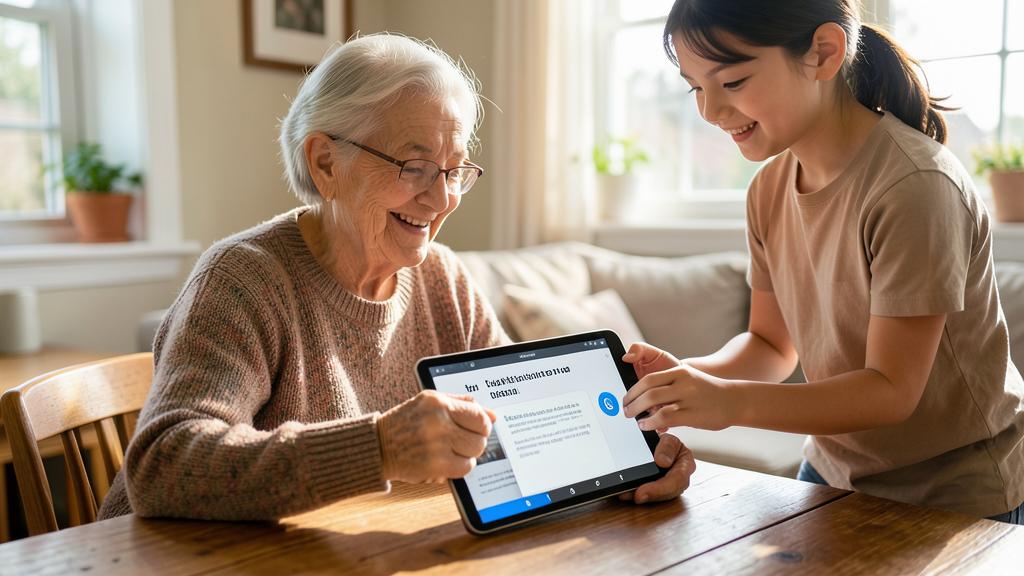
Everyone’s role: as a user who supports—knowing the tools to help a loved one (the elderly parent rediscovering books in large print and audio—our senior guides: an hour of accessibility settings extends years of digital autonomy, one of the best services to provide), the equipped dyslexic child (dictation, voice synthesis, facilitated reading—the digital that unlocks writing: our guides), and being prepared for yourself (the accessibility you’ll activate one day—the knowing it before needing it); as a creator, even amateur—the accessible website, document, video, or post (basic gestures—inclusion within everyone’s reach, and legal obligation for professionals: our web, video, and form guides integrate accessibility); as a citizen—demanding accessibility (reporting inaccessible services—the mechanisms exist: a non-compliant public or private site can be reported, pressure makes things move), supporting associations (the advocacy and disability expertise work—their audience matters), and carrying the message in companies and institutions where you are (accessibility that rises: our vendor brief guides—the requirements that include it from the start cost less than late compliance); and the fundamental stance—accessibility as normality, not as a favor (accessible digital isn’t a “plus” for people with disabilities—it’s WELL-DONE digital for everyone: the lowered curb serves wheelchairs AND strollers AND suitcases: the example that says it all). Everyone has a role: user, helper, creator, citizen—accessibility is built at all these levels.

Beware of fake accessibility and false solutions. Two pitfalls to know: the “accessibility widgets” (the overlays sold to sites—the small “accessibility” button that claims to automatically fix everything): experts and people with disabilities widely criticize them (they mask inaccessibility rather than fixing it, sometimes interfere with real user tools, and mainly serve to display a facade of compliance—the real accessibility is designed into the site, not as a band-aid); and declarative accessibility (the displayed mention without the reality behind it—the “compliant” site that isn’t: the gap is noticeable). Good accessibility is INVISIBLE and INTEGRATED (it’s lived in comfort, not as a badge)—it requires design, not a gadget. And for creators: better to do a few truly effective basic gestures (described images, subtitles, contrasts) than a widget that checks a box: real inclusion is measured by the usage of the concerned people—test with them, it’s the only judge.
Frequent questions
I’m making a small personal/association website: does accessibility concern me?
Legally, the obligation mainly targets public services and companies beyond certain thresholds—but basic accessibility costs so little and serves so much (our guides: described images, subtitles, contrasts, clear structure) that it’s worth it for everyone. The accessible association website also reaches disabled and elderly members (our association guides): it’s inclusion AND quality—the two for free. Do the basic gestures out of principle, not obligation.

How to know if a site (mine, another) is accessible?
Simple tests: navigation with the KEYBOARD alone (does the Tab key go through everything, is the focus visible?), zoom to 200% (does the text remain readable?), images without display (do text alternatives exist?), contrasts (online verifiers rate them), and trying with a screen reader (built into your device—the enlightening experience). Automatic audit tools rough out (our guides), but the real test remains usage by concerned people.
Will AI make accessibility automatic?
It helps enormously (image description, transcription, simplification—the potential is real and growing), without replacing design (IA compensates better for already well-structured content—the accessible site remains the foundation): the future is a marriage—accessible design AND IA tools that enhance it. The danger would be to believe that IA excuses inaccessibility: it’s a bridge to the accessible shore, not a replacement of the shore.

What to remember
Digital accessibility is moving from optional to mandatory—and concerns much more than we think: all disabilities (visual, auditory, motor, cognitive), temporary situations, and aging—under the foundational principle that what helps disabilities serves EVERYONE (subtitles, voice, contrasts benefit the majority). The law is shifting (the obligation extending to the private sector, measurable standards, inaccessibility becoming illegal—a step toward equality), technologies are opening doors (free built-in tools, IA that describes, transcribes, and simplifies—bridges to an accessible shore that must remain accessible), and everyone has a role: user who supports (the hour of settings that gives autonomy to a loved one), creator who applies basic gestures (described images, subtitles, contrasts—free and beneficial to everyone), citizen who demands. Avoiding facade accessibility (miracle widgets) in favor of the real—invisible, integrated, tested with concerned people. The lowered curb serves wheelchairs, strollers, and suitcases: accessible digital isn’t a favor to a minority—it’s well-done digital, for everyone, including you in the future.

Want to understand and master the technologies changing your daily life? Our training programs will enlighten you.
Leave a Reply
You must be logged in to post a comment.