
Your wallet is overflowing with loyalty cards? Supermarkets, pharmacies, clothing stores, gas stations: you accumulate cards that you never find when it’s time to pay! The solution: group all your loyalty cards on your phone. No more bloated wallet and forgotten cards at home: your loyalty cards, always with you, accessible in a few seconds at the checkout. It’s simple, free, and it lightens your daily life. Here’s how to digitize and group your loyalty cards on your phone.
Digital loyalty cards: the principle
Let’s discover how to digitize your loyalty cards. The PROBLEM: you accumulate loyalty cards (stores, various brands); they CLUTTER the wallet, you don’t find them at the time of payment, you forget them at home, so you miss the benefits; it’s a daily inconvenience. The SOLUTION: GROUP all these cards on your phone, in DIGITAL form; at the checkout, you present the card on your screen (usually a BARCODE or a QR code that the cashier scans, like on the physical card); no need for the plastic card. How it WORKS: a « LOYALTY CARDS » app (or wallet) stores your cards; you ADD each card (often by simply scanning the barcode of the physical card, or by entering its number); then, all your cards are in the app, accessible in a few touches; at the checkout, you open the right card, and the cashier scans the code on the screen. The ADVANTAGES: a LIGHTENED wallet (no more accumulating plastic cards); your cards ALWAYS with you (your phone is always there; no more forgetting at home, no more « darn, I don’t have my card »); FAST ACCESS (all grouped, found in a few seconds); you no longer miss your loyalty benefits; it’s eco-friendly (less plastic). The TOOLS: there are dedicated « LOYALTY CARDS » apps (which group all your loyalty cards from all brands); your phone often has an integrated « WALLET » app (which can store some cards, as well as payment cards, tickets); and many BRANDS have their own app (which integrates their loyalty card, with promotions). To group ALL your cards in one place, a dedicated loyalty cards app is often the most practical. What to remember to get started: grouping your loyalty cards on your phone (via a loyalty cards app) lightens the wallet and ensures you always have your cards with you; you add each card (by scanning its barcode), and at the checkout you present the code on the screen to be scanned; it’s simple, free, eco-friendly, and it puts an end to forgotten cards and the overflowing wallet. Let’s see how to do it.
Digital loyalty cards replace your plastic ones with a phone app. You scan or enter the card details, and then show the barcode on your screen at checkout. It’s faster, greener, and you’ll never forget your cards again.
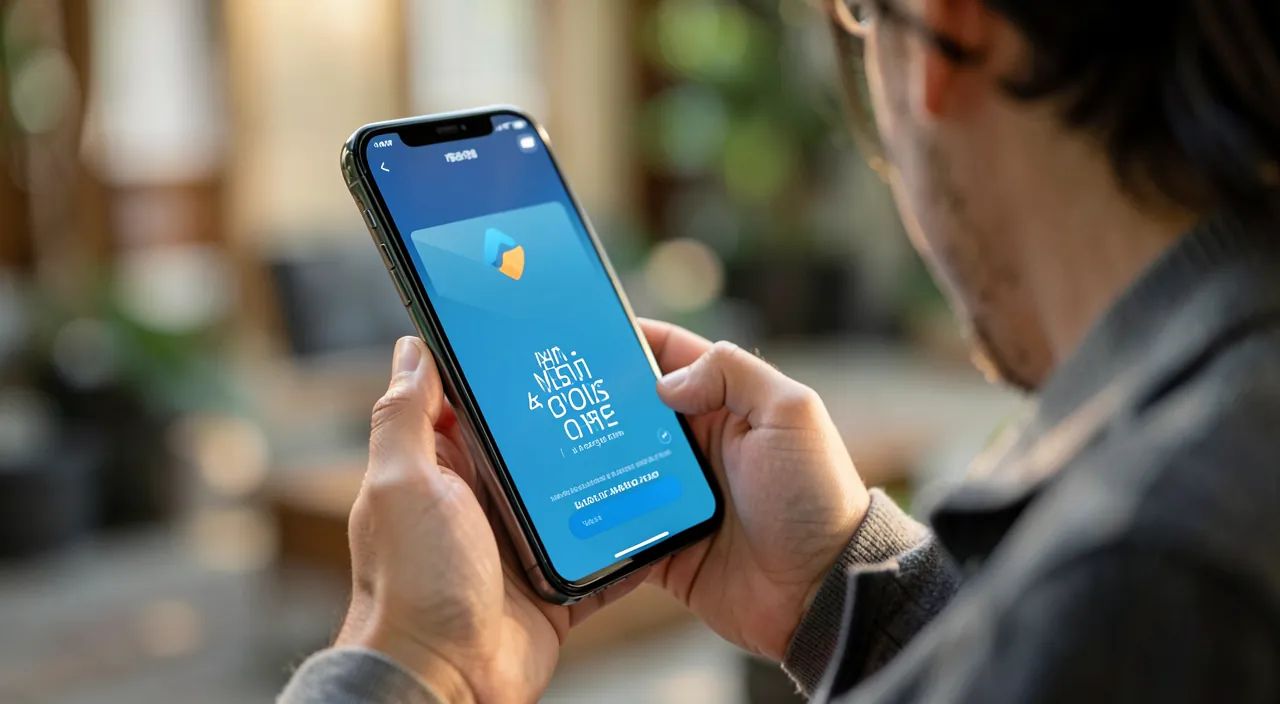
Grouping and using your digital cards
It’s easy to set up and use; here’s how. CHOOSE an app: to group ALL your loyalty cards in one place, a dedicated « LOYALTY CARDS » app (reputable) is ideal; you can also use the « WALLET » app integrated into your phone (depending on the cards it accepts), and the apps of the brands you frequent the most (for their card + their promotions). ADD your cards: in the loyalty cards app, add each card; most often, you just need to SCAN the barcode of your physical card with the camera (the app recognizes and saves the card); sometimes, you choose the brand from a list and enter your card number; repeat for all your cards; in a few minutes, your entire wallet of cards is digitized. NAME/organize: the cards are usually identified by the brand (name, logo); you find them easily; some apps allow you to organize them (favorites first). USE at the CHECKOUT: at the time of payment, open the app, select the brand’s card; the app displays the BARCODE (or QR code) of your card; present the screen to the cashier, who SCANS it like they would scan the physical card; your points/benefits are recorded; it’s as fast as with the plastic card. TIPS for it to work well at the checkout: set the SCREEN BRIGHTNESS to maximum when presenting the code (a barcode on a dark screen scans poorly); some apps automatically increase the brightness; present the screen flat in front of the scanner. KEEP the physical cards at first: you can keep your physical cards for a while as a backup, until you verify that the digital version works well everywhere (some checkouts or brands handle it better than others). The BRANDS’ apps: for stores you go to often, their dedicated app offers in addition the integrated loyalty card, promotions, discount coupons, point tracking; practical, but this multiplies the apps; it’s up to you to balance (one loyalty cards app to group everything, + the apps of the main brands if you want their promotions). ADD as you go: every new loyalty card, add it to the app rather than keeping the plastic. In summary: choose a loyalty cards app (to group everything), add your cards by scanning their barcode (quick), and at the checkout present the code on the screen (brightness at maximum) to be scanned; keep the physical cards as a backup at first; use the apps of the main brands for their promotions if you want; it’s simple, and your wallet lightens immediately.
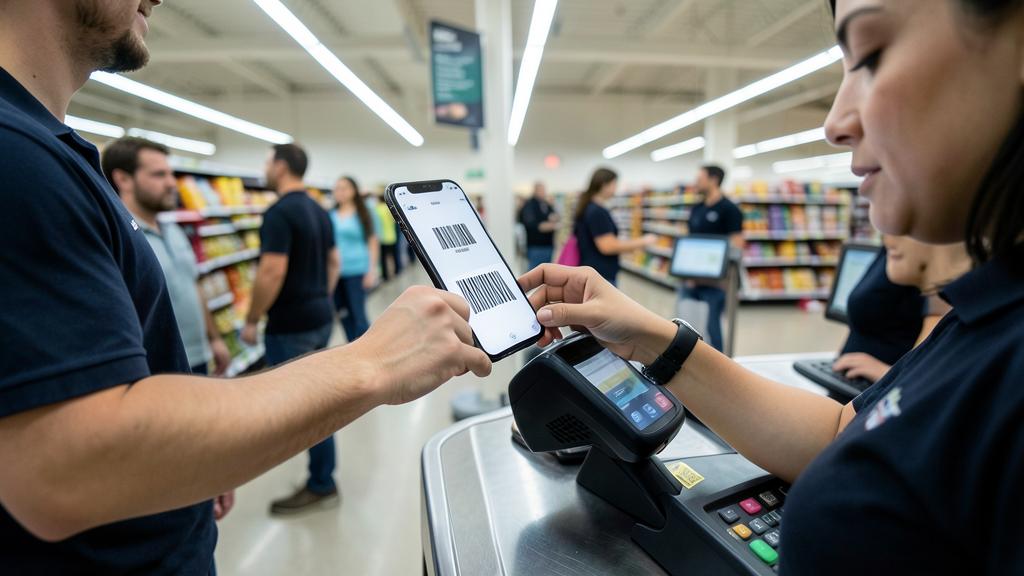
At a supermarket, you scan your digital loyalty card on your phone. The cashier scans the barcode from your screen, and your points are added to your account. No plastic card needed, and you never forget it at home.
The express method: scan the barcode of each card in a loyalty cards app. Digitizing all your loyalty cards is surprisingly QUICK; here’s the simplest method. Step 1: install a « LOYALTY CARDS » app (a dedicated app that groups loyalty cards from all brands; there are free and reputable ones; download from official stores). Step 2: gather all your physical loyalty cards (those that clutter your wallet). Step 3: for each card, in the app, choose « add a card » and SCAN its BARCODE with your phone’s camera; the app recognizes the card and saves it in a few seconds; repeat for each card; in a few minutes, your entire stack of cards is digitized in the app. (If the scan doesn’t work for a card, you can usually choose the brand from a list and enter the number manually.) And that’s it: all your loyalty cards are now in your phone, identified by their brand, accessible in a few touches; you can put away (or throw away—see below) the plastic cards. At the CHECKOUT, it’s just as simple: open the app, select the brand’s card where you are, and present the BARCODE displayed on the screen to the cashier, who scans it like a normal card; your points are credited. An IMPORTANT tip for the scan at the checkout to work well: set your screen BRIGHTNESS to MAXIMUM when presenting the code (a barcode on a dim screen scans poorly or not at all); many loyalty cards apps do this automatically (they increase the brightness when you display a card), but if the scan doesn’t work, increase the brightness manually; also present the screen flat, facing the reader. With this method—scanning the barcodes in a loyalty cards app, then presenting the code on the screen (brightness at maximum) at the checkout—you digitize your entire loyalty wallet in a few minutes, and you’ll never forget them again: your cards are in your phone, always with you. Transition tip: keep your physical cards for a while as a backup, until you verify that the digital version works everywhere you go; once reassured, you can get rid of them and enjoy a finally lightened wallet.
Managing your digital cards and special cases
Some good practices and special cases for a smooth use. MANAGE multiple solutions: you can combine a LOYALTY CARDS app (to group all your loyalty cards in one place: practical) and the « WALLET » app integrated into your phone (which stores some cards, and often your payment cards, tickets, etc.); and the apps of the BRANDS you frequent the most (to benefit from their promotions and coupons); to balance according to your needs (don’t multiply apps unnecessarily). Cases where it doesn’t WORK: some cards or brands may not be well managed by a loyalty cards app (special codes, proprietary systems); in this case, use the brand’s dedicated app, or keep the physical card; most classic cards (barcode) work well. CHECK at the CHECKOUT: at first, check that the scan of your digital card works well in the stores you go to; most checkouts scan a barcode on the screen without any problem, but some may have difficulties (old readers); hence the interest in keeping the physical cards as a backup at first. KEEP a trace of the NUMBERS: in case of trouble (phone discharged, app crashing), it may be useful to know your card number; some apps allow you to see it; as a last resort, the cashier can often find your loyalty account with your name or phone number. The BATTERY: your cards being on the phone, a DISCHARGED phone = no cards at the checkout; keep some battery, or a backup solution for your important purchases. Don’t CONFUSE with PAYMENT cards: loyalty cards (points, benefits) are different from bank cards; mobile payment (paying with your phone) is another subject, managed by the « wallet » with more security (our guides on mobile payment). PRIVACY and DATA: loyalty cards (physical as well as digital) imply that the brand tracks your PURCHASES (this is the principle of loyalty: in exchange for benefits, the brand collects data on your purchasing habits); this is also true for plastic cards; apps sometimes add other data; be aware of this exchange (benefits in exchange for data), and choose a reputable loyalty cards app; check what the app collects (a loyalty cards app should not request excessive permissions—our guides on checking permissions). SECURITY: loyalty cards are not very sensitive (they do not contain money), but still protect access to your phone (unlock code). GET RID of physical cards: once reassured that the digital version works everywhere you go, you can get rid of the plastic cards (wallet lightened; recycle them); but keep those that might cause problems in digital. In summary: combine loyalty cards app (to group) and brands’ apps (for promotions) according to your needs; check that the scan works in your stores (keep physical cards as a backup at first); keep some battery; be aware that loyalty cards imply tracking of your purchases (benefits in exchange for data); choose a reputable app; and get rid of plastic cards once the digital solution is validated. Simple and practical, once you have these guidelines in mind.
Warning: keep the physical cards at first, think about the battery, and be aware of the tracking of your purchases. The digitization of loyalty cards is practical and low-risk, but a few points are worth noting. KEEP your physical cards as a BACKUP at first: before throwing away your plastic cards, CHECK that the digital version works well in the stores you go to; most checkouts scan a barcode on the screen without any problem, but some (old readers, special systems) may have difficulties; so keep the physical cards for a while, until you are sure that everything works fine; once reassured, you can get rid of them; don’t throw everything away at once. Think about the BATTERY: your cards being now in the phone, a DISCHARGED or broken phone means no loyalty cards at the checkout; it’s not dramatic (the cashier can often find your account with your name/phone, and missing points once is not serious), but keep it in mind; for an important purchase where loyalty matters, make sure you have enough battery. Set the BRIGHTNESS for the scan: if the code doesn’t scan at the checkout, set the screen brightness to maximum (a code on a dark screen scans poorly); this is the number one cause of failed scans. Be aware of the TRACKING of your purchases: important PRIVACY point—the loyalty cards (DIGITAL AND physical) are based on an exchange—in exchange for the benefits (points, discounts), the brand COLLECTS data on your PURCHASES and your habits; this is the very principle of loyalty, also valid for plastic cards; the digital version does not fundamentally change this, but apps can sometimes collect other information (location, etc.); so be AWARE of this exchange: you « PAY » for the loyalty benefits with your purchase data; this is not necessarily a problem, but it’s better to know. Choose a REPUTABLE loyalty cards app (downloaded from official stores), and check what it collects and the permissions it requests: a simple loyalty cards app does not need excessive access (be wary if it requests permanent location, your contacts, or other accesses unrelated to its function—our guides on checking app permissions); prefer transparent and respectful apps. Don’t CONFUSE loyalty cards and PAYMENT cards: loyalty cards are not very sensitive (no money in them); bank cards and mobile payment are part of a more secure system (the wallet—our guides on mobile payment); don’t mix the two subjects. Still protect access to your PHONE (unlock code), as a general principle. Don’t unnecessarily multiply BRAND apps (each wants its own); a loyalty cards app groups everything; only install the apps of brands where the promotions are worth it. Finally, for those less comfortable (elderly people), the physical card remains a simple option if the digital version puts them off; no obligation. By keeping the physical cards as a backup at first, thinking about the battery and the brightness for the scan, being aware of the tracking of your purchases, and choosing a reputable app, you fully benefit from the convenience of digital loyalty cards—a lightened wallet and cards always with you, without any bad surprises.
Frequently asked questions
How to put my loyalty cards on my phone?
It’s simple and quick: install a loyalty cards app, and scan the barcode of each card. Step by step: 1) install a « LOYALTY CARDS » app (a dedicated app that groups loyalty cards from all brands; there are free and reputable ones; download from official stores); you can also use the « Wallet » app integrated into your phone for the cards it accepts. 2) GATHER your physical loyalty cards. 3) In the app, choose « add a card », and SCAN the BARCODE of the card with your phone’s camera; the app recognizes and saves the card in a few seconds; repeat for each card; in a few minutes, your entire wallet of cards is digitized. If the scan doesn’t work for a card, you can usually choose the brand from a list and enter the card number manually. Once added, your cards are in the app, identified by their brand (logo, name), accessible in a few touches. At the CHECKOUT: open the app, select the brand’s card, and present the barcode displayed on the screen to the cashier, who scans it like a normal card. Important tip: set your screen BRIGHTNESS to maximum when presenting the code (otherwise it may scan poorly; many apps do this automatically). Tip: keep your physical cards as a backup for a while, until you verify that the digital version works everywhere you go. For stores you go to often, their dedicated app can also integrate their loyalty card (with promotions). In summary: install a loyalty cards app, scan the barcode of each card (or enter the number), and at the checkout present the code on the screen (brightness at max); it’s quick, free, and your wallet lightens immediately.
Does it work in all stores?
In most, yes, but not always; hence the interest in checking and keeping the physical cards at first. The principle: at the checkout, you present the barcode (or QR code) of your card displayed on the screen, and the cashier scans it like they would scan the plastic card; the MAJORITY of modern checkouts scan a barcode on the screen without any problem; it therefore works in most stores. HOWEVER, there may be exceptions: some checkouts with old readers may have trouble reading a code on the screen; some brands use special loyalty systems (special codes, chip cards) that do not digitize well in a generic loyalty cards app; in these cases, you need to use the brand’s dedicated app, or keep the physical card. What to do to be safe: at first, CHECK that the scan of your digital card works in the stores you go to regularly; KEEP your physical cards as a BACKUP for a while, until you validate that everything works fine; once reassured, you can get rid of the plastic cards that work in digital, while keeping those that might cause problems. Tip if the scan fails: set the SCREEN BRIGHTNESS to maximum (frequent cause of failure); present the screen flat in front of the reader; if it really doesn’t work, the cashier can often find your loyalty account with your name or phone number. In case of doubt for a brand: its dedicated app surely manages its own loyalty card well (and offers its promotions in addition). In summary: yes, digital loyalty cards work in most stores (checkouts scan the code on the screen without any problem), but some exceptions exist (old readers, special systems); check in your usual stores and keep the physical cards as a backup at first; for stubborn brands, use their dedicated app or the physical card; in the vast majority of cases, it works very well.
Are my data safe?
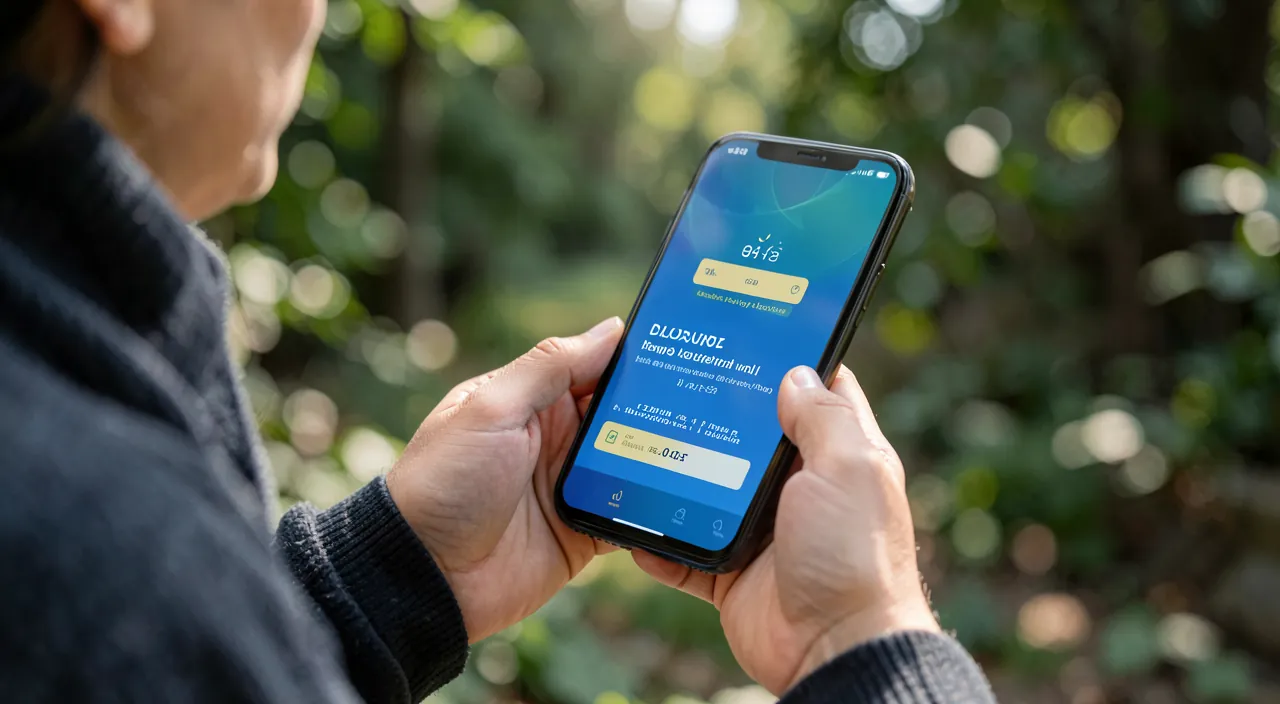
Loyalty cards are not very sensitive in themselves, but there is a privacy issue to be aware of. On the « financial » SECURITY side: loyalty cards DO NOT contain money (unlike bank cards); the risk is therefore low; even if someone accessed your loyalty cards, they could not « spend » your money (at most use your points, which remains limited); still protect access to your phone (unlock code), as a general principle. The real issue is PRIVACY: loyalty cards (DIGITAL AS WELL AS physical) are based on an exchange—in exchange for the benefits (points, discounts), the brand COLLECTS data on your PURCHASES and your consumption habits; this is the very principle of loyalty, and it’s also true for plastic cards; the digital version does not fundamentally change this, but apps can sometimes collect other information (location, etc.); so be AWARE of this exchange: you « PAY » for the loyalty benefits with your purchase data; this is not necessarily a problem (it’s a choice that many accept willingly for the discounts), but it’s better to know. To limit risks: choose a REPUTABLE loyalty cards app (downloaded from official stores); CHECK what it collects and the permissions it requests—a simple loyalty cards app does not need excessive access (be wary if it requests permanent location, your contacts, or other accesses unrelated to its function—our guides on checking app permissions); prefer transparent and respectful apps. Don’t confuse loyalty cards and PAYMENT cards either: mobile payment (paying with your phone) is part of a much more secure system (the wallet, with encryption and authentication—our guides on mobile payment); it’s another subject, more sensitive, but also well protected. In summary: your digital loyalty cards are not very sensitive on the security side (no money in them); the main issue is PRIVACY—the brand tracks your purchases in exchange for the benefits (as with physical cards); be aware of this exchange, choose a reputable app, check what it collects, and protect access to your phone; with these simple precautions, you benefit from the convenience while mastering the data aspect.
What to remember
Grouping your loyalty cards on your phone puts an end to the overflowing wallet and the cards forgotten at home: your cards, ALWAYS with you (the phone is always there), accessible in a few seconds at the checkout; simple, free, eco-friendly (less plastic), and you no longer miss your benefits. The EXPRESS METHOD: install a « LOYALTY CARDS » app (dedicated, reputable, which groups all brands), then for each card, SCAN its BARCODE with the camera (or enter the number); in a few minutes, your entire wallet is digitized. At the CHECKOUT: open the app, select the brand’s card, present the barcode displayed on the screen, the cashier scans it like a normal card; key tip: set the SCREEN BRIGHTNESS to maximum (otherwise the code scans poorly—number one cause of failures; many apps do this automatically). You can combine the loyalty cards app (to group everything) with the integrated « Wallet » app and the apps of the main brands (for their promotions), without unnecessarily multiplying them. POINTS OF CAUTION: KEEP your physical cards as a BACKUP at first (check that the scan works in your stores; most checkouts handle it, but not all—old readers, special systems); think about the BATTERY (a discharged phone = no cards; but missing points is not serious, and the cashier often finds your account with your name); be AWARE of PRIVACY: loyalty cards (digital as well as physical) imply that the brand tracks your purchases in exchange for the benefits (this is the principle; apps can collect more); choose a REPUTABLE app and check what it collects (no excessive permissions). Don’t confuse loyalty cards (not very sensitive: no money) and PAYMENT cards/mobile payment (much more secure system, another subject). Once the digital solution is validated in your usual stores, get rid of the plastic cards (recycle) and enjoy a finally lightened wallet. For those less comfortable, the physical card remains an option. Modest but very practical, the digitization of loyalty cards lightens your daily life: in a few minutes of setup, your cards are always with you, and you’ll never forget them again.
Want to go further with your phone and your apps? Our practical training is made for you.
Leave a Reply
You must be logged in to post a comment.