
You insert your memory card — from your camera, phone, or another device — and nothing happens: it is not recognized, an error message appears (« unreadable card », « to format »), or your precious files seem inaccessible. A shiver of anxiety: what if you lost all your photos? Rest assured: an unreadable memory card does not necessarily mean your data is lost. Often, the problem is minor — a poor connection, a faulty reader, a system that needs a nudge — and resolves without loss. Even in more serious cases, there are ways to recover the files. The golden rule: stay cautious and don’t rush (especially don’t format lightly). Let’s see how to react to an unreadable memory card: understand why, try to read it and recover the data, and how to protect your files in the future.
Why a memory card becomes unreadable
An unreadable card has several possible causes, from the most minor to the most serious; knowing them helps to react without panicking. A poor CONTACT: the most frequent and minor cause; the card is poorly inserted, its contacts (the metal part) are dirty or dusty, or the reader makes poor contact; reinserting or cleaning the contacts often resolves it; a simple connection problem. A faulty READER: the problem may come from the READER (device slot, external card reader), not the card; testing the card in another reader verifies this; it’s not always the card that’s at fault; distinguish the two. A temporary SOFTWARE issue: sometimes, a bug, a driver, or the system that « hangs »; restarting, retrying resolves it; the problem is temporary; don’t conclude too quickly that the card is dead. A corrupted FILE SYSTEM: the card may have its « index » (file system) corrupted (removal during writing, power cut); the system no longer reads it and sometimes suggests « formatting » it; the data is often still there (we’ll come back to this); don’t format right away. A sudden REMOVAL: removing the card while it is writing (transfer, photo capture) often corrupts the data or the file system; this is a common cause of unreadable cards; always eject properly (we’ll come back to this). The LOCK: some cards (SD) have a small LOCK switch on the side to prevent writing; if it is set to « locked », the card may seem to have a problem (read-only or error); check this switch; a frequent oversight. An INCOMPATIBILITY: the card may be in a format not recognized by the device (too large format, incompatible file system); the device does not read it; another device or adjustment helps; incompatibility is not a failure. A DAMAGED card: the card may be physically damaged (impact, water, bend, damaged contacts) or worn out (cards have a lifespan); this is more serious; physical damage complicates recovery; the more serious exception. A COUNTERFEIT or low-quality card: a counterfeit or very low-quality card may fail prematurely; hence the importance of buying reliable cards; quality matters for reliability; beware of suspicious cards. Minor or SERIOUS: most causes are minor (contact, reader, software, file system) and the data is recoverable; only severe physical damage or complete wear really put the data at risk; don’t dramatize immediately. What’s the POINT of understanding: knowing that an unreadable card most often comes from a poor contact, a faulty reader, or a corrupted file system (data still there) helps to react calmly and cautiously rather than formatting in panic. The key idea: an unreadable memory card does NOT necessarily mean lost data. The most frequent causes are MINOR: a poor CONTACT (card poorly inserted, dirty contacts), a faulty READER (the problem is the reader, not the card), a temporary SOFTWARE issue, or a corrupted FILE SYSTEM (often after a sudden removal during writing) — in the latter case, the system sometimes suggests « formatting », but YOUR DATA IS OFTEN STILL THERE. Also check the small LOCK switch (on SD cards) and a possible format incompatibility. Only severe PHYSICAL damage (impact, water) or complete wear really put the data at risk, and this remains the exception. The golden rule is CAUTION: never format lightly, first test the simple causes (reinsert, change reader, restart), and if the data is precious, prioritize recovery. Understanding that the problem is most often minor and the data recoverable allows you to react calmly.
When a memory card becomes unreadable, it’s often due to a simple issue like a bad connection, a faulty reader, or a corrupted file system. Your files are usually still there, just hidden. Formatting the card would erase everything, so never do that first. Instead, try basic fixes like reinserting the card, cleaning its contacts, or using recovery software.
Imagine you take 100 vacation photos on a 64GB SD card. Suddenly, your camera says the card is unreadable. Instead of formatting, you try it in another device, clean the contacts, and use recovery software. The software finds all 100 photos, which you save to your computer. The card was just corrupted, not broken.

How to read the card and recover the data
Here is the procedure, from the simplest to the most cautious, prioritizing the safety of your data. REINSERT the card: first, remove and reinsert the card properly; ensure it is fully inserted, in the correct direction; a poor contact is the #1 cause; this simple gesture often resolves it; start with this. CLEAN the contacts: gently clean the metal contacts of the card (soft dry cloth, optionally a soft eraser on the contacts, without damaging them); dirty contacts prevent reading; gentle cleaning restores it; dry, without forcing. Check the LOCK (SD card): on an SD card, check the small lock switch on the side; if it is set to « locked », move it to « unlocked »; a misplaced lock blocks; a quick check often forgotten. TEST another READER: try the card in ANOTHER reader (other slot, external reader, another computer); if it is read, the problem was the reader (not the card); this test isolates the culprit; essential to not blame the card wrongly. TEST another DEVICE: try the card in another device (another computer, another camera); if it is read elsewhere, your device was at fault; the cross-test locates the problem; multiply the attempts. RESTART: restart the device (computer, camera); a temporary bug may prevent reading; restarting « resets »; simple and often effective; try this. DO NOT format right away: if the system suggests « formatting the card », DO NOT DO IT immediately; formatting ERASES the card; your data is probably still there; refuse and first try to recover (we’ll come back to this); this is the golden rule. Attempt a FILE SYSTEM repair: some systems offer to « check/repair » the card (repair the file system without erasing data); this is different from formatting; this repair may restore access without loss; try it (cautiously). Use a RECOVERY software: if the card is unreadable but physically intact, a data RECOVERY software can find and extract your files (photos, documents) even on a « corrupted » card; this is often effective; install it and follow its steps (we’ll come back to this). COPY what is readable: if the card becomes partially readable, COPY IMMEDIATELY your files elsewhere (on the computer); secure first, fix later; a capricious card may become unreadable again; save while you can. Do NOT write on it: as long as you want to recover data, do NOT write anything new on the card (no new photos, no formatting); writing risks overwriting recoverable data; leave it intact for recovery. Call a PROFESSIONAL: if the data is precious and nothing works (or the card is damaged), data recovery professionals exist; this is paid but effective for difficult cases; for irreplaceable files, consider it. In summary, to read the card and recover the data: REINSERT the card and CLEAN its contacts, check the LOCK (SD card), TEST another reader and another device (to isolate the culprit), RESTART. Above all, DO NOT FORMAT right away if the system suggests it (your data is probably still there): instead, try a FILE SYSTEM repair (without erasing) or a DATA RECOVERY software, and immediately copy elsewhere anything that becomes readable, without writing anything new on the card. For precious data in case of failure, a recovery professional can help. This cautious approach — testing simple causes first, never formatting lightly, prioritizing recovery — maximizes your chances of retrieving your files; caution and data priority are the keys.
The golden rule: DO NOT FORMAT the card, even if the system suggests it — your data is probably still there. This is the most important advice when facing an unreadable memory card, and the one that saves the most photos and files. When a card becomes unreadable, it often happens that the system displays a message like « the card must be formatted to be used », « do you want to format the card? », with a tempting button to « fix » the situation. In the stress of the moment — you just want it to work again —, the temptation is great to click « yes, format ». DO NOT DO IT. Understand what this message means: in most cases, it is NOT the card that is empty or destroyed, but its « index » — the file system that organizes and references the data — that is CORRUPTED. The system no longer knows how to read this index, so it does not see your files and concludes that the card is « to be formatted ». But YOUR DATA, they, are STILL PHYSICALLY PRESENT on the card: your photos, your videos, your documents are still there, simply « invisible » because their table of contents is damaged. The tragedy is that FORMATTING the card is precisely ERASING all its content to start from scratch: if you format, you voluntarily destroy the data that was still recoverable. You would turn a repairable situation (corrupted index, intact data) into a much harder-to-repair loss. That’s why « do not format » is the absolute golden rule. What to do instead? Refuse formatting, and first try approaches that PRESERVE the data. First option: look for a « VERIFICATION » or « REPAIR » function for the card (different from formatting!) — many systems offer to repair the file system without erasing data, which can restore access to your intact files. Second option, very effective: use a DATA RECOVERY software, designed specifically to find and extract files from a « corrupted » or « unreadable » but physically intact card; these tools scan the card, find your photos and documents despite the damaged index, and allow you to copy them elsewhere. Throughout this process, follow a crucial instruction: do NOT WRITE anything new on the card (no new photos, no added files, and obviously no formatting), as any writing risks overwriting the still recoverable data. Treat the card as « read-only » until you have recovered what matters. And if your data is really precious and irreplaceable and nothing works, turn to a data recovery professional rather than attempting risky manipulations. It is only ONCE your data is recovered and copied to safety elsewhere that you can, if you wish, format the card to reuse it properly (or better, replace it if it has shown signs of weakness). In summary: when facing an unreadable card, keep your cool and remember this vital rule — NEVER FORMAT before trying to recover your data, because « card to format » almost always means « damaged index, data still there », and formatting would destroy what was salvageable. Caution and refusing hasty formatting are what make the difference between recovering your memories and losing them.

Protecting your data and avoiding unreadable cards
Prevention is better: a few habits protect your data and reduce the risk of unreadable cards. TRANSFER regularly: the #1 protection; do not leave your only copies of photos/files on a memory card; transfer them regularly to a computer, a disk, or the cloud; a card is not a safe long-term storage; backup is essential (we’ll come back to this). EJECT properly: always « eject » or « safely remove » the card before removing it; never remove it WHILE it is writing (transfer, photo capture); sudden removal corrupts; proper ejection prevents (major cause of unreadable cards). Do not remove WHILE writing: wait for the end of a transfer or recording before removing the card or turning off the device; an activity light often indicates writing; patience prevents corruption; do not cut in the middle of work. BUY reliable cards: buy cards from reliable brands, from trusted sellers; beware of very cheap or suspicious cards (counterfeits, poor quality) that fail; quality ensures reliability; avoid suspicious cards. HANDLE with care: protect cards from impacts, water, dust, extreme temperatures, bending; store them in a case; do not touch the contacts; physical care preserves; cards are fragile. FORMAT in the device (properly): to prepare a card, format it IN the device that will use it (camera), not just any way; this ensures the correct format; but do it on an EMPTY card (after transferring everything); proper formatting in the right place prevents incompatibilities. Do not OVERFILL: avoid filling the card to the brim permanently; empty it regularly (transfer); a card constantly full and used wears out; leave it some margin; lightening preserves. MONITOR signs of WEAKNESS: if a card starts to give occasional errors, slowness, corrupted files, it’s a sign of wear; back up everything and replace it; do not wait for complete failure; anticipate the end of life. REPLACE aging cards: cards have a lifespan (limited number of writes); an old and heavily used card should be monitored; replace aging cards for important data; do not count on a card forever. Have MULTIPLE copies: for precious files (vacation photos, memories), keep MULTIPLE copies in different places (backup rule); thus, an unreadable card will not make you lose anything; multiple copies are the real security. In summary, to protect your data and avoid unreadable cards: TRANSFER your files elsewhere regularly (a card is not a safe long-term storage — the #1 protection), always EJECT the card properly and never remove it WHILE writing (major cause of corruption), buy RELIABLE cards (beware of counterfeits), handle them with CARE (impacts, water, contacts), format properly in the device (on an empty card), do not fill them to the brim permanently, monitor signs of weakness and replace aging cards, and especially keep MULTIPLE copies of your precious files. These habits greatly reduce the risk of unreadable cards and protect you even in case of failure; regular transfer, proper ejection, and multiple copies are the keys to lasting security.
Warning: a memory card is NOT a safe place to store your only copies — transfer regularly, and do not wait for a failure to act. This is an essential warning, as many people learn too late, by losing irreplaceable photos, that a memory card is a FRAGILE and TEMPORARY medium, not a safe. The trap is common: you take photos of vacations, a family event, precious memories, and let them accumulate on the camera or phone card for months, without ever transferring them elsewhere. The card then becomes the ONLY place where these memories exist. And the day it becomes unreadable — due to sudden removal, corruption, wear, impact, or simply a failure —, it’s a disaster: all these memories, for which there was no other copy, are suddenly at risk. Do not make this mistake. The fundamental safety rule is to NEVER leave your only copies of important files on a memory card. A memory card, by nature, can fail at any time: it is small, fragile, easily removed at the wrong time, subject to file system corruption, and it has a limited lifespan (a finite number of writes). It is not a long-term storage medium, it is a TRANSIT medium: files are temporarily stored on it, until they are transferred elsewhere. Therefore, take the habit of REGULARLY transferring the contents of your cards to a safer and, above all, MULTIPLE storage: on your computer, on an external disk, in the cloud. The ideal, for your truly precious files, is to keep SEVERAL copies in different places — because a hard drive can also fail, a cloud service can have a problem; it is the multiplication of copies that guarantees that no isolated incident will make you lose everything. Thus, if a card becomes unreadable, it is no longer a disaster but a simple setback: your memories are safe elsewhere. The second part of this warning: do NOT WAIT for the failure to act, know how to read the SIGNS of weakness. A memory card does not always fail suddenly; it often gives warning signs: occasional reading or writing errors, corrupted files, unusual slowness, error messages that come and go. These signals are WARNINGS: the card is wearing out and may soon fail. Do not ignore them hoping that « it will pass »: on the contrary, as soon as a card shows signs of weakness, IMMEDIATELY back up all its contents elsewhere (while it is still readable), then stop trusting it with important data and replace it. It is infinitely better to replace a tired card as a precaution (they are not expensive) than to wait for complete failure having left everything on it. Similarly, monitor the AGE and USAGE of your cards: an old, heavily used card (many writes) is approaching the end of its life; do not trust it with your most precious data without a backup elsewhere. In summary, remember these two principles: a memory card is a fragile transit medium, never a unique storage location (regularly transfer your files and keep multiple copies of the precious ones), and a card that shows signs of weakness must be backed up and replaced without waiting for the failure. The true protection of your memories does not lie in the hope that a card will hold, but in the fact that they exist in several copies, in several places. This is the only security that counts against the unpredictable.

Frequent questions
The system suggests formatting the card: should I accept?
No, if you want to recover your data: formatting ERASES the card, while your files are probably still there (corrupted index); refuse, and first try a repair or recovery. This is the golden rule. What the MESSAGE means: « the card must be formatted » usually means that the FILE SYSTEM (the index) of the card is corrupted, not that the card is empty or destroyed; the system no longer knows how to read the index, so it does not see your files; but they are often still there physically; do not take this message literally. What FORMATTING does: formatting ERASES the contents of the card to start from scratch; if you format, you DESTROY the data that was still recoverable; this is exactly what you should not do when you want your files; formatting is irreversible for your data. REFUSE first: refuse the proposed formatting; do not click « yes » in a hurry; keep the card intact; this refusal preserves your chances of recovery; this is the first good move. Try a REPAIR (different): rather look for an option to « check/repair » the card (repair the file system WITHOUT erasing); this is different from formatting; this may restore access to your intact files; distinguish repair and formatting. Use a RECOVERY software: a data recovery software can extract your files from a « to format » but intact card; it finds your photos despite the damaged index; very effective; to prioritize before any formatting. Do NOT WRITE on it: while waiting to recover, do not write anything new on the card (and do not format it); any writing risks overwriting the recoverable data; treat it as « read-only »; preserve the content. When FORMATTING becomes possible: it is only AFTER having recovered and copied your data to safety elsewhere that you can format the card (to reuse it); the order matters; recover first, format later (or replace the card). If the data is NOT important: if the card contains nothing precious (or everything is already backed up elsewhere), you can format it without fear to reuse it; formatting is only a problem if you want to recover data; adapt according to the stakes. The PROFESSIONAL for difficult cases: for irreplaceable data if recovery fails, a professional can help; do not format especially before; keep the card as is for them; experts often recover. The ADVICE: do NOT accept formatting if you want your data; refuse, try a file system repair (without erasing) or a recovery software, do not write on the card; format only once your data is saved elsewhere. In summary, no, do not accept formatting the card if you want to recover your data: the message « card to format » almost always means that the INDEX (file system) is corrupted, NOT that your files have disappeared — they are most often still physically present, just become « invisible ». Or formatting ERASES everything: accepting would voluntarily destroy the data that was recoverable. Therefore, refuse, and first try approaches that preserve the files: a « check/repair » function (which repairs the index without erasing, different from formatting), or especially a DATA RECOVERY software (designed to extract files from a corrupted but intact card). Meanwhile, do NOT WRITE anything on the card (any writing may overwrite the data). It is only once your files are recovered and copied to safety elsewhere that you can format the card to reuse it. The only exception: if the card contains nothing precious (or that everything is already backed up elsewhere), you can format it without fear. But in doubt, the rule is absolute: never format before having recovered. For irreplaceable data, a professional can intervene — but only if you have not formatted.

My photos have disappeared from the card: are they definitely lost?
Not necessarily: « disappeared » photos are often still recoverable as long as nothing new has been written on the card; a recovery software can find them; act quickly and do not use the card anymore. Let’s reassure and explain. Deletion is not immediate: when files « disappear » or are « deleted », they are often not immediately destroyed; the space is marked « free » but the data remains as long as it is not OVERWRITTEN by new data; this is what makes recovery possible; disappearance is not always definitive. The KEY condition — do not write anything: to recover disappeared photos, the essential condition is to write NOTHING new on the card (no new photos, no formatting); any writing risks overwriting the recoverable data; stop using the card IMMEDIATELY; this is vital. ACT quickly: the faster you act (before writing anything), the greater the chances of recovery; each new data written reduces the chances; speed and stopping use are decisive; do not delay. Use a RECOVERY software: a data RECOVERY software scans the card and finds the « disappeared » photos (even deleted or after corruption); it extracts them to another location; these tools are often effective; this is the main solution. Recover to ANOTHER location: when the software recovers the photos, save them on ANOTHER medium (the computer, a disk), NOT on the card itself; writing on the card during recovery would overwrite other data; recover elsewhere. Check the RECYCLE BIN/album: sometimes, the photos are not « lost » but in a recycle bin, a « recently deleted » album, or hidden; check these places first; they may simply be there; a simple check before panicking. The UNREADABLE but intact card: if the photos have disappeared because the card is « unreadable/corrupted » (not deleted), it’s the same principle; a recovery software finds the files on the physically intact card; do not format; recover. The PROFESSIONAL if precious: if the photos are irreplaceable and the software fails (or the card is damaged), a recovery professional can often find them; this is paid but effective; for unique memories, consider it; do not give up too quickly. The LESSON for the future: this scare reminds the importance of regularly backing up your photos elsewhere; with multiple copies, a failing card does not make you lose anything; transfer and copy to never go through this again; prevention avoids anxiety. The ADVICE: disappeared photos are not necessarily lost; stop USING the card IMMEDIATELY (do not write anything), check the recycle bins/albums first, then use a recovery software (saving elsewhere); for precious photos, a professional can help; act quickly. In summary, no, your disappeared photos are not necessarily definitely lost: when files « disappear » or are deleted, they are often not immediately destroyed — the space is marked « free » but the data remains as long as it is not OVERWRITTEN by new data. The crucial condition to recover them is to immediately stop using the card: do not take more photos, do not write anything, do not format — each new data reduces your chances. Act quickly. Start by checking simple places (recycle bin, « recently deleted » album, hidden photos) where they might simply be. Then, use a DATA RECOVERY software, which scans the card and finds the disappeared photos (deleted or after corruption), saving the recovered files to ANOTHER medium (never on the card itself). For irreplaceable memories, if the software fails, a recovery professional can often find them. And remember the lesson for the future: regularly back up your photos in multiple copies, so that a failing card is never a threat to your memories. Speed, stopping card use, and a recovery software are your best assets.
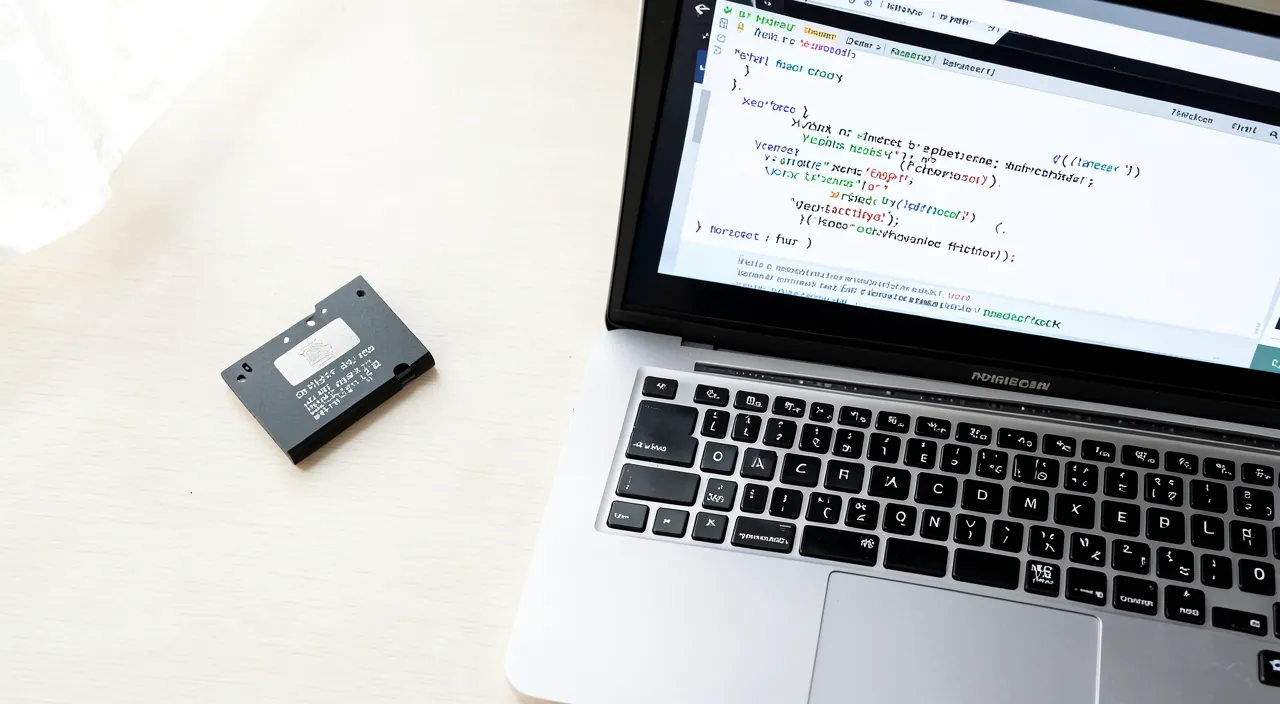
How to know if it’s the card or the reader that has a problem?
Do cross-tests: the card in another reader/device, and another card in your reader; if the problem follows the card, it’s the card; if it stays on the reader, it’s the reader. Here’s the method. The principle of CROSS-TESTS: as for any diagnosis, the card and the reader are tested separately to see which one « carries » the problem; these isolation tests are reliable; they avoid blaming wrongly; proceed methodically. Test 1 — the card ELSEWHERE: try your card in ANOTHER reader or device (other slot, external reader, another computer, another camera); if it is read elsewhere, the card is fine (the problem was your reader); if it remains unreadable everywhere, it’s the card; this test judges the card. Test 2 — ANOTHER card at home: try ANOTHER card (that works) in your reader; if it is read, your reader is fine (the problem was your card); if it remains unreadable too, it’s your reader; this test judges the reader. Cross the RESULTS: the two tests overlap; if the problem FOLLOWS your card (unreadable everywhere) → it’s the card; if the problem STAYS on your reader (all cards unreadable on it) → it’s the reader; logic designates the culprit. Check the CONTACTS: before concluding, clean the contacts of the card and check the reader (dust in the slot); a poor contact mimics a failure; cleaning rules out this simple cause; do not neglect the contact. Check the LOCK (SD card): check the lock switch of the SD card (locked?); a misplaced lock makes you think there’s a problem; this simple check avoids a false diagnosis; look at it. What this ORIENTS: if it’s the card → try recovery/repair (without formatting), consider replacement; if it’s the reader → use another reader, clean/repair the slot; the diagnosis guides the solution; knowing where the problem is saves time. The case of the ADAPTER: if you use an adapter (microSD to SD, or USB reader), it may be at fault; test without the adapter or with another; the adapter is sometimes the weak link; do not forget it in the tests. Stay CAUTIOUS about the card: even when testing, do not format the card and do not write on it if it contains data to recover; reading tests are safe, writing is not; preserve the content during diagnosis. The ADVICE: do the two cross-tests (your card elsewhere, another card at home); the problem that follows the card designates it, the one that stays on the reader designates the reader; clean the contacts and check the lock before concluding; also test the adapter. In summary, to know if it’s the card or the reader, do CROSS-TESTS: try your card in another reader or device (if it is read elsewhere, it’s your reader the problem; if it remains unreadable everywhere, it’s the card), and try another working card in your reader (if it is read, it was your card; if it remains unreadable, it’s your reader). The problem that FOLLOWS the card designates the card; the one that STAYS on the reader designates the reader. Before concluding, rule out simple causes: clean the contacts of the card, check that there is no dust in the slot, check the lock switch (on an SD card), and test without the adapter if you use one (it may be the weak link). This diagnosis orients the solution: if it’s the card, try recovery and repair (never format if it contains precious data) then replace it; if it’s the reader, use another. And throughout these tests, stay cautious: reading tests are safe, but do not write and do not format a card whose content you want to recover.
What to remember
An unreadable memory card always causes a shiver of anxiety, but it does NOT necessarily mean your data is lost: the causes are most often MINOR and the files recoverable. Before panicking, test the simple causes: REINSERT the card and CLEAN its contacts (a poor contact is the #1 cause), check the small LOCK switch on an SD card, TEST the card in another reader and another device (the problem may come from the reader, not the card — do cross-tests to isolate the culprit), and RESTART. The ABSOLUTE GOLDEN RULE, the one that saves the most memories: if the system suggests FORMATTING the card, DO NOT DO IT. This message almost always means that the file system (the index) is corrupted, NOT that your files have disappeared — they are most often still physically present, just become « invisible ». Or formatting ERASES everything: accepting would destroy the data that was still recoverable. Therefore, refuse, and rather try a « check/repair » function (which repairs the index without erasing) or especially a DATA RECOVERY software (designed to extract files from a corrupted but intact card). Crucial instruction throughout the process: do NOT WRITE anything new on the card (no photos, no formatting), as any writing risks overwriting the recoverable data — treat the card as « read-only » until you have saved what matters, and immediately copy elsewhere anything that becomes readable. The same principle applies to « disappeared » or deleted photos: they are often not destroyed as long as nothing new has been written, so immediately stop using the card and recover them with software (saving to another medium). For irreplaceable data if everything fails, a recovery professional can intervene — but only if you have not formatted. Beyond troubleshooting, remember the fundamental warning: a memory card is a FRAGILE and TEMPORARY medium, a transit medium, NEVER a unique storage location. Never leave your only copies of precious files on a card: TRANSFER them regularly to a safer storage, and keep SEVERAL copies in different places (computer, external disk, cloud) — this is the only true protection against the unpredictable. To prevent unreadable cards: always EJECT the card properly and never remove it WHILE it is writing (sudden removal is a major cause of corruption), buy RELIABLE cards (beware of counterfeits), handle them with care (impacts, water, contacts), and especially, know how to read the SIGNS of weakness (occasional errors, slowness, corrupted files): as soon as a card weakens, back up everything and replace it without waiting for complete failure. In short, when facing an unreadable card, keep your cool: the problem is most often minor, first test the simple causes, never format BEFORE trying to recover, and always prioritize the safety of your data. And to never tremble again in front of a capricious card, adopt the true security: multiple copies of your memories, in several places. Caution in the face of the incident and prevention by backup are your two best protections.



Persistent failure, capricious device? Our remote troubleshooting service quickly resolves your problem, without jargon.
Leave a Reply
You must be logged in to post a comment.