
Notifications pouring in, messages interrupting, the urge to cut off the world to work, have a peaceful dinner, or sleep undisturbed: our phone is a fantastic source of distractions. On iPhone, a well-thought-out feature allows you to regain control: Focus modes (or « Focus »). More advanced than a simple « Do Not Disturb, » they allow you to intelligently filter what reaches you depending on the moment: work, sleep, personal time. Properly set up, they give you back your attention without cutting you off from the essentials. Here’s how to use Focus modes to stay focused without missing anything important.
What Focus modes are
Focus modes go beyond the classic « Do Not Disturb. » The principle: intelligently filter what reaches you based on context, rather than cutting everything blindly. What they allow: FILTER notifications: choose which apps and people can notify you during a given mode, and silence the rest; thus, you are no longer interrupted by the trivial, while remaining reachable for the essential. Create modes ADAPTED to your moments: a « Work » mode that only lets through professional apps and contacts; a « Personal » mode that cuts off work; a « Sleep » mode that keeps silence at night; a classic « Do Not Disturb » mode. Allow EXCEPTIONS: the strong point; you can let through certain people (your loved ones) or important apps, even in Focus mode; you are therefore not completely cut off; an urgent call from a loved one will get through. AUTOMATICALLY TRIGGER: a mode can activate itself based on time (the sleep mode in the evening), location (the work mode at the office), or an open app; automation avoids having to think about it. PERSONALIZE the screen: some modes can change your home or lock screen to display only what is relevant (work apps in work mode, for example). SIGNAL to others: when you are in Focus mode, people who message you can see that you have reduced your notifications (they can still reach you in case of emergency). What is it for? To FOCUS (work, task) without interruptions; to PRESERVE your moments (meals, family, leisure); to sleep BETTER (silence at night); and to regain control of your ATTENTION against distractions. The key idea: Focus modes allow you to intelligently filter what reaches you depending on the moment, rather than being subjected to a continuous stream of notifications. Their strength, compared to a simple « Do Not Disturb, » is the nuance: you choose which apps and people can reach you in each mode, and you can let through the essential while cutting out the trivial. Properly set up and automatically triggered based on your moments, they give you back your attention and tranquility—without isolating you from what truly matters.
Focus modes are like smart filters for your phone. They let you decide who and what can interrupt you at different times of day. You can set them to automatically turn on when you’re working, sleeping, or relaxing, so you’re not constantly distracted. The key is to always allow important people (like family) to reach you in emergencies, even when your phone is in “focus” mode.
Imagine you’re a pilot preparing for a flight. You set your iPhone to “Work” mode which only allows messages from your airline and air traffic control to come through. Social media and personal messages are silenced. When you land, your “Personal” mode automatically activates, letting through messages from family and friends. This way, you stay focused during work but don’t miss important personal updates.
How to set up and use Focus modes
Here’s how to set them up and take advantage of them. Explore the PROPOSED modes—the iPhone offers ready-made modes: « Do Not Disturb, » « Sleep, » « Work, » « Personal »; start with these, as they cover most needs; you can also create others. CHOOSE the permissions—this is the core of the setting: for each mode, decide which PEOPLE and which APPS can notify you; for example, in « Sleep » mode, only authorize your closest loved ones (for a real emergency) and nothing else. Think about IMPORTANT exceptions—the main interest is not to be TOTALLY cut off: authorize the people who must be able to reach you in case of emergency (family, loved ones); thus, you filter the trivial without risking missing an important call. Activate a mode easily—you manually activate a mode (often from the Control Center, with a gesture) when you want to focus; and you deactivate it the same way. Program AUTOMATIC triggering—the most practical: set up your modes so they activate AUTOMATICALLY; the sleep mode in the evening at a certain time; the work mode during office hours or at your workplace; thus, you no longer have to think about it. Set up the SLEEP mode—particularly useful: a mode that, in the evening, keeps silence, dims the screen, and helps you disconnect for better sleep (our screen and sleep guides). Personalize the SCREEN if you want—you can associate a mode with an adapted home or lock screen (for example, only display work apps in work mode); it’s optional but smart to reduce temptations. Check that it suits you—after setting up a mode, use it and adjust: too restrictive (you miss things)? Not enough (still too many interruptions)? Refine the permissions. Understand the SIGNALING—know that your contacts can see that you have reduced your notifications (they can still alert you in case of emergency); it’s rather an advantage (they understand your silence). A few TIPS: start SIMPLE (one or two well-set-up modes are better than ten complicated ones); always authorize your loved ones for emergencies; and automate the triggering (true comfort). In summary: explore the proposed modes, choose for each the authorized people and apps, keep exceptions for emergencies, activate them manually or (better) automatically based on your moments, take care of the sleep mode, personalize the screen if you want, and adjust as you go. You thus regain control of your attention.
The right reflex. What sets Focus modes apart from a simple « Do Not Disturb »—and what makes them truly useful—is the ability to let through the ESSENTIAL while cutting out the trivial. Never set up a mode as a wall that blocks everything: the true art is to choose, for each mode, which PEOPLE and which APPS have the right to reach you. And the most important reflex: always keep a door open for EMERGENCIES. Systematically authorize your most important loved ones (spouse, children, parents) to reach you, even in your strictest modes like sleep: thus, you cut off the flow of useless notifications without ever risking missing an important call. It’s precisely this nuance that allows you to disconnect with peace of mind; without it, you don’t dare activate silence for fear of missing something. The second reflex that changes everything is AUTOMATION. Maximum comfort comes from modes that activate THEMSELVES at the right time: set up your « Sleep » mode so it keeps silence every evening at a given time (and helps you disconnect for better sleep), and your « Work » mode so it triggers during office hours or when arriving at your workplace. Thus, you no longer have to think about it: your phone protects your attention at the right moments, automatically. Finally, start SIMPLE: one or two well-set-up modes (for example « Sleep » and « Work ») are better than ten complicated modes you don’t master. Test, and adjust the permissions based on what you miss or what still bothers you. Filter intelligently rather than cut everything, keep an exception for emergencies, automate the triggering, start simple: with these reflexes, Focus modes give you back your tranquility and attention, without ever isolating you from what truly matters.
Using them well without cutting yourself off from the essential
Focus modes are beneficial, but a few nuances and precautions help you get the best out of them without any drawbacks. Not CUTTING yourself off from the important: the risk, when setting up a mode that’s too strict, is to miss an important call or message; that’s why you must always authorize the people who need to be able to reach you (loved ones, in case of emergency); a well-set-up mode filters the noise, not the essential. Finding the RIGHT balance: a mode that’s too permissive doesn’t protect your attention (still too many interruptions); too restrictive, it isolates you; adjust the permissions until you find the setting that suits you; this takes a bit of trial and error. The COMPLEXITY to avoid: creating too many modes, with complicated settings, ends up being unmanageable; stay simple; one or two well-thought-out modes often suffice. MISSED messages: when a mode filters notifications, non-urgent messages still arrive, but silently; you’ll see them later; that’s the goal (processing them at your own pace); but be aware that you may have a slight delay; remember to check from time to time. SIGNALING to others: when you’re in Focus, your contacts can see that your notifications are reduced; it’s generally an advantage (they understand your silence and know they can insist in case of emergency); but be aware of it. REASONABLE use: Focus modes are a tool at the service of your attention and well-being; the goal is a healthier use of the phone, not to become permanently unreachable or to avoid all interaction; use them appropriately. The SLEEP mode and health: cutting off notifications at night and disconnecting from screens in the evening is excellent for sleep; it’s one of the best uses; take advantage of it (our screen and sleep guides). CHILDREN: helping a child or teenager set up Focus modes (for homework, sleep) can help them use the phone more healthily, in addition to guidance (our guides on helping your children with screens). Check from time to time: make sure your modes work as you want, especially after an update. In summary: always keep exceptions for the essential (don’t isolate yourself); find the right balance between too permissive and too strict; stay simple (few well-set-up modes); know that non-urgent messages arrive silently (check from time to time); and see these modes as a well-being tool, not isolation. Well used, they give you back your attention without cutting you off from the world.
Warning: a mode that’s too strict can make you miss an important call—always keep exceptions for emergencies. Focus modes are great for regaining control of your attention, but they come with a risk if you set them up without nuance: that of CUTTING yourself off from the essential. The scenario to avoid: activating a mode that blocks EVERYTHING (like a total « Do Not Disturb »), and missing, during that time, an important call—a loved one in trouble, a family emergency, news that couldn’t wait. It’s precisely to avoid this that Focus modes offer their greatest asset: EXCEPTIONS. Therefore, systematically take the time, for each mode you set up, to AUTHORIZE the people who absolutely must be able to reach you: your spouse, your children, your parents, loved ones likely to call you in case of emergency. Thus, you silence the flow of useless notifications (social networks, apps, various solicitations) while letting through the calls that matter. It’s this configuration—filtering the trivial, letting through the essential—that allows you to concentrate or sleep with a truly peaceful mind; without it, the fear of missing something will prevent you from enjoying them. Be particularly attentive to this for the SLEEP mode, which cuts off notifications at night: make sure that a repeated call from a loved one (a possible sign of a nighttime emergency) can still wake you up. Many systems even allow an INSISTENT call (someone who calls several times in a row) to get through despite the mode: check that this safety feature is active. Another point: be aware that, in a Focus mode, NON-urgent messages still arrive, but silently; you’ll see them later, which is the goal (processing them at your own pace), but remember to check your phone from time to time so as not to let something that required a response pass too long. Finally, keep a sense of MEASURE: these modes are a well-being and better attention tool, not a means to become totally unreachable or to avoid all relationships. Set up with exceptions for emergencies, they give you back your tranquility without ever isolating you from what, or those who, truly matter.
Frequently asked questions
What’s the difference between Focus modes and « Do Not Disturb »?
The classic « Do Not Disturb » is actually one of the Focus modes; the real difference is that Focus modes go MUCH FURTHER than a simple total silence. Traditional « Do Not Disturb » silences, in short, all notifications: it’s effective but blind, everything is cut off in the same way. Focus modes add NUANCE and intelligence: instead of blocking everything uniformly, they allow you to choose, for each mode and each situation, what gets through and what doesn’t. Concretely, with a Focus mode, you can: authorize certain SPECIFIC people to reach you (your loved ones, for example) while filtering the others; authorize certain APPS (work ones in work mode) and silence the others; create SEVERAL modes adapted to your different moments (work, sleep, personal), each with its own rules; have them TRIGGER AUTOMATICALLY based on time, location, or activity; and even adapt your home screen based on the mode. In other words, where « Do Not Disturb » is a single switch (silence or not), Focus modes are a flexible system that intelligently filters based on context. « Do Not Disturb » remains available and perfect for quick, total silence; but if you want to be able to concentrate while remaining reachable for the essential, or have different settings based on your moments of the day, it’s the Focus modes you should explore. In summary: « Do Not Disturb » = total and simple silence; Focus modes = intelligent and personalized filtering based on the moment, with the possibility of letting through what matters. The latter give you back your attention without cutting you off from the important.
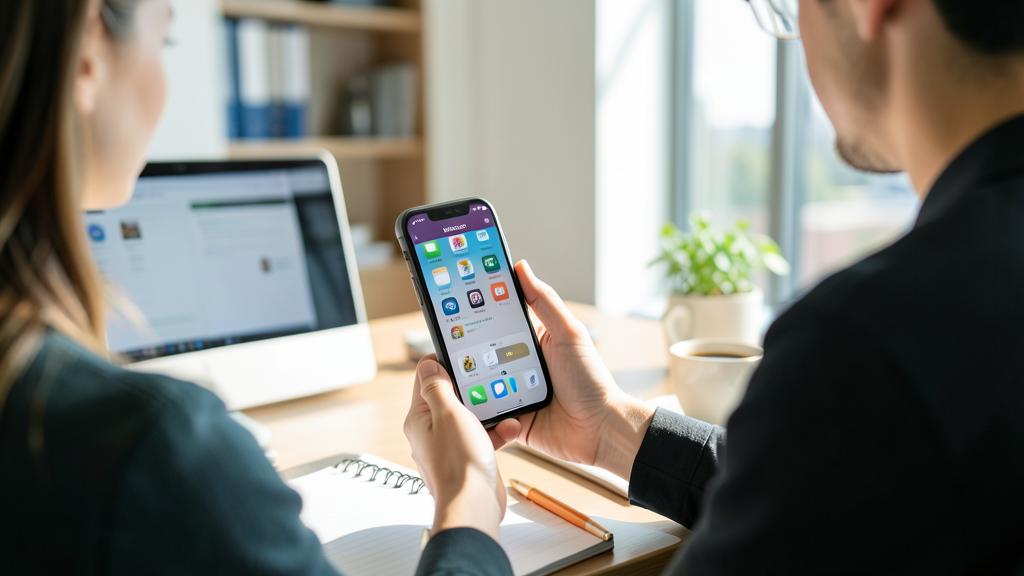
Will I miss important calls with a Focus mode?
Not if you set it up correctly: that’s precisely the whole point of Focus modes compared to total silence. The risk of missing an important call only exists if you configure a mode that blocks absolutely everything, without exception. Yet Focus modes are designed to avoid this: they allow you to AUTHORIZE certain people to reach you even when the mode is active. The right setting therefore consists of adding, in each mode, the contacts who must be able to reach you in case of emergency: your loved ones, your family. Thus, a call from your spouse, your children, or your parents will get through, while superfluous notifications (apps, networks, less priority contacts) will remain silent. You filter the noise without cutting off the essential. Moreover, many systems offer an additional safety feature for emergencies: the possibility of letting through an INSISTENT call, i.e., someone who calls you several times in a row in a short time (a possible sign of an emergency); check that this option is activated, especially for the sleep mode. Therefore, take the time, when setting up your modes, to carefully choose your exceptions: that’s what will allow you to concentrate or sleep with peace of mind, without the fear of missing an important call. On the other hand, NON-priority messages and calls (those you haven’t authorized) will arrive silently, and you’ll discover them later: that’s the goal (you process them at your own pace). In summary: no, you won’t miss important calls if you set up your exceptions; that’s precisely the strength of these modes to be able to cut out the trivial while remaining reachable for the essential. A well-configured mode protects your attention AND keeps you accessible for what truly matters.
Can Focus modes help me sleep better?
Yes, absolutely: the Sleep mode is even one of the most beneficial uses of Focus modes. Our sleep is often disrupted by two things related to the phone: notifications that wake us up or keep us alert at night, and the use of screens in the evening, which delays falling asleep. The Sleep mode acts on both fronts. On the one hand, it KEEPS SILENCE at night: superfluous notifications are cut off, and your phone no longer disturbs you with beeps and vibrations while you sleep (while still letting through, if you set it up this way, an urgent call from a loved one or an insistent call, for safety). You thus sleep without being woken up by the slightest unimportant message. On the other hand, it can help you DISCONNECT in the evening: by automatically activating at a certain time, it dims the screen, simplifies the display, and sends you the signal that it’s time to ease off; this encourages you to put down the phone and prepare for sleep. To take advantage of it: set up the Sleep mode so it activates ITSELF every evening at the time that suits you, and only authorize the people who must be able to reach you in case of nighttime emergency. Combined with good habits (avoiding screens right before bed, activating warm tones in the evening), the Sleep mode really contributes to more peaceful nights (our screen and sleep guides). It’s an excellent starting point if you’re discovering Focus modes: start by setting this one up well, because better sleep is immediately felt on your well-being. In summary, yes, the Sleep mode helps you sleep better by cutting off nighttime disturbances and encouraging you to disconnect in the evening: it’s one of the most concrete gifts these modes can give you.
What to remember
Faced with the flood of notifications and distractions from our phone, the Focus modes (or « Focus ») of the iPhone allow you to regain control of your attention. Their principle: intelligently FILTER what reaches you depending on the moment, rather than being subjected to a continuous flow or cutting everything blindly. That’s what sets them apart from the simple « Do Not Disturb »: for each mode (Work, Sleep, Personal…), you choose which PEOPLE and which APPS can notify you, and you silence the rest. They can be triggered AUTOMATICALLY based on time, location, or activity, and even adapt your screen. To use them well: explore the proposed modes, set up the permissions for each, activate them manually or (better) automatically based on your moments, take special care of the Sleep mode, and start SIMPLE (one or two well-set-up modes are better than ten complicated ones). But remember above all the essential precaution: always KEEP exceptions for emergencies. A mode that’s too strict could make you miss an important call; therefore, systematically authorize your loved ones to reach you, even in your strictest modes, and check that insistent calls (a possible sign of an emergency) get through, especially at night. It’s this nuance—filtering the trivial while letting through the essential—that allows you to concentrate or sleep with a truly peaceful mind, without cutting yourself off from what matters. Find the right balance (neither too permissive nor too restrictive), know that non-urgent messages arrive silently (check from time to time), and see these modes as a well-being tool, not isolation: the goal is a healthier use of the phone, not to become unreachable. The Sleep mode, in particular, is a concrete gift for your nights: it cuts off nighttime disturbances and helps you disconnect in the evening. Well set up, with exceptions for the essential and automatic triggering, Focus modes give you back your attention, your tranquility, and your moments—without ever cutting you off from those who are dear to you.
Want to unlock the full potential of your iPhone, iPad, or Mac? Our Apple training courses will take you to the next level.
Leave a Reply
You must be logged in to post a comment.