
Free Wi-Fi in cafés, hotels, airports, or train stations is very convenient: you can connect without consuming your mobile data. However, these public networks have a bad reputation when it comes to security—sometimes exaggerated, sometimes justified. What are the REAL risks on a public Wi-Fi? Should you be so wary that you never use it? Neither paranoia nor carelessness: here are the real risks of public Wi-Fi, and especially the simple good practices to connect safely.
The real risks (and the false fears)
Let’s start by clarifying things, as the subject is surrounded by misconceptions. The main risk of a public Wi-Fi lies in this: it’s an OPEN and SHARED network, which you don’t control or know the manager of, and on which other strangers are present. This can allow, in some cases, a malicious third party to INTERCEPT unprotected data in transit, or to create a FAKE network (« pirate access point » mimicking the real Wi-Fi of the place) to trap connections. That’s the real theoretical risk. BUT we must nuance, as security has improved a lot: today, the vast majority of websites and applications use ENCRYPTED connections (the famous « lock » HTTPS); what circulates between you and these sites is then protected, even on a public Wi-Fi—a sniffer would only see gibberish. The real risk is therefore much lower than in the days when everything circulated « in the clear. » What to remember: public Wi-Fi is not a deadly trap to be absolutely avoided, but it’s not a trusted network either; it’s an environment where common-sense vigilance is required, especially for sensitive operations. The right attitude is neither paranoia (never connecting) nor carelessness (doing anything): it’s an INFORMED use, adapting your caution to the sensitivity of what you’re doing.
Public Wi-Fi is shared and open, so hackers could try to steal your data or trick you with fake networks. But most websites now use encryption (HTTPS), so everyday browsing is usually safe. The real risk is only for sensitive tasks like banking, where you should switch to mobile data.
Imagine you’re at an airport using the free Wi-Fi to check your flight status. This is safe because the website uses HTTPS. But if you try to log into your online banking, a hacker could intercept your password if the network is fake or unsecured. Always switch to mobile data for banking.

Good practices to connect safely
A few simple reflexes are enough to use a public Wi-Fi calmly: check the LOCK (HTTPS)—make sure the sites where you enter information display a secure connection (the lock in the address bar); this is your basic protection; avoid VERY SENSITIVE operations—it’s better not to do important banking operations or enter very sensitive information on an unknown public Wi-Fi; if necessary, prefer your MOBILE DATA (your own connection, much safer) for the duration of the operation; be wary of DUBIOUS networks—a Wi-Fi open with a strange name, or two networks with almost identical names, can be traps; in doubt, ask the staff for the exact name of their official network; disable AUTOMATIC connection to open networks (to avoid connecting unknowingly to an unknown network); forget the network after use (to avoid reconnecting automatically elsewhere); keep your devices UPDATED (updates fix vulnerabilities—our security guides); and for regular use of public Wi-Fi, a VPN (virtual private network) encrypts all your traffic and adds protection (choose a reliable and recognized one: a dubious free VPN can be worse than the problem). These practices, easy to adopt, considerably reduce the risks. The guiding principle: adapt your caution to what you ARE DOING—checking the weather or reading the news on a public Wi-Fi presents virtually no risk; making an important transfer or entering very sensitive data deserves your mobile connection or a trusted network. The right approach is not to avoid public Wi-Fi, but to know what you can do on it without worry and what it’s better to reserve for a safe network.
The right reflex. Adapt your caution to the SENSITIVITY of what you’re doing: on a public Wi-Fi, mundane activities (checking the weather, reading the news, watching a video, browsing) present virtually no risk—enjoy them freely. On the other hand, for SENSITIVE operations (banking, purchases with card entry, logging into important accounts, confidential data), the simple reflex is to switch to your MOBILE DATA for the duration of the operation: your own mobile connection is much safer than an unknown public Wi-Fi, and it only takes one gesture (turn off Wi-Fi). Always check the LOCK (HTTPS) when you enter information. This rule—mundane on public Wi-Fi, sensitive on mobile data or a trusted network—gives you the best of both worlds: the convenience of free Wi-Fi for everyday use, and the security of your connection for what matters. Neither paranoia, nor carelessness: just the right gesture at the right time.

Neither paranoia, nor carelessness: informed use
As is often the case in digital security, the right attitude avoids two extremes. TOTAL CARELESSNESS: doing anything on any public Wi-Fi (important transfers, entering very sensitive data on unknown networks, without checking the lock) exposes you to a real, albeit reduced, risk. PARANOIA: refusing all public Wi-Fi out of fear, when most common uses are now safe thanks to widespread encryption—this would be an unnecessary deprivation of a practical service. Between the two, INFORMED USE: using public Wi-Fi for ordinary activities (the vast majority), while reserving sensitive operations for your mobile connection or a trusted network, and keeping a few simple reflexes (lock, distrust of dubious networks, updated devices). This measured approach fits into overall digital hygiene (our privacy guides, securing your home box for your trusted domestic network). One last point: the same principles apply to all networks you’re not sure of (a shared Wi-Fi, one from an unreliable place). Your HOME NETWORK, on the other hand, should be secured (strong password, updated box—our guides to securing your box) and then becomes a trusted network. In short, public Wi-Fi is neither to be demonized nor to be used blindly: knowing its real risks (reduced but real) and applying a few simple good practices allows you to use it with peace of mind. Digital security is not a matter of fear, but of good reflexes adapted to the context: on public Wi-Fi as elsewhere, it’s discernment that protects.
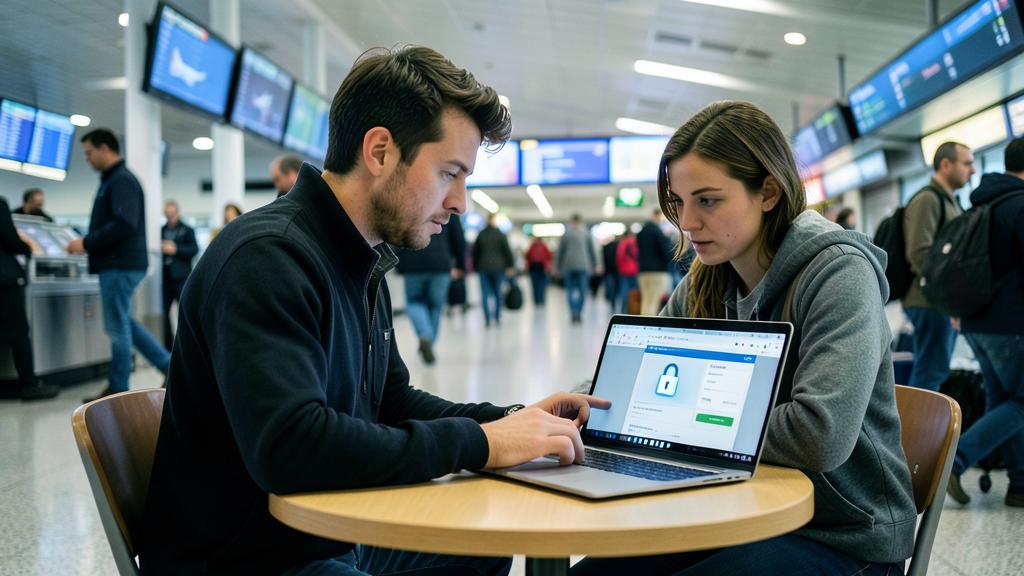
Beware of fake networks and sensitive operations. Two vigilances on public Wi-Fi: be wary of FAKE networks—a hacker can create an access point mimicking the real Wi-Fi of a place (almost identical name) to intercept connections; in doubt, ask the staff for the EXACT name of their official network, and be wary of open networks with strange names or suspicious duplicates. Also disable automatic connection to open networks, to avoid connecting unknowingly. Second point: reserve VERY SENSITIVE operations (important transfers, entering banking or confidential data, logging into critical accounts) for your MOBILE connection or a trusted network, rather than an unknown public Wi-Fi; always check the lock (HTTPS) when you enter information. Finally, if you use a VPN to protect yourself, choose a RELIABLE and recognized one: a dubious free VPN can itself collect your traffic—the remedy would then be worse than the problem (our privacy guides). Public Wi-Fi is not to be demonized (widespread encryption protects most uses), but it deserves these few common-sense precautions for sensitive activities.
Frequently asked questions
Is it dangerous to use public Wi-Fi?
Less than you might think for everyday uses, but not completely risk-free. Widespread encryption (the HTTPS lock on most sites and applications) now protects what’s being transmitted, even on a public network: checking the weather, reading the news, browsing are virtually risk-free. The risk concerns mainly SENSITIVE operations (banking, confidential data) on unknown networks, or fake trapped networks. The right attitude: use public Wi-Fi for everyday things, but reserve sensitive operations for your mobile data or a trusted network. Neither paranoia, nor carelessness: informed use according to what you’re doing.
Can I do my banking on public Wi-Fi?
It’s better to avoid it on an unknown public network: for important banking operations or entering sensitive data, prefer your MOBILE DATA (your own connection, much safer) for the duration of the operation—just turn off Wi-Fi. If you absolutely must do it, at least check the lock (HTTPS) and make sure you’re on the real network of the place (not a fake one). A reliable VPN adds protection. But the simplest reflex remains to switch to mobile data for anything related to money and very sensitive data: a few seconds for total peace of mind on these important operations.

Is a VPN necessary on public Wi-Fi?
It’s not essential for everyday uses (HTTPS encryption already protects most of it), but it provides additional protection if you REGULARLY use public Wi-Fi: a VPN encrypts all your traffic. If you use one, choose a RELIABLE and recognized one: beware, a dubious free VPN can itself collect and sell your traffic—the remedy would then be worse than the problem (our privacy guides). For occasional use, the simple rule (mundane on public Wi-Fi, sensitive on mobile data) often suffices. The VPN is a plus for frequent users: useful, provided you choose it well.
What to remember
Public Wi-Fi is neither a deadly trap to be avoided, nor a trusted network: it’s a shared environment that requires common-sense vigilance. The real risk—data interception or a fake trapped network—is now greatly reduced thanks to widespread encryption (the HTTPS lock protects most sites and applications), but it’s not zero for sensitive operations. The right attitude is INFORMED USE, adapted to the sensitivity of what you’re doing: freely enjoy public Wi-Fi for mundane activities (weather, news, browsing), but switch to your MOBILE DATA (much safer) for sensitive operations (banking, confidential data, critical accounts). Keep a few reflexes: check the lock when you enter information, be wary of fake networks (ask the staff for the official name), disable automatic connection to open networks, keep your devices updated, and for frequent use, a reliable VPN (never a dubious free one). Neither paranoia, nor carelessness: digital security is not a matter of fear but of good reflexes adapted to the context. On public Wi-Fi as elsewhere, it’s discernment—mundane here, sensitive there—that protects.


Doubts about your security, a device to check or clean up? Our support service guides you step by step.
Leave a Reply
You must be logged in to post a comment.