
Malicious software can cause sudden slowdowns, intrusive pop-up ads, unknown programs, and overheating fans. These are all signs that may indicate the presence of malicious software. An infected computer is not only difficult to use: it puts your personal data, passwords, and sometimes your finances at risk. This guide explains how to recognize an infection, treat it methodically, and most importantly, avoid it in the future.
Recognizing an infection
Modern malware is often designed to stay discreet. However, certain signs should alert you, especially when they occur together:

- Sudden and unexplained slowdown of the computer.
- Pop-up ads that appear, sometimes even without an open browser.
- Modified homepage or search engine without your consent.
- Unknown programs that you did not install.
- Disabled antivirus that refuses to restart.
- Abnormal network activity or a machine that overheats while idle.
Taken individually, none of these symptoms alone prove an infection—a worn-out device can produce similar effects. But their accumulation makes malware highly likely.
If your computer suddenly slows down, shows ads, or runs unknown programs, it might be infected. Multiple signs together are a red flag.
Virus, malware, ransomware: what are we talking about?
People say « virus » for everything, but the exact term helps in responding. Malware is the generic term for any harmful software. A virus replicates by infecting files. A Trojan horse disguises itself as legitimate software. Ransomware encrypts your files and demands a ransom. Spyware spies on your activity. Each requires a slightly different response, but the general cleaning method remains the same.

What to never do. Never call the number displayed in a fake alert « your PC is infected, » never pay a ransom without professional advice, and never install a second antivirus « to be sure »: two active antiviruses neutralize each other and destabilize the system.
In 2023, a company in Paris lost 50,000 euros after paying a ransom to decrypt files. The malware had entered through a phishing email. Always verify before acting.
React immediately in case of doubt
Hastiness is your worst enemy. Here is the order of operations that limits damage:

- Disconnect from the Internet to cut off malware communication and prevent data exfiltration.
- Do not log into any sensitive accounts (banking, email) from the suspicious machine.
- Back up your important documents on an external drive—only personal files, never programs.
- Note the precise symptoms: messages, modified extensions, suspicious processes.
- Restart in safe mode to prevent most malware from launching.
Clean methodically
Cleaning follows a simple logic: isolate, analyze, eradicate, verify. Perform a full scan (not quick) with your up-to-date antivirus, then a second pass with a reputable anti-malware tool—two different engines detect different threats. Then uninstall unknown programs, sorting by installation date to spot intruders, and clean suspicious browser extensions.
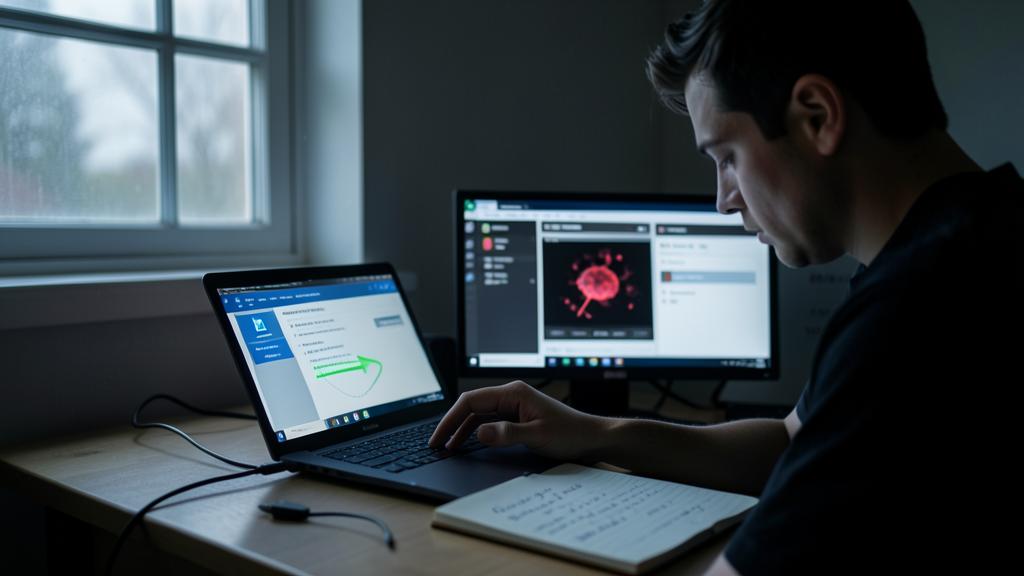
After removal, restart normally and monitor for a few days: has the calm returned? Then change your important passwords from another healthy device, as they may have been captured.

The right reflex. In case of ransomware that has encrypted your files, do not pay and do not shut down abruptly. Take a photo of the ransom note, disconnect the machine from the network, and have it examined: depending on the strain, free decryption tools sometimes exist.
When a clean reinstall is necessary
For deep infections or after ransomware, the safest solution is a clean reinstall of the system. It’s drastic, but it’s the only guarantee to start fresh—provided you have backed up your data beforehand. A professional can perform this operation while preserving your personal files.

Avoiding the next infection
The best disinfection is the one you don’t have to do. A few habits drastically reduce the risk: keeping your system and browser up to date, downloading only from official sources, being wary of attachments and overly urgent emails, enabling automatic backup to a disconnected drive, and using unique passwords with two-factor authentication.
Frequently asked questions
Is a free antivirus enough?
For everyday and cautious use, often yes. The key is that it is up to date and complemented by good habits: vigilance remains the best protection.

My computer is infected, will I lose my data?
Not necessarily, especially if you act quickly and back up early. Ransomware complicates things, but prompt intervention maximizes recovery chances.
What to remember
In case of infection, the key is to stay methodical: recognize the signs, disconnect, back up, analyze with two tools, eradicate, then strengthen your prevention. Do not give in to panic or false alerts. If doubt persists, if symptoms return, or if files remain encrypted, professional diagnosis is better than a manipulation that worsens data loss.

Think you have a virus? Contact us to study the issue.
Leave a Reply
You must be logged in to post a comment.